
Introduction
Thank you for choosing the LIORQUE Sunrise Alarm Clock Model YF01-C. This device is designed to enhance your sleep and wake-up experience with its natural light simulation, diverse soundscapes, and smart features. This manual provides detailed instructions to help you get the most out of your new alarm clock.

Image: The LIORQUE Sunrise Alarm Clock, a spherical device with a fabric-covered top half that illuminates, and a fabric-covered base displaying the digital time.
Setup
1. Unboxing and Power Connection
- Carefully remove all components from the packaging.
- Connect the provided USB-C cable to the charging port on the back of the alarm clock.
- Plug the USB-A end of the cable into the included power adapter, then plug the adapter into a wall outlet. The display will illuminate.
2. Initial Time Setting
- Upon first power-up, the time display may blink.
- Rotate the multifunction knob on top to adjust the hour. Press the knob to confirm and move to minute adjustment.
- Rotate the knob to adjust minutes. Press the knob again to confirm.
- The clock supports 12-hour and 24-hour formats. This can typically be toggled during the initial setup or via a dedicated time setting button (refer to the quick start guide for specific button functions).
3. Alarm Setting
- Press the 'Alarm' button (often indicated by a bell icon) to enter alarm setting mode.
- Rotate the multifunction knob to set the alarm hour, then press to confirm.
- Rotate the knob to set the alarm minutes, then press to confirm.
- You may then be prompted to select an alarm sound and light intensity. Rotate the knob to cycle through options and press to confirm.

Image: An overview of the LIORQUE Sunrise Alarm Clock highlighting its key features: Sunrise Wake-Up, Bluetooth Connection, White Noise & Nature Sounds, Dynamic Color Night Light, Adjustable Volume & Brightness, and Sleep Timer.
Operating Instructions
1. Sunrise Simulation Wake-Up
- The sunrise simulation feature gradually brightens the light over a period of 0-60 minutes before your set alarm time.
- To activate or adjust, typically press the 'Sunrise' button (often indicated by a sun icon) and use the multifunction knob to set the pre-wake time duration and light intensity.

Image: The LIORQUE Sunrise Alarm Clock on a beach at sunrise, illustrating the gradual brightening of the light from 7:00 AM to 7:30 AM, with adjustable light brightness (1-20 levels) and sunrise countdown (0-60 minutes).
2. Sound Modes (White Noise & Nature Sounds)
- The alarm clock features 30 distinct sound options: 20 natural melodies and 10 white noise patterns.
- Press the 'White Noise' button to cycle through white noise options.
- Press the 'Natural Ringtone' button to cycle through natural melodies.
- Adjust the volume using the dedicated volume buttons or the multifunction knob.
3. Night Light Modes
- The device offers 17 light modes, including 8 static colors and 9 dynamic light modes.
- Press the 'RGB' button to cycle through the various color options.
- Adjust the light brightness by rotating the multifunction knob when the light is active.

Image: The LIORQUE Alarm Clock displaying various dynamic light modes, including monochrome gradients and breathing lights, with a total of 17 options.
4. Bluetooth Audio
- The alarm clock can connect to your phone via Bluetooth to play music or audiobooks.
- Activate Bluetooth mode on the alarm clock (refer to the quick start guide for the specific button).
- Enable Bluetooth on your mobile device and select 'LIORQUE YF01-C' from the list of available devices to pair.
- The alarm clock automatically syncs time via Bluetooth connection to your phone.

Image: The LIORQUE Alarm Clock displaying a colorful light pattern while connected via Bluetooth to a smartphone playing music, illustrating its Bluetooth audio capabilities.
5. Sleep Timer
- Utilize the sleep timer to set a countdown from 10 to 480 minutes.
- During the sleep timer, you can select your preferred light and sound settings, which will gradually dim or fade out as the timer concludes.

Image: The LIORQUE Alarm Clock on a bedside table next to a sleeping person, with the display showing 10:30 and indicating the 10-480 minute sleep timer feature.
6. Snooze Function
- When the alarm sounds, press the multifunction knob to activate the snooze function.
- The snooze duration is adjustable, typically from 5 to 20 minutes.

Image: A hand pressing the top knob of the LIORQUE Alarm Clock, with the display showing 7:30 AM and indicating the one-button snooze feature, customizable from 5-20 minutes.
7. Screen Brightness Adjustment
- The time display features 5 adjustable brightness levels.
- For light-sensitive users, the screen can be completely turned off, ensuring a dark sleep environment.
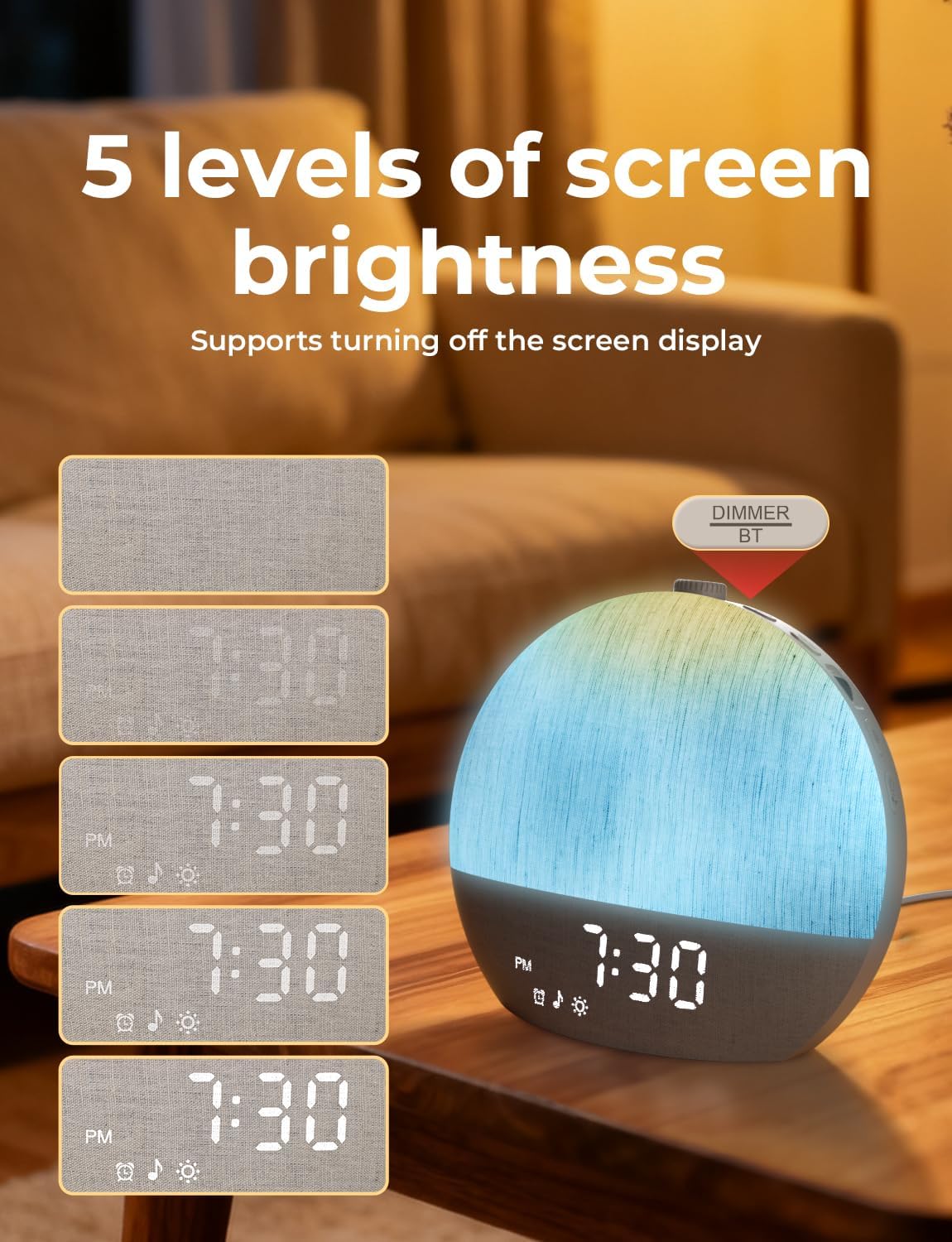
Image: The LIORQUE Alarm Clock demonstrating five levels of screen brightness, from fully off to maximum brightness, highlighting its soft time display through fabric.
Maintenance
Cleaning
- Unplug the device before cleaning.
- Wipe the exterior with a soft, dry cloth. Do not use liquid cleaners or abrasive materials.
- Avoid getting moisture into any openings.
Storage
- Store the alarm clock in a cool, dry place when not in use for extended periods.
Troubleshooting
| Issue | Possible Solution |
|---|---|
| Device does not power on. | Ensure the power adapter is securely plugged into both the device and a working wall outlet. Check if the power outlet is functional. |
| Alarm does not sound or light up. | Verify that the alarm is enabled and set to the correct time. Check the alarm volume and light intensity settings. |
| Bluetooth connection issues. | Ensure the alarm clock is in Bluetooth pairing mode. Turn off and on Bluetooth on your mobile device. Move the device closer to the alarm clock. |
| Time display is too bright/dim. | Adjust the screen brightness using the dedicated dimmer button or multifunction knob. |
Specifications
- Brand: LIORQUE
- Model: YF01-C
- Display Type: Digital
- Special Feature: Alarm, Sunrise Simulation, Sleep Sounds, Night Light, Bluetooth
- Product Dimensions: 3.62"W x 6.96"H
- Power Source: Corded Electric
- Material: Acrylonitrile Butadiene Styrene (ABS), Fabric
- Item Weight: 1.3 pounds
- Batteries: 1 Nonstandard Battery (included)
Warranty and Support
For warranty information or technical support, please refer to the warranty card included in your product packaging or visit the official LIORQUE website. You may also contact customer service through your purchase platform for assistance.


