
1. Introduction
This manual provides detailed instructions for the setup, operation, and maintenance of your plplaaoo Remote Control, designed specifically for D19 and D20 GPS Fishing Bait Boats. Please read this manual thoroughly before using the remote control to ensure proper function and safety.
2. Product Overview
The plplaaoo Remote Control is a wireless device used to navigate and operate compatible GPS fishing bait boats. It features a strong signal with a remote range of up to 500 meters and an LCD screen that displays essential information.

Figure 2.1: Remote Control Components and Display
This diagram illustrates the various parts of the remote control, including the left and right roller wheels, built-in antenna, power switch, and numbered buttons. The LCD screen displays information such as boat navigation light status, signal strength, remote controller battery life, fixed-speed navigation, original point reminder, GPS signal, boat battery life, boat direction, and distance. Buttons 1 and 2 are for bait containers, and Button 3 is the return button.

Figure 2.2: Remote Control with Joystick Caps
The image displays the remote control unit along with two small black joystick caps, which are typically included for enhanced grip and control of the joysticks.
3. Setup
3.1 Battery Installation
The remote control requires 3 AA batteries (not included) for operation.
- Locate the battery compartment on the back of the remote control.
- Open the battery compartment cover.
- Insert 3 AA batteries, ensuring correct polarity (+/-).
- Close the battery compartment cover securely.
3.2 Powering On/Off
To power on the remote control, slide the "ON/OFF" switch to the "ON" position. To power off, slide the switch to the "OFF" position.
4. Operating Instructions
This section details the functions of the remote control for navigating and operating your GPS fishing bait boat.

Figure 4.1: Remote Control in Operation
This image demonstrates the remote control being used to guide a fishing bait boat across a body of water, illustrating its long-distance control capability.

Figure 4.2: Remote Control with Bait Boat
The remote control is shown alongside a fishing bait boat, which is loaded with bait in its compartments, ready for deployment. This highlights the primary function of the remote in controlling bait release.
4.1 Basic Navigation
- Use the Left Roller Wheel to control the left motor of the boat.
- Use the Right Roller Wheel to control the right motor of the boat.
- Combine movements of both roller wheels for precise steering and speed control.
4.2 Bait Release
- Press Button 1 to release bait from the first bait container (typically 1/3 capacity).
- Press Button 2 to release bait from the second bait container (typically 2/4 capacity).
4.3 Return Function
- Press Button 3 (Return button) to activate the boat's automatic return function to its original starting point.
4.4 LCD Display Information
The LCD screen provides real-time data to assist with boat operation:
- Signal Strength: Indicates the strength of the connection between the remote and the boat.
- Remote Controller Battery Life: Shows the remaining battery power of the remote control.
- Boat Battery Life: Displays the remaining battery power of the fishing bait boat.
- Boat Distance: Shows the distance of the boat from the remote control.
- Boat Direction: Indicates the current direction of the boat.
- Positioning Points: Displays information related to GPS positioning.
- Fixed-speed Navigation: Indicates if fixed-speed mode is active.
- Original Point Reminder: Notifies the user of the boat's starting point.
- Boat Navigation Light: Shows the status of the boat's navigation lights.
5. Maintenance
- Keep the remote control dry and clean. Avoid exposure to water or excessive moisture.
- Clean the surface with a soft, dry cloth. Do not use abrasive cleaners or solvents.
- Remove batteries if the remote control will not be used for an extended period to prevent leakage.
- Store in a cool, dry place away from direct sunlight and extreme temperatures.

Figure 5.1: Important Note on Product Usage
This image serves as a reminder that the fishing bait boat itself is not included with the remote control. It also visually implies the remote is designed for outdoor use, but care should be taken in adverse conditions.
6. Troubleshooting
- Remote Control Not Powering On:
- Check if the batteries are inserted correctly with the right polarity.
- Replace old batteries with new AA batteries.
- Ensure the power switch is fully in the "ON" position.
- No Connection to Bait Boat:
- Ensure both the remote control and the bait boat are powered on.
- Check the signal strength indicator on the LCD screen.
- Reduce the distance between the remote control and the bait boat.
- Ensure there are no major obstructions between the remote and the boat.
- Inaccurate GPS Positioning:
- Ensure the boat has a clear view of the sky for optimal GPS signal reception.
- Avoid operating in areas with tall buildings or dense foliage that may obstruct GPS signals.
7. Specifications
| Feature | Detail |
|---|---|
| Brand | plplaaoo |
| Model Compatibility | D19/D20 GPS Fishing Bait Boats |
| Remote Range | Up to 500 meters |
| Power Source | 3 x AA Batteries (not included) |
| Material | FR4 |
| Color | Black |
| Item Package Dimensions | 7.09 x 3.94 x 2.36 inches |
| Package Weight | 205 Grams |

Figure 7.1: Remote Control Dimensions
This image provides a visual representation of the remote control's physical dimensions, indicating a width of 15 cm (5.9 inches) and a height of 8.7 cm (3.4 inches).
8. Warranty and Support
The manufacturer provides a 90-day warranty for this product.
For additional support, instructional videos are available online. You can access them via the following links:
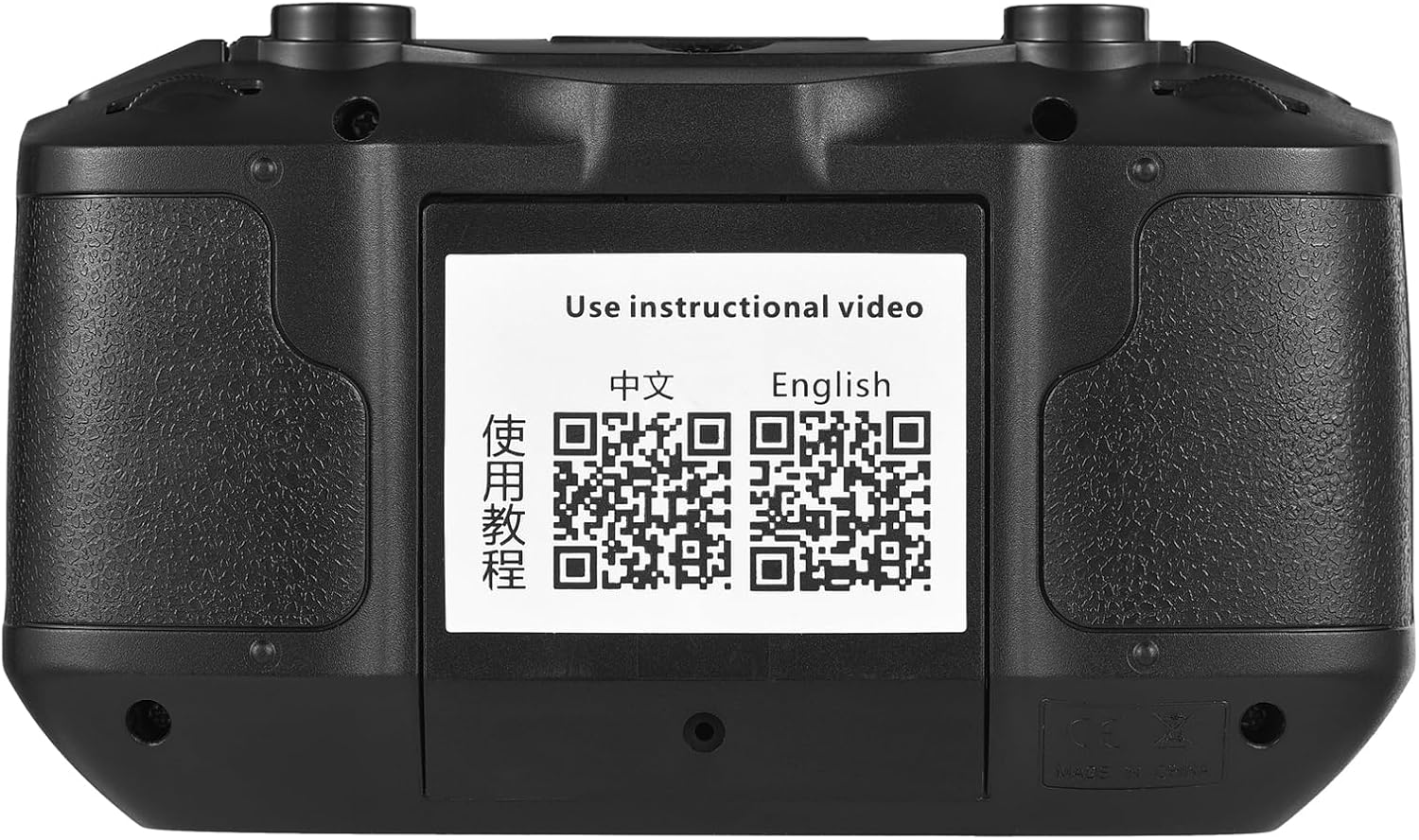
Figure 8.1: QR Codes for Instructional Videos
The back of the remote control features QR codes that link to online instructional videos in both Chinese and English, providing convenient access to visual guides for product usage.