
1. Introduction
Thank you for purchasing the THOMSON 50-inch UHD LED Smart TV. This manual provides essential information for the safe and efficient use of your television. Please read it thoroughly before operating the device and retain it for future reference.
Important Safety Instructions
- Read all instructions before using the TV.
- Keep these instructions for future reference.
- Heed all warnings on the appliance and in the operating instructions.
- Follow all instructions.
- Do not use this apparatus near water.
- Clean only with a dry cloth.
- Do not block any ventilation openings. Install in accordance with the manufacturer's instructions.
- Do not install near any heat sources such as radiators, heat registers, stoves, or other apparatus (including amplifiers) that produce heat.
- Protect the power cord from being walked on or pinched, particularly at plugs, convenience receptacles, and the point where they exit from the apparatus.
- Only use attachments/accessories specified by the manufacturer.
- Unplug this apparatus during lightning storms or when unused for long periods of time.
- Refer all servicing to qualified service personnel. Servicing is required when the apparatus has been damaged in any way, such as power-supply cord or plug is damaged, liquid has been spilled or objects have fallen into the apparatus, the apparatus has been exposed to rain or moisture, does not operate normally, or has been dropped.
2. What's in the Box
Please check that all components are present and in good condition:
- Power Adapter
- Power Cable
- Remote Control
- Stand
- User Manual (this document)
3. Setup
3.1 Stand Assembly
Carefully place the TV screen-down on a soft, flat surface to prevent damage. Attach the stand feet to the designated slots on the bottom of the TV using the provided screws. Ensure they are securely fastened.

Image: This diagram illustrates the physical dimensions of the television, including its width, height, and depth, as well as the footprint of the stand. The screen diagonal is 126 cm (50 inches).
3.2 Connecting Power
Connect the power adapter to the TV's power input, then plug the power cable into a suitable wall outlet. The TV will enter standby mode.
3.3 Initial Power On and First-Time Setup
Press the power button on the remote control or the TV to turn it on. Follow the on-screen instructions to complete the initial setup, which typically includes:
- Language selection
- Network connection (Wi-Fi or Ethernet)
- Fire TV account login or creation
- Channel scanning for the triple tuner (DVB-C/S2/T2)
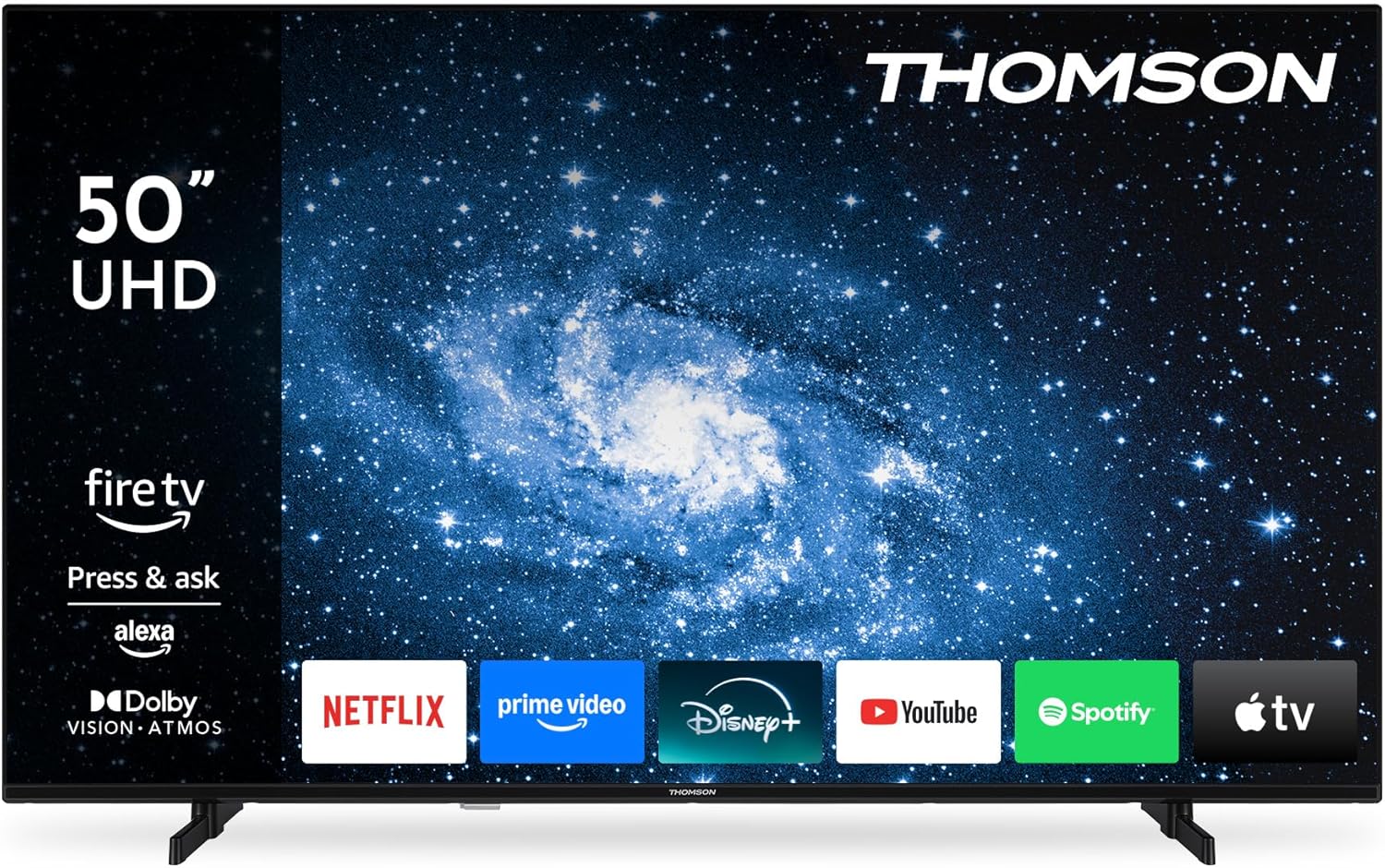
Image: The front view of the Thomson 50-inch TV, showcasing its display with the Fire TV operating system interface and various streaming application icons.
3.4 Remote Control Setup
The included Bluetooth remote control is pre-paired. If re-pairing is needed, follow the instructions in the Fire TV settings menu.

Image: This image displays the remote control, emphasizing its ergonomic design and the dedicated buttons for popular streaming services and the Alexa voice assistant.
4. Operating Your TV
4.1 Fire TV Interface
Navigate the Fire TV interface using the remote control's directional pad. The home screen provides access to your favorite streaming services, apps, and live TV. You can create multiple user profiles for personalized recommendations and settings.
4.2 Alexa Voice Control
Press the Alexa button on your remote control and speak your commands. Alexa can search for content, launch apps, control playback, and manage compatible smart home devices.
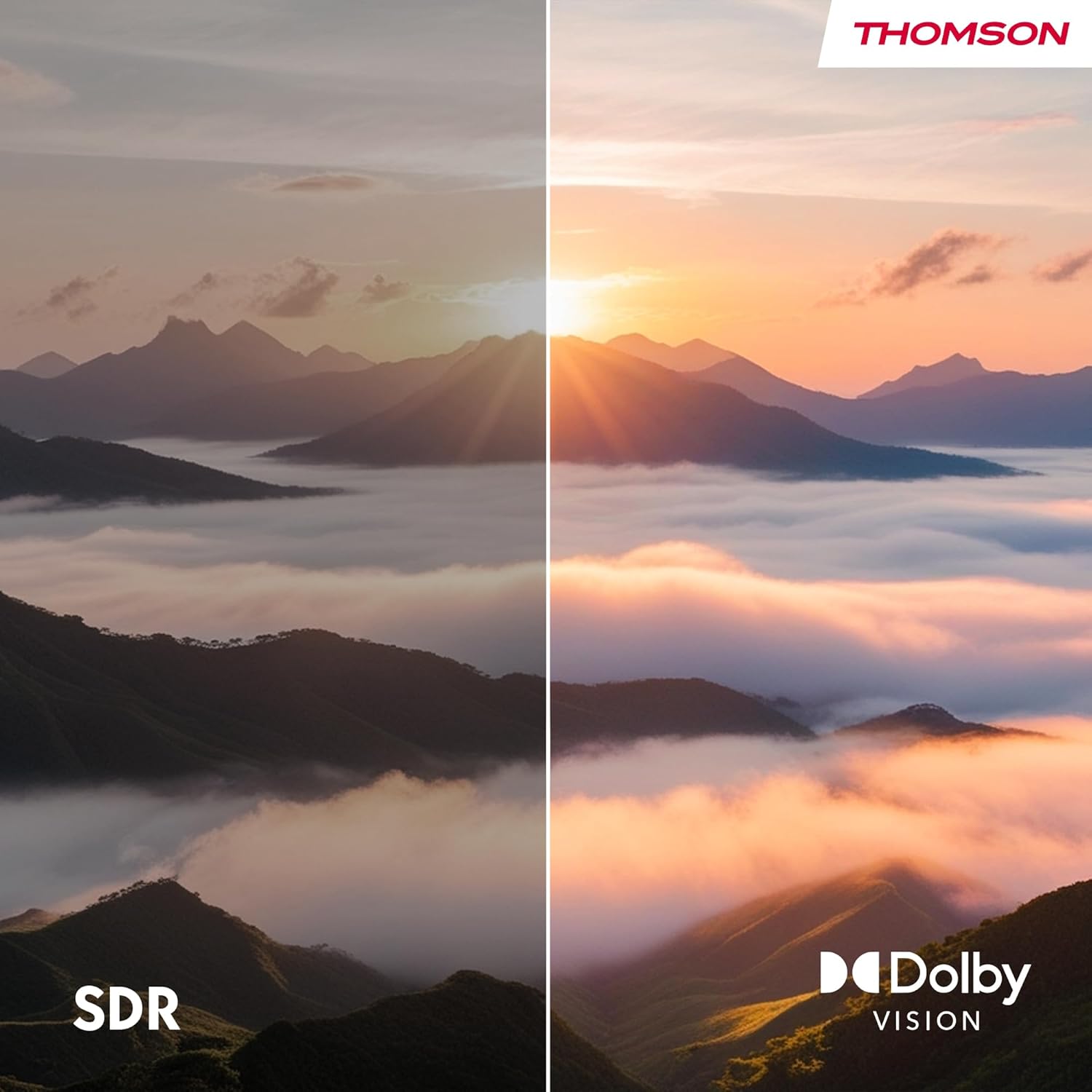
Image: This image demonstrates the Alexa voice control feature, showing various commands that can be used to interact with the TV and smart home devices.
4.3 Apple AirPlay
With Apple AirPlay, you can stream content directly from your iPhone, iPad, or Mac to your TV. Ensure both your Apple device and the TV are connected to the same Wi-Fi network. Select the AirPlay icon on your Apple device and choose your Thomson TV from the list of available devices.

Image: This image illustrates the AirPlay functionality, showing how content from an iOS device can be cast wirelessly to the television.
4.4 Triple Tuner (DVB-C/S2/T2)
The integrated triple tuner allows you to receive signals via cable (DVB-C), satellite (DVB-S2), and terrestrial antenna (DVB-T2) without the need for an external set-top box. Access live TV channels through the Fire TV interface.
4.5 Smart Home Dashboard
The integrated Smart Home Dashboard provides centralized control over your connected smart home devices directly from your TV.
5. Connections
Your TV offers various connectivity options for external devices:

Image: This diagram details the various input and output ports located on the rear panel of the television.
| Port | Description |
|---|---|
| HDMI 2.1 (x3) | Connect high-definition devices such as Blu-ray players, game consoles, or set-top boxes. Supports 4K resolution. |
| USB 2.0 (x2) | Connect USB storage devices for media playback or software updates. |
| LAN (Ethernet) | For a wired internet connection. |
| Antenna (RF) | Connect a terrestrial antenna for DVB-T2 channels. |
| Satellite (F-type) | Connect a satellite dish for DVB-S2 channels. |
| CI+ Slot | Insert a CI+ module and smart card for encrypted digital TV channels. |
| Audio Out | Connect to an external audio system. |
| Headphones | Connect headphones for private listening. |
| Bluetooth 5.0 | Wireless connection for compatible devices like soundbars or headphones. |
| Wi-Fi | Wireless internet connectivity. |
6. Maintenance
6.1 Cleaning the TV
- Always unplug the TV before cleaning.
- Use a soft, dry cloth to wipe the screen and cabinet.
- For stubborn marks on the screen, use a screen cleaning solution specifically designed for TVs, applied to a cloth, not directly to the screen.
- Do not use abrasive cleaners, waxes, or solvents.
6.2 Software Updates
Your TV may receive automatic software updates via the internet. Ensure your TV is connected to the internet to receive the latest features and security enhancements. You can also manually check for updates in the Fire TV settings menu.
7. Troubleshooting
If you encounter issues with your TV, refer to the table below for common problems and solutions:
| Problem | Possible Cause | Solution |
|---|---|---|
| No power | Power cord disconnected; no power from outlet. | Check power cord connection; test outlet with another device. |
| No picture, but sound is present | Incorrect input source selected; faulty cable connection. | Press the 'Input' button on the remote to select the correct source; check HDMI/AV cable connections. |
| No sound, but picture is present | Volume muted or too low; external audio system issues. | Unmute or increase volume; check audio cables to external system. |
| Remote control not working | Batteries depleted; remote not paired. | Replace batteries; re-pair the Bluetooth remote in TV settings. |
| Cannot connect to Wi-Fi | Incorrect password; router issues; TV too far from router. | Verify Wi-Fi password; restart router; move TV closer or use Ethernet. |
| Picture quality issues (e.g., blurry, distorted) | Low-quality source; incorrect display settings. | Ensure source content is high resolution; adjust picture settings (brightness, contrast, sharpness). |
| Alexa voice control not responding | Microphone blocked; remote not paired; internet connection issue. | Ensure nothing is covering the remote's microphone; re-pair remote; check internet connection. |
8. Specifications
Below are the technical specifications for the THOMSON 50UF4S35 TV:
| Feature | Specification |
|---|---|
| Model Number | 50UF4S35 |
| Screen Size | 50 inches (126 cm) |
| Display Technology | UHD LED LCD |
| Resolution | 4K (3840 x 2160 pixels) |
| Aspect Ratio | 16:9 |
| Refresh Rate | 50 Hz |
| Connectivity | Bluetooth 5.0, Ethernet, HDMI (x3), USB (x2), Wi-Fi |
| Audio Technology | Dolby Atmos |
| Video Technology | HDR10, Dolby Vision |
| Operating System | Fire TV |
| Voice Control | Alexa Built-in |
| Wireless Casting | Apple AirPlay |
| Tuners | DVB-C (Cable), DVB-S2 (Satellite), DVB-T2 (Terrestrial) |
| Dimensions (W x H x D) | 112 x 69 x 9 cm (without stand) |
| Weight | 13 kg |
| Energy Efficiency Class | E |
| Power Consumption (SDR) | 54 kWh/1000h |
| Power Consumption (HDR) | 104 kWh/1000h |
For detailed product information and energy label, please refer to the EPREL database: https://eprel.ec.europa.eu/qr/2349217

Image: Visual comparison demonstrating the enhanced color and contrast provided by Dolby Vision compared to Standard Dynamic Range (SDR).

Image: This image depicts the immersive audio experience provided by Dolby Atmos, with sound appearing to surround the viewers.

Image: The EU Energy Label for the television, indicating its energy efficiency class and power consumption for both SDR and HDR content.

Image: A section of the product data sheet in German, providing detailed technical specifications and energy information.
9. Warranty and Support
9.1 Warranty Information
This product is covered by a manufacturer's warranty. For specific details regarding warranty terms and conditions, please refer to the documentation provided with your purchase or contact the manufacturer directly. Standard consumer rights regarding defective or damaged products apply.
9.2 Customer Support
For technical assistance, troubleshooting, or warranty inquiries, please contact the manufacturer:
- Manufacturer: STREAMVIEW GMBH
- Website: www.streamview.com
- Email: contact@streamview.com
- Phone: +4318900066


