
Introduction
This manual provides comprehensive instructions for the safe and effective use of your Monster Persona 4th ANC Active Noise Canceling Headphones. Please read this manual thoroughly before using the product and retain it for future reference.
What's in the Box
Verify that all items are present upon unboxing:
- 1x Monster Persona 4th ANC Headphones
- 1x Type-C Charging Cable
- 1x Aux Cable

Image: Contents of the product packaging, showing the Monster Persona 4th ANC headphones, a USB-C charging cable, and a 3.5mm audio cable.
Product Overview
The Monster Persona 4th ANC headphones feature an over-ear design with an adjustable headband and rotating earcups for comfort. Key components include:
- Adjustable Headband
- Memory-Protein Foam Earcups
- Control Buttons (Power, Volume, ANC Mode)
- USB-C Charging Port
- 3.5mm Audio Jack
- Microphones for calls and ANC

Image: A close-up view of the white Monster Persona 4th ANC headphones, highlighting the earcup design and the Monster logo on the headband.
Setup
1. Charging the Headphones
- Connect the provided Type-C charging cable to the charging port on the headphones.
- Connect the other end of the cable to a USB power adapter (not included) or a computer's USB port.
- The charging indicator light will illuminate.
- A full charge takes approximately 2 hours.
- A 10-minute charge provides approximately 5 hours of playback.
Note: The headphones offer up to 70 hours of playtime with ANC off, and 50 hours with ANC on, on a full charge.

Image: Infographic detailing the battery performance: 2 hours for a full charge, 70 hours of playtime, and 800 hours of standby time.
2. Bluetooth Pairing
- Ensure the headphones are charged.
- Press and hold the Power button for 3 seconds to turn on the headphones. The indicator light will flash, indicating pairing mode.
- On your device (smartphone, tablet, computer), enable Bluetooth and search for available devices.
- Select "Monster Persona 4th ANC" from the list of devices.
- Once connected, the indicator light will stop flashing and remain solid.
The headphones feature Bluetooth 6.0 for stable and low-latency connections.

Image: A stylized depiction of a Bluetooth 6.0 chip integrated into a circuit board, symbolizing the advanced wireless connectivity.
3. Multi-Point Connection
The headphones support connecting to two Bluetooth devices simultaneously:
- Pair the headphones with the first device as described above.
- Disable Bluetooth on the first device.
- Pair the headphones with the second device.
- Re-enable Bluetooth on the first device. The headphones should now be connected to both devices, allowing seamless switching between audio sources.

Image: A user demonstrating multi-point connection, with headphones wirelessly linked to both a smartphone and a laptop.
Operating Instructions
Control Buttons
The headphones feature intuitive button controls located on the earcups:

Image: Detailed diagram of the headphone controls, indicating functions for volume up/down, track navigation, power on/off, play/pause, answer/hang up calls, reject calls, voice assistant activation, and ANC mode switching.
| Button | Action | Function |
|---|---|---|
| Volume + | Press x1 | Increase Volume |
| Long press 2s | Next Song | |
| Volume - | Press x1 | Decrease Volume |
| Long press 2s | Previous Song | |
| Power Button | Long press 3s | Power ON |
| Long press 5s | Power OFF | |
| Press x1 | Play/Pause Music | |
| Press x1 | Answer/Hang Up Call | |
| Long press 2s | Reject Call | |
| Long press 2s | Activate Voice Assistant | |
| ANC Button | Press x1 | Switch ANC Modes (ANC On, Transparency, Standard) |
ANC and Sound Modes
The Monster Persona 4th ANC headphones offer three distinct listening modes:
- Active Noise Cancellation (ANC) Mode: Reduces up to 90% of ambient noise, ideal for noisy environments like airplanes or busy streets.
- Transparency Mode: Allows you to hear your surroundings while listening to audio, enhancing situational awareness.
- Standard Mode: Provides balanced audio without noise cancellation or transparency features.
Press the ANC button once to cycle through these modes.
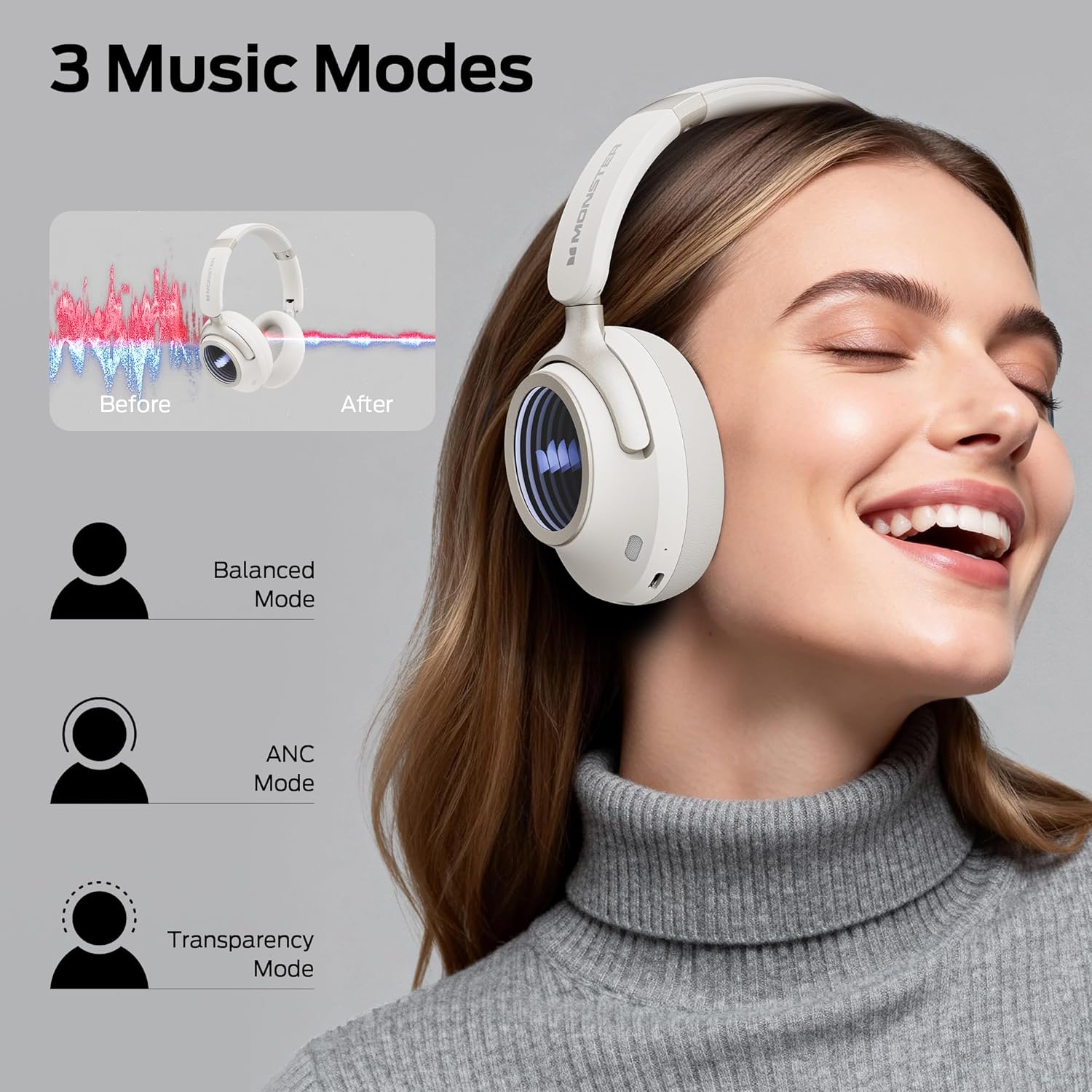
Image: Visual representation of the three listening modes: Balanced Mode, ANC Mode (Active Noise Cancellation), and Transparency Mode, showing their effects on ambient sound.
Wired Connection
For a lossless audio experience or when the battery is depleted, use the provided Aux Cable to connect the headphones to a device with a 3.5mm audio jack. The wired connection on mobile devices specifically supports Type-C port input and output.
Maintenance
- Clean the headphones regularly with a soft, dry cloth.
- Avoid using abrasive cleaners or solvents.
- Do not expose the headphones to extreme temperatures, humidity, or liquids. The product is not water resistant.
- Store the headphones in a cool, dry place when not in use. The foldable design allows for compact storage.
- Charge the headphones periodically if not used for extended periods to maintain battery health.
Troubleshooting
| Problem | Possible Cause | Solution |
|---|---|---|
| Headphones won't turn on. | Low battery. | Charge the headphones for at least 10 minutes. |
| Cannot pair via Bluetooth. | Headphones not in pairing mode; Bluetooth disabled on device; device too far. | Ensure headphones are in pairing mode (flashing indicator). Enable Bluetooth on your device. Move device closer to headphones (within 33 feet). Forget previous pairings on your device and try again. |
| No sound or low volume. | Volume too low on headphones or device; incorrect audio source; loose wired connection. | Increase volume on both headphones and connected device. Ensure the correct audio output is selected on your device. If using wired connection, ensure the Aux cable is securely plugged in. |
| ANC not working effectively. | Incorrect mode selected; improper fit. | Ensure ANC mode is activated. Adjust headphones for a snug fit over your ears to maximize noise cancellation. |
| Poor call quality. | Environmental noise; weak Bluetooth connection. | Move to a quieter environment. Ensure your device is within Bluetooth range. |
Specifications
| Feature | Detail |
|---|---|
| Model Name | Monster Persona 4th ANC |
| Connectivity | Bluetooth 6.0, Wired (3.5mm Aux, USB Type-C) |
| Bluetooth Range | Up to 33 feet (10 meters) |
| Driver Size | 40 mm Dynamic Drivers |
| Noise Control | Active Noise Cancellation, Transparency Mode |
| Battery Life | Up to 70 hours (ANC off), 50 hours (ANC on) |
| Charging Time | Approx. 2 hours |
| Fast Charge | 10 minutes charge for 5 hours playtime |
| Microphones | 6 Mics (for calls and ANC) |
| Material | Leather, Plastic |
| Weight | 0.2 Kilograms (7 ounces) |
| Dimensions | 6.85 x 3.15 x 7.68 inches |
| Water Resistance | Not Water Resistant |
Warranty and Support
For warranty information and customer support, please refer to the official Monster website or contact your local retailer. Keep your proof of purchase for warranty claims.
Manufacturer: Monster


