
1. Product Overview
The treewell Wireless Remote Control Outlet and Wall Switch provides convenient control over your lighting fixtures and appliances without the need for complex wiring. This plug-and-play system allows you to remotely turn devices on and off, offering flexibility and ease of use for various household applications.

Image: The treewell remote control outlet and wall switch in a living room setting, illustrating its wireless functionality and ease of placement.
2. Package Contents
- 1 x Remote Control Outlet
- 1 x Wireless Wall Switch (detachable remote)
- Mounting Hardware (screws, anchors)
- 1 x CR2032 Battery (pre-installed in remote)
3. Safety Information
- Read all instructions before use.
- Do not exceed the maximum load of 15 Amps or 1875 Watts.
- Ensure the product is used in dry, indoor locations only.
- Keep out of reach of children.
- Do not disassemble or modify the device.
- This product is ETL and FCC certified for safety.
- The casing is built with fire-resistant materials.
4. Setup Instructions
4.1 Initial Setup (Plug and Play)
- Plug the Remote Control Outlet into a standard 125V AC wall socket.
- Plug your desired appliance or lighting fixture into the Remote Control Outlet.
- The included Wireless Wall Switch is pre-paired with the outlet for immediate use. Remove the plastic battery tab from the remote if present.

Image: A visual guide demonstrating the simple plug-and-play setup, requiring no WiFi, Bluetooth, or app.
4.2 Mounting the Wireless Wall Switch
The wireless wall switch can be mounted to a wall or placed on any flat surface. It features a detachable design, allowing the remote to be removed from its wall plate for portable use.
- Separate the remote from the wall plate by gently pulling it out.
- Choose a desired location for the wall plate. Use the provided screws and anchors to securely mount the wall plate to the surface.
- Insert the remote back into the mounted wall plate.

Image: Detailed steps for mounting the wall switch, showing the components and installation process.
5. Operating Instructions
5.1 Using the Wireless Wall Switch
- Press the 'ON' button on the remote to turn on the connected device.
- Press the 'OFF' button on the remote to turn off the connected device.
- The remote operates with a strong RF signal, allowing control through walls, doors, and windows up to 200 feet away without line-of-sight.

Image: The detachable remote switch can be used as a fixed wall switch or a portable handheld remote for convenience.
5.2 Manual Control on the Outlet
The Remote Control Outlet also features a manual ON/OFF button directly on the unit. Press this button to toggle the power to the connected device.
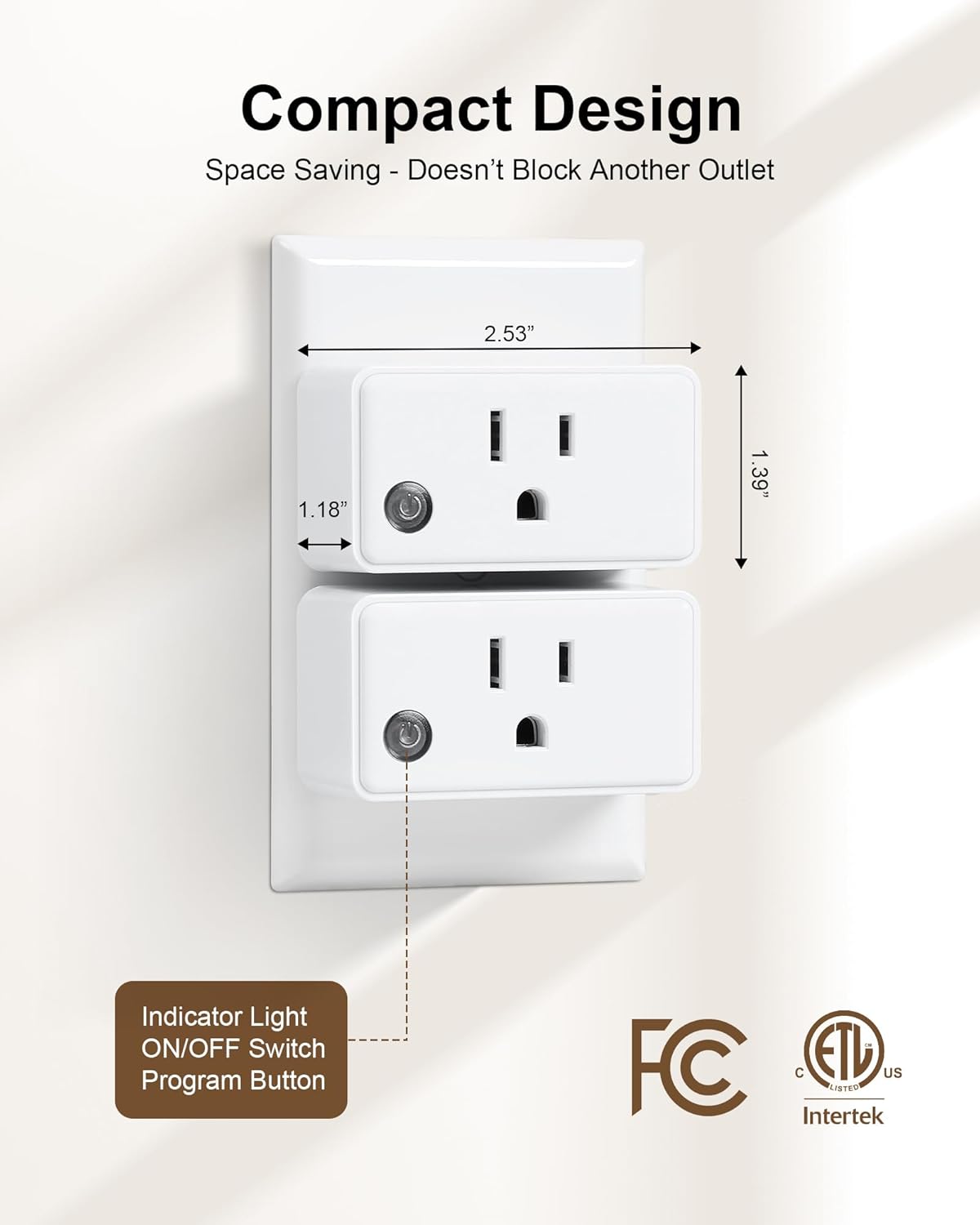
Image: The compact design of the outlet, showing the indicator light and manual ON/OFF switch/program button.
5.3 Product Demonstration Video
Video: A demonstration of the treewell remote control outlet and switch in use, showing how to turn a fountain on and off remotely.
6. Pairing Additional Devices (Programmable and Expandable)
The treewell system is programmable and expandable, allowing for flexible control configurations without interference.
6.1 Pairing a New Switch to an Outlet
- Plug the outlet into a wall socket.
- Press and hold the small button on the side of the outlet until the indicator light flashes.
- Within 5 seconds, press the 'ON' or 'OFF' button on the new wireless switch you wish to pair. The indicator light on the outlet will stop flashing, confirming successful pairing.
6.2 Pairing Multiple Switches to One Outlet
Repeat the steps in 6.1 for each additional switch you want to control the same outlet.
6.3 Pairing One Switch to Multiple Outlets
Repeat the steps in 6.1 for each additional outlet you want to be controlled by the same switch.

Image: Visual representation of flexible pairing options for treewell wireless devices.
7. Maintenance
- Cleaning: Wipe the devices with a dry, soft cloth. Do not use liquid cleaners or abrasive materials.
- Battery Replacement: The wireless wall switch remote uses a CR2032 battery. If the remote's range decreases or it stops responding, replace the battery. To replace, gently pry open the remote's casing, remove the old battery, and insert a new CR2032 battery with the positive (+) side facing up.
8. Troubleshooting
| Problem | Possible Cause | Solution |
|---|---|---|
| Device not responding to remote | Low battery in remote; Remote out of range; Interference; Outlet unplugged. | Replace CR2032 battery; Move closer to the outlet; Ensure no large metal objects are blocking the signal; Check if the outlet is securely plugged in. |
| Outlet not powering on/off manually | No power to the wall socket; Faulty appliance. | Test the wall socket with another device; Check the appliance's power cord and functionality. |
| Interference with other RF devices | Other RF devices operating on similar frequencies. | The treewell system is designed for minimal interference. If issues persist, try re-pairing the devices in a different location or contacting support. |
9. Specifications
| Feature | Specification |
|---|---|
| Model | RSL886TA |
| Operation Mode | ON-OFF |
| Current Rating | 15 Amps |
| Operating Voltage | 125 Volts (AC) |
| Wattage | 1875 Watts |
| Connectivity Protocol | RF |
| Control Method | Remote |
| Remote Range | Up to 200 FT (line-of-sight not required) |
| Switch Type | Push Button |
| Mounting Type | Wall Mount (for switch plate) |
| Material | Polycarbonate, Copper (contact material) |
| Certifications | ETL, FCC |
| Included Components | 1 Outlet + 1 Wall Switch |
10. Warranty and Support
For warranty information, technical assistance, or any questions regarding your treewell Wireless Remote Control Outlet and Wall Switch, please contact treewell customer service through the retailer's platform or the official treewell website.
Please retain your purchase receipt for warranty claims.