
Important Safety Instructions
Please read all instructions carefully before using the MONVICT Cordless Hot Glue Gun. Failure to follow these instructions may result in electric shock, fire, or serious personal injury. Keep this manual for future reference.
- Heat Hazard: The nozzle and melted glue become very hot during operation. Avoid direct contact with skin to prevent burns.
- Ventilation: Use the glue gun in a well-ventilated area.
- Children and Pets: Keep the glue gun out of reach of children and pets. Adult supervision is required if used by minors.
- Power Source: Only use the provided USB-C cable for charging. Do not use damaged cables or chargers.
- Water Exposure: Do not expose the glue gun to water or use it in damp conditions.
- Storage: Store the glue gun in a dry, safe place when not in use. Remove the battery for better preservation if storing for extended periods.
- Maintenance: Do not attempt to disassemble or repair the glue gun yourself. Contact customer support for assistance.
Package Contents
Verify that all items are present in your package:
- 1 x MONVICT Cordless Hot Glue Gun (Model SD-842)
- 1 x Holder Base with Anti-Stick Silicone Pad
- 1 x USB-C Charging Cable
- 10 x Glue Sticks (0.43" x 6")
- 1 x User Manual (This document)
Product Overview
Familiarize yourself with the components of your MONVICT Cordless Hot Glue Gun.

Image: The MONVICT 7.4V Cordless Hot Glue Gun with its holder base and included glue sticks.

Image: Detailed view highlighting the main components of the glue gun, including the nozzle, trigger, battery compartment, and digital display.
- Nozzle: Heat-resistant copper nozzle for glue dispensing.
- Glue Stick Inlet: Where glue sticks are inserted.
- Trigger: Activates glue dispensing.
- Digital Display: Shows current temperature and battery status.
- Temperature Adjustment Buttons: Used to increase or decrease temperature.
- Power Switch: Anti-touch switch for turning the device on/off.
- USB-C Charging Port: For recharging the internal battery.
- Holder Base: Provides stable support and includes an anti-stick silicone pad.
Setup
- Unpack: Carefully remove all components from the packaging.
- Charge Battery: Before first use, fully charge the glue gun's battery. Refer to the "Charging the Battery" section for details.
- Assemble Holder Base: Place the glue gun onto its independent holder base. Ensure it is stable. The base features an anti-stick silicone pad to catch any drips and protect your work surface.
- Insert Glue Stick: Insert a standard 0.43" diameter glue stick into the inlet at the rear of the glue gun until it stops. Do not force it.
Charging the Battery
The MONVICT Cordless Hot Glue Gun is equipped with a 2600mAh lithium-ion battery.
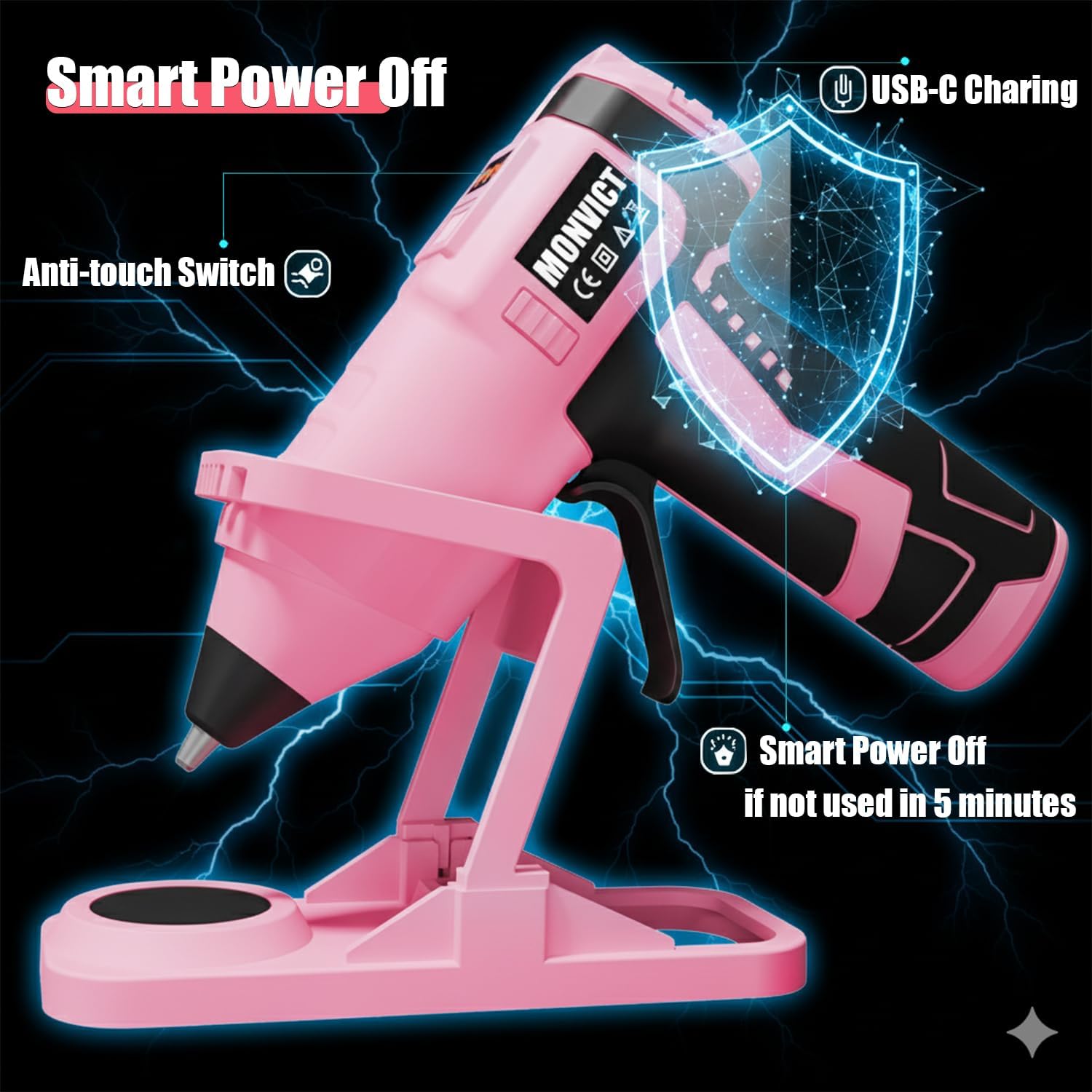
Image: Illustration showing the USB-C charging port and the smart auto-off feature.
- Locate the USB-C charging port on the glue gun.
- Connect the provided USB-C cable to the glue gun and plug the other end into a compatible USB power adapter (not included).
- The digital display will indicate the charging status. A full charge typically takes approximately 2 hours.
- When fully charged, the display may show "FU" (Full) or a full battery icon.
- Disconnect the charging cable once charging is complete.
Note: The digital display will show "LO" (Low) to remind you to charge the battery when power is low.
Operating Instructions

Image: A user applying hot glue to a craft project using the MONVICT Cordless Hot Glue Gun.
- Power On: Press and hold the power switch until the digital display illuminates. The glue gun will begin to heat up.
- Temperature Adjustment: Use the temperature adjustment buttons (+/-) to set the desired temperature. The temperature range is from 150°C to 200°C. The digital display will show the current temperature.
- Heating Time: Allow the glue gun to reach the set temperature. This typically takes a few minutes.
- Apply Glue: Once the desired temperature is reached, gently press the trigger to dispense melted glue. Apply glue to the desired surface.
- Using the Holder Base: When not actively dispensing glue, place the glue gun securely on its holder base. The anti-stick silicone pad will collect any minor drips and prevent them from adhering to your workbench.
- Automatic Power-Off: For safety and energy conservation, the glue gun will automatically power off if it remains inactive for more than 5 minutes. To resume operation, simply press the power switch again.
- Power Off: After use, press and hold the power switch to turn off the glue gun. Allow it to cool completely before storing.
Video: Demonstration of the MONVICT Cordless Hot Glue Gun, showcasing its anti-stick silicone mat holder and glue application.
Maintenance
- Cleaning the Nozzle: After the glue gun has cooled completely, any dried glue on the nozzle can be carefully peeled or wiped away. Do not use abrasive materials or sharp objects that could damage the nozzle.
- Cleaning the Silicone Pad: The anti-stick silicone pad on the holder base can be easily cleaned by peeling off any dried glue.
- General Cleaning: Wipe the body of the glue gun with a soft, dry cloth. Do not use liquid cleaners or immerse the device in water.
- Storage: Store the cooled glue gun and its accessories in a dry, dust-free environment. For long-term storage, it is recommended to remove the battery from the glue gun.
Troubleshooting
| Problem | Possible Cause | Solution |
|---|---|---|
| Glue gun does not heat up. | Battery is low or depleted. Power switch is off. Device is in auto-off mode. | Charge the battery fully. Ensure the power switch is pressed and held to turn on. Press the power switch to reactivate. |
| Glue is not dispensing. | Glue gun has not reached operating temperature. Glue stick is not fully inserted or is too short. Nozzle is clogged. | Wait for the digital display to show the set temperature. Insert a new, full-size glue stick. Allow the gun to heat up, then gently try to clear the nozzle with a fresh glue stick. Do not use metal objects. |
| Glue gun drips excessively. | This model features a non-drip design. Minor drips are normal. | Ensure the glue gun is placed on its holder base when not in use. The anti-stick silicone pad will manage minor drips. |
| Digital display shows "LO". | Low battery. | Recharge the glue gun using the USB-C cable. |
Specifications
| Feature | Detail |
|---|---|
| Model Number | SD-842 |
| Power Source | Battery Powered |
| Battery Type | 2600mAh Lithium-ion |
| Voltage | 7.4 Volts |
| Wattage | 60 watts |
| Charging Time | Approx. 2 hours (USB-C) |
| Working Time | 45-90 minutes (depending on usage) |
| Temperature Range | 150°C to 200°C (302°F to 392°F) |
| Glue Stick Diameter | 0.43 inches (11mm) |
| Auto-Off Feature | After 5 minutes of inactivity |
| Product Dimensions | 8"L x 7.2"W x 3.21"H |
| Item Weight | 1.4 Pounds |
| Compatible Materials | Fabric, Metal, Paper, Plastic |
Warranty and Support
MONVICT provides a 45-Day Refund Guarantee for this product. If you encounter any issues or have questions regarding your MONVICT Cordless Hot Glue Gun, please contact our customer support team. Our support team is available to assist you.
For assistance, please refer to the contact information provided with your purchase or visit the official MONVICT website.