1. Product Overview
This manual provides essential information for the safe and effective use of your INIU 22.5W 10000mAh Power Bank and 240W USB-C Charging Cable Combo. This product is designed to provide fast and reliable charging for a wide range of USB-C compatible devices.

Image: The INIU 22.5W 10000mAh Power Bank and two 240W USB-C Charging Cables, showcasing the complete product package.
2. What's Included
Your package should contain the following items:
- 1 x INIU 22.5W 10000mAh Power Bank
- 2 x INIU 240W USB-C to USB-C Charging Cables (6.6ft / 2m each)
3. Product Features
3.1. Compact Power Bank with Digital Display
The INIU 10000mAh power bank is designed to be exceptionally small and portable, making it easy to carry. It features a clear digital display that shows the remaining battery percentage.

Image: A hand holding the INIU 10000mAh power bank, highlighting its compact form factor and the illuminated digital battery percentage display.
3.2. Ultra-Fast 240W USB-C Cables
The included USB-C to USB-C cables support an impressive 240W power delivery, enabling rapid charging for compatible devices. Each cable features a built-in indicator light to confirm fast charging status.

Image: A close-up of the two 240W USB-C cables, showing their robust design and the green fast charge indicator light on the connector.
3.3. High-Speed Device Charging
Achieve significant battery levels in a short period. For example, an iPhone 15 can reach 71% and a Samsung S24 Ultra can reach 84% in approximately 30 minutes when paired with a suitable fast charger.

Image: A graphic illustrating the fast charging performance, showing an iPhone 15 reaching 71% and a Samsung S24 Ultra reaching 84% in 30 minutes.
The 240W cables also provide rapid charging for laptops. A MacBook Pro 16" (2022) can charge to 88% in 30 minutes, significantly faster than standard 100W cables.

Image: A visual comparison demonstrating the INIU 240W cable charging a MacBook Pro to 88% in 30 minutes, compared to 49% with a 100W cable.
3.4. Universal USB-C Compatibility
These cables are designed to work seamlessly with a wide range of USB-C devices, supporting various power requirements from 60W to 240W. This includes laptops, smartphones, tablets, and gaming consoles like the Steam Deck and Nintendo Switch.

Image: A graphic illustrating the broad compatibility of the 240W USB-C cable with devices requiring different power levels, from 60W phones to 240W VR headsets.
Note: These are USB 2.0 USB-C to USB-C charging cables and do not support Thunderbolt or video/media output.
3.5. Enhanced Durability and Protection
The cables feature a durable Flyweave Nylon braided design, offering enhanced resistance against wear and tear, including pet-related damage. They are built with multiple internal protections to prevent common issues and ensure long-term reliability.

Image: A visual representation of the cable's Flyweave Nylon construction, highlighting its durability and internal protective layers.
The cables have undergone rigorous testing, including over 45,000 bend tests, to ensure their resilience and longevity.
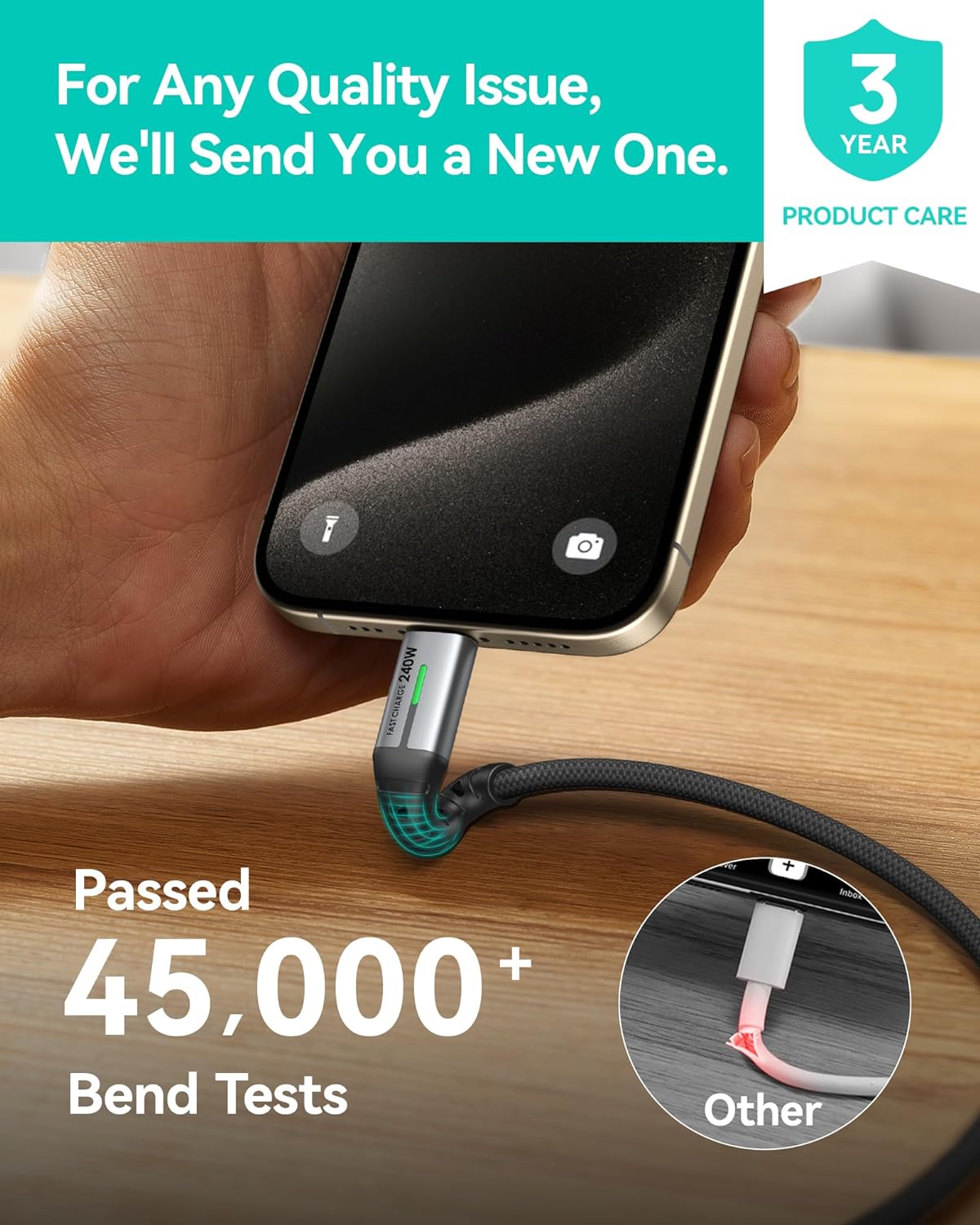
Image: A close-up of the cable's connector and a graphic indicating it has passed over 45,000 bend tests, demonstrating its robust construction.
3.6. Optimal Length for Versatile Use
Each 6.6ft (2m) cable provides ample length for comfortable use in various environments, whether at your desk, in bed, or while traveling.

Image: Two scenarios showing the 6.6ft cable in use: one in an office setting with a laptop, and another in a home setting with a smartphone, illustrating practical length.
4. Setup and Initial Use
4.1. Charging the Power Bank
Before first use, fully charge the INIU 10000mAh Power Bank. Connect one of the included USB-C cables to the power bank's USB-C input port and the other end to a compatible USB-C wall charger (not included). The digital display will show the charging progress, reaching 100% when fully charged.
4.2. Connecting Devices for Charging
To charge your device, connect one end of the INIU USB-C cable to your device's USB-C port and the other end to the power bank's USB-C output port. For direct wall charging, connect the INIU USB-C cable to your device and a compatible USB-C wall charger.
5. Operating Instructions
5.1. Checking Power Bank Battery Level
Press the power button on the side of the power bank once to activate the digital display and view the current battery percentage.
5.2. Charging Devices with Power Bank
Once connected, the power bank will automatically begin charging your device. The digital display will remain active during charging. Disconnect the cable when your device is fully charged or when you wish to stop charging.
5.3. Using Cables for Direct Charging
The 240W USB-C cables can be used with any compatible USB-C wall charger or power adapter to charge your devices directly from a power outlet. Ensure your wall charger supports the desired power output for fast charging.
6. Maintenance and Care
- Keep the power bank and cables away from extreme temperatures, direct sunlight, and liquids.
- Do not disassemble, modify, or attempt to repair the product.
- Clean the product with a soft, dry cloth. Avoid using harsh chemicals or abrasive materials.
- Store the power bank in a cool, dry place when not in use.
7. Troubleshooting
| Problem | Possible Cause | Solution |
|---|---|---|
| Power bank not charging. | Low battery on power bank; faulty cable or charger; loose connection. | Ensure the power bank has charge. Try a different cable or wall charger. Check all connections are secure. |
| Device not charging from power bank. | Power bank battery depleted; incorrect cable; device not compatible; power bank in standby. | Recharge the power bank. Ensure you are using the correct USB-C cable. Verify device compatibility. Press the power button on the power bank to activate output. |
| Slow charging speed. | Using a non-fast charging port/charger; cable not fully seated; device not supporting fast charge. | Ensure both the power bank/wall charger and your device support fast charging protocols. Check cable connections. |
| Digital display not working. | Power bank is off or battery is completely depleted. | Press the power button. Charge the power bank. |
8. Specifications
- Brand: INIU
- Model: B0FP521DH3
- Power Bank Capacity: 10000mAh
- Power Bank Output: Up to 22.5W
- Cable Type: USB-C to USB-C
- Cable Power Delivery: Up to 240W
- Cable Length: 6.6ft (2 meters)
- Cable Quantity: 2-Pack
- Date First Available: April 18, 2023
9. Warranty and Support
INIU provides an industry-leading 3-year iNiu Care for this product, ensuring peace of mind regarding its quality and performance. For any quality issues, INIU commits to sending a new replacement.
For technical support, warranty claims, or further assistance, please visit the official INIU website or contact their customer service through the details provided on their packaging or website.
You can find more information and support at the INIU Official Store on Amazon.


