
ROYALAXE R68
ROYALAXE R68 Wireless Mechanical Keyboard User Manual
Model: R68
Introduction
Thank you for choosing the ROYALAXE R68 Wireless Mechanical Keyboard. This manual provides detailed instructions for setting up, operating, and maintaining your keyboard. The R68 features a compact 60% layout, tri-mode connectivity (2.4GHz wireless, Bluetooth 5.0, and USB Type-C wired), hot-swappable switches, and customizable RGB backlighting.
Setup
Package Contents
- ROYALAXE R68 Mechanical Keyboard
- USB Type-C Cable
- 2.4GHz USB Receiver
- Keycap Puller
- Switch Puller
- Spare Switches (4 pieces)
- User Manual (this document)
Charging the Keyboard
Before first use, fully charge the keyboard. Connect the provided USB Type-C cable to the keyboard's Type-C port and the other end to a USB power source (e.g., computer USB port, USB wall adapter). The keyboard features a 2100mAh battery.
 Image: The ROYALAXE R68 keyboard displaying battery life information, indicating up to 170 hours of standby time with RGB backlight off and 7 hours with RGB backlight on.
Connection Modes
The R68 keyboard supports three connection modes: 2.4GHz wireless, Bluetooth 5.0, and USB Type-C wired. You can connect up to five devices simultaneously (one via 2.4GHz, three via Bluetooth, and one via wired) and switch between them using the mode knob.
 Image: A visual representation of the ROYALAXE R68 keyboard connecting to a monitor, tablet, and smartphone, illustrating its capability to connect to five devices via 2.4G, Bluetooth (BT1, BT2, BT3), and wired USB-C.
Switching Connection Modes
Use the knob located on the top right of the keyboard to select your desired connection mode:
- OFF: Keyboard is powered off.
- 2.4G: For 2.4GHz wireless connection.
- BT: For Bluetooth connection (BT1, BT2, BT3).
- USB: For wired USB Type-C connection.
 Image: A close-up view of the ROYALAXE R68 keyboard's golden rotary knob and adjacent switches, indicating options for Windows/Mac compatibility and connection modes (BT, 2.4G, OFF).
2.4GHz Wireless Connection
- Locate the 2.4GHz USB receiver. It is typically stored in a compartment on the keyboard.
- Plug the 2.4GHz USB receiver into an available USB port on your computer.
- Turn the mode knob on the keyboard to the "2.4G" position.
- The keyboard should automatically connect. If not, press FN + 4 to initiate pairing.
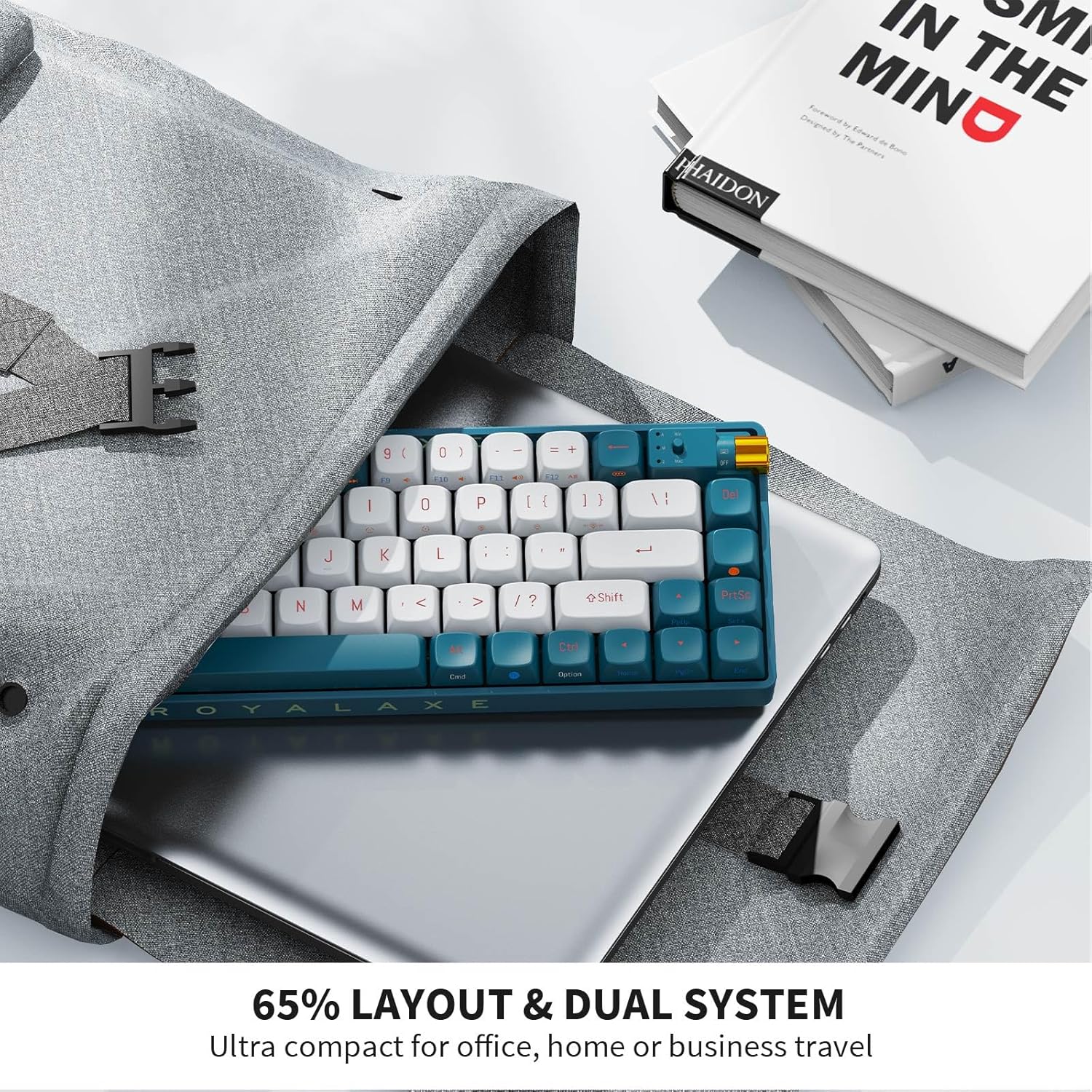 Image: A close-up of the ROYALAXE R68 keyboard's golden rotary knob and the 2.4GHz USB receiver, illustrating where the receiver is located or used for wireless connection.
Bluetooth Connection
- Turn the mode knob on the keyboard to the "BT" position.
- Press and hold FN + 1, FN + 2, or FN + 3 for 3-5 seconds to enter Bluetooth pairing mode for BT1, BT2, or BT3 respectively. The indicator light will flash rapidly.
- On your device (PC, laptop, tablet, phone), enable Bluetooth and search for new devices.
- Select "ROYALAXE R68" from the list of available devices to pair.
- Once paired, the indicator light will stop flashing.
- To switch between paired Bluetooth devices, press FN + 1, FN + 2, or FN + 3 briefly.
Wired USB Type-C Connection
- Connect the provided USB Type-C cable to the keyboard's Type-C port.
- Connect the other end of the cable to a USB port on your computer.
- Turn the mode knob on the keyboard to the "USB" position.
- The keyboard will be recognized as a standard USB keyboard and is ready for use.
Operating Instructions
RGB Backlighting
The R68 keyboard features 16.8 million RGB lighting colors with 18+4 lighting effects.
- Change Lighting Effect: Press FN + \ | to cycle through different lighting effects.
- Adjust Brightness: Press FN + ↑ to increase brightness, FN + ↓ to decrease brightness.
- Adjust Speed: Press FN + ← to decrease effect speed, FN + → to increase effect speed.
- Turn Backlight On/Off: Press FN + P (or similar key combination, refer to specific keycap legends if available) to toggle the backlight.
- Music Rhythm Lighting Effects: Supported via the ROYALAXE driver software.
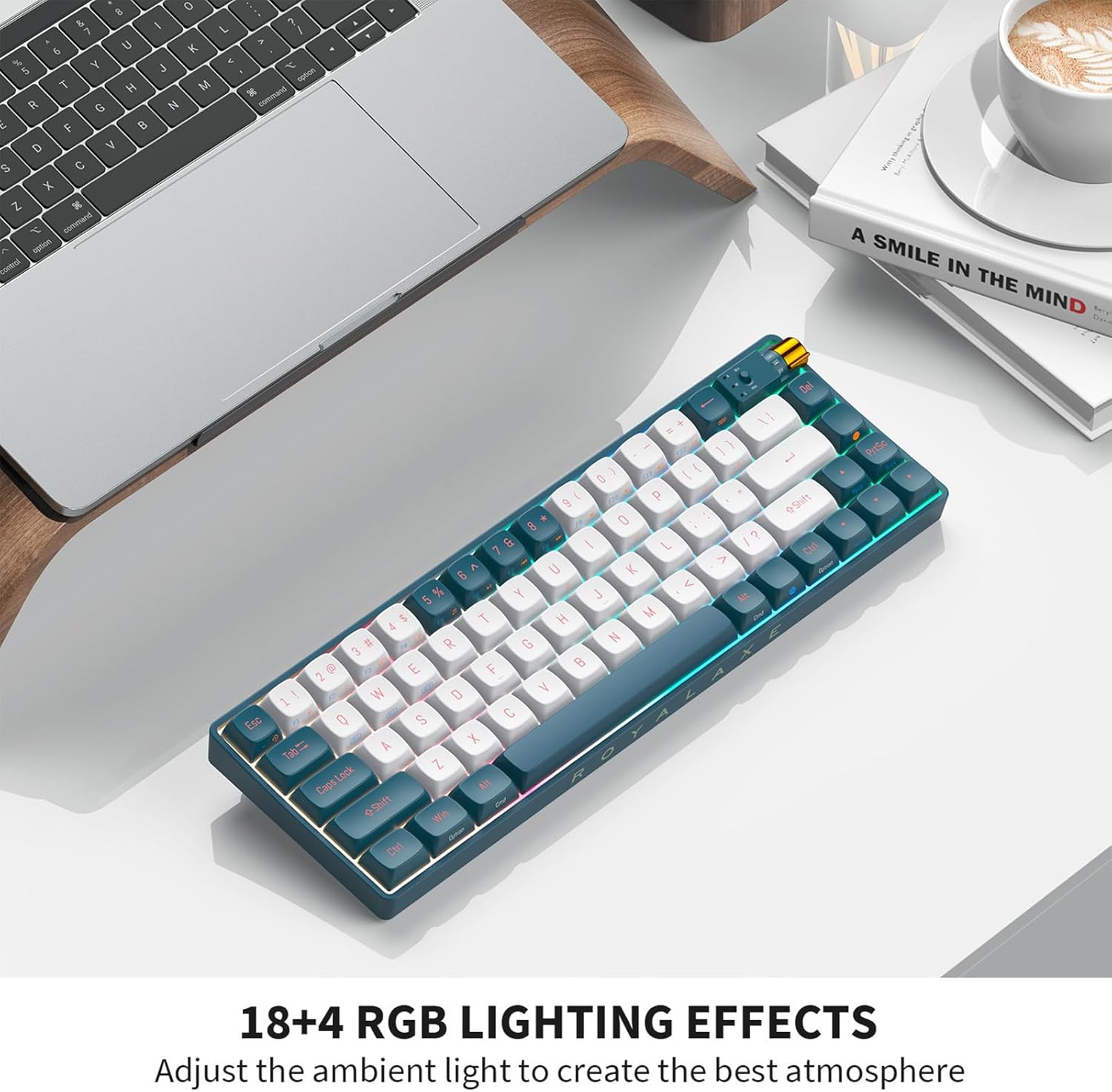 Image: The ROYALAXE R68 keyboard illuminated with colorful RGB backlighting, showcasing its various lighting effects.
Hot-Swappable Switches
The R68 keyboard features a hot-swappable PCB, allowing you to change mechanical switches without soldering. It supports both 3-pin and 5-pin switches. The keyboard comes equipped with pre-lubed yellow switches for a smooth typing experience.
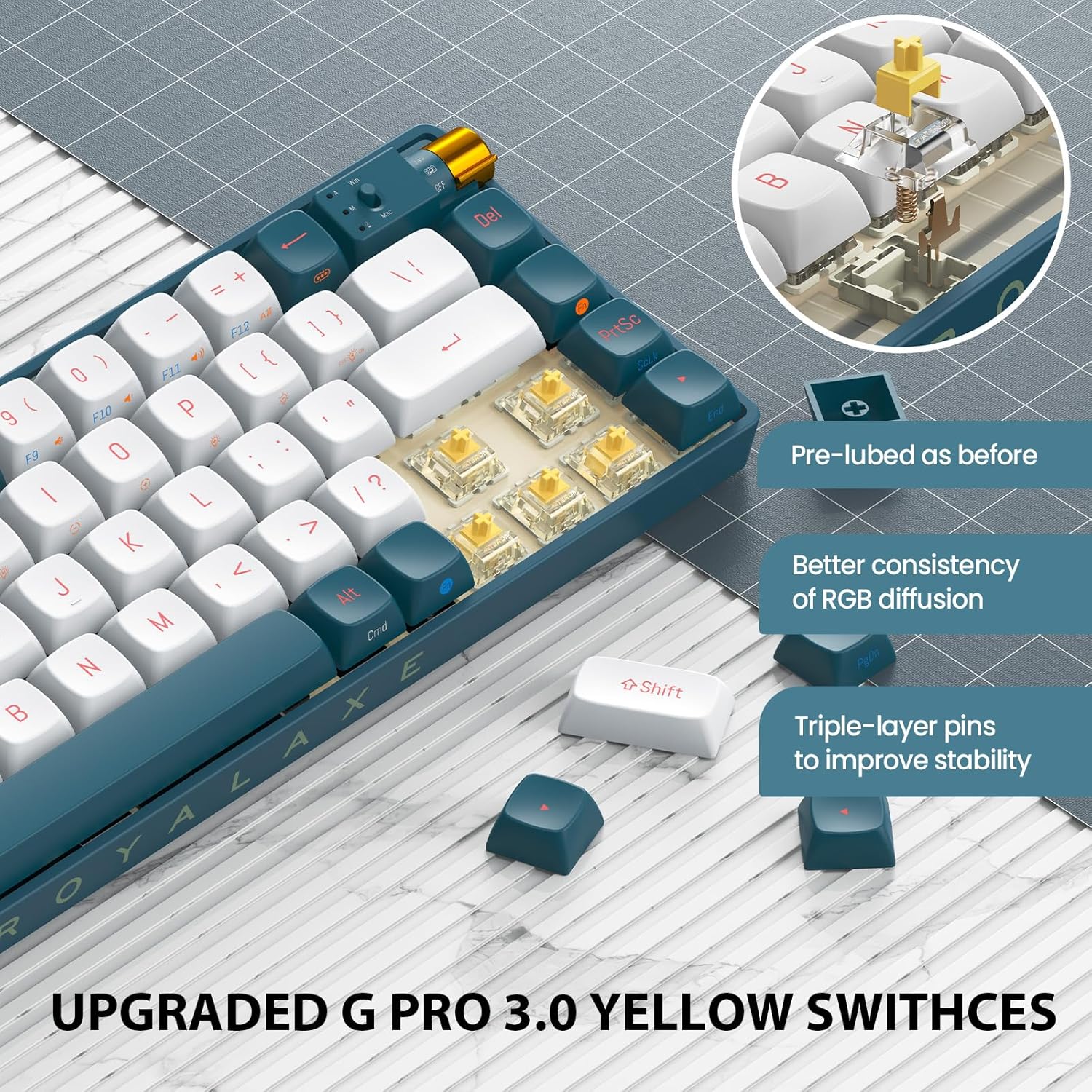 Image: A detailed view of the ROYALAXE R68 keyboard's G Pro 3.0 Yellow Switches, highlighting their pre-lubed state, improved RGB diffusion consistency, and triple-layer pins for enhanced stability.
Double-Shot PBT Keycaps
The R68 is equipped with durable double-shot PBT keycaps. These keycaps are resistant to wear and shine, providing a consistent feel and appearance over time.
 Image: A close-up of the ROYALAXE R68 keyboard's keycaps, emphasizing the double-shot PBT material for excellent touch experience and oil resistance.
Macro Programming and Driver Software
The ROYALAXE R68 supports full-key macro programming through its dedicated driver software. This allows you to customize single keys or key combinations for enhanced functionality and efficiency. The driver also provides advanced control over RGB lighting effects.
 Image: A screenshot of the ROYALAXE R68 keyboard's driver software interface, showing options for lighting effects, speed, brightness, and color customization.
Download the latest driver software from the official ROYALAXE website.
Special Functions
- N-Key Rollover: Ensures all key presses are registered accurately, even during rapid typing or complex gaming commands.
- WIN Key Lock: Press FN + Win to lock the Windows key, preventing accidental presses during gaming.
- Operating System Switch: The keyboard supports dual systems (Windows/Mac). Use the switch near the mode knob to select the appropriate operating system layout.
Maintenance
Cleaning the Keyboard
- Disconnect the keyboard from all devices and power sources.
- Use a soft, lint-free cloth slightly dampened with water or a mild cleaning solution to wipe the keycaps and casing.
- For dust and debris between keycaps, use compressed air or a small brush.
- Avoid using harsh chemicals or abrasive materials.
Replacing Keycaps
- Use the provided keycap puller to gently remove the desired keycap by hooking it onto the keycap and pulling upwards.
- Align the new keycap with the switch stem and press down firmly until it clicks into place.
Replacing Switches
- First, remove the keycap using the keycap puller.
- Use the provided switch puller to grasp the clips on the top and bottom of the switch.
- Gently pull the switch upwards to remove it from the PCB.
- Align the pins of the new switch with the holes on the PCB. Ensure the pins are straight to avoid bending.
- Press the new switch down firmly until it snaps into place.
- Replace the keycap.
Troubleshooting
Keyboard Not Responding
- Wired Mode: Ensure the USB Type-C cable is securely connected to both the keyboard and the computer. Try a different USB port or cable.
- 2.4GHz Wireless Mode: Ensure the 2.4GHz USB receiver is plugged in and the mode knob is set to "2.4G". Try re-pairing by pressing FN + 4.
- Bluetooth Mode: Ensure Bluetooth is enabled on your device and the mode knob is set to "BT". Try re-pairing by holding FN + 1/2/3 for 3-5 seconds.
- Battery: Check if the keyboard battery is charged. Connect the keyboard via USB Type-C to charge it.
RGB Backlight Not Working or Incorrect
- Ensure the backlight is not turned off (try FN + P).
- Adjust brightness using FN + ↑ / ↓.
- Cycle through effects using FN + \ |.
- If using the driver software, ensure settings are correctly applied and the software is up to date.
Keys Not Registering or Double Typing
- This could indicate a faulty switch. Try replacing the switch using the provided spare switches and switch puller.
- Ensure the switch is fully seated in the PCB.
- Clean under the keycap and around the switch to remove any debris.
Short Battery Life
- High brightness RGB settings consume more power. Reduce backlight brightness or turn it off when not needed.
- Ensure the keyboard is fully charged.
- If the issue persists, contact customer support.
Specifications
| Feature | Detail |
|---|---|
| Brand | ROYALAXE |
| Model | R68 |
| Layout | 60% (68-key) |
| Connectivity | Bluetooth 5.0, 2.4GHz Wireless, USB Type-C Wired |
| Switches | Hot-swappable (3-pin/5-pin), Pre-lubed Yellow Switches |
| Keycaps | Double-shot PBT |
| Backlight | 16.8 Million RGB, 18+4 Effects |
| Battery Capacity | 2100mAh Lithium Ion |
| Compatible Devices | PC, Laptop, Mac, Mobile Phones, Tablets, PS, XBOX |
| Item Weight | 2.4 pounds (approx. 1.09 kg) |
| Package Dimensions | 16 x 5.2 x 2 inches (approx. 40.6 x 13.2 x 5.1 cm) |
| Material | Acrylonitrile Butadiene Styrene, Plastic, Polybutylene Terephthalate |
Warranty Information
ROYALAXE products are covered by a limited warranty from the date of purchase. Please refer to the official ROYALAXE website or your purchase documentation for specific warranty terms and conditions. This warranty typically covers manufacturing defects but does not cover damage caused by misuse, accidents, unauthorized modifications, or normal wear and tear.
Customer Support
For technical assistance, troubleshooting, or warranty claims, please contact ROYALAXE customer support through their official website. You may need to provide your product model (R68) and proof of purchase.
Official Website: ROYALAXE Store on Amazon (or search for official ROYALAXE website)
Related documentsR68


Ask a question about this manual
Ask about setup, troubleshooting, compatibility, parts, safety, or missing instructions. Manuals+ will review the question and use this page’s manual context to help answer it.