Introduction
This manual provides instructions for the assembly, operation, maintenance, and troubleshooting of your Realspace 40"W Multifunction Mobile File Cabinet Printer Stand. Please read this manual thoroughly before assembly and use to ensure proper function and safety.
Safety Information
WARNING:
- This product is heavy and/or oversized and may require more than one person for safe handling and assembly.
- Ensure all components are securely fastened before use.
- Do not overload drawers or shelves.
- Keep children away from the product during assembly.
- Only use the product on a level surface.
- Do not sit or stand on the unit.
This product is ANSI/BIFMA Compliant, meaning it has been tested and verified for compliance with rigorous performance requirements and safety standards related to specific furniture products.
Setup and Assembly
Before beginning assembly, ensure all parts are present and undamaged. Refer to the included hardware list and diagrams. Two people are recommended for assembly.
Unpacking
- Carefully open the packaging and remove all components.
- Lay out all parts on a soft, clean surface to prevent scratches.
- Verify all parts against the parts list provided in the packaging.
Assembly Steps (General Guidance)
Detailed assembly instructions with diagrams are typically included in the product packaging. The following is a general sequence:
- Attach casters to the base of the unit. Ensure locking casters are positioned as desired for stability.
- Assemble the main frame of the cabinet.
- Install drawer slides and assemble drawer boxes.
- Install the slide-out printer tray mechanism.
- Attach doors and adjust hinges for proper alignment.
- Install the power hub and wireless charging unit, ensuring all cables are routed through the designated cable management areas.
- Attach the convertible pull-out desk mechanism.
- Insert file hanging rails into the file drawers.
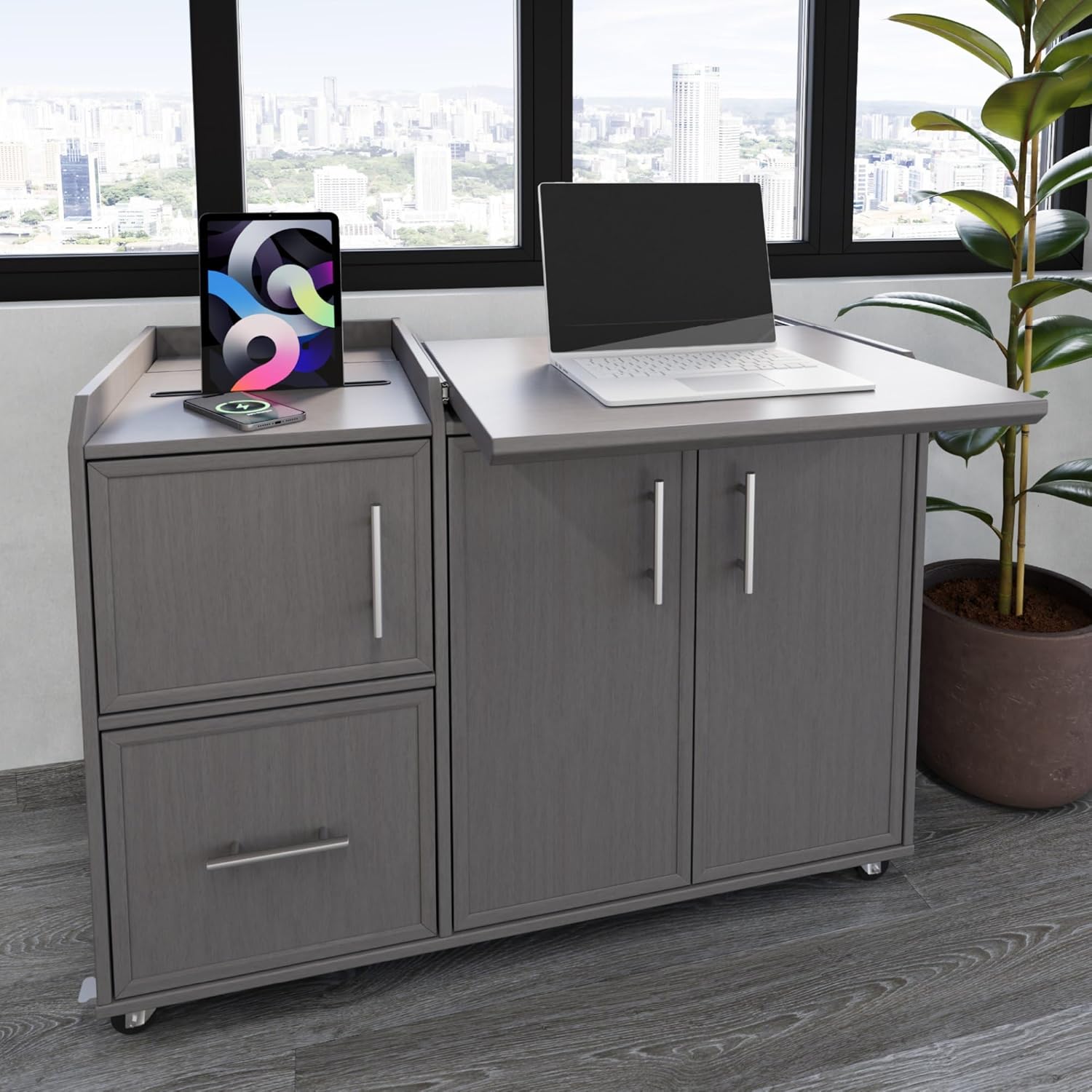
Image: The Realspace Multifunction Mobile File Cabinet Printer Stand in Gray Oak, showcasing its overall design with a laptop on the pull-out desk and a tablet on the charging pad.

Image: A diagram illustrating the product dimensions: Height 29.9", Width 40.2", Depth 22.2".
Operating Instructions
Using the Power & Charging Hub
- Power Outlets: Plug the unit's main power cord into a standard wall outlet. Use the two integrated power outlets for devices requiring AC power.
- USB Charging Ports: Connect your devices to the USB-A and USB-C charging ports for direct charging.
- Wireless Charging: Place Qi-compatible devices on the designated wireless charging pad. Ensure the device is centered for optimal charging.

Image: A close-up view of the built-in power hub, showing two standard power outlets, a USB-A port, and a USB-C port, with a white charging case plugged into one of the USB ports.
Convertible Pull-Out Desk
To extend the desk, gently pull the designated panel outwards. To retract, push the panel back into the unit until it is flush. This feature provides additional workspace as needed.

Image: The Realspace Multifunction Mobile File Cabinet with its convertible pull-out desk extended, providing an additional surface for a laptop, next to an office chair.
Slide-Out Printer Tray
Open the cabinet doors on the right side of the unit. The printer tray can be pulled out for easy access to your printer and supplies. Push it back in when not in use to conceal the printer.

Image: The cabinet doors on the right side are open, revealing a slide-out tray with a printer on it, demonstrating the printer storage feature.
File Drawers
The unit features full-extension legal/letter file drawers. Pull the drawer out completely to access files. Ensure files are properly hung on the integrated rails.
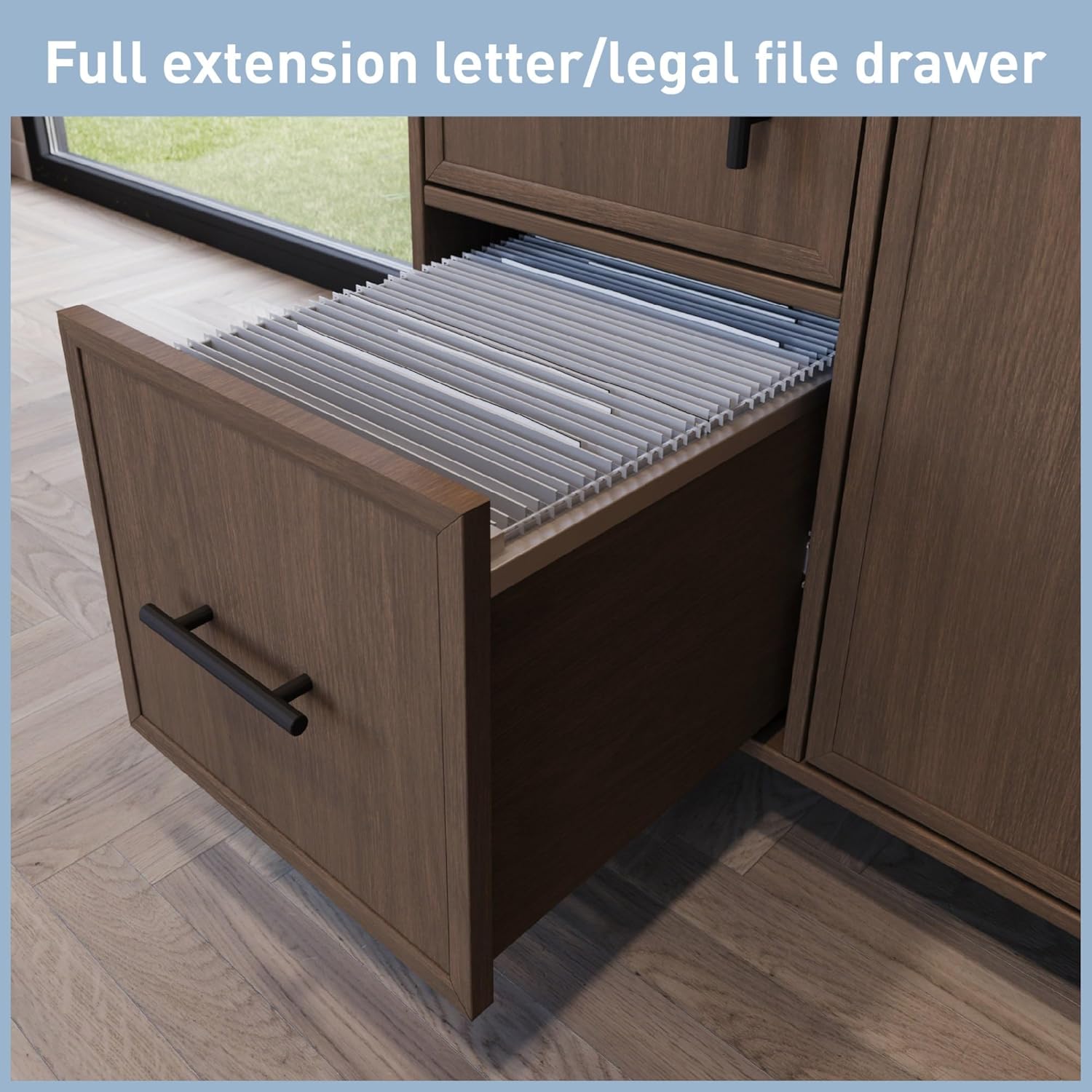
Image: A file drawer is shown fully extended, containing hanging file folders, highlighting its storage capacity.
Mobility and Stability
The cabinet is equipped with five locking casters. To move the unit, unlock all casters. To secure the unit in place, engage the locks on the casters.
Maintenance
Cleaning
- Wipe surfaces with a soft, damp cloth.
- Avoid abrasive cleaners or harsh chemicals, as these can damage the finish.
- For spills, wipe immediately with a dry cloth.
Hardware Check
Periodically check all screws and fasteners to ensure they remain tight. Retighten as necessary to maintain stability and structural integrity.
Cable Management
Regularly inspect the hidden cable management area to ensure cables are not pinched or damaged. Adjust as needed to maintain organization and prevent wear.
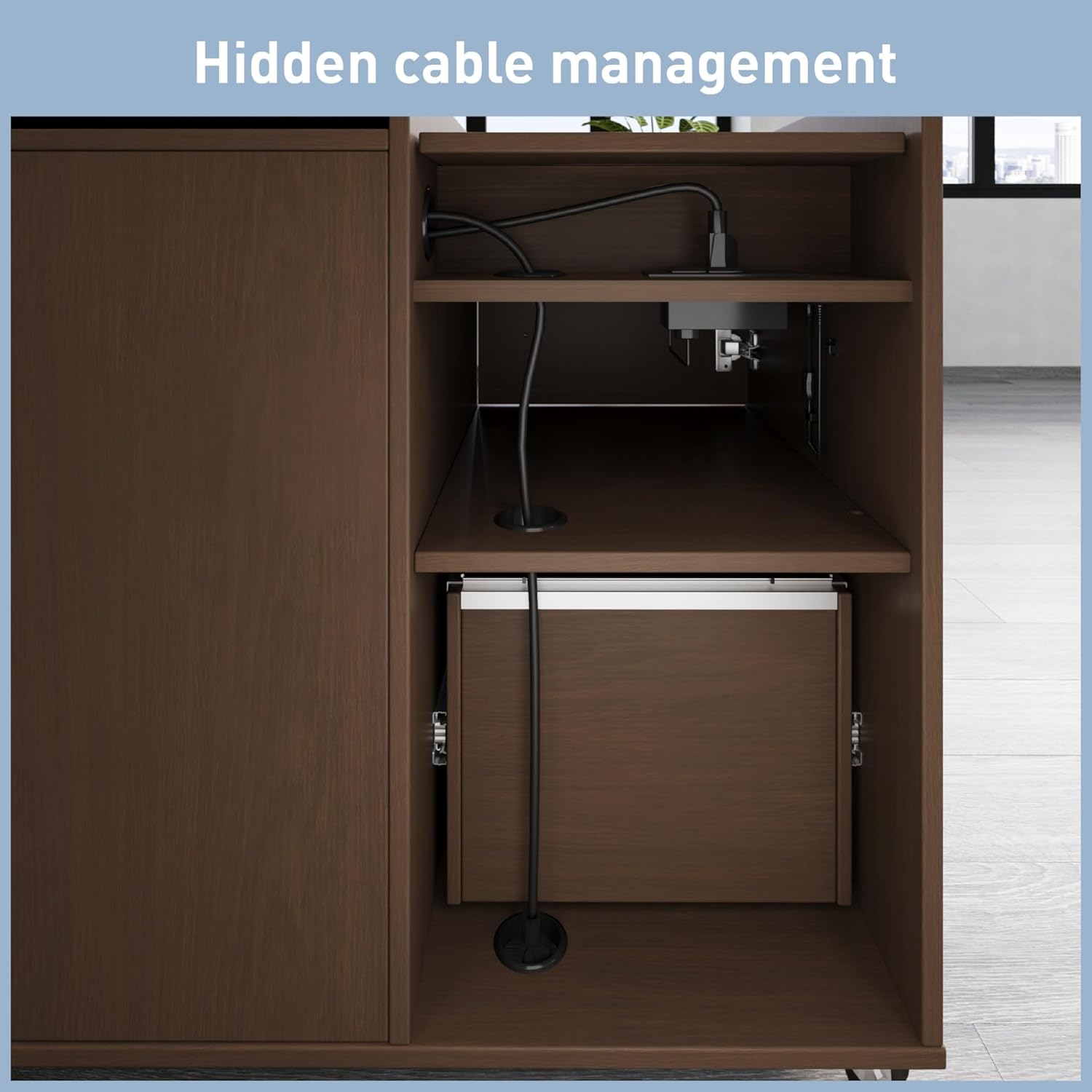
Image: An internal view of the cabinet, revealing the hidden cable management system with cables neatly routed through openings, ensuring a tidy appearance.
Troubleshooting
| Problem | Possible Cause | Solution |
|---|---|---|
| Unit is unstable or wobbles. | Casters are not locked, or assembly hardware is loose. | Ensure all five casters are locked. Check and tighten all assembly screws. Ensure the unit is on a level surface. |
| Drawers do not slide smoothly. | Drawer slides are misaligned or obstructed. | Check for obstructions in the drawer slides. Verify that the drawer slides were installed correctly during assembly. |
| Power outlets/USB ports not working. | Unit's main power cord is not plugged in, or power strip is off. | Ensure the main power cord is securely plugged into a functional wall outlet. Check if the power strip (if any) has a power switch and is turned on. |
| Wireless charging not functioning. | Device is not Qi-compatible, not centered, or foreign objects are present. | Verify your device supports Qi wireless charging. Reposition the device on the charging pad to ensure it is centered. Remove any metal objects or thick cases. |
Specifications
- Brand: Realspace
- Model: 40W Multifunction Mobile File Cabinet Printer Stand
- Color: Gray Oak
- Mounting Type: Floor Mount
- Base Type: Casters (Legs)
- Product Dimensions: 45.67 x 24.21 x 11.22 inches (L x W x H)
- Item Weight: 128.2 pounds
- Material: Engineered Wood Materials
- Power Hub: 2 AC Power Outlets, 1 USB-A Port, 1 USB-C Port
- Wireless Charging: Integrated Qi-compatible
- File Drawers: Full extension, legal/letter compatible
- Compliance: ANSI/BIFMA Compliant
- UPC: 735854695699
Warranty and Support
For warranty information and customer support, please refer to the documentation included with your purchase or visit the official Realspace website. Keep your proof of purchase for warranty claims.
Manufacturer: OFFICE DEPOT
Contact: Refer to the contact information provided in your product packaging or on the Realspace brand website for support inquiries.


