
Introduction
Thank you for choosing the PETLIBRO RFID Cat Feeder. This advanced automatic feeder is designed to provide personalized meals for multiple cats, ensuring each pet receives the correct diet and preventing food stealing. With smart features like RFID collar tag recognition, app control, and diet tracking, managing your cats' nutrition has never been easier.
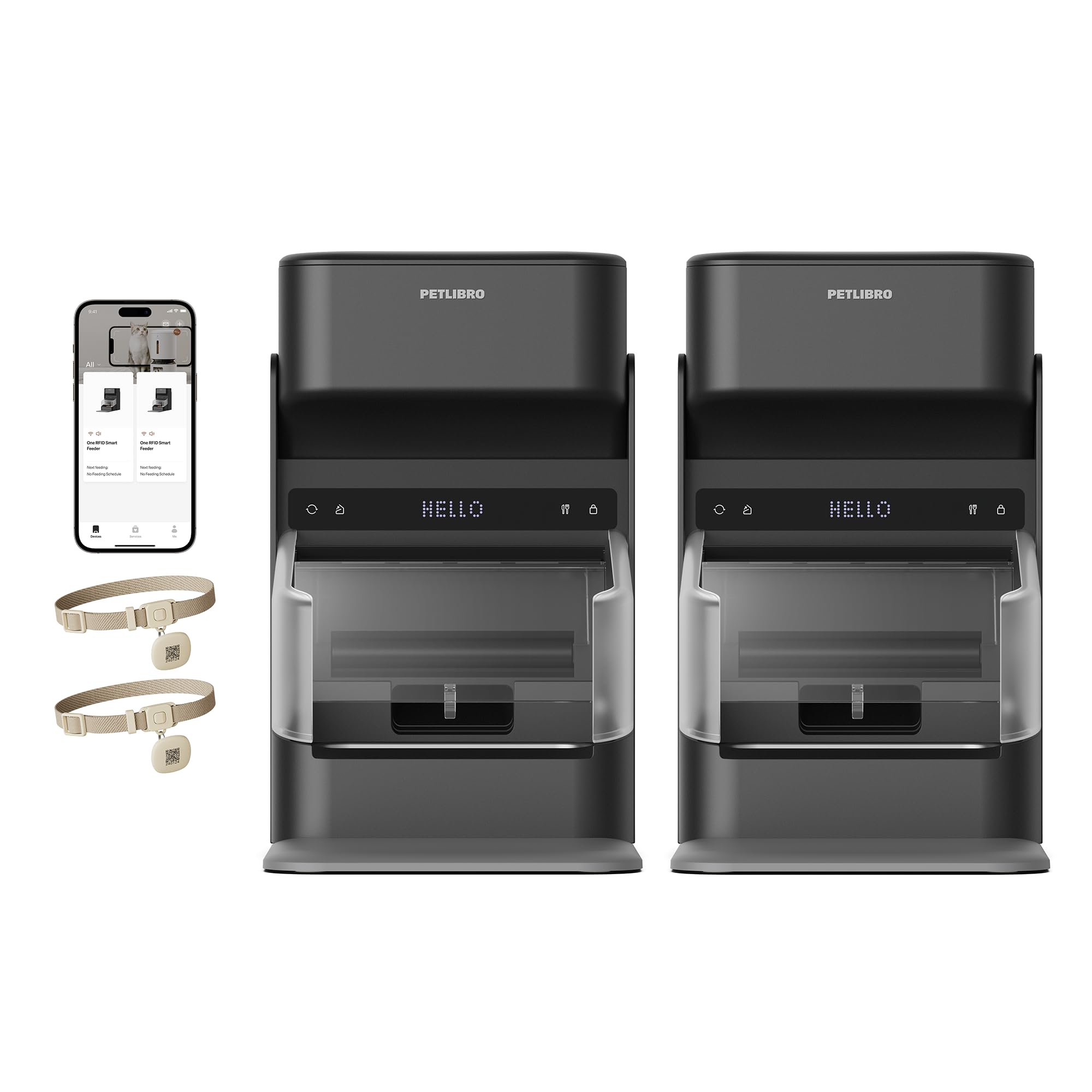
Image: Two PETLIBRO RFID Cat Feeders in black, with a cat approaching one of them.
Setup Guide
1. Unboxing and Assembly
- Carefully remove all components from the packaging.
- Assemble the feeder by placing the food tank onto the base.
- Insert the stainless steel bowl into the designated slot.
- Attach the bowl lid and side shields if desired to prevent food theft.
2. Power Connection
- Connect the power adapter to the feeder and plug it into a wall outlet.
- For emergency backup, install D-cell batteries (not included) in the battery compartment at the bottom of the feeder.

Image: Illustration showing the feeder connected via power cord and an alternative view with batteries for emergency power.
3. App Download and Pairing
- Download the PETLIBRO app from your smartphone's app store.
- Follow the in-app instructions to pair your feeder with your home Wi-Fi network (supports 2.4 & 5GHz).
4. RFID Collar Tag Setup
- Attach the provided RFID collar tag to your cat's collar.
- In the PETLIBRO app, assign each collar tag to a specific cat profile. This ensures the feeder only opens for the assigned pet.
- Adjust the lid speed in the app to suit your cat's comfort level.

Image: A cat with an RFID collar tag is shown eating from the feeder, illustrating the collar-tag-activated lid.
Operating Instructions
1. Filling the Food Tank
- Open the sealed lid of the food tank.
- Fill the tank with dry kibble (diameter 2-15mm). Do not use wet food or kibble over 15mm.
- Ensure the desiccant bag is placed in the designated holder to maintain food freshness.
- Close the lid securely to activate the airtight seal.
2. Scheduling Meals via App
- Open the PETLIBRO app and select your feeder.
- Set up to 10 meals daily, with up to 48 portions per meal.
- Customize feeding times and portion sizes for each cat according to their dietary needs.
- The app allows for remote scheduling and instant alerts.

Image: A cat is shown eating from the feeder while a smartphone displays the PETLIBRO app's scheduling interface, highlighting customizable meal times and portions.
3. Personalized Meal Calls
- Record a voice message (up to 10 seconds) through the app.
- This message will play at scheduled meal times to call your pet to eat.
- Adjust the volume of the voice message in the app settings.

Image: A cat is shown looking towards the feeder, with a text bubble indicating a personalized voice message being played to call the cat for its meal.
4. Manual Feeding
- Press the manual feed button on the feeder or use the 'Feed Now' option in the app to dispense a single portion instantly.
Key Features
Dual-Cat Exclusive Feeding System
- Each feeder independently recognizes its assigned cat via unique RFID collar tags.
- Adjustable lid speed ensures comfortable access for each cat.

Image: Two cats are shown with their respective feeders, illustrating how the system caters to individual dietary needs with personalized meal durations and frequencies.
Prevent Food Stealing & Support Different Diets
- RFID-controlled locking lid and bowl shield ensure only the designated cat can access the food.
- Ideal for multi-cat homes with special dietary, weight management, or medication needs.

Image: A cat is eating from an open feeder while another cat observes a closed feeder, highlighting the anti-stealing mechanism.
Real-Time Diet Tracking with Pawsense
- Monitor both cats' eating habits through unified tracking in the PETLIBRO app.
- View who ate what, when, and how much.
- Feeding logs provide a complete view of your cat's eating habits, aiding in health monitoring.

Image: A smartphone screen displays a cat's meal history, including monthly and daily average eating times, powered by the Pawsense health monitoring system.
5-Layer Freshness Protection
- Features a sealed lid with silicone gaskets, desiccant bags, airtight rotors, and RFID-locked lids.
- Preserves kibble quality and keeps food fresh.

Image: A cutaway diagram of the feeder highlights its five layers of freshness protection, including the sealed lid, silicone strips, desiccant bag, rotor, and collar-activated bowl lid.
Maintenance
1. Cleaning
- All food-contact parts, including the stainless steel bowls, are removable for easy cleaning.
- Hand wash removable parts with mild soap and water.
- Do not wash the feeder base or RFID reader with water. Wipe clean with a damp cloth.

Image: A person is shown disassembling the feeder into its various components, including the food tank, bowl, and base, for thorough cleaning.
2. Desiccant Bag Replacement
- Replace the desiccant bag every half month to ensure optimal food freshness.
Specifications
| Specification | Detail |
|---|---|
| Model Number | PLAF301 |
| Capacity | 3 Liters per feeder (2-pack) |
| Dimensions (LxWxH) | 10.43 x 9.45 x 17.13 inches |
| Item Weight | 15.4 Pounds (for 2-pack) |
| Material | Acrylonitrile Butadiene Styrene, PC, Silica gel, Stainless Steel, TPE |
| Recommended Kibble Size | 2-15 mm diameter |
| Wi-Fi Support | Dual-band (2.4 & 5GHz) |
| Power Source | AC Adapter, D-cell batteries (backup) |

Image: Visual guide for recommended kibble sizes (2-15mm) and suitable food types (dry, freeze-dried, mixed, air-dried).
Troubleshooting
Food Jamming
- Ensure kibble size is within the recommended 2-15mm range.
- Avoid overfilling the bowl, especially if your cat is a slow eater, as this can cause food to pile up and block the dispenser.
- Regularly clean the dispenser mechanism to prevent buildup.
Collar Tag Recognition Issues
- Ensure the RFID collar tag is securely attached and positioned correctly on your cat's collar.
- Verify that the collar tag is properly registered to the feeder in the PETLIBRO app.
- Only the provided RFID collar tags are supported; microchips are not activated by this feeder.
Button Sensitivity / Ghost Inputs
- If experiencing unintended button presses, ensure the control panel is clean and dry.
- Utilize the app for scheduling and manual feeding to minimize direct interaction with the feeder's physical buttons if issues persist.
Power Outage
- The feeder supports D-cell battery backup to ensure scheduled feedings continue during power interruptions.
- Wi-Fi connectivity is not available when the feeder is unplugged and running on battery power, but pre-programmed schedules will execute.
Official Product Video
Video: An official PETLIBRO video demonstrating the RFID cat feeder's functionality, including how the collar sensor works to provide personalized access to food.
Warranty and Support
For detailed warranty information, product support, or to contact customer service, please refer to the official PETLIBRO website or the contact information provided in your product packaging. Keep your purchase receipt for warranty claims.
Visit PETLIBRO on Instagram for more information and community engagement.


