
Beetel B29 Corded Landline Phone User Manual
Model: B29
1. Introduction
This manual provides comprehensive instructions for the setup, operation, and maintenance of your Beetel B29 Corded Landline Phone. Please read this manual carefully before using the product to ensure proper functionality and longevity.

Image: The Beetel B29 Corded Landline Phone in grey and white, showcasing its sleek design.
2. Package Contents
Verify that all items are present in the package:
- Beetel B29 Corded Landline Phone Unit
- Handset
- Coiled Handset Cord
- Line Cord
- User Manual
3. Setup
Follow these steps to set up your Beetel B29 phone:
3.1 Connecting the Phone
- Connect the Handset: Plug one end of the coiled handset cord into the handset and the other end into the jack labeled with a handset icon on the side of the phone base.
- Connect the Line Cord: Plug one end of the line cord into the jack labeled with a telephone icon on the back of the phone base. Plug the other end into your telephone wall jack.

Image: Rear view of the Beetel B29 phone, illustrating the connection points for the handset and line cords.
3.2 Placement Options
The Beetel B29 offers flexible placement:
- Desk Mount: Place the phone on any flat surface. Ensure the cords are not tangled.
- Wall Mount: The phone can be mounted on a wall. Use appropriate screws (not included) and the integrated wall-mount slots on the base.
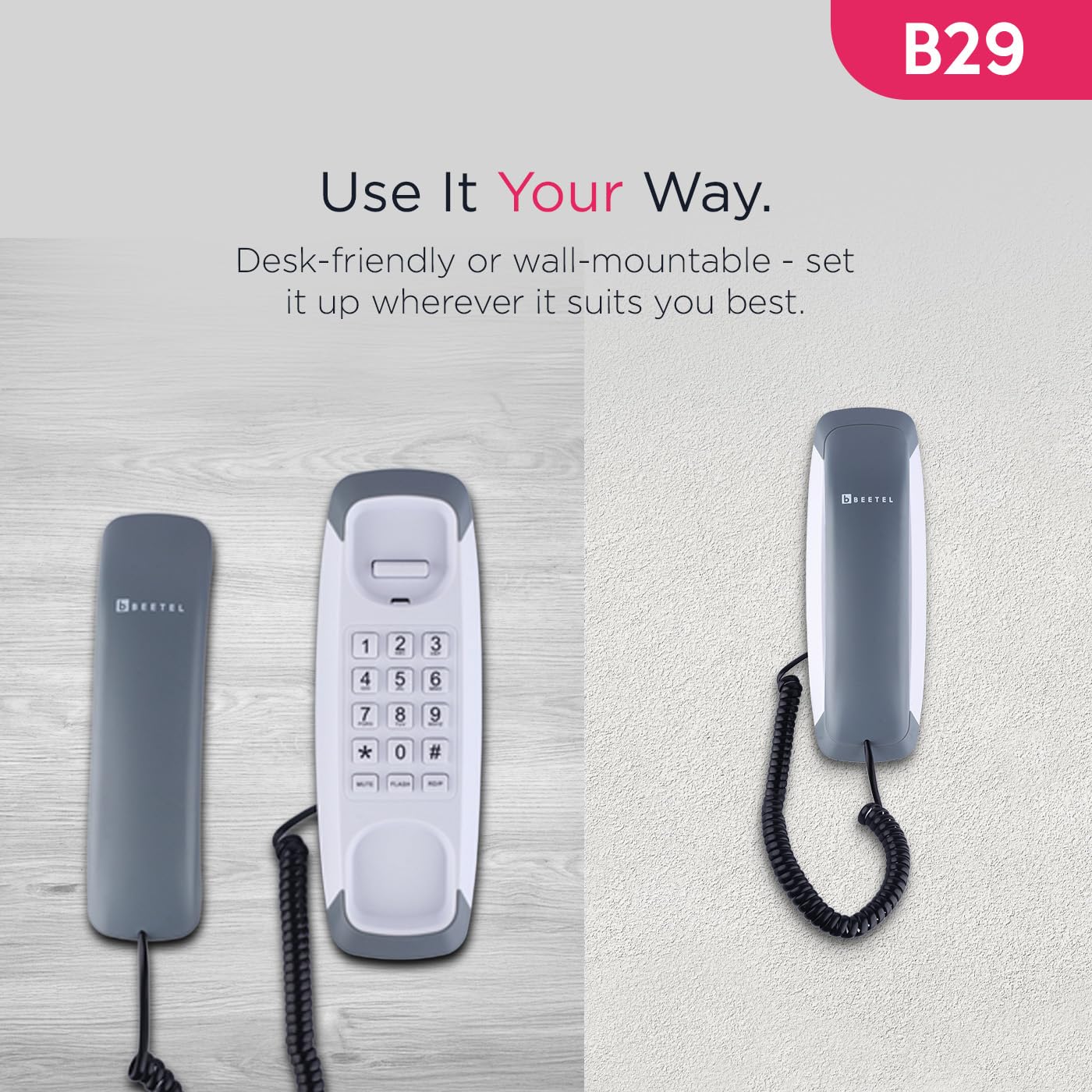
Image: The Beetel B29 phone shown in a wall-mounted configuration, demonstrating its versatility.
4. Operating Instructions
4.1 Making a Call
- Lift the handset.
- Listen for a dial tone.
- Dial the desired telephone number using the keypad.
- Once the call is complete, replace the handset.
4.2 Receiving a Call
- When the phone rings, lift the handset to answer the call.
- Once the call is complete, replace the handset.
4.3 Ringer Volume Control
The ringer volume can be adjusted using the switch located on the side or bottom of the phone base. Select between high and low volume settings according to your preference.
4.4 Special Functions
The Beetel B29 includes several convenient features:
- Redial Function: Press the REDIAL button to automatically dial the last number called.
- Flash Function: Press the FLASH button to switch between calls or access network services (e.g., call waiting) if supported by your telephone service provider.
- Mute Function: Press the MUTE button during a call to temporarily disable your microphone, allowing you to speak privately without the other party hearing you. Press again to unmute.
- Tone/Pulse Dialing: The phone supports both Tone (DTMF) and Pulse dialing modes, ensuring compatibility with various telephone systems. This setting is usually configured automatically or via a switch on the phone base.

Image: Close-up of the Beetel B29 keypad, highlighting the Redial, Flash, and Mute function buttons.
5. Maintenance
To ensure the longevity and optimal performance of your Beetel B29 phone:
- Cleaning: Wipe the phone's surface with a soft, damp cloth. Do not use abrasive cleaners or solvents, as these can damage the finish.
- Avoid Liquids: Keep the phone away from water and other liquids.
- Temperature: Store and operate the phone in a moderate temperature environment.
- Cord Care: Avoid stretching or tangling the handset and line cords excessively to prevent damage.
6. Troubleshooting
If you encounter issues with your Beetel B29 phone, refer to the following common problems and solutions:
| Problem | Possible Cause | Solution |
|---|---|---|
| No dial tone | Line cord not connected properly; service outage. | Ensure the line cord is securely plugged into both the phone and the wall jack. Check with your service provider for outages. |
| Cannot hear caller / Caller cannot hear me | Handset cord loose; Mute function activated. | Check that the handset cord is securely connected. If you cannot be heard, ensure the Mute function is not active. |
| Phone does not ring | Ringer volume set to low; service issue. | Adjust the ringer volume switch to a higher setting. Verify with your service provider if the issue persists. |
| Cannot dial out | No dial tone; incorrect dialing mode. | Check for a dial tone. Ensure the phone is set to the correct Tone/Pulse dialing mode for your telephone line. |
7. Specifications
Key technical specifications for the Beetel B29 Corded Landline Phone:
| Feature | Detail |
|---|---|
| Model | B29 |
| Product Dimensions | 20 x 8 x 8 cm |
| Item Weight | 400 g |
| Mounting Options | Desk / Wall Mountable |
| Dialing Mode | Tone / Pulse |
| Functions | Redial, Flash, Mute |
| Ringer Control | Adjustable Volume |
| Manufacturer | Beetel Teletech Limited |
| Country of Origin | India |
8. Warranty and Support
For warranty information, please refer to the documentation included with your product packaging or visit the official Beetel website. For technical support or service inquiries, please contact Beetel customer service through their official channels.
Manufacturer: Beetel Teletech Limited
Website: www.beetel.in (Example link, actual link may vary)

