
1. Introduction
Thank you for choosing the ECOROAD ES4 Electric Scooter. This manual provides essential information for the safe operation, assembly, maintenance, and troubleshooting of your scooter. Please read this manual thoroughly before your first ride to ensure optimal performance and safety. Keep this manual for future reference.
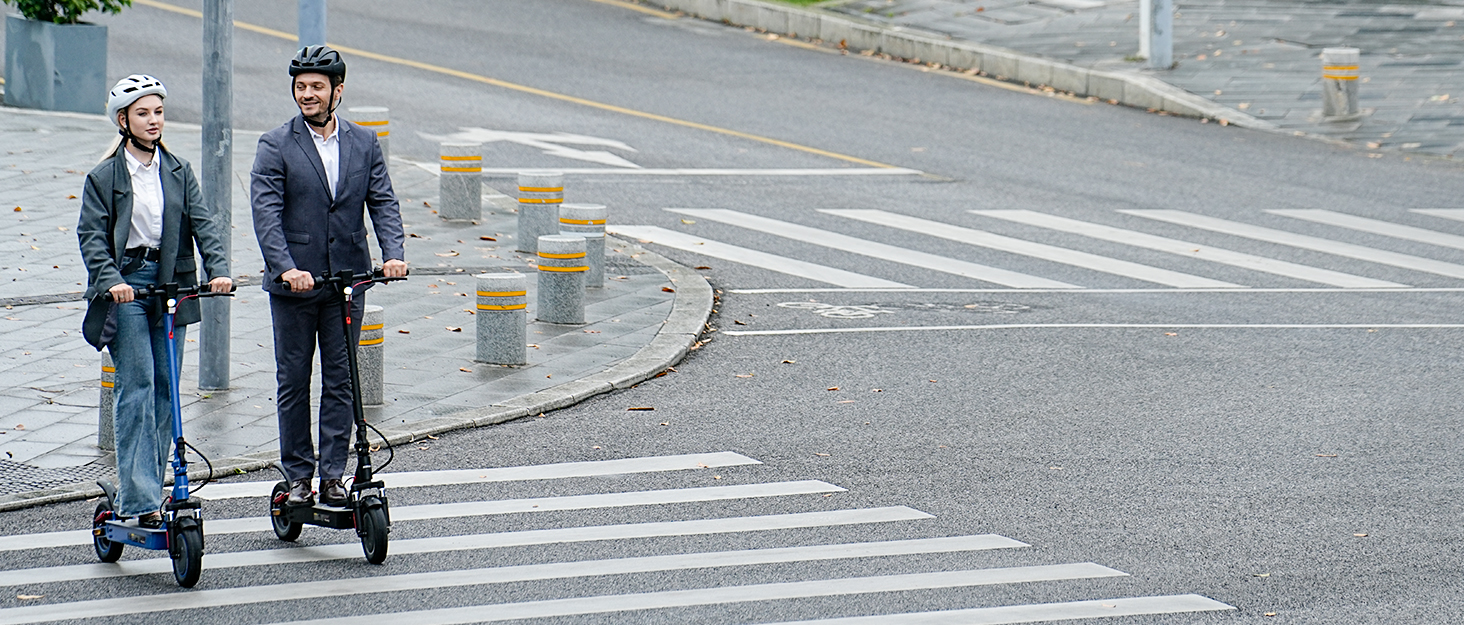
Figure 1.1: ECOROAD ES4 Electric Scooter overview with key specifications.
2. Safety Guidelines
Your safety is paramount. Always adhere to the following guidelines:
- Wear a Helmet: Always wear a certified helmet and other protective gear (knee pads, elbow pads) when riding.
- Check Before Ride: Before each use, inspect the brakes, tires, and all quick-release mechanisms to ensure they are secure and functioning correctly.
- Obey Traffic Laws: Follow all local traffic laws and regulations. Ride defensively and be aware of your surroundings.
- Riding Conditions: Avoid riding in heavy rain, snow, or on icy surfaces. The scooter is designed for urban and light off-road use, but extreme conditions can compromise safety.
- Weight Limit: Do not exceed the maximum load capacity of 150 kg (330 lbs).
- Age Recommendation: This scooter is recommended for users aged 13 and above.
- Avoid Distractions: Do not use mobile phones or wear headphones while riding.
3. Setup and Assembly
3.1 Unboxing and Initial Inspection
Carefully remove all components from the packaging. Check for any signs of damage during transit. Ensure all parts listed in the packing list are present.
3.2 Unfolding the Scooter
The ECOROAD ES4 features a quick-fold mechanism for easy transport and storage.
- Place the scooter on a flat surface.
- Locate the folding latch near the base of the handlebar stem.
- Release the latch and carefully lift the handlebar stem until it locks into the upright position. Ensure it clicks securely.
- Tighten any safety clamps or levers associated with the folding mechanism.

Figure 3.1: Steps for quick-folding the ECOROAD ES4 Electric Scooter.
3.3 Handlebar Adjustment
Adjust the handlebar height to a comfortable position for riding. Loosen the quick-release clamp on the handlebar stem, adjust the height, and then securely tighten the clamp.
3.4 Initial Charging
Before first use, fully charge the scooter's battery. Connect the charger to the charging port on the scooter and then to a power outlet. The charging indicator on the charger will change color (e.g., red to green) when fully charged. Charging time is approximately 5.5 hours.
4. Operation
4.1 Power On/Off
Press and hold the power button on the display unit to turn the scooter on or off.
4.2 Riding Modes and Speed Control
The ECOROAD ES4 features multiple speed gears. Use the controls on the handlebar to switch between modes and adjust your speed. The 800W brushless motor provides dynamic power for various terrains.

Figure 4.1: Powerful 800W Brushless Motor for efficient commuting and hill climbing.
4.3 Braking System
The scooter is equipped with a triple braking system for reliable stopping power. Familiarize yourself with the brake levers on the handlebars. Apply brakes smoothly and gradually to avoid sudden stops.

Figure 4.2: High-performance drum brake system for safe and controlled stopping.
4.4 Lighting System
The ECOROAD ES4 features a full LED lighting system for visibility and safety. This includes a bright 4-bead headlight, brake red taillights, and dynamic side RGB ambient lights.

Figure 4.3: Detailed view of the scooter's display and comprehensive lighting system.
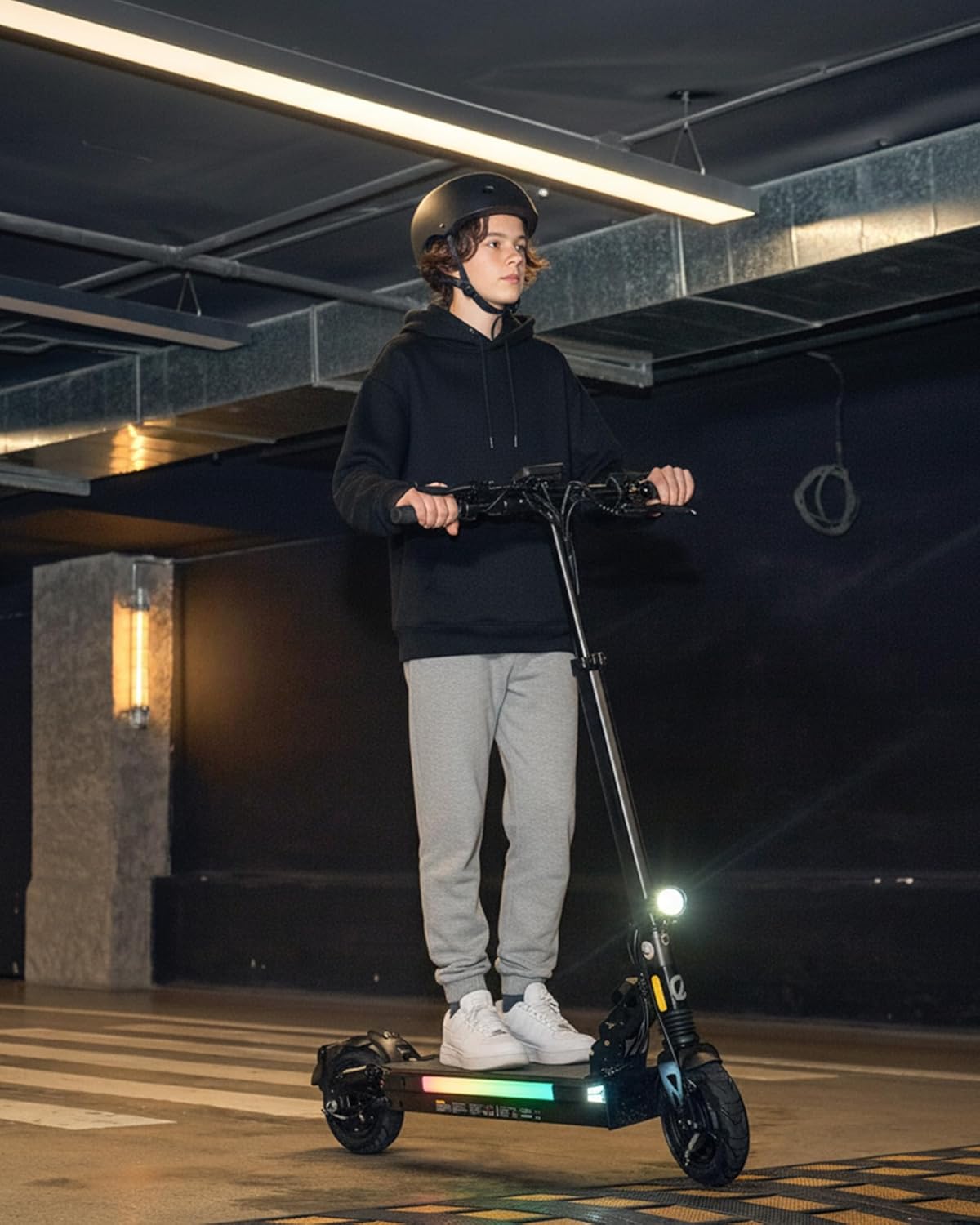
Figure 4.4: The ECOROAD ES4's lighting system provides visibility during night rides.
4.5 Display Functions and App Connectivity
The bright LED display shows current speed, battery level, riding mode, and temperature. Connect to the ECOROAD app for additional features such as digital locking, route tracking, and adjusting ride settings.
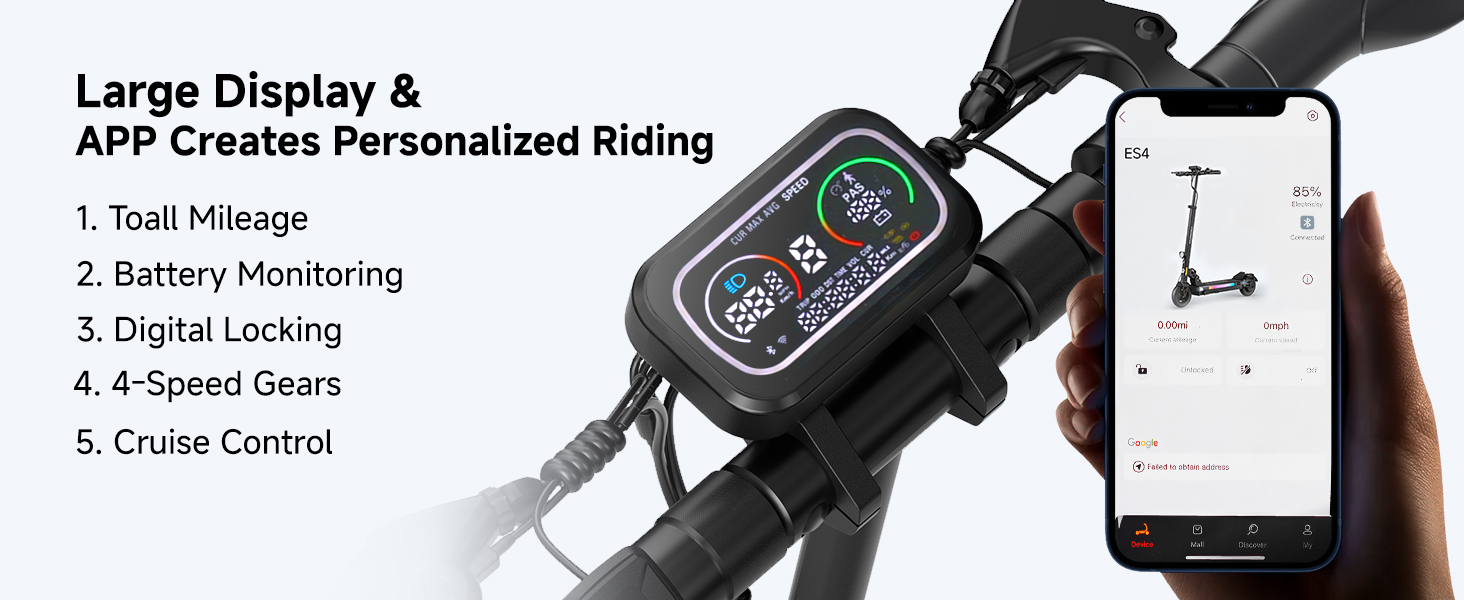
Figure 4.5: Large display and ECOROAD app for personalized riding control.
4.6 Suspension System
The dual suspension system, combined with 8.5-inch pneumatic tires, absorbs vibrations and provides a smooth ride over various urban and light off-road surfaces.

Figure 4.6: Dual suspension system for a smooth ride on any terrain.
5. Maintenance
5.1 Cleaning
Wipe the scooter with a damp cloth after each use. Do not use high-pressure water jets or corrosive cleaning agents. Ensure the charging port is dry before charging.
5.2 Battery Care
To prolong battery life, avoid completely draining the battery. Charge regularly, especially if the scooter will be stored for an extended period. Store the scooter in a cool, dry place.

Figure 5.1: High-capacity 48V 10.4AH battery for extended range.
5.3 Tire Maintenance
The ES4 uses 8.5-inch pneumatic tires. Regularly check tire pressure and inflate to the recommended PSI (refer to tire sidewall for details). Inspect tires for wear, punctures, or damage before each ride.
5.4 Brake System Check
Periodically check the brake levers and cables for proper tension and responsiveness. Adjust tightness as needed to ensure effective braking.
6. Troubleshooting
If you encounter issues with your ECOROAD ES4 scooter, refer to the following common problems and solutions:
- Scooter Not Turning On: Ensure the battery is charged. Check all cable connections.
- Reduced Range/Speed: This can be due to low tire pressure, riding uphill frequently, heavy load, or cold weather. Ensure tires are properly inflated and battery is fully charged.
- Brakes Not Responsive: Check brake cable tension. Adjust if necessary. If issues persist, contact customer support.
- Flat Tire: Pneumatic tires can get flats. If you experience a flat, the tire will need to be repaired or replaced. This can be a complex procedure; professional assistance is recommended.
- Unusual Noises: Stop riding immediately and inspect the scooter for loose parts or damage.
For issues not covered here, or if troubleshooting steps do not resolve the problem, please contact ECOROAD customer support.
7. Specifications
| Feature | Specification |
|---|---|
| Model Name | ES4 |
| Motor Power | 800W |
| Max Speed | 40 KM/H |
| Max Range | 40 KM |
| Battery Capacity | 48V 10.4Ah Lithium Ion |
| Charging Time | 5.5 hours |
| Weight Limit | 150 kg (330 lbs) |
| Product Dimensions (L x W x H) | 110.4 x 56.7 x 127 cm |
| Item Weight | 22.3 kg |
| Wheel Size | 8.5 inches |
| Wheel Material | Aluminum |
| Frame Material | Aluminum |
| Suspension Type | Dual Suspension |
| Brake Style | Front Braking, Rear Braking |
| Special Features | Adjustable Handlebar Height, Dual Braking System, Foldable, Wide Platform, RGB Ambient Lights |
8. Warranty Information
The ECOROAD ES4 Electric Scooter comes with a limited warranty. Specific parts are covered by either a 1-year or 180-day warranty. Please retain your proof of purchase for warranty claims. For detailed warranty terms and conditions, refer to the official ECOROAD website or contact customer support.
9. Customer Support
For any questions, technical assistance, or warranty inquiries, please contact ECOROAD customer support:
- Email: support-ca@ecoroad.com
- Service Hotline: +1 (877) 787 0069

Figure 9.1: ECOROAD customer support team ready to assist.


