
Introduction
This manual provides essential instructions for the safe and effective operation of your HAKINAKU HD05 Plug-in Natural Gas Detector. This device is designed to detect various combustible gases, including natural gas, propane, methane, LPG, and LNG, providing real-time monitoring of gas concentration, temperature, and humidity.
Important Safety Information
- Read all instructions carefully before installation and use.
- This device is intended for indoor use only.
- Do not paint over the detector. Paint can clog the sensor openings and prevent the unit from functioning properly.
- Do not block the ventilation openings on the device.
- Regularly test the detector as per the instructions to ensure proper operation.
- This device detects combustible gases. It is not a carbon monoxide (CO) detector. Ensure you have separate CO detectors if needed.
- In case of an alarm, follow emergency procedures immediately.
Product Overview
The HAKINAKU HD05 features a compact design with a clear display and intuitive controls.

Image: Front and back view of the HAKINAKU HD05 Plug-in Natural Gas Detector, showing the display, control buttons, and the plug mechanism.
Key Features:
- Real-time monitoring of combustible gas concentration.
- High-precision sensors.
- High-definition color screen display (2.1 inches).
- Audible and visual alarm.
- Fault self-check function.
- Plug-and-play design.
- Built-in 1000 mAh backup battery for power outages.

Image: Exploded view of the HAKINAKU HD05 gas detector highlighting its internal high-precision sensors.
Display Indicators:
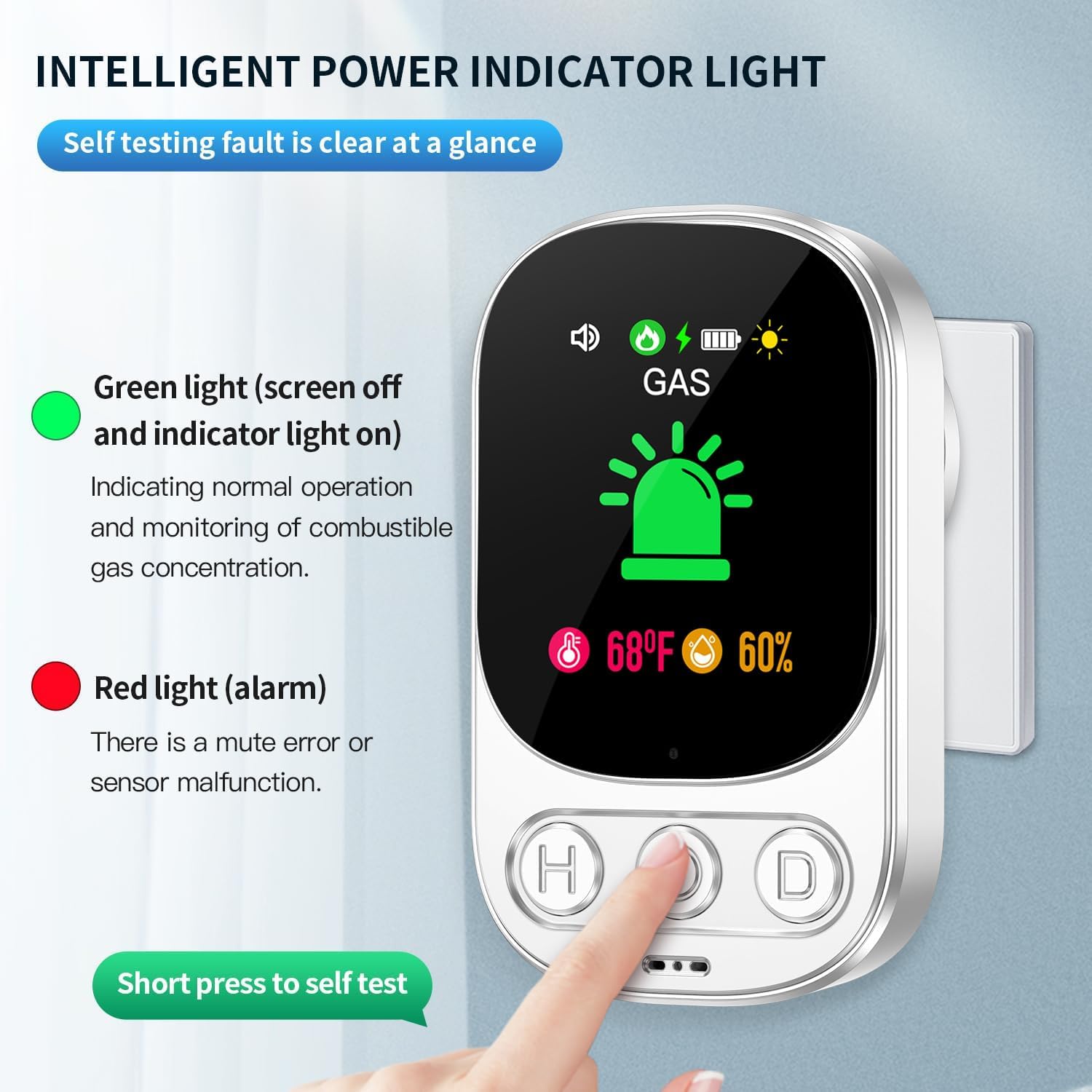
Image: Close-up of the HAKINAKU HD05 display showing various icons and their meanings, including gas status, temperature, and humidity.
- GAS Icon: Indicates gas detection status.
- Alarm Bell Icon: Flashes during an alarm.
- Battery Icon: Shows battery charge level.
- Speaker Icon: Indicates sound status.
- Sun Icon: Indicates screen brightness setting.
- Temperature Display: Shows current ambient temperature (e.g., 68°F).
- Humidity Display: Shows current ambient humidity (e.g., 60%).
Buttons:
- H Button: Mute alarm / Function button.
- O Button: Self-test / OK button.
- D Button: Screen dimmer / Down button.
Setup
Unpacking:
Carefully remove the gas detector and its accessories from the packaging. Verify that all components are present: Gas detector x1, Manual.
Placement:
Choose a suitable location for the detector. Combustible gases like natural gas (methane) are lighter than air and rise, while LPG (propane, butane) is heavier than air and sinks.
- For Natural Gas (Methane): Install the detector 12 inches (30 cm) below the ceiling and 60 inches (150 cm) away from the gas source.
- For LPG (Propane, Butane): Install the detector 12 inches (30 cm) above the floor and 60 inches (150 cm) away from the gas source.
- Avoid placing near ventilation fans, doors, windows, or areas with high humidity or extreme temperatures.
Power Connection:
The HAKINAKU HD05 is a plug-in device.
- Plug the detector directly into a standard 110V to 240V AC outlet.
- The device will automatically power on and begin its self-check process.
- The built-in 1000 mAh lithium-ion backup battery will charge automatically when plugged in.

Image: The HAKINAKU HD05 gas detector plugged into a standard wall outlet, demonstrating its compact design.
Operating Instructions
Initial Self-Check:
Upon plugging in, the detector will perform a self-check. The screen will cycle through various indicators. Once complete, it will display "GAS" with a green icon, indicating normal operation.
Normal Operation:
In normal operation, the screen displays "GAS" with a green icon, current temperature, and humidity.
Alarm Indications:
The detector provides both audible and visual alarms based on gas concentration levels:
- No Combustible Gas: Green icon, no alarm sound.
- Low Concentrations: Yellow icon blinks, alarm sounds once every 2 minutes.
- Medium Concentrations: Orange icon blinks, alarm sounds once every 2 minutes.
- High Concentrations: Red icon blinks, alarm sounds continuously.

Image: The HAKINAKU HD05 gas detector displaying an alarm state with gas bubbles indicating detection, and an orange screen.
What to do during an alarm:
- Do not operate electrical switches or phones.
- Immediately open all windows and doors to ventilate the area.
- Turn off the gas supply at the main valve if safe to do so.
- Evacuate all occupants from the building.
- Call the gas company or emergency services from a safe location outside the building.
- Do not re-enter the building until it has been declared safe by professionals.
Self-Test Function:
To manually test the detector, short press the 'O' (OK/Select) button. The device will perform a self-test, activating the alarm sound and visual indicators briefly.
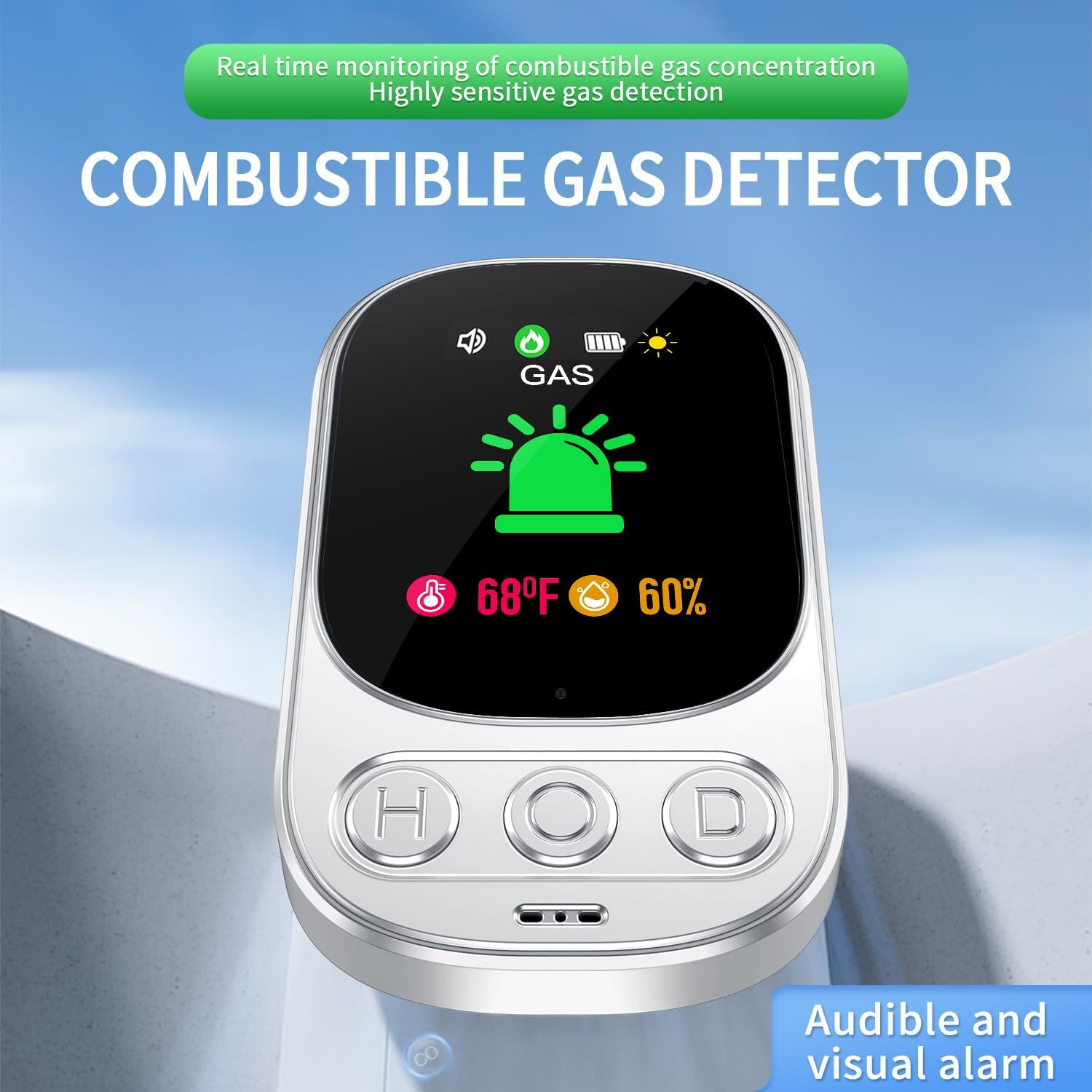
Image: A hand pressing the 'O' button on the HAKINAKU HD05 detector to initiate a self-test, showing the screen indicating a test in progress.
Mute Function:
In case of an alarm, you can temporarily mute the audible alarm by pressing the 'H' button. The visual alarm will continue to indicate the gas presence.
Screen Brightness Adjustment:
Press the 'D' button to adjust the screen brightness.
Maintenance
Cleaning:
Clean the detector regularly to prevent dust accumulation.
- Use a soft, damp cloth to wipe the exterior.
- Do not use harsh chemicals, abrasives, or solvents.
- Ensure no liquids enter the device openings.
Battery Care:
The built-in lithium-ion battery provides backup power during outages.
- The battery charges automatically when the device is plugged into an AC outlet.
- A fully charged battery provides approximately 12-15 hours of emergency operation.
- The battery is designed for a long lifespan (7 years) and is not user-replaceable.
Regular Testing:
It is recommended to test the detector weekly by pressing the self-test button.
Troubleshooting
No Power/Display Off:
- Ensure the detector is securely plugged into a working AC outlet.
- Check if the power outlet is functional by plugging in another device.
- If the device is running on battery backup, ensure the battery is charged.
False Alarms:
- Verify there are no actual gas leaks.
- Check for sources of other combustible vapors (e.g., aerosols, cleaning products, alcohol) near the detector.
- Ensure proper placement away from strong air currents or high humidity.
Alarm Sounds Continuously (Red Icon):
- This indicates a high concentration of combustible gas. Follow emergency procedures immediately.
Yellow/Orange Icon Blinking, Alarm Sounds Intermittently:
- This indicates low to medium gas concentrations. Investigate potential minor leaks or sources of gas.
Red Light (Alarm) or Sensor Malfunction:
If the red light indicates a sensor malfunction or persistent error, contact customer support.
Specifications
| Feature | Detail |
|---|---|
| Model Number | HD05 |
| Power Source | AC 110V-240V |
| Backup Battery | 1000 mAh Lithium Ion (12-15h emergency life) |
| Detected Gases | Natural Gas (Methane), Propane, Butane, LPG, LNG, Coal Gas, Gasoline, Hexane, Benzene, Ethylene Oxide, Acetylene |
| Alarm Volume | 85 dB |
| Display | 2.1'' HD Color Screen |
| Dimensions | 2.04 x 1.3 x 3.34 inches |
| Item Weight | 3.52 ounces |
| Usage | Indoor |
| Included Components | Gas detector x1, Manual |
Warranty and Support
HAKINAKU offers a 5-year free exchange warranty for any quality issues.
For technical support, troubleshooting assistance, or warranty claims, please contact HAKINAKU customer service through your purchase platform or refer to the contact information provided with your product packaging.
Additional Resources
For more information about gas safety, please consult local authorities or gas utility providers.