
Introduction
Welcome to the Transformers Megatron TF-T80 Bluetooth Wireless Earbuds. This manual provides essential information for setting up, operating, and maintaining your new earbuds. The TF-T80 earbuds combine advanced audio technology with a unique Transformers-themed design, offering both high-fidelity sound and low-latency gaming performance.
What's in the Box
- Portable Charging Case (1)
- TF-T80 Wireless Earbuds (Left & Right)
- USB-C charging cable (1)
- User Manual

Image: The complete package contents of the Transformers TF-T80 Megatron earbuds, showing the earbuds, charging case, USB-C cable, and user manual.
Product Overview
The Transformers Megatron TF-T80 earbuds feature a distinctive design inspired by the iconic character, offering both aesthetic appeal and functional performance.

Image: The Transformers Megatron TF-T80 wireless earbuds and their unique, industrial-style charging case. The earbuds are black with 'MEGATRON' branding, and the case features purple accents and a Decepticon logo.

Image: The Transformers Megatron TF-T80 charging case opened, revealing the black earbuds securely nestled inside. The case design is intricate with purple lighting accents.
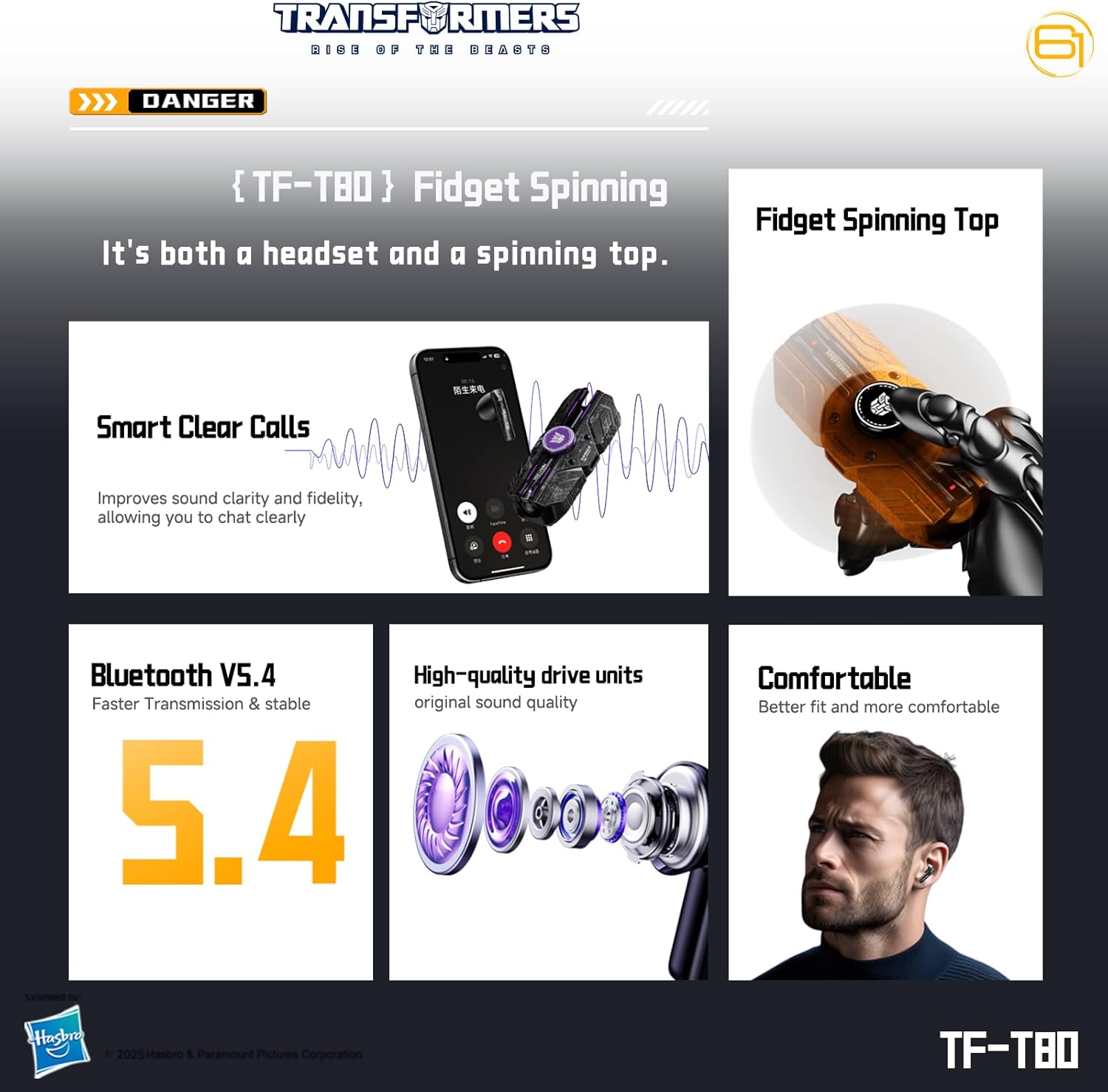
Image: A close-up of the Transformers TF-T80 charging case demonstrating its fidget spinner functionality, with a purple Decepticon logo at the center and blue light trails indicating motion.
Video: An unboxing video for the Transformers TF-T80 Megatron earbuds, showcasing the packaging and initial reveal of the product components.
Video: A demonstration of the Transformers TF-T80 charging case's fingertip gyroscope (fidget spinner) feature, highlighting its unique design and interactive elements.
Setup
Charging the Earbuds and Case
Before first use, fully charge the earbuds and charging case. The charging case has a 300mAh capacity, and each earbud has a 30mAh capacity. A full charge takes approximately 2 hours.
- Connect the provided USB-C charging cable to the charging port on the case and to a compatible USB power source.
- The indicator lights on the case will show charging status.
- Place the earbuds into the charging case to charge them. The earbuds will automatically charge when placed correctly in the case.

Image: The Transformers TF-T80 charging case displaying its 300mAh capacity, 30mAh headset capacity, and approximately 2-hour charging time.
Pairing with a Device
The TF-T80 earbuds utilize Bluetooth 5.4 technology for a stable and efficient connection. They support Dual Connect + Sync and Fast Pairing.
- Open the charging case. The earbuds will automatically enter pairing mode.
- On your device (smartphone, tablet, computer), go to Bluetooth settings and search for available devices.
- Select "TF-T80" from the list to connect.
- Once connected, a voice prompt will confirm successful pairing.
The earbuds are compatible with almost all Bluetooth-enabled devices, including various iPhone and Samsung Galaxy models, as well as Android, iOS, and Windows operating systems.

Image: The Transformers TF-T80 earbuds and charging case shown alongside a laptop and smartphone, with icons indicating compatibility with Android, iOS, and Windows operating systems.
Operating Instructions
Touch Controls
The TF-T80 earbuds feature intuitive touch controls for easy management of audio playback, calls, and modes.
| Action | Left Earbud | Right Earbud |
|---|---|---|
| Play/Pause/Answer/End Call | Double Click | Double Click |
| Previous Song | Triple Click | N/A |
| Next Song | N/A | Triple Click |
| Reject Call | Long Press for 2 Seconds | Long Press for 2 Seconds |
| Voice Assistant | Press and Hold for 2 Seconds | N/A |
| Game Mode / Music Mode | N/A | Press and Hold for 2 Seconds |

Image: A detailed diagram illustrating the touch control functions for both the left and right Transformers TF-T80 earbuds, including actions for music, calls, voice assistant, and mode switching.
Audio Modes
- Low Latency Gaming Mode: Enjoy lag-free, real-time audio with Bluetooth 5.4 technology, ideal for mobile gaming, videos, and calls. This mode features a brand-new gaming chip, high-bitrate transmission speeds, and synchronized audio and video response for near-imperceptible latency.
- HiFi Music Mode: Switch to Music Mode for rich stereo sound with deep bass, clear mids, and crisp highs for an immersive listening experience.
Calling Functionality
The TF-T80 earbuds include a built-in microphone and advanced noise cancelling technology for clear calls.
- The microphone clearly picks up your voice while filtering out nearby noise in real-time through frequency division processing.
- Directional acoustic cavity structure and acoustic beam tuning algorithm (DT super-beam directional sound transmission) ensure precise delivery and effectively reduce sound leakage.

Image: The Transformers TF-T80 Megatron earbuds and charging case depicted in a call scenario on a smartphone, illustrating the 'Smart Clear Calls' feature with real-time noise filtering.
Maintenance
- Regularly clean the earbuds and charging case with a soft, dry cloth.
- Avoid exposing the device to extreme temperatures, humidity, or liquids. The earbuds are water-resistant (IPX5 rated) but not waterproof.
- Store the earbuds in their charging case when not in use to protect them and ensure they remain charged.
Troubleshooting
Common Issues and Solutions
- Earbuds not pairing: Ensure both earbuds are charged and in the case. Open the case to initiate pairing mode. If issues persist, try resetting the earbuds (refer to the full user manual for specific reset instructions).
- No sound: Check the volume on your connected device and ensure the earbuds are properly seated in your ears. Re-pair the earbuds if necessary.
- Charging issues: Verify the USB-C cable and power source are working. Ensure the charging contacts on the earbuds and case are clean.
Specifications
| Feature | Detail |
|---|---|
| Model Name | TF-T80 |
| Bluetooth Version | 5.4 |
| Bluetooth Range | 32 Feet |
| Audio Driver Type | Dynamic Driver |
| Audio Driver Size | 13 Millimeters |
| Noise Control | Passive Noise Cancellation |
| Battery Life (Earbuds) | 5 Hours |
| Charging Time | 2 Hours |
| Water Resistance Level | Water Resistant (IPX5) |
| Control Method | Touch |
| Material | Plastic (Earbuds), Steel (Carrying Case) |
| Item Weight | 5.3 ounces |
| Product Dimensions | 3.5 x 1.5 x 1 inches |
Warranty and Support
Your Transformers TF-T80 earbuds come with a standard manufacturer's warranty. For detailed warranty information and support, please refer to the official Transformers product website or contact customer service.
For further assistance, please visit the Transformers Store on Amazon.