Introduction

Image: Two Ledvion rechargeable LED table lamps in a brass gold finish, showcasing their sleek design.
This manual provides comprehensive instructions for the safe and efficient use of your Ledvion LV10133-2pack Rechargeable LED Table Lamps. Please read this manual thoroughly before operating the product and retain it for future reference.
The Ledvion LV10133-2pack consists of two rechargeable LED table lamps, featuring a brass gold finish, 60 lumens brightness, and adjustable color temperature from 2700K (warm white) to 5000K (cool white). Each lamp is equipped with a 3600mAh battery, an IP20 rating for indoor use, and intuitive touch control for ease of use. They are designed for versatile wireless illumination in various indoor settings and are conveniently USB-C rechargeable.
Safety Instructions
- Ensure the product is used indoors only, as it has an IP20 rating, meaning it is not protected against water or moisture.
- Do not expose the lamps to extreme temperatures, direct sunlight, or high humidity.
- Keep the lamps away from flammable materials.
- Do not attempt to disassemble or modify the lamps. This may void the warranty and pose a safety risk.
- Use only the provided USB-C cable or a certified equivalent for charging.
- Keep out of reach of children and pets.
- If any damage occurs, discontinue use immediately and contact customer support.
What's in the Box
Upon opening the package, verify that all components are present and undamaged.
- 2x Ledvion Rechargeable LED Table Lamps
- 2x USB-C Charging Cables (100cm each)
- 1x User Manual

Image: The package contents include two golden table lamps, two USB-C cables, and a user manual.
Setup
Initial Charging
Before first use, fully charge your Ledvion table lamps.
- Connect one end of the provided USB-C charging cable to the charging port located at the base of the lamp.
- Connect the other end of the USB-C cable to a compatible USB power adapter (not included) or a powered USB port.
- Allow approximately 6 hours for a full charge. The lamp does not have a specific charging indicator mentioned, but a full charge ensures optimal performance.

Image: A close-up view of the lamp's base, highlighting the USB-C charging port. Text indicates approximate operation times at different brightness levels and a 6-hour charging time.
Operating Instructions
Power On/Off and Brightness Control
- To Power On/Off: Lightly tap the touch control area located on the top surface of the lamp.
- To Adjust Brightness (Dimming): Once the lamp is on, press and hold the touch control area. The brightness will gradually increase or decrease. Release your finger when the desired brightness level is reached.
Color Temperature Adjustment
- To Change Color Temperature: With the lamp on, tap the touch control area repeatedly. Each tap will cycle through the available color temperatures: 2700K (warm white), 4000K (neutral white), and 5000K (cool white).

Image: A hand demonstrates touching the top surface of the lamp, illustrating the touch control functionality for adjusting both color temperature (Tunable 2700K-5000K) and brightness (Dimmable).

Image: A detailed view of the lamp's top, showing the circular LED light source emitting light.
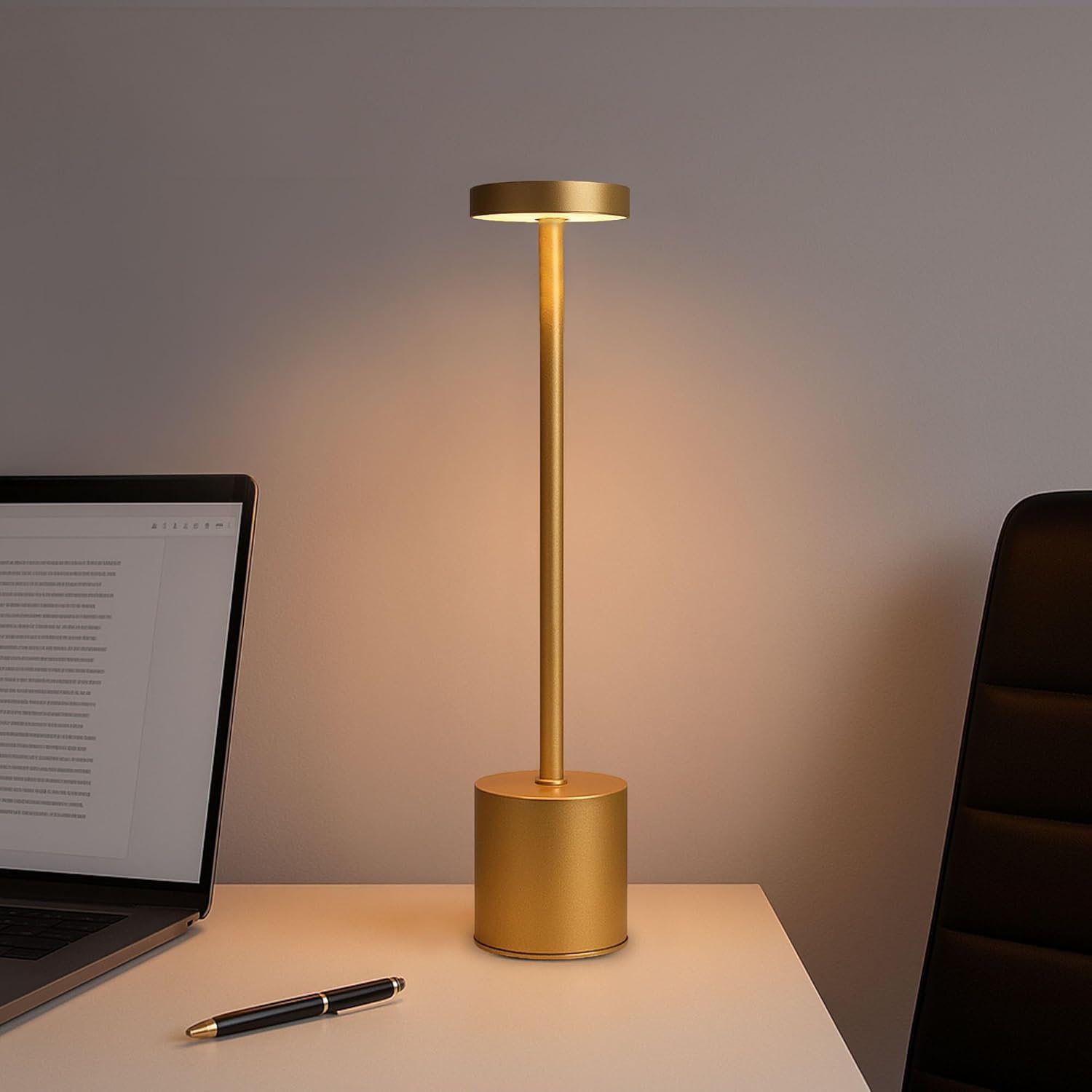
Image: A Ledvion table lamp emitting warm light, positioned on a side table next to a sofa with an open book, demonstrating its use as an ambient light source for relaxation.

Image: A Ledvion table lamp illuminating a desk area with a laptop and pen, showcasing its suitability for task lighting during work or study.
Battery Information
The lamp is equipped with a 3600mAh rechargeable battery. Battery operating time varies depending on the brightness level:
- 100% Brightness: Approximately 8 hours
- 75% Brightness: Approximately 12 hours
- 50% Brightness: Approximately 14 hours
A full charge takes approximately 6 hours using a USB-C connection.
Maintenance
- Cleaning: Disconnect the lamp from any power source before cleaning. Use a soft, dry cloth to wipe the surface. Do not use abrasive cleaners, solvents, or excessive moisture, as this product is not water-resistant (IP20).
- Storage: If storing the lamp for an extended period, ensure it is fully charged and store it in a cool, dry place. Recharge the battery every 3-6 months to maintain battery health and prevent deep discharge.
- Battery Care: To prolong battery life, avoid fully discharging the battery frequently. It is recommended to recharge the lamp before the battery is completely depleted.
Troubleshooting
| Problem | Possible Cause | Solution |
|---|---|---|
| Lamp does not turn on. | Battery is depleted. | Charge the lamp using the provided USB-C cable and a compatible power source. |
| Lamp does not charge. | Faulty cable or power adapter. USB-C cable not properly connected. | Ensure the USB-C cable is securely connected to both the lamp and the power source. Try a different USB-C cable or power adapter to rule out component failure. |
| Brightness or color temperature cannot be adjusted. | Incorrect touch control operation. | Refer to the "Operating Instructions" section for correct touch control methods (tap for color temperature cycle, press and hold for brightness adjustment). |
| Short battery life. | Lamp used at high brightness settings. Battery degradation over time. | Reduce brightness for longer operation. Ensure the lamp is fully charged before use. If battery life significantly decreases over time, contact customer support for further assistance. |
Specifications
| Brand | Ledvion |
| Model Number | LV10133-2pack |
| Dimensions (per lamp) | Height: 340 mm (34 cm), Diameter: 80 mm (8 cm) |
| Weight (per lamp) | 7.1 Grams |
| Material | Iron, ABS |
| Color | Brass Gold |
| Light Source Type | LED |
| Luminous Flux | 60 Lumens |
| Color Temperature | 2700K - 5000K (Dimmable) |
| Rated Power | 15 Watts |
| Battery Capacity | 3600mAh |
| Charging Type | USB-C |
| Charging Time | Approx. 6 hours |
| Operating Time | Up to 14 hours (at 50% brightness) |
| IP Rating | IP20 (Indoor use only) |
| Input Voltage (Charger) | 230 Volts (for compatible USB power adapter) |

Image: A technical drawing of the Ledvion table lamp, indicating a total height of 340mm and a base/top diameter of 80mm.
Warranty and Support
Warranty Information
Specific warranty details for your Ledvion product are typically provided at the point of purchase or within separate warranty documentation included with your product. Please refer to your purchase receipt or contact the retailer where the product was purchased for detailed warranty terms and conditions.
Customer Support
For technical assistance, troubleshooting beyond the scope of this manual, or inquiries regarding warranty claims, please contact Ledvion customer support through their official website or the authorized retailer from whom you purchased the product.
You can also visit the official Ledvion brand store on Amazon for more information and support: Ledvion Amazon Store


