
1. Introduction
Thank you for choosing the CoolJumper Q28 Open Ear Headphones. These wireless Bluetooth earphones are designed to provide a comfortable listening experience while allowing you to remain aware of your surroundings. Featuring Bluetooth 5.4 connectivity, an LED display charging case, and IPX7 water resistance, the Q28 headphones are suitable for various activities including running and fitness. This manual provides detailed instructions for setup, operation, maintenance, and troubleshooting to ensure optimal performance and longevity of your device.
2. What's in the Box
Upon opening your CoolJumper Q28 package, please verify that all the following components are included:
- 2 x Open Ear Headphones (Left and Right)
- 1 x Charging Case with LED Display
- 1 x USB-C Charging Cable
- 1 x User Manual (This Document)

Image: The CoolJumper Q28 Open Ear Headphones nestled in their charging case, showcasing the LED display.
3. Product Features
3.1 Open Ear Design
The ergonomic open-ear design allows for comfortable, all-day wear without inserting into the ear canal. This design ensures awareness of ambient sounds, enhancing safety during outdoor activities.
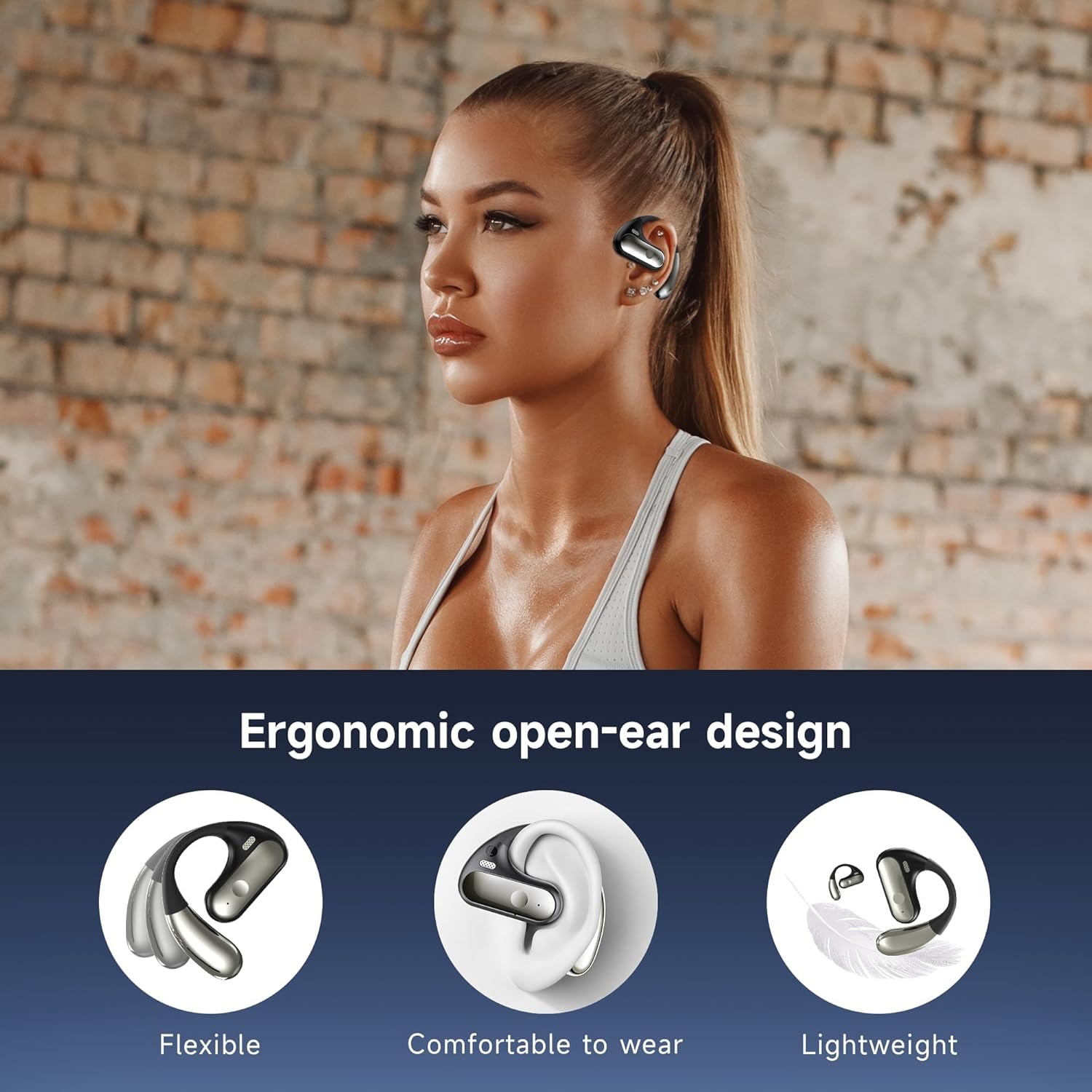
Image: A person wearing the CoolJumper Q28 earbud, demonstrating its ergonomic open-ear fit.
3.2 Battery Life and LED Display
Enjoy up to 8 hours of continuous playtime on a single charge. The compact charging case provides an additional 64 hours of battery life, totaling up to 80 hours of usage. The integrated LED digital display on the charging case clearly shows the remaining battery percentage for both the case and individual earbuds.

Image: The CoolJumper Q28 charging case with earbuds, displaying the LED screen indicating 100% charge and battery icons.
3.3 Bluetooth 5.4 Connectivity
Equipped with an advanced Bluetooth 5.4 chip, the headphones offer faster transmission speeds, more stable connections, and lower power consumption. This ensures high-quality sound with ultra-low latency and seamless pairing with your smart devices.

Image: A detailed diagram showcasing the advanced Bluetooth 5.4 chip and its benefits in transmission speed, stable connection, and connection range.
3.4 Hi-Fi Sound Quality
The Q28 headphones feature a 14.2mm dynamic speaker, delivering clear and distinct Hi-Fi sound with dynamically resonant bass. The acoustic design optimizes audio performance for a realistic auditory experience.

Image: An exploded view diagram of the 14.2mm dynamic speaker, highlighting its internal components responsible for sound production.
3.5 IPX7 Waterproof Rating
With an IPX7 waterproof rating, these headphones are resistant to rain, sweat, and splashes, making them ideal for workouts and outdoor activities.

Image: The CoolJumper Q28 headphones and charging case shown with water splashes, indicating their IPX7 waterproof and sweatproof capabilities.
3.6 Smart Touch Control
The earbuds are equipped with flexible touch controls, allowing you to manage music playback, calls, and voice assistant functions with simple taps.

Image: A visual guide detailing the smart touch control gestures for play/pause, skipping songs, adjusting volume, answering/hanging up calls, rejecting calls, and activating voice assistant.
3.7 AI Call Noise Cancellation
The headphones employ AI-powered Call Noise Cancellation technology to ensure clear and crisp call quality by reducing environmental noise.
Video: An official product video demonstrating the features of the CoolJumper Q28 Open-Ear Hook Headphones, including premium sound and design.
4. Setup Guide
4.1 Initial Charging
- Place both earbuds into the charging case.
- Connect the provided USB-C cable to the charging port on the case and a compatible USB power source (e.g., wall adapter, computer USB port).
- The LED display on the charging case will show the charging status. A full charge for the case takes approximately 1.5 hours.
- Ensure both earbuds are fully charged before first use.
4.2 Bluetooth Pairing
The Q28 headphones feature automatic one-step pairing.
- Open the charging case. The earbuds will automatically power on and enter pairing mode.
- On your device (smartphone, tablet, computer), navigate to the Bluetooth settings.
- Search for available devices and select "YYK-Q28" from the list.
- Once connected, a voice prompt will confirm successful pairing.
- For subsequent use, the earbuds will automatically connect to the last paired device when removed from the case.

Image: The CoolJumper Q28 headphones and charging case next to a smartphone displaying Bluetooth settings, showing 'YYK-Q28' as a discoverable device.
5. Operating Instructions
5.1 Power On/Off
- Power On: Open the charging case, or press and hold the touch area on both earbuds for 3 seconds.
- Power Off: Place the earbuds back into the charging case and close the lid, or press and hold the touch area on both earbuds for 5 seconds.
5.2 Music Playback Controls
- Play/Pause: Double-tap the touch area on either the Left (L) or Right (R) earbud.
- Next Song: Press and hold the touch area on the Right (R) earbud for 1 second.
- Previous Song: Press and hold the touch area on the Left (L) earbud for 1 second.
- Volume Up: Triple-tap the touch area on the Right (R) earbud.
- Volume Down: Triple-tap the touch area on the Left (L) earbud.
5.3 Call Management
- Answer/End Call: Double-tap the touch area on either earbud.
- Reject Call: Press and hold the touch area on either earbud for 1 second.
5.4 Voice Assistant
- Activate Voice Assistant (Siri, Google Assistant, etc.): Triple-tap the touch area on either earbud.
6. Maintenance
6.1 Cleaning
- Regularly clean the earbuds and charging case with a soft, dry, lint-free cloth.
- Do not use abrasive cleaners, solvents, or aerosol sprays.
- Avoid getting moisture in any openings.
6.2 Storage
- Store the headphones in their charging case when not in use to protect them and keep them charged.
- Keep the device in a cool, dry place, away from extreme temperatures and direct sunlight.
7. Troubleshooting
7.1 Earbuds Not Pairing with Device
- Ensure the earbuds are charged and removed from the charging case.
- Turn off Bluetooth on your device and turn it back on.
- Forget/delete "YYK-Q28" from your device's Bluetooth list and attempt to pair again.
- Restart your device.
7.2 Only One Earbud Working
- Ensure both earbuds are charged.
- Place both earbuds back into the charging case, close the lid, wait a few seconds, then open the lid and remove them. This often re-syncs them.
- If the issue persists, try resetting the earbuds (refer to the full user manual for specific reset instructions if available, or try forgetting the device and re-pairing).
7.3 Charging Case Not Charging
- Verify the USB-C cable is securely connected to both the case and the power source.
- Try a different USB-C cable and/or power adapter.
- Ensure the charging port on the case is clean and free of debris.
7.4 Low Volume or Poor Sound Quality
- Adjust the volume on both your device and the earbuds.
- Ensure the earbuds are positioned correctly on your ears.
- Clean any debris from the speaker grilles.
- Move closer to your paired device to avoid interference.
8. Specifications
| Feature | Detail |
|---|---|
| Model Name | Q28 |
| Brand | CoolJumper |
| Connectivity Technology | Wireless (Bluetooth 5.4) |
| Bluetooth Version | 5.4 |
| Bluetooth Range | 33 Feet (10 meters) |
| Ear Placement | Open Ear |
| Audio Driver Size | 14.2 mm Dynamic Driver |
| Impedance | 16 Ohm |
| Noise Control | Environmental Noise Cancellation (for calls) |
| Control Type | Touch Control |
| Earbud Playtime | Up to 8 hours |
| Total Playtime (with case) | Up to 80 hours |
| Charging Time (Case) | Approx. 1.5 hours (USB-C) |
| Water Resistance | IPX7 (Waterproof) |
| Item Weight (each earbud) | 0.26 ounces (approx. 7.4g) |
| Charging Case Dimensions | 2.7 x 1.7 x 0.6 inches |
| Material | Acrylonitrile Butadiene Styrene (ABS), Silicone |
9. Warranty and Support
CoolJumper products are designed and manufactured to the highest quality standards. For information regarding warranty coverage, please refer to the warranty card included in your product packaging or visit the official CoolJumper website. If you encounter any issues or have questions not covered in this manual, please contact CoolJumper customer support for assistance.
You can often find support contact information on the product packaging or by searching for "CoolJumper Support" online.

