
Introduction
This manual provides detailed instructions for the LENCENT Bluetooth 5.4 Car Adapter FM Transmitter, Model T25A. Please read this manual carefully before use to ensure proper operation and to maximize the product's features. Keep this manual for future reference.
Product Overview
The LENCENT T25A is a versatile car adapter designed to enhance your in-car audio experience and charging capabilities. It features Bluetooth 5.4 for stable connectivity, dual microphones for clear calls, and fast charging ports.
Key Features:
- Deep Bass & Hi-Fi Stereo: Activates powerful bass enhancement and ensures authentic sound quality.
- Stronger Dual Mics: Equipped with CVC noise cancellation for clear hands-free calls and music playback.
- 54W Fast Charging: Includes PD36W (Type-C) and QC18W (Type-A) dual-port design for efficient device charging.
- Bluetooth 5.4 Chip: Provides enhanced connection speed and data transmission efficiency for stable audio streaming and calls.
- Colorful LED Backlit: Offers solid color and dynamic color-changing modes, with an LED display for voltage detection.
Component Identification:

Image: LENCENT T25A FM Transmitter with key components labeled, including microphone, LED display, Type-C PD charging port, USB-stick reading port, multi-function knob, bass button, light switch, next song, and previous song buttons.
Setup Instructions
Follow these steps to set up your LENCENT T25A FM Transmitter:
- Insert into Car Cigarette Lighter: Plug the LENCENT T25A into your vehicle's 12V/24V cigarette lighter socket. The device will power on and display the current car battery voltage.
- Tune Car Radio: Tune your car's FM radio to a blank, unused FM frequency (e.g., FM 106.8). Choose a frequency with no strong radio station interference.
- Set FM Transmitter Frequency: Press and hold the "CH" button on the transmitter. The frequency display will flash. Rotate the multi-function knob to adjust the transmitter's frequency to match the blank FM frequency you selected on your car radio.
- Pair via Bluetooth: On your smartphone or Bluetooth-enabled device, open Bluetooth settings and search for available devices. Select "T25A" from the list to pair. Once paired, you will hear a confirmation tone.

Image: A visual guide illustrating the four setup steps: 1. Tune car radio to a blank FM frequency. 2. Press and hold the "CH" button on the transmitter. 3. Set the FM transmitter to the same frequency. 4. Turn on Bluetooth and pair with 'T25A'.
Operating Instructions
Music Playback:
- Bluetooth Streaming: Once paired, music from your device will stream wirelessly through your car's speakers. Use the previous/next track buttons on the transmitter or your device to control playback.
- USB Drive Playback: Insert a USB flash drive (up to 64GB) containing MP3/WMA/WAV/FLAC files into the USB-stick reading port. The device will automatically detect and play music from the drive.
- Bass Boost: Press the "B" button to activate or deactivate the deep bass enhancement feature for a richer audio experience.

Image: The LENCENT T25A FM Transmitter with a visual representation of deep bass and Hi-Fi stereo sound, emphasizing the 'B' button for bass enhancement.
Hands-Free Calling:
The dual microphones and CVC noise cancellation ensure clear communication during calls.
- Answer Call: Press the multi-function knob once to answer an incoming call.
- Hang Up Call: Press the multi-function knob once during a call to end it.
- Reject Call: Press and hold the multi-function knob to reject an incoming call.
- Redial Last Number: Double-press the multi-function knob to redial the last dialed number.
- Activate Voice Assistant: Press and hold the multi-function knob to activate Siri or Google Voice Assistant.
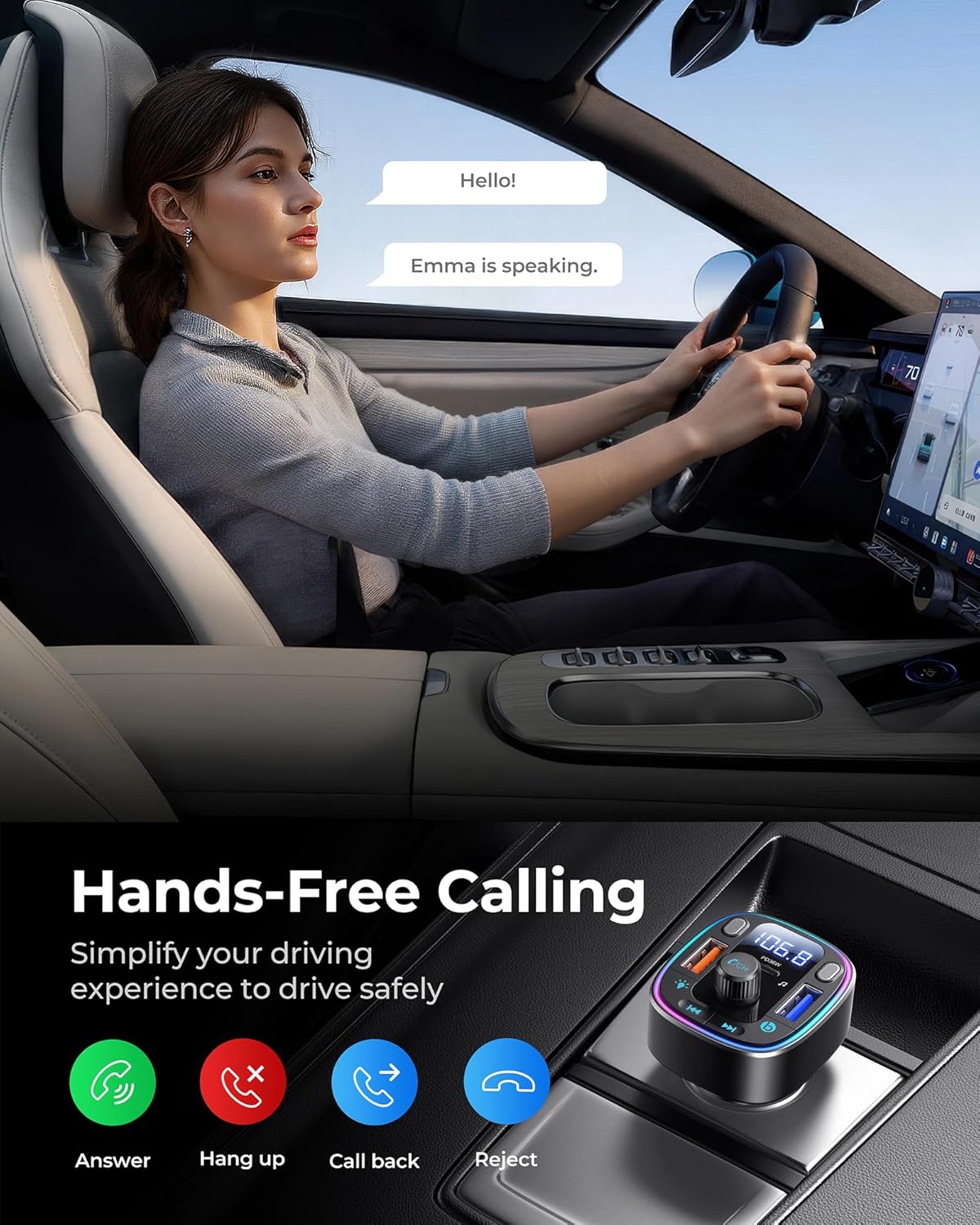
Image: A woman driving, demonstrating the hands-free calling feature of the LENCENT T25A. Icons below illustrate the functions: Answer, Hang up, Call back, and Reject.
Charging Devices:
The T25A features two fast-charging ports:
- Type-C PD36W Port: For Power Delivery compatible devices, offering up to 36W fast charging.
- Type-A QC18W Port: For Quick Charge 3.0 compatible devices, offering up to 18W fast charging.

Image: The LENCENT T25A FM Transmitter highlighting its 54W fast charging feature, with separate labels for PD 36W (Max) and QC3.0 18W (Max) ports. It shows an iPhone 15 Pro Max and Samsung S23 Ultra charging rapidly.
LED Backlight Modes:
The device offers customizable LED lighting:
- Switch Modes: Press the light switch button (usually indicated by a light bulb icon) to cycle through different solid colors, dynamic color-changing (breathing) modes, or to turn the lights off.
- Voltage Display: The LED screen automatically displays the car's voltage upon startup.

Image: A side-by-side comparison of the LENCENT T25A FM Transmitter, showing one unit with its LED lights off and another unit displaying colorful and breathing light modes.
Maintenance
To ensure the longevity and optimal performance of your LENCENT T25A FM Transmitter, follow these maintenance guidelines:
- Cleaning: Use a soft, dry cloth to clean the device. Avoid using liquid cleaners or solvents, as they may damage the surface or internal components.
- Storage: When not in use for extended periods, store the device in a cool, dry place away from direct sunlight and extreme temperatures.
- Avoid Extreme Conditions: Do not expose the device to extreme temperatures, humidity, or corrosive environments.
- Handle with Care: Avoid dropping or subjecting the device to strong impacts.
Troubleshooting
If you encounter issues with your LENCENT T25A, refer to the following common problems and solutions:
| Problem | Possible Cause | Solution |
|---|---|---|
| No power/Device not turning on | Loose connection in cigarette lighter socket; Vehicle's cigarette lighter fuse blown; Device malfunction. | Ensure the device is firmly seated. Check your car's fuse box for a blown fuse. Try the device in another vehicle or socket. |
| Static or poor audio quality | FM frequency interference; Volume levels too low/high; Bluetooth connection issue. | Find a clearer, unused FM frequency on your car radio and transmitter. Adjust volume on both the device and car stereo. Re-pair the Bluetooth connection. |
| Cannot pair via Bluetooth | Bluetooth not enabled on device; Transmitter not in pairing mode; Incorrect device selected. | Ensure Bluetooth is enabled on your phone. Restart the transmitter. Forget "T25A" from your phone's Bluetooth list and try pairing again. |
| Slow charging or no charging | Cable issue; Device not compatible with fast charging; Port malfunction. | Use a high-quality charging cable. Ensure your device supports PD or QC fast charging for optimal speeds. Try a different charging port. |
| Hands-free calls are unclear | Microphone obstruction; Excessive background noise; Low volume. | Ensure microphones are not covered. Reduce car fan speed or window noise. Adjust call volume on your phone and car stereo. |
Specifications
| Model Number | T25A |
| Product Dimensions | 3.07 x 1.81 x 1.65 inches |
| Item Weight | 1.55 ounces |
| Brand | LENCENT |
| Connectivity Technology | Bluetooth, USB |
| Power Source | Corded Electric (12V-24V Car Cigarette Lighter) |
| Material | Plastic |
| Bluetooth Version | 5.4 |
| Charging Ports | PD36W (Type-C), QC18W (Type-A) |
| USB Drive Support | Up to 64GB |
| Special Features | Dual Microphones, CVC Noise Cancellation, Hi-Fi Bass Stereo, LED Backlit, Siri & Google Voice Assistant, Voltage Monitoring |
Safety Information
Please observe the following safety precautions:
- To avoid interference with other wireless devices, maintain a safe distance between this adapter and other devices.
- Always use the original charging cables or recommended replacements for your devices.
- Do not expose the device to extreme temperatures or humidity.
- Do not disassemble, modify, or attempt to repair the device yourself. This may void the warranty and cause damage.
- Keep out of reach of children.
Product Video
Watch this official product video for a visual guide on the LENCENT Bluetooth 5.4 FM Transmitter's features and operation.
Video: Official LENCENT product video showcasing the Bluetooth 5.4 FM Transmitter, highlighting its 54W fast charging and dual microphone capabilities.
Warranty and Support
LENCENT products come with a standard warranty. For specific warranty details, please refer to the product packaging or contact LENCENT customer support.
If you require technical assistance or have questions about your product, please contact LENCENT customer support through their official channels. You can often find support information on the LENCENT website or through the retailer where you purchased the product.
For additional information and support, visit the LENCENT Store on Amazon.


