
Introduction
This manual provides comprehensive instructions for the Soundcore P31i Wireless Earbuds. Please read thoroughly to ensure proper use, optimal performance, and longevity of your device. The Soundcore P31i earbuds offer advanced features including real-time adaptive noise cancelling, Hi-Res audio, and AI translation capabilities.
What's in the Box
- Soundcore P31i Earbuds
- Charging Case
- Ear Tips (XS, S, M, L)
- USB-C Cable

Image: Soundcore P31i earbuds and their charging case, showcasing the sleek design.
Product Overview
The Soundcore P31i earbuds are designed for an immersive audio experience with advanced features for daily use.
Key Features
- Real-Time Adaptive Noise Cancelling: Reduces ambient noise by up to 52 dB, automatically adjusting to your environment.
- Hi-Res Certified Sound with LDAC: Delivers lossless Hi-Fi audio with rich, well-balanced treble and bass.
- Real-Time AI Translation: Supports communication in over 100 languages with high accuracy.
- 6 AI-Enhanced Microphones: Ensures clear calls by separating your voice from background noise, including wind.
- Ultra-Long Playtime: Up to 10 hours on a single charge, extending to 50 hours with the charging case.
- Fast Charging: A 10-minute charge provides 3.5 hours of listening.
- IP55 Water and Dust Resistance: Suitable for various environments, including workouts and light rain.
- Spatial Audio: Immersive sound experience with switchable modes for music, movies, and games.

Image: An earbud illustrating the adaptive noise cancelling feature, showing a reduction of up to 52dB.

Image: A person enjoying music with the earbuds, highlighting the Hi-Res Audio and LDAC support.
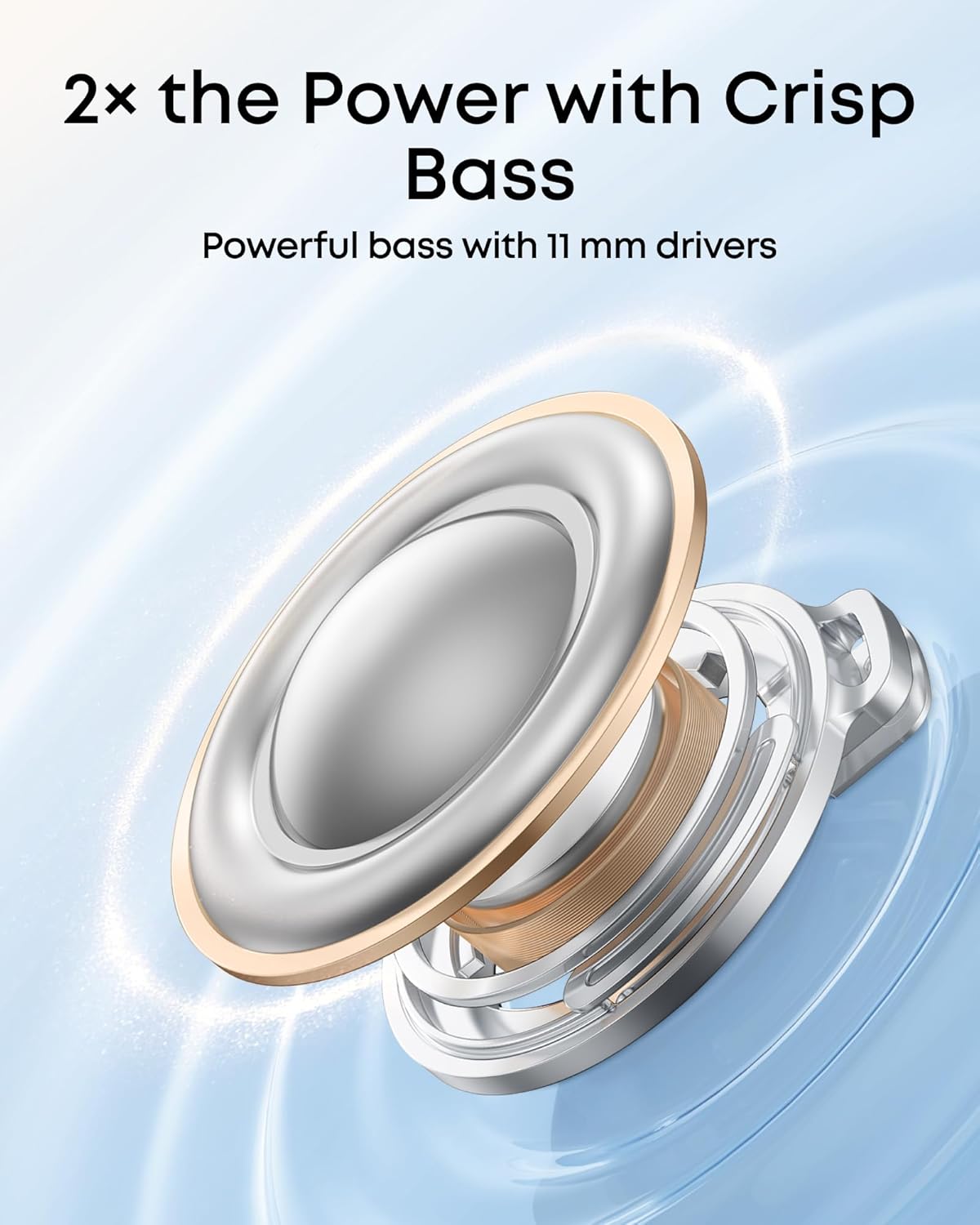
Image: Diagram of an 11mm audio driver, emphasizing powerful bass delivery.

Image: Earbuds surrounded by various language greetings, representing the AI translation feature.

Image: Earbuds in their charging case, with "50H" prominently displayed, indicating extended battery life.

Image: A person making a call with the earbuds, highlighting the clear call quality from 6 AI-enhanced mics.
Product Video Overview
Video: An official Soundcore product video showcasing the features and design of the P31i earbuds.
Setup
1. Initial Pairing
- Ensure the earbuds are in the charging case and the case has sufficient battery.
- Open the charging case. The earbuds will automatically enter pairing mode.
- On your device (smartphone, tablet, laptop), go to Bluetooth settings.
- Select "soundcore P31i" from the list of available devices to connect.
- A voice prompt will confirm successful connection.
2. Soundcore App Installation
For full functionality, including adaptive ANC settings, sound effects, and AI translation, download the Soundcore app from your device's app store.
- Search for "Soundcore" in the App Store (iOS) or Google Play Store (Android).
- Install the app and follow the on-screen instructions to connect your P31i earbuds.
3. Google Fast Pair (Android Devices)
For Android devices running version 6.0 and above, Soundcore P31i supports Google Fast Pair for quick and effortless connection.

Image: A smartphone screen showing the Google Fast Pair prompt for Soundcore P31i earbuds.
4. Dual Connections
The earbuds can connect and switch between two devices simultaneously, even with LDAC enabled. Google Fast Pair enhances this convenience with automatic reconnection.

Image: Illustration of Soundcore P31i earbuds connected to both a smartphone and a laptop, demonstrating dual connection capability.
Operating Instructions
Touch Controls
The Soundcore P31i earbuds feature touch controls for easy management of audio playback, calls, and noise control modes. Customize these controls via the Soundcore app.
| Action | Function |
|---|---|
| Single Tap (Left/Right) | Play/Pause, Answer/End Call |
| Double Tap (Left/Right) | Next Track, Reject Call |
| Press and Hold (Left/Right) | Switch Noise Control Mode (ANC/Normal/Transparency), Activate Voice Assistant |
Noise Control Modes
Manage your listening environment with three distinct modes, configurable through the Soundcore app:
- Noise Cancellation: Actively reduces external sounds for an immersive experience. Features real-time adaptive ANC.
- Normal: Standard audio mode without active noise control.
- Transparency Mode: Allows ambient sounds to pass through, keeping you aware of your surroundings.
AI Translation
Utilize the Soundcore app's AI translation feature for real-time communication across over 100 languages. This feature facilitates live translation for meetings, lectures, or face-to-face conversations.

Image: A visual representation of the AI translation feature in action, showing two people communicating with translated speech bubbles.
Spatial Audio
Enhance your audio experience with Spatial Audio, offering immersive soundscapes. Switch between Music, Movie, and Game modes within the Soundcore app to optimize the audio for your specific content.

Image: Earbuds depicted with sound waves emanating, illustrating the immersive spatial audio experience.
Charging and Battery
Battery Life
The Soundcore P31i earbuds provide extended listening times:
- Up to 10 hours of playtime on a single charge (ANC off).
- Up to 50 hours of total playtime with the charging case (ANC off).
- Up to 8 hours of playtime on a single charge (ANC on).
- Up to 40 hours of total playtime with the charging case (ANC on).
Charging the Earbuds and Case
- Place the earbuds into the charging case. They will begin charging automatically.
- Connect the charging case to a power source using the provided USB-C cable.
- The charging time for the case is approximately 3 hours.
- A quick 10-minute charge provides approximately 3.5 hours of listening time.

Image: Detailed breakdown of battery life with and without ANC, and fast charging capabilities.
Maintenance
Cleaning
- Regularly clean the earbuds and charging case with a soft, dry, lint-free cloth.
- Remove ear tips and clean them with mild soap and water, then dry thoroughly before reattaching.
- Ensure charging contacts on both earbuds and case are free from dust and debris.
Water and Dust Resistance (IP55)
The Soundcore P31i earbuds are rated IP55, meaning they are protected against dust ingress and low-pressure water jets from any direction. This makes them suitable for exercise and outdoor activities, but they are not designed for submersion in water.

Image: A person cycling in light rain, demonstrating the IP55 water and dust resistance of the earbuds.
Troubleshooting
Common Issues and Solutions
- Earbuds not pairing: Ensure both earbuds are in the case, open the lid, and check your device's Bluetooth settings. Try resetting the earbuds (refer to the Soundcore app for specific reset instructions).
- One earbud not working: Place both earbuds back in the case, close the lid, wait a few seconds, then open it again. Re-pair with your device.
- Poor sound quality: Check ear tip fit and try different sizes. Ensure earbuds and device are within Bluetooth range. Clean any debris from the earbud nozzles.
- Noise cancelling not effective: Ensure ear tips provide a good seal. Adjust ANC settings in the Soundcore app.
- Charging issues: Verify the USB-C cable and power adapter are working. Clean the charging contacts on both the earbuds and the case.
Specifications
| Feature | Detail |
|---|---|
| Model Name | P31i |
| Noise Control | Adaptive Noise Cancellation |
| Frequency Response | 40 KHz |
| Sensitivity | 120 dB |
| Connectivity Technology | Wireless (Bluetooth) |
| Bluetooth Version | 6.1 |
| Battery Life (Earbuds) | 10 Hours (ANC Off), 8 Hours (ANC On) |
| Battery Life (with Case) | 50 Hours (ANC Off), 40 Hours (ANC On) |
| Charging Time | 3 Hours (Case) |
| Audio Driver Type | Dynamic Driver |
| Audio Driver Size | 11 Millimeters |
| Control Type | Touch Control |
| Water Resistance Level | IP55 (Waterproof) |
| Item Weight | 59 Grams (Total) |
| Product Dimensions | 2.26 x 2.26 x 1.15 inches |
| Manufacturer | Anker |
| UPC | 194644247409 |
Warranty and Support
Soundcore products are backed by a limited warranty. For detailed warranty information, product registration, and technical support, please visit the official Soundcore website or contact their customer service. The Soundcore app also provides access to FAQs and direct support.
For the latest software updates and feature enhancements, ensure your Soundcore app and earbuds firmware are up to date.


