
1. Introduction
Thank you for choosing the KSUN HF123D Handheld Shortwave Radio. This manual provides essential information for the safe and efficient operation of your device. Please read it thoroughly before use and retain it for future reference.
Key Features:
- Advanced HF Shortwave Antenna & Multi-Frequency Support: Seamlessly receives CB, HF, SSB, and AM frequencies.
- Smart APP Control & Online Frequency Programming: Effortless frequency programming via a dedicated mobile application.
- Active Noise Cancellation: Filters background interference for clear conversations.
- Rugged Aluminum Frame: Enhances durability and withstands harsh conditions.
- 4000mAh Battery & User-Friendly Display: High-capacity rechargeable battery (Type-C charging) and a bright 1.77-inch screen for critical information.
2. Package Contents and Device Overview
Before proceeding with setup, please ensure all items are present in the package.
Included Accessories:
- KSUN HF123D Radio Unit (Host)
- 4000mAh Lithium Polymer Battery
- Standard Antenna
- Red Shortwave Antenna (Donut AM Antenna)
- Blue Shortwave Antenna (Donut SW Antenna)
- Charging Power Adapter
- Type-C Data Cable
- Back Clip
- User Manual

Figure 2.1: All included accessories with the KSUN HF123D radio.
Device Layout:

Figure 2.2: Overview of the KSUN HF123D radio components.
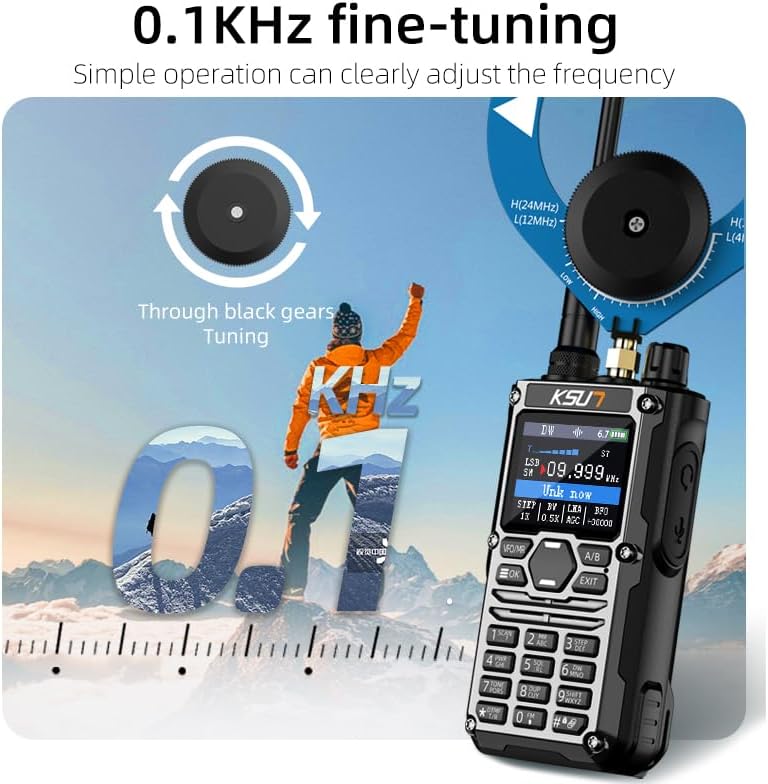
Figure 2.3: Various views of the KSUN HF123D radio.
3. Setup Guide
3.1 Battery Installation and Charging
- Align the 4000mAh Lithium Polymer battery with the battery compartment on the back of the radio.
- Gently slide the battery into place until it clicks securely.
- To charge, connect the Type-C data cable to the charging interface at the bottom of the radio and plug the adapter into a power outlet. The battery indicator on the screen will show charging status.

Figure 3.1: Battery and Type-C charging interface.
3.2 Antenna Installation
- Standard Antenna: Screw the standard antenna clockwise onto the antenna connector at the top of the radio until it is finger-tight.
- Shortwave Antenna (Donut Type): For enhanced shortwave reception, first remove the nut from the radio's antenna connector. Then, carefully attach the desired shortwave antenna (red for AM, blue for SW) by screwing it onto the connector. Ensure it is securely fastened.

Figure 3.2: Shortwave antenna installation.
Figure 3.3: Radio with shortwave antennas for ultra-wide frequency reception.
4. Operating Instructions
4.1 Power On/Off
To power on the radio, rotate the Power Knob clockwise. To power off, rotate it counter-clockwise until it clicks.
4.2 Frequency Tuning and Reception
The KSUN HF123D supports ultra-wide frequency reception from 0.152 to 1000 MHz, including AM, SSB, CW, and HF bands. Use the numeric keypad and function buttons to input frequencies directly or navigate through channels.
- Fine-Tuning: The radio features 0.1KHz fine-tuning capability. Use the black gears (tuning knob) to precisely adjust the frequency for optimal signal reception.
- Frequency Display: The 1.77-inch LCD screen displays the current frequency, battery level, channel information, and other critical details.

Figure 4.1: 0.1KHz fine-tuning via black gears.

Figure 4.2: Ultra-wide band reception range and frequency display interface.
4.3 Professional Spectrum Analyzer
The radio includes a professional spectrum analyzer function to visualize RF signals. Press the designated button to activate this feature, which converts invisible RF signals into frequency parameters, intensity values, and spectrum graphics.

Figure 4.3: Activating the spectrum analyzer function.
4.4 Active Noise Cancellation
Activate the active noise reduction technology to filter out environmental noise and background human voices. This feature helps restore clear human voices, even in noisy environments.

Figure 4.4: Active Noise Reduction principle.
4.5 Smart APP Programming (Bluetooth)
The KSUN HF123D can be programmed wirelessly using a dedicated mobile application via Bluetooth. This allows for easy channel naming, frequency setting, and function customization.
- Step 1: Download the mobile application to your smartphone.
- Step 2: Turn on Bluetooth on both the radio and your mobile device.
- Step 3: Open the APP and connect to your KSUN HF123D radio. Follow the in-app instructions for programming.
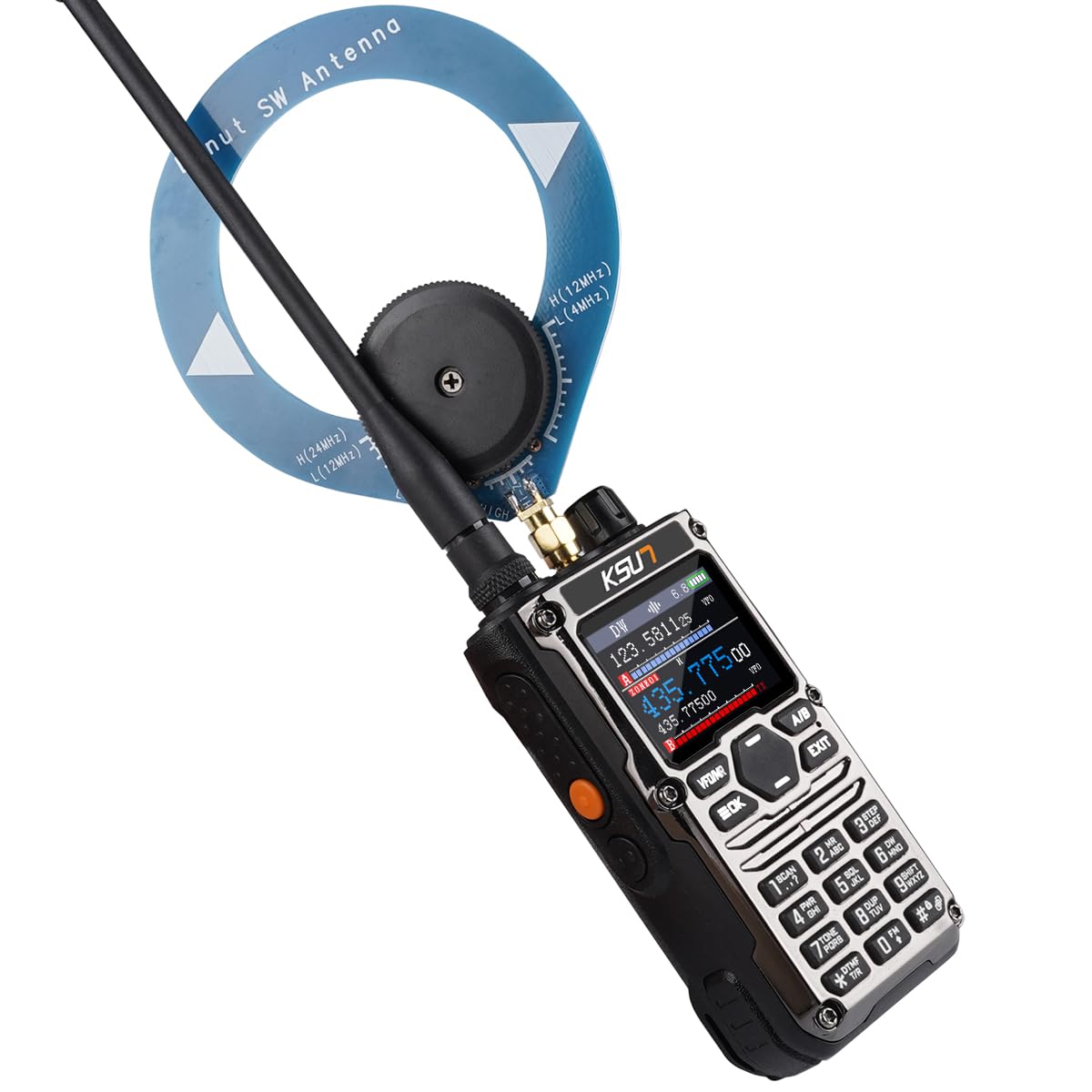
Figure 4.5: Mobile phone Bluetooth programming steps.
4.6 NOAA Weather Alert
The radio supports NOAA weather alerts, providing access to weather broadcasts and emergency alerts. Refer to the on-screen display for NOAA channel information (e.g., NOAA WX-04 162.425.00).
5. Maintenance
5.1 General Care
- Keep the radio clean by wiping it with a soft, dry cloth. Avoid using harsh chemicals or abrasive cleaners.
- Ensure the antenna and charging ports are free from dust and debris.
- The radio is Not Water Resistant. Avoid exposure to water or high humidity.
5.2 Battery Care
- Charge the battery fully before first use.
- Avoid overcharging or completely draining the battery to prolong its lifespan.
- If storing the radio for an extended period, charge the battery to approximately 50% and store it in a cool, dry place.
6. Troubleshooting
If you encounter issues with your KSUN HF123D radio, please refer to the following common troubleshooting steps:
- Radio does not power on:
- Ensure the battery is correctly installed and fully charged.
- Verify the power knob is rotated clockwise to the ON position.
- No reception or poor signal quality:
- Check if the antenna is securely attached.
- Ensure you are within the effective communication range.
- Adjust the frequency using the fine-tuning knob.
- Verify the correct antenna (standard or shortwave) is used for the desired frequency band.
- Audio is unclear or distorted:
- Activate the active noise cancellation feature.
- Adjust the volume level.
- Ensure the microphone and speaker are not obstructed.
- Mobile APP programming issues:
- Ensure Bluetooth is enabled on both the radio and your smartphone.
- Verify the mobile app is the correct version and is properly installed.
- Restart both the radio and the smartphone, then attempt to reconnect.
- Battery not charging via Type-C:
- Ensure the Type-C cable and charging adapter are fully inserted and functional.
- Try using a different Type-C cable or power source.
- Check the charging port for any obstructions or damage.
If the problem persists after trying these steps, please contact customer support.
7. Specifications
| Feature | Detail |
|---|---|
| Model Number | KSUN-HF123D |
| Brand | KSUN |
| Item Weight | 15.4 ounces |
| Package Dimensions | 7.08 x 4.33 x 2.36 inches |
| Batteries | 1 Lithium Polymer battery (included), 4000mAh |
| Display Type | LCD (1.77-inch) |
| Number of Channels | 960 |
| Special Feature | Noise Reduction, Spectrum Analyzer, Smart APP Programming |
| Talking Range Maximum | 5 Miles |
| Voltage | 3.7 Volts (DC) |
| Water Resistance Level | Not Water Resistant |
| Compatible Devices | Two-way radios (CB, HF, SSB, AM frequencies), Headsets, Earpieces |
| Manufacturer | KSUN |
8. Warranty and Support
8.1 Product Warranty
Specific warranty details for the KSUN HF123D radio are typically provided at the point of purchase or within the product packaging. Please refer to your purchase documentation or contact the seller for information regarding warranty coverage and terms.
8.2 Customer Support
For technical assistance, troubleshooting beyond this manual, or warranty claims, please contact the seller, QZsanfu, directly. You may also visit the official KSUN website for general product information, though specific support for the HF123D model may be limited on their main site.
Seller: QZsanfu
For the most up-to-date contact information, please refer to your purchase receipt or the product listing page.
9. Product Video Guide
Watch the official product video for a visual guide on how to use your KSUN HF123D radio, including unboxing and basic operation.
Video 9.1: How to Use KSUN HF123D. This video demonstrates the unboxing, components, and basic functions of the radio.

