
1. Product Overview
The Energizer Cordless Precision Rotary Tool, Model 3GS05, is a versatile and compact power tool designed for a variety of detailed tasks. Equipped with a 1500mAh USB-C rechargeable battery and 5 adjustable speeds ranging from 5000 to 25000 RPM, it offers cordless convenience and precise control. This tool is suitable for engraving, sanding, cutting, drilling, and polishing on materials such as wood, metal, and plastic.
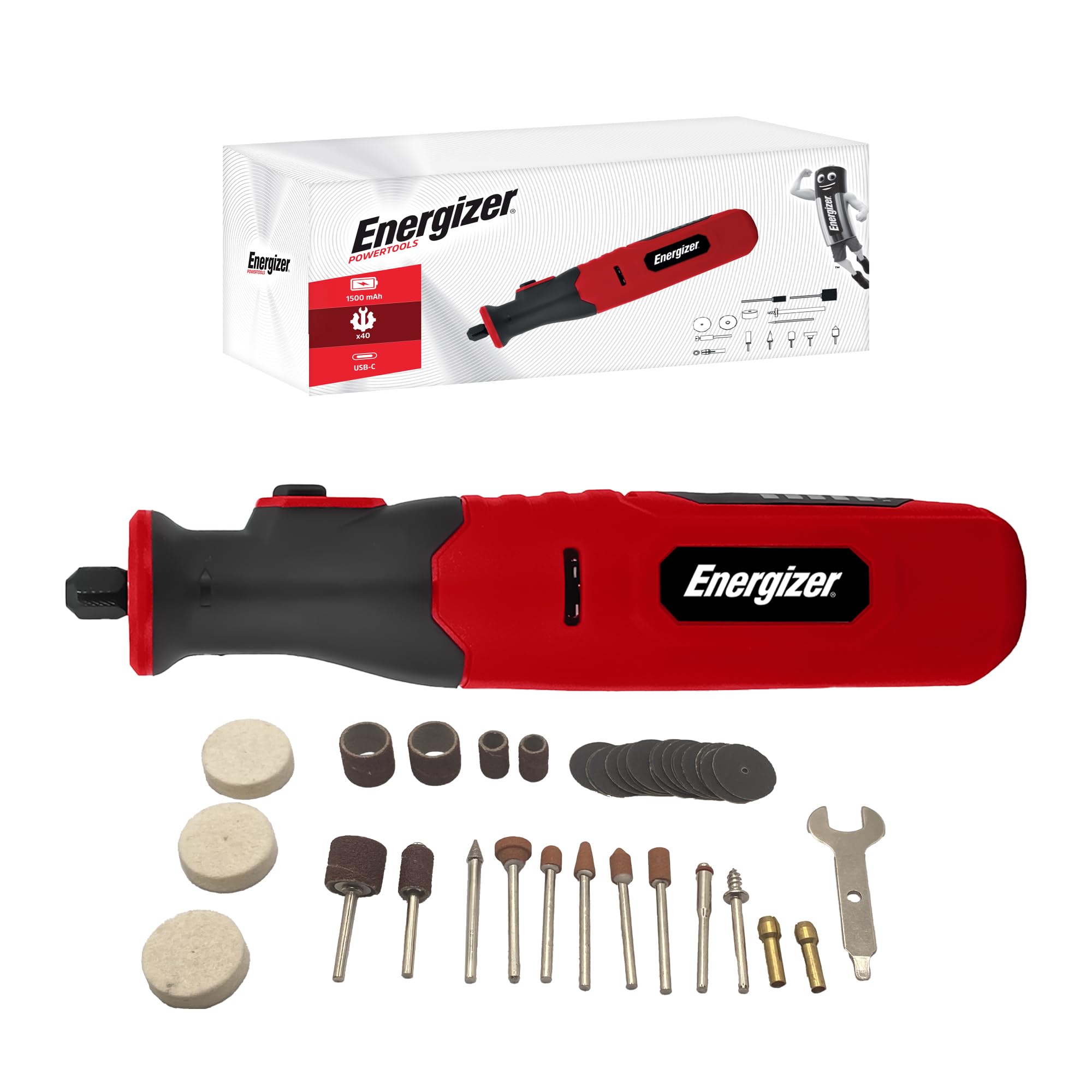
Figure 1: Energizer Cordless Precision Rotary Tool.
Key Features:
- Cordless Operation: Integrated 1500mAh Lithium battery.
- USB-C Charging: Convenient and universal charging.
- Variable Speed: 5 adjustable speeds from 5000 to 25000 RPM for optimal control.
- Compact & Lightweight: Ergonomic design for comfortable handling and precision.
- Integrated LED Light: Enhances visibility for detailed work.
- Quick Accessory Change: Spindle lock for easy bit replacement.

Figure 2: Labeled diagram of the rotary tool components.
2. Safety Instructions
Always adhere to the following safety guidelines to prevent injury and ensure proper tool operation:
- Wear appropriate personal protective equipment, including safety glasses or goggles, and a dust mask.
- Ensure the workpiece is securely clamped or held to prevent movement during operation.
- Keep hands and loose clothing away from rotating parts.
- Do not operate the tool in damp or wet conditions.
- Avoid using the tool near flammable liquids or gases.
- Only use accessories designed for this tool and ensure they are correctly installed.
- Disconnect the tool from the charger before changing accessories or performing maintenance.
- Store the tool and accessories in a dry, secure location out of reach of children.
3. Package Contents
Verify that all items listed below are included in your package:
- Energizer Cordless Precision Rotary Tool (Model 3GS05)
- USB-C Charging Cable
- 40-Piece Accessory Kit (various diamond burrs, grinding wheels, sanding drums, felt wheels, abrasive papers, etc.)

Figure 3: Rotary tool and included 40-piece accessory kit.

Figure 4: Detailed view of the 40 accessories included in the kit.
4. Setup
4.1 Charging the Tool
Before first use, fully charge the rotary tool. Connect the provided USB-C cable to the tool's charging port and plug the other end into a compatible USB power source (e.g., computer, wall adapter). The battery indicator lights will show the charging status.

Figure 5: Charging the rotary tool via USB-C.
4.2 Attaching Accessories
To change accessories:
- Ensure the tool is turned off.
- Press and hold the spindle lock button located near the chuck.
- Unscrew the chuck nut counter-clockwise to loosen it.
- Insert the desired accessory shank fully into the collet.
- Tighten the chuck nut clockwise while still holding the spindle lock button until the accessory is secure. Release the spindle lock.

Figure 6: Steps for changing accessories.
5. Operating Instructions
5.1 Power On/Off
Press the power button to turn the tool on. Press it again to turn it off.
5.2 Adjusting Speed
The tool features 5 adjustable speed settings. Use the speed control buttons to select the appropriate RPM for your task. Lower speeds are suitable for polishing and delicate work, while higher speeds are for cutting and grinding.
- MIN: 5000 RPM
- FAIBLE (Low): 10000 RPM
- MOYEN (Medium): 15000 RPM
- FORT (Strong): 20000 RPM
- MAX: 25000 RPM

Figure 7: Speed settings on the rotary tool.
5.3 Using the LED Light
The integrated LED light illuminates the work area, providing enhanced visibility and precision for intricate tasks.

Figure 8: Integrated LED light for improved visibility.
5.4 Applications
The Energizer rotary tool is designed for various applications:
- Engraving: Use specialized burrs for detailed work on wood, metal, or glass.
- Sanding: Attach sanding drums or discs for smoothing surfaces and shaping materials.
- Cutting: Utilize cutting wheels for precise cuts on plastic, thin metal, or wood.
- Drilling: Employ small drill bits for creating holes in various materials.
- Polishing: Use felt wheels with polishing compound to achieve a smooth, shiny finish.

Figure 9: Rotary tool in action, demonstrating cutting capability.

Figure 10: The rotary tool used for various creative and repair tasks.
6. Maintenance
6.1 Cleaning
Regularly clean the tool to ensure optimal performance. Use a soft, dry cloth to wipe down the exterior. For stubborn dirt, a slightly damp cloth can be used, but ensure no moisture enters the tool's internal components. Remove any dust or debris from the chuck and ventilation openings.
6.2 Accessory Storage
Store all accessories in their designated case to prevent damage and loss. Keep them dry and clean.
6.3 Battery Care
To prolong battery life, avoid fully discharging the tool before recharging. Store the tool in a cool, dry place when not in use for extended periods. Do not expose the battery to extreme temperatures.
7. Troubleshooting
| Problem | Possible Cause | Solution |
|---|---|---|
| Tool does not turn on | Low battery; Power button not pressed correctly | Charge the battery; Ensure the power button is fully pressed. |
| Reduced power/speed | Low battery; Incorrect speed setting for task | Recharge the battery; Adjust speed to a higher setting. |
| Accessory wobbles or falls out | Accessory not properly secured; Incorrect collet size | Ensure chuck nut is tightened; Use the correct collet for the accessory shank size. |
| Tool overheats | Prolonged heavy use; Blocked ventilation slots | Allow tool to cool down; Clear any obstructions from ventilation slots. |
8. Specifications
| Feature | Detail |
|---|---|
| Brand | Energizer |
| Model Number | 3GS05 |
| Power Source | Battery Powered |
| Battery Capacity | 1500mAh (USB-C Rechargeable) |
| Speed Settings | 5 Speeds (5000-25000 RPM) |
| Weight | 400 Grams |
| Special Feature | Variable Speed, Integrated LED Light |
| Recommended Uses | Engraving, Sanding, Cutting, Drilling, Polishing |
| Included Accessories | 40 pieces |
9. Warranty and Support
Energizer is committed to providing reliable and high-performance tools. For any questions, technical assistance, or warranty claims, please refer to the official Energizer support channels or visit the Energizer Brand Store.