
1. Introduction
Thank you for choosing the IKT Hybrid Active Noise Cancelling Headphones L18. These headphones are designed to provide a superior audio experience with advanced features such as Hybrid Active Noise Cancellation, Bluetooth 5.4 connectivity, extended battery life, and clear call quality. This manual will guide you through the setup, operation, maintenance, and troubleshooting of your new headphones.
2. Product Overview
The IKT L18 headphones feature an over-ear design for comfort and effective sound isolation. They are equipped with hybrid drivers for rich audio and multiple microphones for clear voice pickup during calls. The package includes the IKT L18 headphones and this user manual.
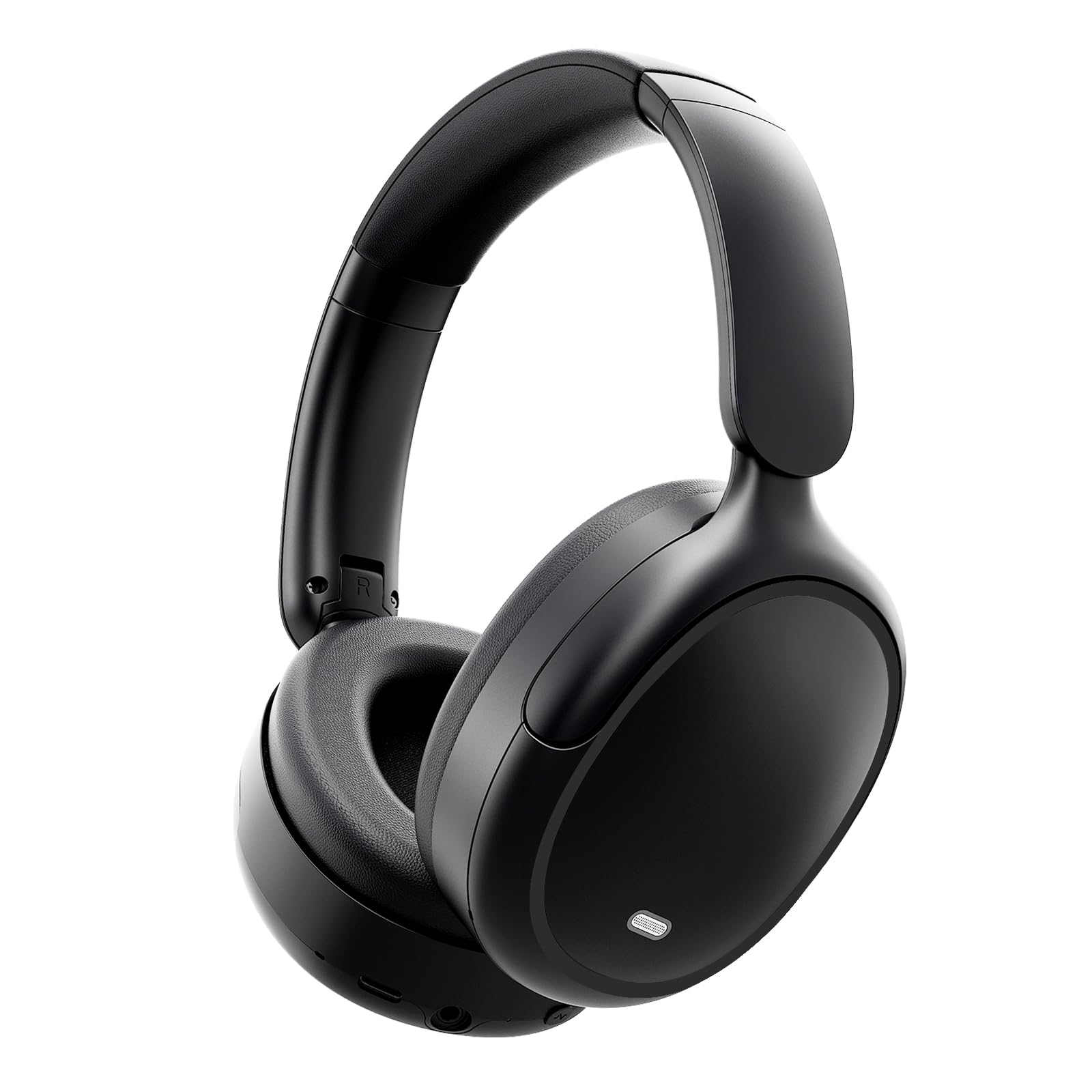
Image: The IKT L18 Hybrid Active Noise Cancelling Headphones, showcasing their over-ear design and sleek black finish.
3. Setup
3.1 Charging the Headphones
Before first use, fully charge your IKT L18 headphones. Connect the provided charging cable to the charging port on the headphones and to a compatible USB power source. The LED indicator will show the charging status and turn off or change color once fully charged. A full charge provides up to 50 hours of battery life.
3.2 Powering On/Off
- To Power On: Press and hold the Power button for approximately 3 seconds until the LED indicator lights up and you hear an audible prompt.
- To Power Off: Press and hold the Power button for approximately 5 seconds until the LED indicator turns off and you hear an audible prompt.
3.3 Bluetooth Pairing
To connect your IKT L18 headphones to a device:
- Ensure the headphones are powered off.
- Press and hold the Power button for approximately 5-7 seconds until the LED indicator flashes rapidly (usually blue and red), indicating pairing mode.
- On your device (Laptops, Desktops, Tablets, Telephones, Smart Speakers, Televisions, Car Audio Systems), go to the Bluetooth settings.
- Search for available devices and select "IKT L18" from the list.
- Once connected, the LED indicator on the headphones will typically flash slowly or turn solid blue, and you will hear a confirmation sound.
4. Operating Instructions
4.1 Basic Controls
The IKT L18 headphones feature intuitive controls for managing audio and calls. Specific button functions may vary slightly, but generally include:
- Power Button: Power on/off, enter pairing mode.
- Volume Up/Down: Adjust audio volume.
- Multi-function Button (MFB): Play/Pause music, Answer/End calls, Activate voice assistant.
- ANC Button: Toggle Active Noise Cancellation on/off.
4.2 Active Noise Cancellation (ANC)
The IKT L18 headphones feature Hybrid Active Noise Cancellation, reducing ambient noise by up to -45dB. To activate or deactivate ANC, press the dedicated ANC button. You will hear an audible prompt indicating the ANC status.
4.3 Call Functionality
With 4 built-in microphones, the IKT L18 headphones ensure clear voice transmission during calls. When a call comes in, press the MFB to answer. Press it again to end the call. To reject a call, press and hold the MFB for 2 seconds.
4.4 App and Voice Control
The headphones support control via a dedicated app (if available from IKT) and voice commands. Refer to the app's instructions for specific functionalities. Voice control can typically be activated by pressing the MFB for 2 seconds to engage your device's voice assistant.
5. Maintenance
5.1 Cleaning
To maintain the condition of your headphones:
- Wipe the earcups and headband with a soft, dry, lint-free cloth.
- Do not use abrasive cleaners, alcohol, or chemical solvents.
- Ensure no moisture enters the speaker grilles or charging port.
5.2 Storage
When not in use, store the headphones in a cool, dry place, away from direct sunlight and extreme temperatures. If provided, use the original carrying case to protect them from dust and physical damage.
5.3 Water Resistance
The IKT L18 headphones are rated as waterproof. While they can withstand splashes and light rain, avoid submerging them in water or exposing them to high-pressure water jets to prevent damage.
6. Troubleshooting
If you encounter issues with your IKT L18 headphones, refer to the following common solutions:
- Headphones not powering on: Ensure the headphones are fully charged.
- Cannot pair with device: Ensure Bluetooth is enabled on your device and the headphones are in pairing mode. Try restarting both devices.
- No sound: Check the volume levels on both the headphones and your connected device. Ensure the headphones are properly paired.
- ANC not working effectively: Ensure the ANC feature is activated. Adjust the fit of the earcups to ensure a good seal around your ears.
- Poor call quality: Ensure the microphones are not obstructed. Move closer to your connected device to improve signal strength.
- Intermittent connection: Move closer to your connected device and ensure there are no major obstructions or sources of interference (e.g., Wi-Fi routers, other Bluetooth devices).
If the issue persists, try resetting the headphones (refer to the manufacturer's website for specific reset instructions) or contact customer support.
7. Specifications
| Feature | Specification |
|---|---|
| Model Name | L18 |
| Brand | IKT |
| Noise Control | Active Noise Cancellation (-45dB) |
| Connectivity Technology | Wireless |
| Wireless Communication Technology | Bluetooth 5.4 |
| Battery Life | 50 Hours |
| Audio Driver Type | Hybrid Driver |
| Ear Placement | Over Ear |
| Form Factor | Over Ear |
| Impedance | 32 Ohms |
| Water Resistance Level | Waterproof |
| Control Method | App, Voice |
| Compatible Devices | Laptops, Desktops, Tablets, Telephones, Smart Speakers, Televisions, Car Audio Systems |
| Specific Uses For Product | Music, Travel, Gaming |
| Included Components | User Manual |
| Color | Black |
8. Warranty and Support
For warranty information regarding your IKT L18 headphones, please refer to the warranty card included with your purchase or visit the official IKT website. Warranty terms and conditions may vary by region.
If you require further assistance, technical support, or have questions not covered in this manual, please contact IKT customer service through their official website or the contact information provided with your product. You can also visit the IKT Store on Amazon for more information.