
Introduction
Thank you for purchasing the ROCAM Digital Radio Alarm Clock. This manual provides detailed instructions for setting up, operating, and maintaining your device. Please read this manual thoroughly before use to ensure proper function and longevity of the product.
Safety Information
- Ensure the device is connected to a power source with the correct voltage.
- Do not expose the device to water or excessive humidity.
- Avoid placing the device near heat sources or in direct sunlight.
- Do not attempt to disassemble or repair the device yourself. Contact qualified service personnel.
- Keep out of reach of children.
Product Overview
The ROCAM Digital Radio Alarm Clock features a clear display, intuitive controls, and multiple functions including FM radio, Bluetooth speaker, night light, and charging ports.

Front view of the ROCAM Digital Radio Alarm Clock, showing the large digital display and speaker grille.
Key Features:
- FM Radio (87.5 MHz - 108.0 MHz) with 20 presets.
- Bluetooth 5.0 speaker with 10m wireless range.
- Adjustable night light.
- USB and Type-C charging ports.
- Large, dimmable LED display (5 brightness levels).
- Dual alarm modes with classic beep or radio sound.
- 12/24 hour format and DST function.
- Battery backup for time and settings during power outages.
Setup
1. Power Connection:
Connect the provided power adapter to the DC input port on the back of the alarm clock and plug it into a wall outlet. The clock requires plug power to operate. The internal battery serves as a backup for settings during power interruptions.
2. Initial Power On:
Once connected, the display will light up. You may need to set the time manually if it's the first use or after a prolonged power disconnection without battery backup.
Operating Instructions
Setting Time and Date:
- Press and hold the Time Set button (or similar button, usually indicated by a clock icon). The hour digits will start flashing.
- Rotate the Time/Volume knob to adjust the hour.
- Press the Time Set button again to confirm the hour and move to minutes.
- Rotate the Time/Volume knob to adjust the minutes.
- Press the Time Set button once more to save the time.
- To switch between 12-hour and 24-hour format, press the 12/24H button.
Setting Alarms:
The clock supports two independent alarms.
- Press and hold the Alarm 1 or Alarm 2 button. The alarm hour digits will flash.
- Rotate the Time/Volume knob to set the desired alarm hour.
- Press the corresponding Alarm button again to confirm the hour and move to minutes.
- Rotate the Time/Volume knob to set the desired alarm minutes.
- Press the Alarm button again to select the alarm sound: classic beep or FM radio.
- Press the Alarm button one last time to save the alarm setting.
- To activate/deactivate an alarm, short press the corresponding Alarm button. An alarm icon will appear/disappear on the display.
The alarm clock display showing the time and an active alarm icon, indicating the alarm function is set.
Snooze Function:
When an alarm sounds, press the Snooze/Light button to temporarily silence the alarm for a few minutes (default snooze time). The alarm will sound again after the snooze period.
FM Radio Operation:
- Press the Mode button to switch to FM Radio mode.
- To perform an automatic scan for stations, press and hold the Scan button. The radio will search for and save up to 20 available stations (87.5 MHz to 108.0 MHz).
- To manually tune, short press the Previous/Next buttons to adjust the frequency.
- Rotate the Time/Volume knob to adjust the radio volume (16 levels).

The alarm clock display showing an FM radio frequency, indicating it is in radio mode.
Bluetooth Pairing:
- Press the Mode button to switch to Bluetooth mode. The display will show a Bluetooth icon, usually flashing to indicate pairing mode.
- On your mobile device or computer, enable Bluetooth and search for "ROCAM Alarm Clock" (or similar device name).
- Select the device to pair. Once connected, the Bluetooth icon on the clock's display will stop flashing.
- You can now stream audio from your device to the alarm clock.
- Rotate the Time/Volume knob to adjust the playback volume.

An internal view of the ROCAM alarm clock highlighting its Bluetooth 5.0 capabilities and speaker components, demonstrating its audio features.
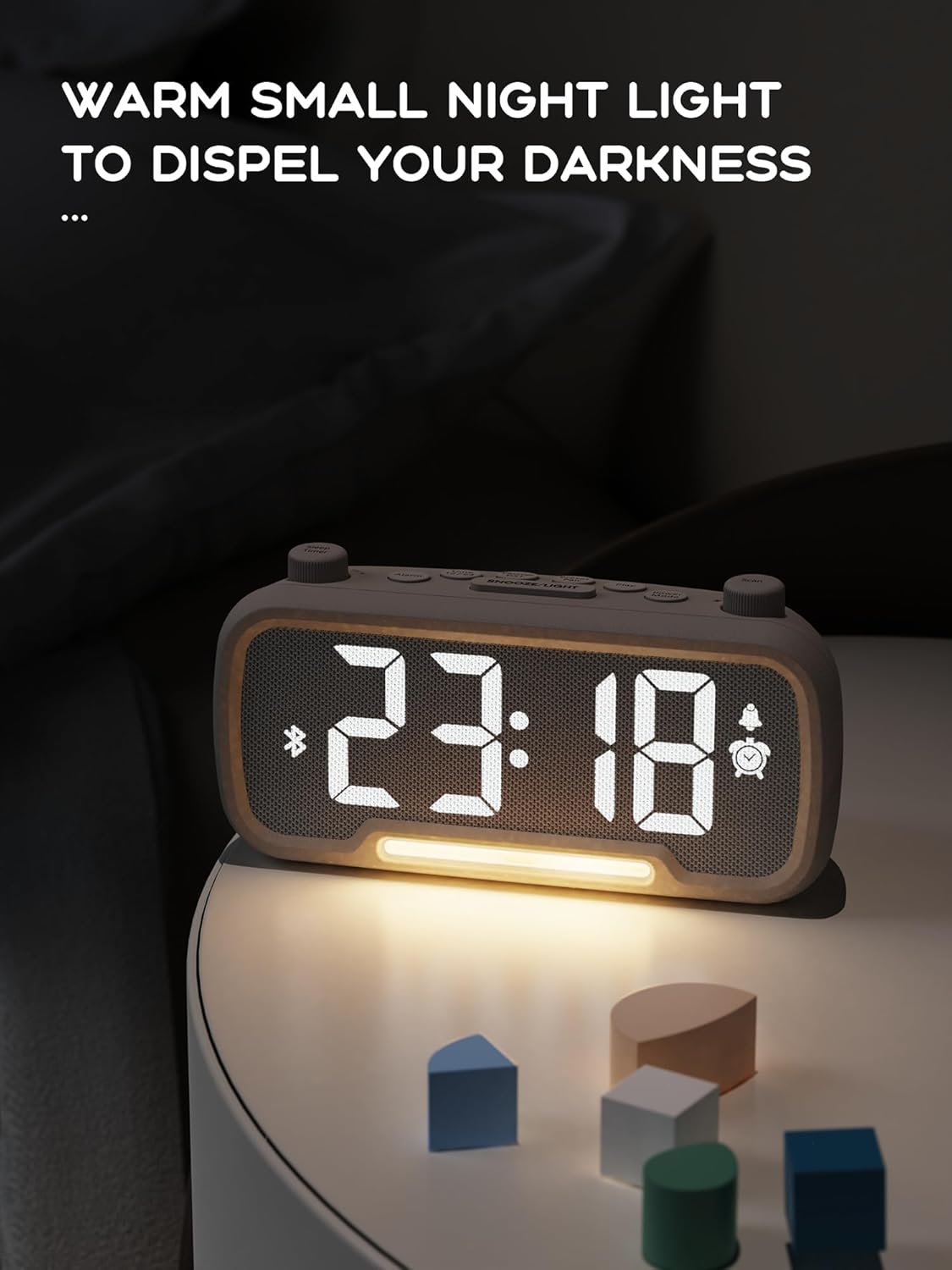
Night Light Function:
The alarm clock features an integrated night light.
- Short press the Snooze/Light button to turn the night light on or off.
- The night light has adjustable brightness levels. Press and hold the Snooze/Light button to cycle through the brightness options.

The ROCAM alarm clock on a bedside table, with its warm night light illuminated, providing ambient lighting.
Display Brightness Adjustment:
The main display has 5 adjustable brightness levels.
- Press the Brightness button (or similar, often combined with Snooze/Light) to cycle through the display brightness levels.
- Select the level that is most comfortable for your environment.
Daylight Saving Time (DST) Function:
To adjust for Daylight Saving Time:
- Short press the DST button (or similar, often indicated by a sun icon). The time will automatically adjust forward or backward by one hour.
- Press it again to revert the change.
USB and Type-C Charging Ports:
The alarm clock includes USB and Type-C ports for charging external devices.
- Connect your device's charging cable to the appropriate USB or Type-C port on the back of the alarm clock.
- Ensure the alarm clock is powered on for the charging ports to function.
Maintenance
- Clean the device with a soft, dry cloth. Do not use liquid cleaners or abrasive materials.
- Keep the device free from dust and debris to ensure proper ventilation.
- If the device will not be used for an extended period, unplug it from the power outlet.
Troubleshooting
| Problem | Possible Cause | Solution |
|---|---|---|
| Clock display is off. | No power, power outage, or device is off. | Check power connection. Ensure the power adapter is securely plugged in. If there was a power outage, the battery backup should maintain settings, but the display requires main power. |
| Alarm does not sound. | Alarm is not activated, volume is too low, or incorrect time set. | Ensure the alarm icon is visible on the display. Increase alarm volume. Verify alarm time is set correctly. |
| FM radio reception is poor. | Weak signal, antenna not extended, or interference. | Adjust the position of the device. Extend the FM antenna fully. Try auto-scanning for stations again. Avoid placing near other electronic devices. |
| Bluetooth device cannot pair. | Clock not in Bluetooth mode, device too far, or already paired with another device. | Ensure the clock is in Bluetooth mode (flashing icon). Move your device closer to the clock. Disconnect from other Bluetooth devices. |
| USB/Type-C charging not working. | Clock not powered, cable faulty, or device not compatible. | Ensure the alarm clock is plugged into a wall outlet. Try a different charging cable. Verify your device is compatible with standard USB charging. |
Specifications
| Feature | Detail |
|---|---|
| Brand | ROCAM |
| Model | B0FNWB172Z |
| Color | Grey |
| Dimensions | 16.8 x 3.81 x 8.4 cm (6.6 x 1.5 x 3.3 inches) |
| Weight | 350 g (0.77 lbs) |
| Power Source | Corded Electric |
| Battery | 1 Lithium-metal battery (included, for backup) |
| FM Frequency Range | 87.5 MHz - 108.0 MHz |
| Bluetooth Version | 5.0 |
| Display Brightness | 5 levels adjustable |
| Volume Levels | 16 levels adjustable |
Warranty and Support
For warranty information or technical support, please refer to the contact details provided with your purchase or visit the official ROCAM website. Keep your proof of purchase for warranty claims.


