
1. Introduction
This manual provides comprehensive instructions for the ZIUTY T21 Wireless Earbuds. These earbuds feature Active Noise Cancellation (ANC) and Environmental Noise Cancellation (ENC) for clear audio, a multi-functional touchscreen charging case, Bluetooth 5.3 connectivity, and an IPX7 waterproof rating. Please read this manual carefully to ensure proper use and optimal performance of your device.
2. What's in the Box
Verify that all items listed below are included in your package:
- T21 Wireless Earbuds
- Charging Case with Touch Screen
- USB-C Charging Cable
- Eartips (S/M/L sizes)
- User Manual

Image: Package contents of the ZIUTY T21 Wireless Earbuds.
3. Product Overview
3.1 Components
The ZIUTY T21 system consists of two wireless earbuds and a portable charging case with an integrated touchscreen.
3.2 Controls
The earbuds and charging case offer various control options:
Earbud Touch Controls:
- Play/Pause: Single tap on either earbud.
- Next Track: Double tap right earbud.
- Previous Track: Double tap left earbud.
- Answer/End Call: Single tap on either earbud.
- Reject Call: Press and hold either earbud.
- Activate Voice Assistant: Triple tap on either earbud.
- Switch ANC/Transparency Mode: Press and hold for 2 seconds on either earbud.
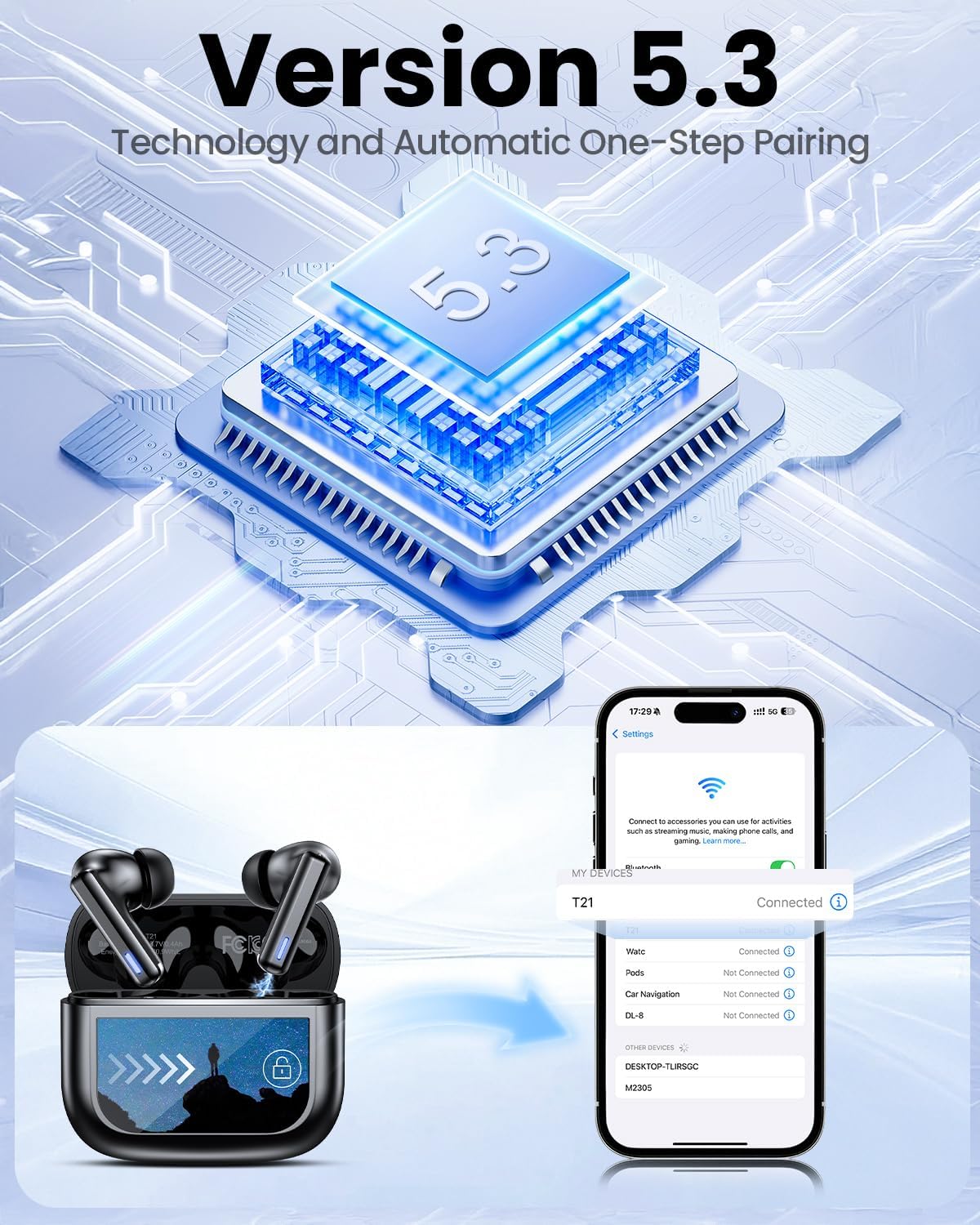
Image: Smart touch controls available on the earbuds.
Charging Case Touch Screen Functions:
- Music Playback: Control play, pause, and track navigation.
- Volume Control: Adjust audio output level.
- Noise Reduction: Toggle between ANC, Transparency, and Normal modes.
- Equalizer (EQ): Select from 5 preset sound profiles.
- Light Level: Adjust screen brightness.
- Language Switch: Change the display language.
- Find My Earphone: Locate misplaced earbuds.
- Camera Control: Remotely trigger your phone's camera.

Image: Multi-functional LCD touch screen interface on the charging case.
4. Setup
4.1 Initial Charging
- Before first use, remove the protective film from the charging contacts on both earbuds.
- Place the earbuds into the charging case.
- Connect the USB-C charging cable to the case and a power source. The case's touchscreen will display the charging status.
- Fully charge the earbuds and case before initial use. A full charge takes approximately 1.5 hours.
4.2 Bluetooth Pairing
- Open the charging case. The earbuds will automatically enter pairing mode.
- On your device (smartphone, tablet, laptop), enable Bluetooth.
- Search for available Bluetooth devices and select "T21" from the list.
- Once connected, the earbuds will indicate successful pairing, and the device will show "Connected".

Image: Bluetooth 5.3 technology and one-step pairing process.
5. Operating Instructions
5.1 Active Noise Cancellation (ANC) and Transparency Mode
The earbuds feature Hybrid Active Noise Cancellation (ANC) to reduce ambient noise by up to 40dB, and a Transparency Mode to allow you to hear your surroundings.
- Switching Modes: Press and hold either earbud for 2 seconds to cycle between ANC, Transparency, and Normal modes. You can also switch modes via the charging case touchscreen.

Image: Active Noise-Cancelling in use.
5.2 Sound Quality and EQ Modes
Equipped with 14.2mm dynamic drivers, the earbuds deliver balanced audio. You can customize your listening experience with 5 Equalizer (EQ) presets:
- Normal
- Rock
- Classic
- Pop
- Jazz
Select your preferred EQ mode directly from the charging case touchscreen.

Image: Available 5 EQ Modes for audio customization.
5.3 Making and Receiving Calls
The dual-ENC microphones are designed to reduce 98% of background noise, ensuring clear calls even in noisy environments.
- Answer/End Call: Single tap on either earbud.
- Reject Call: Press and hold either earbud.

Image: Earbud design for superior call clarity with built-in microphones.
5.4 Find My Earbuds Feature
The charging case touchscreen includes a "Find My Earphone" function to help locate misplaced earbuds.
- Access the "Find My Earphone" option on the case's touchscreen. The earbuds will emit a sound to assist in locating them.

Image: Using the 'Find My Earbuds' feature on the charging case.
5.5 Battery Management
The earbuds provide up to 8 hours of playtime on a single charge, extended to a total of 40 hours with the charging case. A 10-minute quick charge can provide 2 hours of music playback.
- The charging case touchscreen displays the battery percentage for both the case and individual earbuds.

Image: Battery life indication for ZIUTY T21 earbuds and charging case.
6. Maintenance
6.1 Cleaning
Regular cleaning helps maintain optimal performance and charging efficiency.
- Use an alcohol pad or a soft, dry cloth to clean the charging contacts on both the earbuds and inside the charging case.
- Gently clean the ear tip mesh to remove any dust or earwax that may affect sound quality or volume.

Image: Cleaning instructions for earbuds and charging case contacts.
6.2 Water Resistance
The ZIUTY T21 earbuds have an IPX7 waterproof rating, meaning they can withstand immersion in water up to 1 meter for 30 minutes. This makes them suitable for workouts and light rain exposure.
- Do not submerge the charging case in water.
- Ensure earbuds are dry before placing them back into the charging case to prevent damage.

Image: IPX7 Waterproof feature of the earbuds.
6.3 Eartip Selection and Comfort
The package includes S, M, and L size eartips to ensure a comfortable and secure fit for various ear canal sizes. A proper fit is crucial for optimal sound quality and noise cancellation.
- Experiment with different eartip sizes to find the best seal and comfort for your ears.
- To replace eartips, gently pull off the current tip and push on the new one, ensuring it is securely attached.

Image: Eartip sizes for comfortable and stable fit.
7. Troubleshooting
If you encounter issues with your ZIUTY T21 Wireless Earbuds, refer to the following common problems and solutions:
- Earbuds not pairing:
Ensure earbuds are charged and removed from the case. Turn off and on your device's Bluetooth. Forget "T21" from your device's Bluetooth list and re-pair. - No sound from one earbud:
Check if both earbuds are charged. Try placing both earbuds back in the case, closing it, and then reopening to reset the connection. Clean the charging contacts. - Charging issues:
Ensure the USB-C cable is securely connected to both the case and the power source. Clean the charging contacts on the earbuds and inside the case. Try a different charging cable or power adapter. - Poor sound quality or low volume:
Ensure eartips provide a good seal. Clean the ear tip mesh to remove any obstructions. Adjust volume on both the earbuds (via touch controls) and your connected device. - Touch controls unresponsive:
Ensure your fingers are clean and dry. Try resetting the earbuds by placing them in the case and closing it for a few seconds.
8. Specifications
| Feature | Specification |
|---|---|
| Model Name | T21 |
| Connectivity Technology | Wireless (Bluetooth 5.3) |
| Bluetooth Range | 15 Meters |
| Noise Control | Active Noise Cancellation (ANC) |
| Microphones | Dual-ENC Microphones |
| Audio Driver Size | 14.2 Millimeters |
| Frequency Response | 20 KHz |
| Sensitivity | 107 dB |
| Impedance | 32 Ohm |
| Battery Life (Earbuds) | Up to 8 hours |
| Battery Life (with Case) | Up to 40 hours |
| Charging Time | Approx. 1.5 hours |
| Water Resistance Level | IPX7 |
| Control Type | Touch Control (Earbuds), Touch Screen (Case) |
| Special Features | 5 EQ Presets, Find My Earbuds, Camera Control |
| Material | Acrylonitrile Butadiene Styrene (ABS) |
| Item Weight | 3.17 ounces (90 grams) |
| Product Dimensions | 2.23 x 1.01 x 1.94 inches |
9. Warranty and Support
For warranty information or technical support, please refer to the contact details provided with your purchase or visit the official ZIUTY website. Keep your proof of purchase for any warranty claims.

