Introduction
Thank you for choosing the ZAQE P30 HiFi MP3 Player. This device is designed to provide a high-fidelity audio experience with the versatility of the Android 12 operating system. This manual provides essential information for setting up, operating, and maintaining your player to ensure optimal performance and longevity.

Image: Front view of the ZAQE P30 HiFi MP3 Player, showcasing its display and user interface.
Product Overview
Key Features
- Android 12 Operating System: Stable Android 12 with an octa-core 2G main frequency for smooth app operation and media playback. Includes 4GB RAM and 32GB internal storage.
- High-Resolution Audio: Features ESS9018Q2M2 + OPA16122 + RT6863D*2 DAC+AMP combination, supporting native playback of high-resolution audio formats (MP3, WAV, APE, FLAC, DSF, DFF, ISO, etc.) up to 192kHz/24bit.
- Clear Display: 480*854 resolution screen for clear display of music details, lyrics, and controls.
- Wireless Connectivity: Bluetooth 5.0 with LDAC, SBC, AAC support for wireless audio transmission, and dual-band (2.4GHz/5GHz) Wi-Fi for online streaming and app downloads.
- Long-Lasting Battery & Expandable Storage: 2500mAh battery for extended playback and a microSD card slot supporting up to 512GB.

Image: Diagram illustrating the DSD and AMP technology, highlighting the DAC (ESS9018Q2M) and AMP (MAX97720) chips and supported audio formats.

Image: The ZAQE P30 player showcasing its Android 12 operating system interface.
Setup
1. Unboxing
Carefully unpack the contents of the box. Ensure all items are present:
- 1x ZAQE P30 HiFi Music Player
- 1x Protective Case
- 1x USB cable
- 1x User Manual (this document)
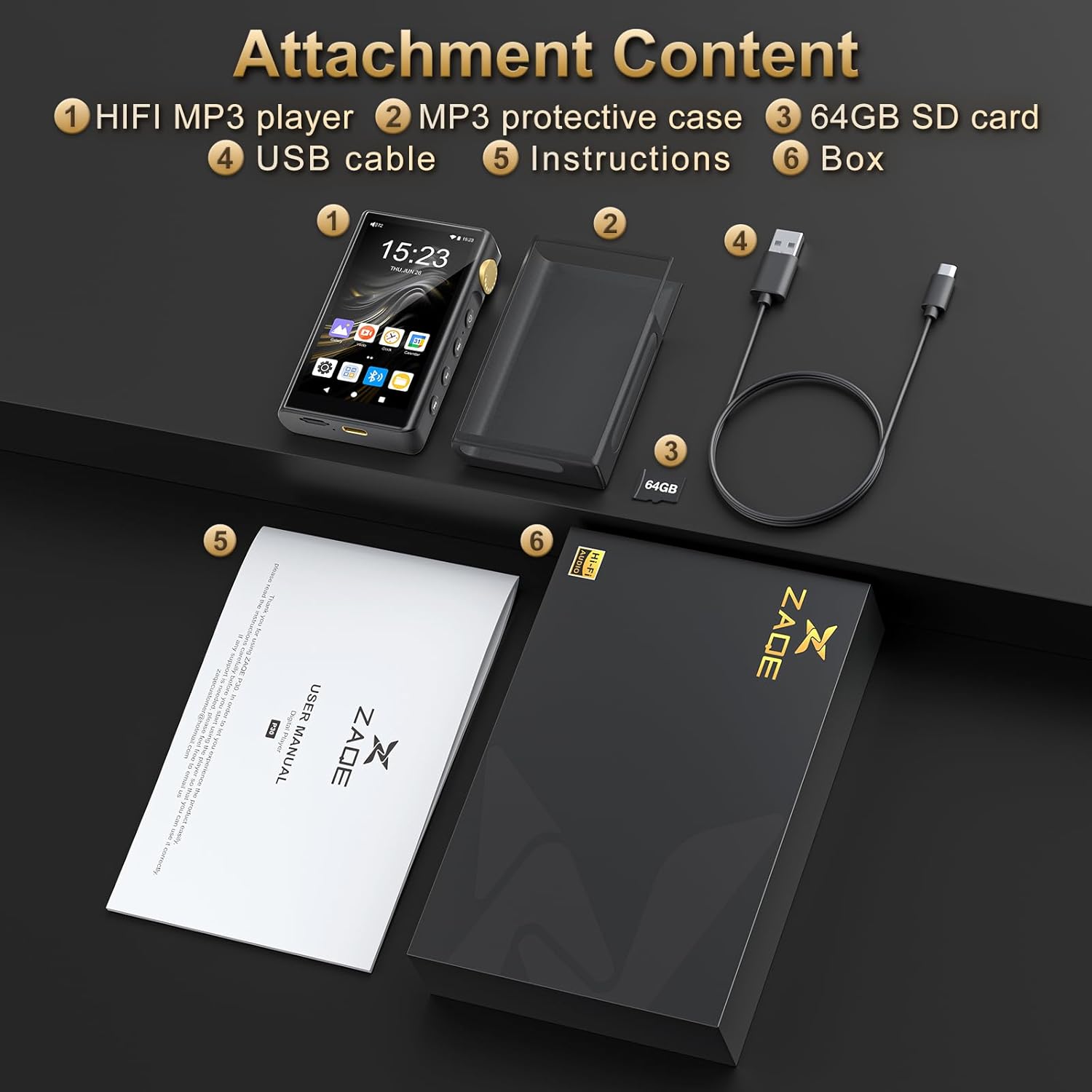
Image: All included accessories and the ZAQE P30 player laid out, labeled as Attachment Content.
2. Charging the Device
Before first use, fully charge the player. Connect the included USB cable to the player's USB port and the other end to a compatible USB power adapter (not included) or a computer's USB port. The charging indicator will show the charging status.
3. Inserting a MicroSD Card (Optional)
The player has 32GB of built-in memory. To expand storage, insert a microSD card (up to 512GB) into the designated card slot. Ensure the player is powered off before inserting or removing the card.

Image: Illustration of inserting a 64GB SD card into the ZAQE P30 player's expansion slot.
4. Initial Power On
Press and hold the power button until the screen illuminates. Follow the on-screen prompts to complete the initial setup, including language selection and Wi-Fi connection.
Operating Instructions
1. Basic Navigation
- Touch Screen: Navigate the interface by tapping, swiping, and pinching on the 3.4-inch touch screen.
- Physical Buttons: Use the side buttons for power, volume control, and playback (play/pause, next/previous track). The side scrolling design allows for easy volume adjustment.

Image: The ergonomically designed ZAQE P30, highlighting its 3.4-inch screen, side scrolling volume control, and comfortable grip.
2. Connecting Audio Devices
- Wired Connection: Use the 3.5mm or 4.4mm headphone jacks located on the top of the device to connect headphones or external speakers. The 3.5mm output provides 2V and 125mW, while the 4.4mm output provides 4V and 500mW.
- Bluetooth Connection: Go to Settings > Connected devices > Bluetooth to enable Bluetooth. Pair with your Bluetooth headphones, speakers, or car audio system. The player supports LDAC, SBC, and AAC codecs for high-quality wireless audio.

Image: Close-up view of the top of the ZAQE P30, showing the dual 3.5mm and 4.4mm headphone output ports.
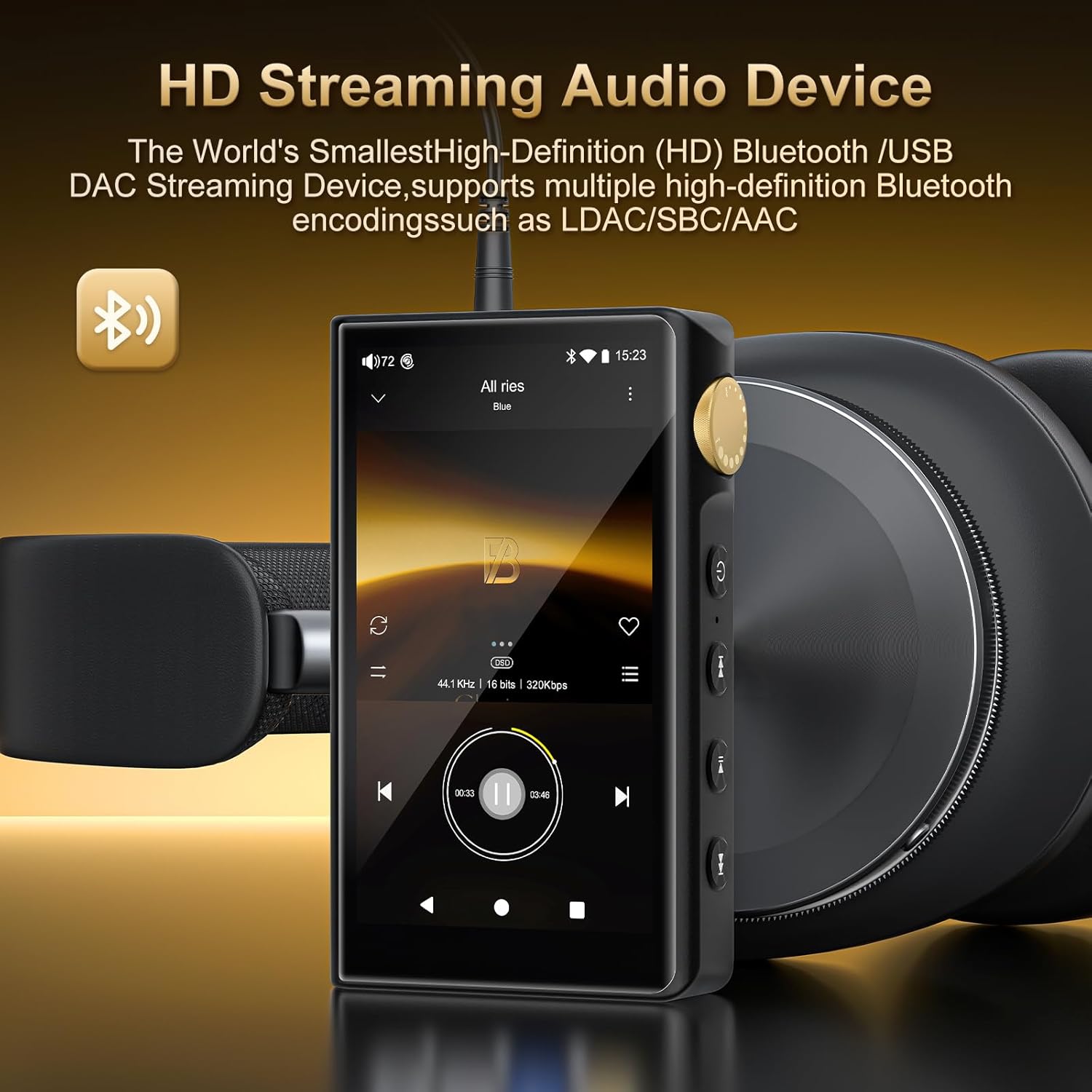
Image: The ZAQE P30 player connected to headphones via Bluetooth, illustrating its HD streaming audio capabilities.
3. Playing Music
- Local Files: Transfer music files from your computer to the player's internal storage or microSD card. Use the pre-installed music player app to browse and play your library.
- Streaming Services: Connect to Wi-Fi and download your preferred music streaming applications from the app store.
4. Wi-Fi Connectivity and App Downloads
The dual-band (2.4GHz and 5GHz) Wi-Fi allows for smooth online music streaming and application downloads. Navigate to Settings > Network & internet > Wi-Fi to connect to a network. Once connected, you can access the app store to download various applications.

Image: The ZAQE P30 player showcasing its capability to run various Wi-Fi streaming music applications.
Maintenance
1. Cleaning
Use a soft, dry, lint-free cloth to clean the player's screen and body. Avoid using harsh chemicals or abrasive materials, which can damage the surface.
2. Battery Care
- Avoid extreme temperatures, which can degrade battery life.
- For long-term storage, charge the battery to approximately 50% and store the device in a cool, dry place.
- Regularly charging and discharging the battery within normal operating parameters helps maintain its health.
3. Software Updates
Periodically check for system updates in Settings > System > System update to ensure your player has the latest features and security enhancements.
Troubleshooting
- Player does not turn on: Ensure the battery is charged. Connect the player to a power source and try again. If unresponsive, perform a hard reset by holding the power button for 10-15 seconds.
- No sound: Check headphone connections, volume levels, and ensure Bluetooth devices are properly paired. Verify that the audio file format is supported.
- Cannot connect to Wi-Fi: Ensure the Wi-Fi network is active and you have entered the correct password. Try restarting the player and your Wi-Fi router.
- Apps are slow or crashing: Close background applications. Clear app cache (Settings > Apps > [App Name] > Storage & cache > Clear cache). If issues persist, consider a factory reset (backup data first).
- MicroSD card not recognized: Ensure the card is inserted correctly. Try reinserting it or testing with another compatible microSD card.
Specifications
| Feature | Specification |
|---|---|
| Model Name | P30 |
| Operating System | Android 12 |
| Processor | Octa-Core 2G main frequency |
| Internal Memory | 4GB RAM + 32GB ROM |
| Expandable Storage | MicroSD card up to 512GB |
| DAC/AMP | ESS9018Q2M2 + OPA16122 + RT6863D*2 |
| Supported Audio Formats | MP3, WAV, APE, FLAC, DSF, DFF, ISO, AAC, ALAC, DTS |
| Sampling Rate | 44.1-192kHz / 16-24bit |
| Frequency Response | 20-40KHz (±0.5dB) |
| THD+N | -101dB |
| Screen Size | 3.4 Inches |
| Screen Resolution | 480*854 |
| Bluetooth | Version 5.0 (supports LDAC, SBC, AAC) |
| Wi-Fi | Dual-band (2.4GHz and 5GHz) |
| Audio Outputs | 3.5mm (2V output, 125mW power), 4.4mm (4V output, 500mW power) |
| Battery Capacity | 2500mAh |
| Product Dimensions | 0.65 x 2.12 x 4.03 inches |
| Item Weight | 0.035 ounces |
| Special Features | Built-In Speaker, Equalizer, FM Radio, Hi-Res Audio, Touch Screen |
Warranty and Support
For warranty information and technical support, please refer to the warranty card included with your product or visit the official ZAQE website. Keep your purchase receipt as proof of purchase for warranty claims.


