
1. Introduction
Thank you for choosing the BLOKEES Champion Class Captain America CC03 Model Kit. This kit allows you to assemble a highly detailed and articulated figure of Captain America from the Marvel Infinity Saga. Designed for collectors and enthusiasts, this model features screen-accurate detailing and multiple points of articulation for dynamic posing. This manual provides essential information for assembly, operation, maintenance, and safety.
2. Safety Information
WARNING: CHOKING HAZARD – Small parts. Not for children under 3 years.
This product contains small components that may pose a choking hazard. Keep all parts out of reach of young children. Adult supervision is recommended during assembly for users under 14 years of age. Handle parts with care to avoid injury. Do not ingest any parts of the model kit.
3. Package Contents
Verify that all components are present before beginning assembly:
- Captain America Model Kit x 1 (94 pre-painted snap-fit parts)
- Weapon Accessories (Captain America's Shield, Mjolnir)
- Interchangeable Hands ×3 Sets
- Instruction Booklet x 1
If any parts are missing or damaged, please contact BLOKEES customer support.
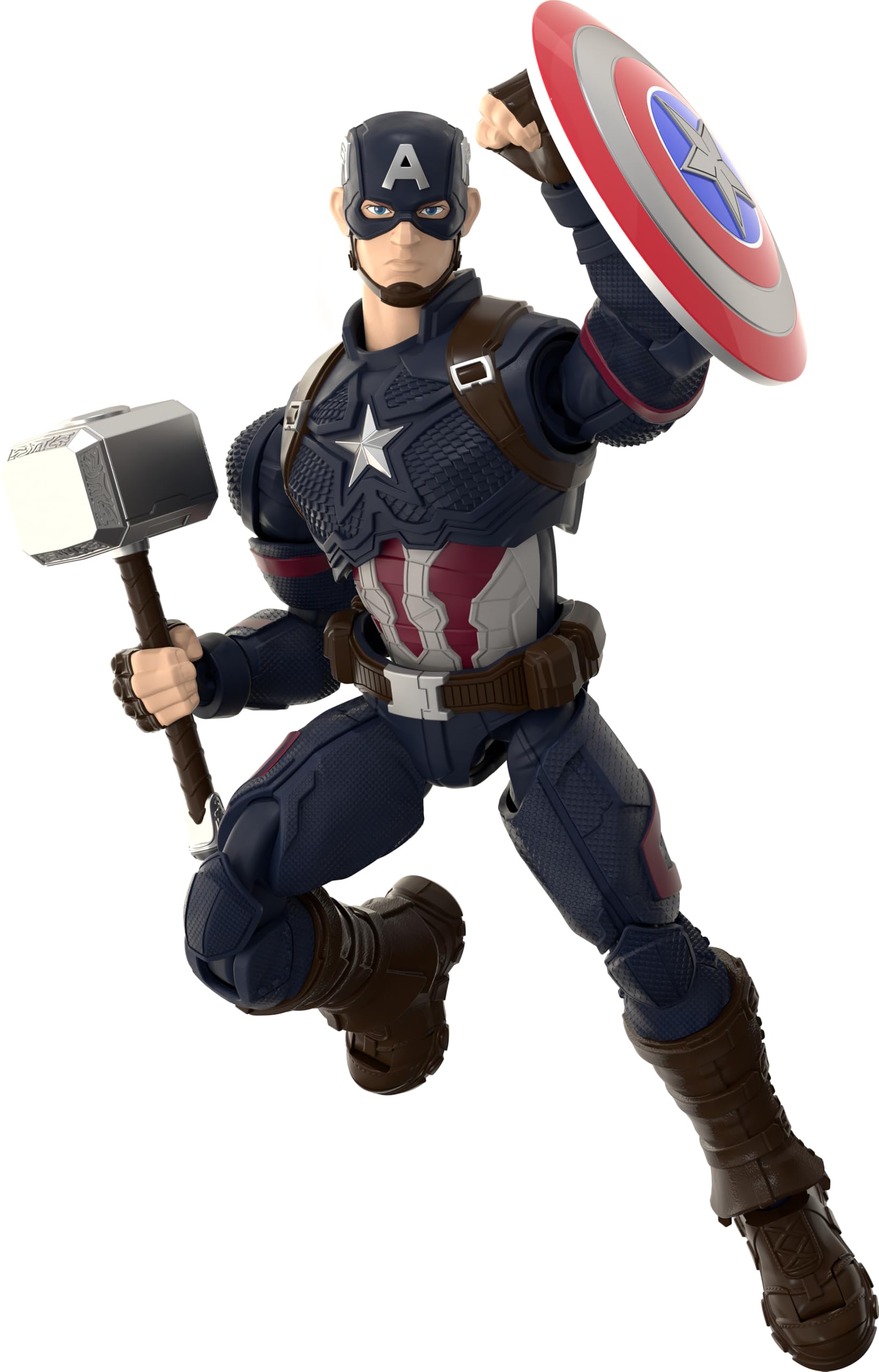
Image 3.1: Packaging of the BLOKEES Captain America CC03 Model Kit, showing the assembled figure and included accessories.
4. Setup: Assembly Instructions
The BLOKEES Captain America CC03 Model Kit features an effortless snap-fit design, requiring no glue, paint, or tools for assembly. Follow the steps outlined in the included instruction booklet for precise construction.
- Unpack Components: Carefully remove all parts from the packaging. Organize them by part number or type as indicated in the instruction booklet.
- Identify Parts: Refer to the parts diagram in the instruction booklet to familiarize yourself with each component.
- Snap-Fit Assembly: Connect the pre-painted parts by aligning the pegs with their corresponding holes and gently pressing them together until they snap securely into place. Do not force parts; if a connection is difficult, double-check the alignment.
- Assemble Body Sections: Typically, assembly proceeds from the torso, then limbs, and finally the head. Follow the sequence provided in the instruction booklet.
- Attach Accessories: Once the main figure is assembled, attach the shield, Mjolnir, and interchangeable hands as desired.
For a visual guide to assembly, please refer to the instructional videos below.
Video 4.1: Detailed assembly guide for the BLOKEES Captain America CC03 Model Kit (Duration: 16:02).
Video 4.2: Step-by-step assembly and feature demonstration (Duration: 12:14).
5. Operating (Posing and Display)
The Captain America CC03 model features 37 points of articulation, allowing for a wide range of dynamic poses. Utilize the flexible joints, extended shoulders, pull-down hips, 360° arm rotation, and double-jointed elbows and knees to recreate iconic cinematic battle scenes or striking stances.
- Interchangeable Hands: The kit includes three sets of interchangeable hands. Gently pull off the existing hands and push on the desired set to change the figure's grip or gesture.
- Weapon Accessories: Captain America's Shield and Mjolnir can be held by the figure using the appropriate interchangeable hands. Ensure they are securely placed.
- Alternate Face Plate: An extra facial expression plate is included. Carefully remove the existing face plate and replace it to customize your display.

Image 5.1: Captain America CC03 Model Kit posed with Mjolnir and his shield, demonstrating articulation.

Image 5.2: Front view of the assembled Captain America CC03 Model Kit.

Image 5.3: Side view of the assembled Captain America CC03 Model Kit.

Image 5.4: Back view of the assembled Captain America CC03 Model Kit.
6. Maintenance
To ensure the longevity and appearance of your Captain America CC03 Model Kit, follow these maintenance guidelines:
- Cleaning: Dust the model regularly with a soft, dry brush or a microfiber cloth. For stubborn dirt, lightly dampen a cloth with water (no harsh chemicals) and gently wipe the surface.
- Storage: Store the model in a cool, dry place away from direct sunlight, extreme temperatures, and high humidity, which can cause discoloration or material degradation.
- Handling: Always handle the model by its main body parts. Avoid excessive force on articulated joints or small accessories to prevent breakage.
- Joint Care: If joints become stiff, gently work them back and forth. Avoid applying lubricants unless specifically recommended by the manufacturer, as some chemicals can damage the plastic.
7. Troubleshooting
Here are solutions to common issues you might encounter:
- Parts Not Fitting:
Solution: Ensure you are using the correct parts for the step. Refer to the instruction booklet's diagrams. Check for any excess plastic (flash) on the pegs or holes and carefully trim if necessary. Do not force parts together. - Loose Joints:
Solution: If a joint feels too loose, it may not be fully snapped into place. Gently press the parts together until you hear or feel a click. If a joint remains loose, a small amount of clear nail polish or a specialized model cement (applied sparingly to the peg, allowed to dry slightly, then reassembled) can sometimes create a tighter fit, but use with caution. - Broken Part:
Solution: If a part breaks during assembly or handling, contact BLOKEES customer support for assistance with replacement parts or repair advice.
8. Specifications
| Feature | Detail |
|---|---|
| Model Number | CC03 |
| Product Dimensions | 2 x 3 x 5 inches (Approximate) |
| Item Weight | 4.8 ounces |
| Material | ABS Plastic |
| Articulation Points | 37 |
| Assembly Type | Snap-Fit (No glue, paint, or tools required) |
| Recommended Age | 14+ years |
9. Warranty Information
Specific warranty details for the BLOKEES Champion Class Captain America CC03 Model Kit are not provided in this document. For information regarding product warranty, returns, or defects, please refer to the original product packaging or contact BLOKEES customer support directly.
10. Customer Support
If you have any questions, require assistance with assembly, or need to report missing or damaged parts, please contact BLOKEES customer support. Refer to the contact information provided on the product packaging or the official BLOKEES website.
For additional resources and product information, visit the official BLOKEES store on Amazon: BLOKEES Store


