1. Introduction
Thank you for choosing the ANCEL DS100 / AD310 Pro Diagnostic Tool. This device is designed to provide comprehensive vehicle diagnostics, including advanced 4-system scanning (Engine, Transmission, ABS, SRS), 7 essential maintenance reset functions, and integrated OBD2 and 12V battery testing capabilities. This manual provides detailed instructions on how to set up, operate, and maintain your diagnostic tool to ensure optimal performance and accurate results.

Figure 1.1: ANCEL DS100 (left) and AD310 Pro (right) Diagnostic Tools.
2. Product Overview
The ANCEL DS100 / AD310 Pro combines multiple diagnostic functionalities into a single, user-friendly device. It is engineered to assist both professional mechanics and DIY enthusiasts in identifying and resolving vehicle issues efficiently.
Key Features:
- Comprehensive 4-System Diagnostics: In-depth scanning and analysis for Engine, Transmission, Anti-lock Braking System (ABS), and Supplemental Restraint System (SRS/Airbag) to identify fault codes and live data.
- 7 Essential Maintenance Reset Functions: Includes ABS Auto Bleeding, Battery Matching (BMS), Brake Pad Reset, Electronic Throttle Adaptation (ETS), Gear Learning, Oil Reset, and Steering Angle Sensor (SAS) Reset.
- 2-in-1 OBD2 & 12V Battery Testing: Integrates full OBD2 diagnostic functions with advanced 12V battery testing, including cranking and charging analysis.
- Full OBD2 Diagnostic Functions: Supports all 10 OBD2 test modes, such as Read & Erase Codes, Data Stream, Freeze Frame, I/M Readiness, O2 Sensor Test, On-board Monitor Test, EVAP System Test, and Vehicle Information.
- Universal Compatibility: The AD310 Pro battery tester is compatible with various 12V vehicle types including cars, ATVs, motorcycles, trucks, and boats, supporting battery types like AGM Spiral, Regular Flooded, AGM Flat Plate, GEL, and EFB (100-2000 CCA).

Figure 2.1: Feature comparison between ANCEL AD310 Pro and AD310.
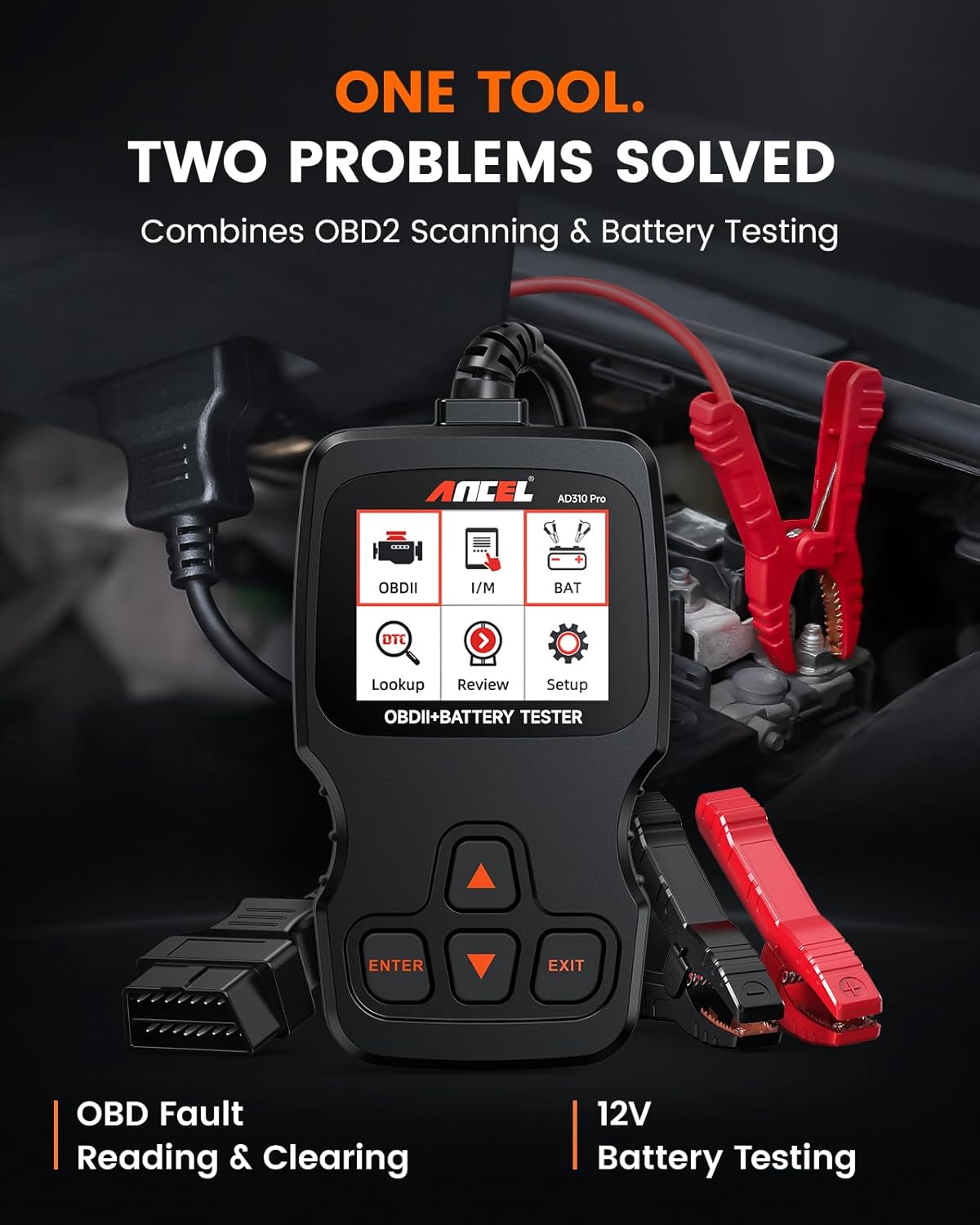
Figure 2.2: The AD310 Pro combines OBD2 scanning and battery testing.
3. Setup and Initial Use
Setting up your ANCEL diagnostic tool is straightforward. Follow these steps for initial connection and power-up.
3.1 Connecting the DS100 (4-System Scanner)
- Locate the vehicle's OBD2 port, typically found under the dashboard on the driver's side.
- Plug the DS100's OBD2 connector firmly into the vehicle's OBD2 port.
- Turn the vehicle's ignition to the 'ON' position (engine can be off or running, depending on the test).
- The DS100 will power on automatically. Follow the on-screen prompts to begin diagnosis.
3.2 Connecting the AD310 Pro (OBD2 & Battery Tester)
- For OBD2 functions: Locate the vehicle's OBD2 port and plug the AD310 Pro's OBD2 connector into it. Turn ignition to 'ON'.
- For Battery Testing: Connect the red clamp to the positive (+) terminal of the 12V battery and the black clamp to the negative (-) terminal. Ensure a secure connection.
- The device will power on. Select the desired function (OBD2 or Battery Test) from the main menu.

Figure 3.1: Easy steps for initial setup and diagnosis.
4. Operating Instructions
This section details the various diagnostic and testing functions available on your ANCEL tool.
4.1 4-System Diagnostics (DS100)
The DS100 allows for in-depth analysis of critical vehicle systems:
- Engine System: Read and clear engine fault codes (DTCs), view live data, and check engine light status.
- Transmission System: Diagnose transmission issues, read and clear transmission-related codes, and monitor transmission data.
- ABS (Anti-lock Braking System): Check ABS system status, read and clear ABS fault codes, and view live data from ABS sensors.
- SRS (Supplemental Restraint System/Airbag): Diagnose airbag system faults, read and clear SRS codes. Note: Airbag crash data is permanent and cannot be cleared per safety regulations.

Figure 4.1: Professional 4-system diagnostic capabilities.
4.2 7 Essential Maintenance Reset Functions (DS100)
The DS100 provides access to common maintenance resets:
- ABS Auto Bleeding: Bleeds air from the brake system after component replacement. Note: Some vehicles may only support manual ABS bleeding.
- Battery Matching (BMS): Registers a new battery to the vehicle's ECU after replacement.
- Brake Pad Reset: Resets the electronic parking brake (EPB) system after brake pad replacement.
- Electronic Throttle Adaptation (ETS): Relearns the throttle body position after cleaning or replacement.
- Gear Learning: Performs crankshaft position sensor relearn for certain vehicles.
- Oil Reset: Resets the oil service light and calculates the optimal oil life change interval.
- Steering Angle Sensor (SAS) Reset: Calibrates the steering angle sensor after alignment or component replacement.

Figure 4.2: Overview of the 7 essential maintenance reset functions.
4.3 Full OBD2 Diagnostic Functions (AD310 Pro)
The AD310 Pro supports all standard OBD2 functions for vehicles manufactured from 1996 onwards:
- Read Codes: Displays Diagnostic Trouble Codes (DTCs) and their descriptions.
- Erase Codes: Clears DTCs from the vehicle's computer and turns off the Check Engine Light (MIL).
- Live Data: Displays real-time data stream from vehicle sensors in text or graph format.
- I/M Readiness: Checks the readiness of emission-related monitors.
- Freeze Frame: Shows a snapshot of vehicle conditions when an emission-related fault occurred.
- DTC Lookup: Provides definitions for generic and manufacturer-specific codes.
- On-board Monitor Test: Retrieves results for emission-related diagnostic monitoring tests.
- Vehicle Information: Retrieves Vehicle Identification Number (VIN), Calibration ID (CALID), and Calibration Verification Number (CVN).
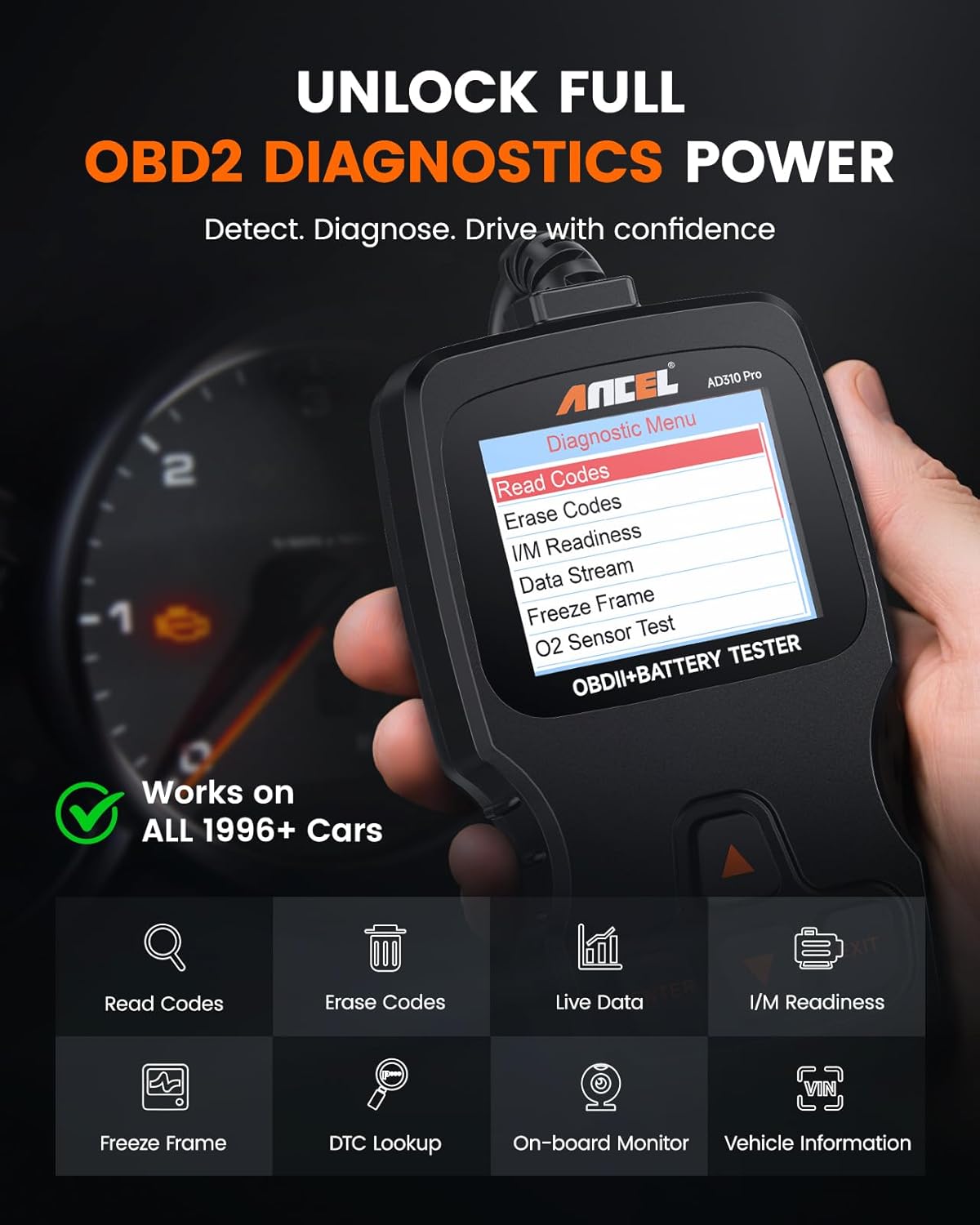
Figure 4.3: Main menu for OBD2 diagnostic functions on the AD310 Pro.
4.4 12V Battery Testing (AD310 Pro)
The AD310 Pro offers comprehensive 12V battery analysis:
- Battery Test: Evaluates battery age, voltage, and overall health.
- Cranking Test: Tests the cold start efficiency of the battery.
- Charging Test: Checks the alternator output and voltage stability of the charging system.

Figure 4.4: Battery performance tests available with the AD310 Pro.

Figure 4.5: Universal compatibility of the AD310 Pro battery tester.
5. Maintenance
Proper maintenance ensures the longevity and accuracy of your diagnostic tool.
- Cleaning: Use a soft, dry cloth to clean the device. Do not use abrasive cleaners or solvents.
- Storage: Store the tool in a clean, dry environment, away from extreme temperatures and direct sunlight.
- Cable Care: Inspect the OBD2 cable and battery clamps regularly for any signs of damage. Do not bend or crimp the cable excessively.
- Software Updates: Periodically check the ANCEL official website for software updates to ensure your tool has the latest vehicle coverage and features.
6. Troubleshooting
If you encounter issues with your ANCEL diagnostic tool, refer to the following common troubleshooting tips:
- Tool Does Not Power On:
- Ensure the OBD2 connector is securely plugged into the vehicle's port.
- Verify the vehicle's ignition is in the 'ON' position.
- Check the vehicle's fuse for the OBD2 port (usually labeled 'CIGAR' or 'AUX').
- Communication Error:
- Confirm the vehicle is OBD2 compliant (most vehicles from 1996 onwards).
- Ensure the ignition is 'ON' and the engine is off or running as required by the test.
- Try connecting to a different OBD2 compliant vehicle to rule out vehicle-specific issues.
- Check for any damage to the OBD2 cable.
- Incorrect Readings/Inaccurate Results:
- Ensure the tool's software is up to date.
- Verify proper connection for battery testing (correct polarity and secure clamps).
- Consult the vehicle's service manual for specific diagnostic procedures or values.
- Device Freezes/Responds Slowly:
- Disconnect and reconnect the tool.
- Perform a software update if available.
If problems persist, please contact ANCEL customer support for further assistance.
7. Specifications
| Feature | Specification |
|---|---|
| Product Name | ANCEL DS100 / AD310 Pro Diagnostic Tool |
| Brand | ANCEL |
| Supported Systems (DS100) | Engine, Transmission, ABS, SRS |
| Maintenance Functions (DS100) | ABS Auto Bleeding, Battery Matching (BMS), Brake Pad Reset, ETS, Gear Learning, Oil Reset, SAS Reset |
| OBD2 Functions (AD310 Pro) | Read/Erase Codes, Live Data, I/M Readiness, Freeze Frame, O2 Sensor Test, On-board Monitor Test, EVAP Test, Vehicle Info |
| Battery Test (AD310 Pro) | 12V Cranking Test, Charging Test, Battery Health Test |
| Battery Compatibility (AD310 Pro) | 12V Lead-Acid Batteries (AGM Spiral, Flooded, AGM Flat Plate, GEL, EFB) 100-2000 CCA |
| Connectivity | OBD2 Cable, Battery Clamps |
| Power Source | Vehicle OBD2 Port / 12V Battery |
| Operating Temperature | 0°C to 60°C (32°F to 140°F) |
| Storage Temperature | -20°C to 70°C (-4°F to 158°F) |
8. Warranty and Support
ANCEL products are designed for reliability and performance. For specific warranty details, please refer to the warranty card included with your product or visit the official ANCEL website. If you require technical assistance or have questions regarding the operation of your DS100 / AD310 Pro diagnostic tool, please contact ANCEL customer support through the following channels:
- Official Website: Visit the ANCEL official website for FAQs, software updates, and contact information.
- Email Support: Refer to your product packaging or the ANCEL website for the customer support email address.
- Online Resources: Explore online forums or communities for user tips and shared experiences.
Please have your product model and serial number ready when contacting support to ensure efficient service.