1. Introduction
This manual provides essential instructions for the safe and efficient operation, maintenance, and troubleshooting of your Eureka Forbes SmartClean Auto Bin S2 Robotic Vacuum Cleaner. Please read this manual thoroughly before using the product and retain it for future reference.
2. Safety Information
To reduce the risk of injury or damage, observe the following safety precautions:
- Ensure the power adapter is compatible with your local power supply.
- Do not operate the robot in wet environments or near liquids.
- Keep hair, loose clothing, fingers, and all parts of the body away from openings and moving parts.
- Do not allow children to operate the robot. Supervise children and pets when the robot is in operation.
- Remove any loose cables, small objects, or fragile items from the cleaning path before operation.
- Use only the manufacturer-specified charging adapter and accessories.
- Do not use the robot to pick up large debris, sharp objects, or burning/smoking materials.
3. Package Contents
Verify that all items are present in the package:
- Eureka Forbes SmartClean Auto Bin S2 Robotic Vacuum Cleaner
- Self-Emptying Dust Bin (Auto Bin S2)
- Charging Adapter
- User Manual

This image displays the Eureka Forbes SmartClean Auto Bin S2 robotic vacuum cleaner alongside its self-emptying dust bin. The robotic unit is circular and black, designed for floor cleaning, while the taller, rectangular black unit serves as the automatic dust collection station.
4. Product Overview
The Eureka Forbes SmartClean Auto Bin S2 is an advanced robotic vacuum cleaner designed for comprehensive home cleaning. Key features include:
- 9000Pa High Suction Power: Delivers powerful cleaning for various debris.
- LiDAR 3.0 Smart Navigation: For accurate home mapping and efficient cleaning paths.
- Wet Mopping Function: Provides simultaneous vacuuming and mopping.
- Self-Emptying Dust Bin: Offers up to 65 days of hands-free dust disposal.
- 5-Hour Runtime: Extended cleaning sessions with a 5,000mAh battery.
- Smart App & Voice Control: Manage cleaning via the Smart Life app, Alexa, or Google Assistant.
- HEPA H13 Grade Filtration: Captures dust and allergens for cleaner air.

An internal cutaway view of the robotic vacuum cleaner highlights its powerful suction mechanism, illustrating the 9000Pa suction capability designed to effectively remove dust and debris from floors.

The robotic vacuum cleaner is depicted on a tiled floor, demonstrating its wet mopping function. The image shows a clean, wet path behind the robot, indicating its ability to mop and clean surfaces.
5. Setup
5.1 Unpacking and Placement
- Carefully remove all components from the packaging.
- Place the self-emptying dust bin against a wall in an open area, ensuring there are no obstacles within 1 meter to the sides and 1.5 meters in front.
- Connect the charging adapter to the dust bin and plug it into a power outlet.
5.2 Initial Charging
Place the robotic vacuum cleaner onto the charging contacts of the self-emptying dust bin. Ensure the robot is properly docked. The indicator lights will show charging status. Fully charge the robot before first use (approximately 5 hours).
5.3 App Connection and Mapping
- Download the 'Smart Life' app from your smartphone's app store.
- Register or log in to your account.
- Follow the in-app instructions to add your SmartClean Auto Bin S2.
- Initiate the quick home mapping process through the app. The LiDAR 3.0 system will map your home in approximately 5 minutes.

The robotic vacuum cleaner is shown actively mapping a room using its LiDAR 3.0 technology. A smartphone screen in the foreground displays the generated floor plan, indicating the device's ability to quickly and accurately map the home environment.
6. Operating Instructions
6.1 Starting/Pausing Cleaning
- Press the power button on the robot or use the 'Smart Life' app to start or pause a cleaning cycle.
- The robot will automatically return to its charging dock when cleaning is complete or battery is low.
6.2 Cleaning Modes
Select various cleaning modes via the 'Smart Life' app:
- Auto Clean: Standard cleaning for the entire mapped area.
- Spot Clean: Cleans a specific area intensively.
- Zone Clean: Cleans user-defined zones on the map.
- Wet Mopping: Activates the mopping function. Ensure the water tank is filled and mopping pad is attached.

This composite image illustrates the robotic vacuum cleaner's versatility across different floor surfaces, including carpet, tile, marble, and wood, showcasing its 2-in-1 dry vacuuming and wet mopping technology.
6.3 Scheduling and Customization
Use the 'Smart Life' app to:
- Set cleaning schedules for specific times and days.
- Define 'No-Go Zones' or 'Virtual Walls' to restrict access to certain areas.
- Adjust suction power and water flow levels for mopping.
6.4 Voice Control
Integrate your robot with Amazon Alexa or Google Assistant for hands-free control. Follow the instructions in the 'Smart Life' app to link your device.

This image highlights the robotic vacuum cleaner's smart navigation features, including anti-collision sensors that detect obstacles and anti-fall technology to prevent the unit from falling down stairs or ledges.
7. Maintenance
7.1 Self-Emptying Dust Bin
The Auto Bin S2 automatically empties the robot's dustbin into a larger 4L dust bag, providing up to 65 days of hands-free cleaning. Replace the dust bag when the indicator light or app notification signals it is full.

A visual representation of the automatic dust collection system, showing the robotic vacuum cleaner docking with its self-emptying bin. The diagram illustrates how collected dust is transferred from the robot into the larger dust bag within the station, providing up to 65 days of hands-free operation.
7.2 Filter Maintenance
The robot is equipped with a HEPA H13 grade filter. Regularly clean the filter by tapping out debris. Replace the filter every 3-6 months, or as needed, to maintain optimal suction performance and air quality.
7.3 Mopping Pad and Water Tank
- After each mopping session, remove and clean the mopping pad. Allow it to air dry completely before reattaching.
- Empty any remaining water from the water tank and rinse it. Do not leave water in the tank for extended periods.
7.4 Sensor Cleaning
Periodically wipe the robot's sensors (LiDAR, anti-collision, anti-fall) with a clean, dry cloth to ensure accurate navigation and obstacle detection.
8. Troubleshooting
If you encounter issues with your SmartClean Auto Bin S2, refer to the following common solutions:
- Robot not charging: Ensure the charging contacts on both the robot and the dock are clean and free of debris. Verify the power adapter is securely plugged in.
- Robot getting stuck frequently: Remove obstacles from the cleaning path. Use the app to define 'No-Go Zones' for problematic areas. Clean the anti-collision sensors.
- Poor suction performance: Check if the dustbin is full or the dust bag needs replacement. Clean or replace the HEPA filter. Ensure the main brush is free of tangled hair or debris.
- Mopping not effective: Ensure the water tank is filled and the mopping pad is clean and properly attached. Adjust water flow settings in the app.
- App connectivity issues: Ensure your Wi-Fi network is stable and the robot is within range. Restart the robot and your router, then attempt to reconnect via the app.
9. Specifications
| Feature | Specification |
|---|---|
| Brand | Eureka Forbes |
| Model | SmartClean Auto Bin S2 |
| Suction Power | 9000Pa (Max mode) |
| Battery Life | Up to 5 Hours (Quiet Mode) |
| Battery Capacity | 5,000mAh (typical) |
| Navigation Technology | AI-Powered LiDAR 3.0 |
| Dust Bin Capacity (Auto Bin) | 4L (up to 65 days hands-free) |
| Filter Type | HEPA H13 Grade |
| Product Dimensions | 35L x 35W x 10H Centimeters |
| Item Weight | 4 kg |
| Connectivity | Smart Life App, Alexa, Google Assistant |
| Color | Black |

The robotic vacuum cleaner is shown positioned under a sofa, with measurements indicating its compact design (9.6 cm height) allowing it to clean in low-clearance areas.
10. Warranty and Support
Eureka Forbes is committed to providing excellent customer support:
- Free Post-Purchase Virtual Demo: Get acquainted with all features through a complimentary virtual demonstration.
- Toll-Free Support: Access 12-hour toll-free support.
- Video Call Assistance: Receive video call assistance within 24 hours.
- Doorstep Pickup & Drop: Available for repair needs.
- Extensive Service Network: Supported by India's largest and widest service network.
For detailed warranty information and to schedule support, please refer to the warranty card included with your product or visit the official Eureka Forbes website.
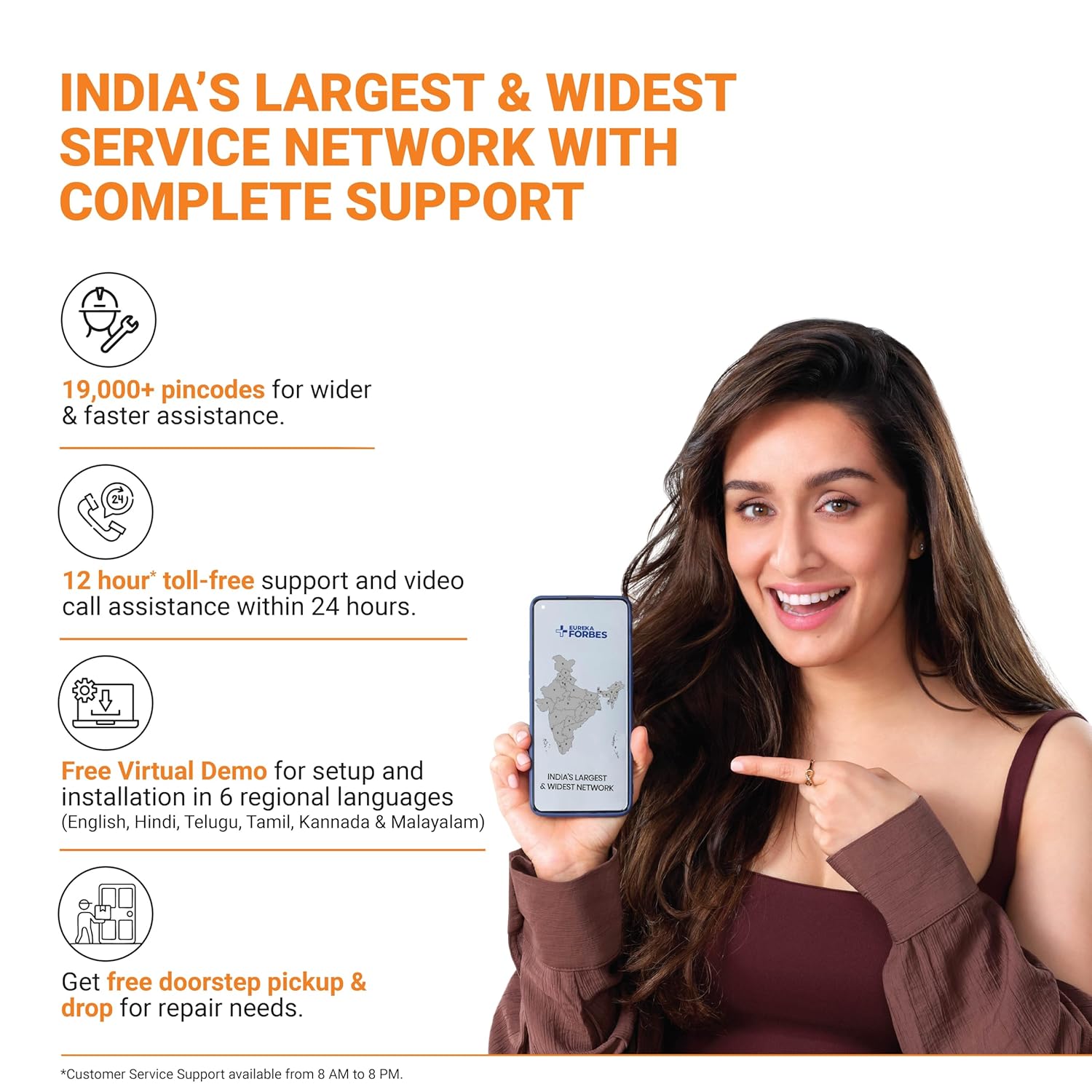
This image highlights Eureka Forbes' extensive service network, offering support across over 19,000 pincodes, 12-hour toll-free assistance, and video call support within 24 hours, along with doorstep pickup for repairs.