
Introduction
This BrickSoul Light Up Kit is specifically designed to enhance your LEGO Starry Night 21333 building set by adding vibrant, dimmable lighting. It transforms your model into a dynamic display piece, bringing the intricate details to life. This manual provides essential information for safe installation, operation, and maintenance of your lighting kit.
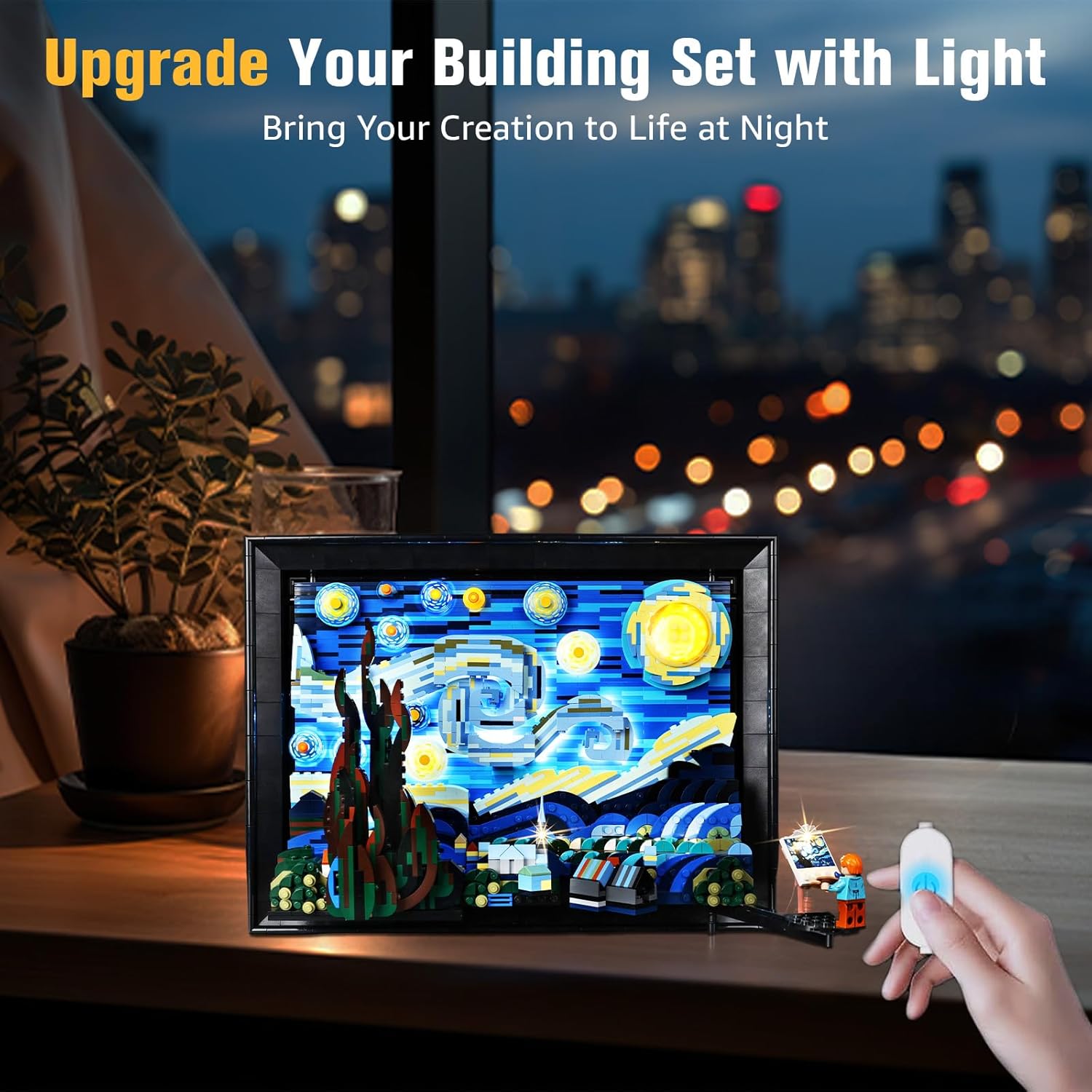
The BrickSoul Light Up Kit illuminates the LEGO Starry Night 21333 model, enhancing its visual appeal.
Package Contents
Please verify that all components listed below are included in your package:
- LED Light Kit
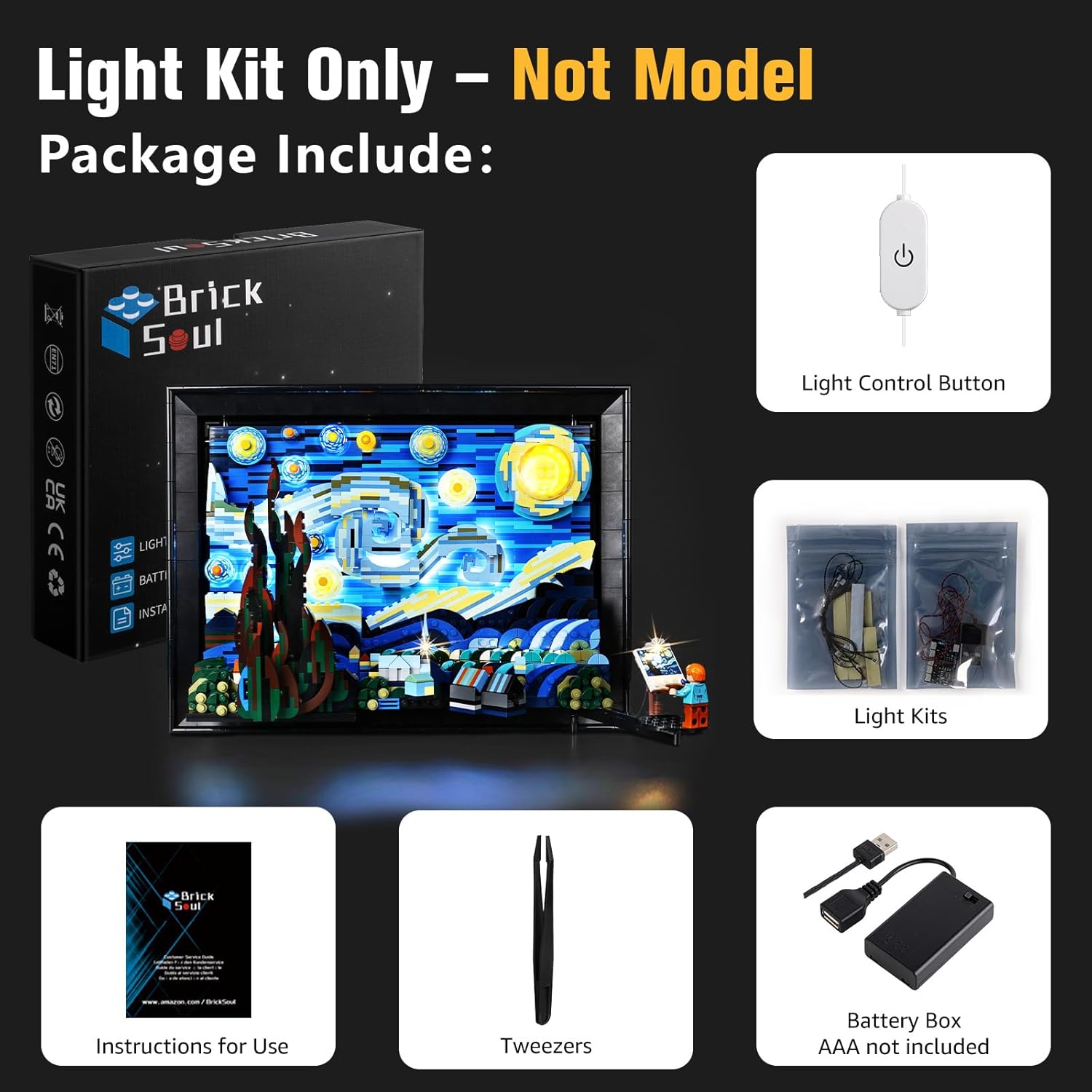
The image displays the BrickSoul Light Up Kit box, light control button, light kits, instructions, tweezers, and a battery box (AAA batteries not included).
Safety Information
- This product is intended for use by individuals aged 14 years and older.
- The lighting kit operates on a safe 3-5V USB input. Ensure your power source provides appropriate voltage.
- The kit is constructed from durable ABS plastic and copper wire. Handle components with care during installation.
- Do not attempt to modify or disassemble the LED lights or wiring, as this may cause damage to the product or your model.
- Keep small parts away from young children to prevent choking hazards.
Setup Instructions
Follow these steps to install your BrickSoul Light Up Kit. Detailed video and PDF guides are available to assist you.
- Carefully remove a few bricks from your LEGO The Starry Night 21333 set as indicated in the detailed instructions.
- Follow the numbered step-by-step bags to install the LED lights into your model. The cable-hiding technology ensures a neat and professional appearance.
- Connect the USB cable to a compatible power source (e.g., USB wall adapter, power bank, computer USB port).

Detailed view of the BrickSoul light kit integrated into the LEGO Starry Night model, highlighting the illumination of specific elements.
Installation Video Guide
This video demonstrates the installation process and the illuminated effect of the BrickSoul LED Light Kit on the LEGO 21333 Vincent Van Gogh Starry Night set.
Operating Instructions
The BrickSoul Light Up Kit features an upgraded wired dimmable control for convenient operation:
- Turn On/Off: Tap the button located on the USB cable to toggle the lights on or off.
- Adjust Brightness: Press and hold the button on the USB cable to smoothly adjust the brightness level to your preference. Release the button when the desired brightness is achieved.

The image shows the USB control button and illustrates how to turn the lights on/off and adjust brightness from 0% to 100%.
Maintenance
- Cleaning: To clean the light components, gently wipe them with a dry, soft cloth. Avoid using harsh chemicals or abrasive materials.
- Storage: If storing your LEGO model with the light kit installed, ensure it is kept in a dry, dust-free environment.
- Handling: Always handle the wired components with care to prevent bending or breaking.
Troubleshooting
- Lights Not Turning On:
- Ensure the USB cable is securely connected to both the light kit and a functional power source.
- Verify that the power source is providing adequate power (3-5V).
- Check the button on the USB cable to ensure it has been tapped to turn the lights on.
- Lights Are Dim or Flickering:
- Press and hold the USB button to adjust the brightness level.
- Ensure the power source is stable and providing consistent voltage.
- Damaged Wires or Connectors: If you encounter bent connectors or broken wires, please refer to the Warranty and Support section for replacement options.
Specifications
| Feature | Detail |
|---|---|
| Product Model Number | 21333-TV |
| Product Dimensions | 6.36 x 4.32 x 1.33 inches |
| Item Weight | 4.8 ounces |
| Manufacturer Recommended Age | 14 years and up |
| Power Input | USB 3-5V |
| Materials | ABS Plastic, Copper Wire |
Warranty and Support
BrickSoul offers a worry-free warranty to ensure your satisfaction. If you experience any issues such as bent connectors or broken wires due to accidental damage, we provide quick, hassle-free replacements.
Our dedicated BrickSoul support team is available to assist you with any questions or concerns, ensuring a smooth and stress-free lighting experience.
For support or warranty claims, please visit the official BrickSoul store or contact customer service through the platform where you purchased the product.
Visit the BrickSoul Store for more information.
