
1. Introduction
This manual provides instructions for the assembly, operation, and maintenance of your HOOBRO BF102UBZ01-FG05RS01 Narrow Side Table. This versatile furniture piece features a built-in charging station, multiple storage shelves, and a compact design suitable for various living spaces.

Image: The HOOBRO narrow side table with charging station, showcasing its compact design and functionality in a living room setting.
2. Safety Instructions
- Read all instructions carefully before assembly and use.
- Keep all small parts and packaging materials away from children and pets to prevent choking hazards.
- Ensure the product is assembled on a soft, clean surface to prevent scratches.
- Do not overload the shelves. Refer to the specifications for weight limits (if available).
- Place the table on a level and stable surface to prevent tipping.
- For the charging station, ensure the power cord is not pinched or damaged. Plug into a properly grounded electrical outlet.
- Do not expose the charging station to moisture or liquids.
3. Package Contents
Before beginning assembly, verify that all components listed below are present and undamaged. If any parts are missing or damaged, please contact customer support.
- Wooden Shelves (Top, Middle)
- Metal Frame Components
- L-shaped Mesh Rack
- Power Strip with 1 AC Outlet and 2 USB Ports
- Assembly Hardware (screws, bolts, Allen wrench)
- Instruction Manual
4. Setup and Assembly
The assembly process for this side table is designed to be straightforward. Each part is numbered for easy identification. Follow the included clear instruction manual step-by-step.
- Unpack Components: Carefully remove all parts from the packaging and lay them out on a clean, soft surface.
- Identify Parts: Match each component to the corresponding number in the assembly diagram.
- Assemble Frame: Connect the metal frame components using the provided hardware. Do not fully tighten screws until all parts are loosely assembled.
- Attach Shelves: Secure the wooden shelves and the L-shaped mesh rack to the frame.
- Install Power Strip: Mount the power strip to the designated area on the table frame.
- Final Tightening: Once all parts are in place, securely tighten all screws and bolts.
- Placement: Position the assembled table in its desired location, ensuring it is stable.
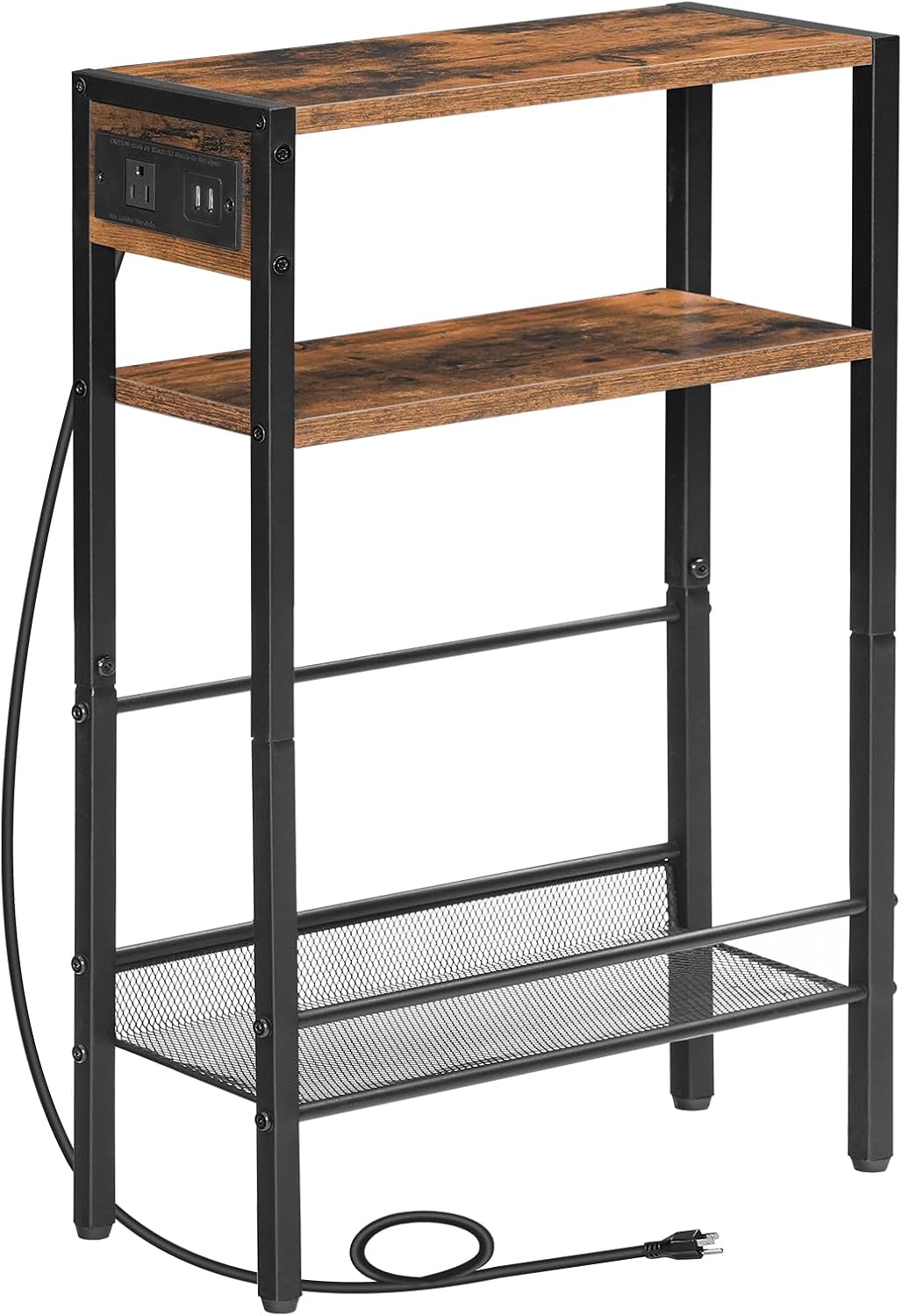
Image: A detailed view of the side table's structure, highlighting the integrated charging station and shelf design.
5. Operating Instructions
5.1 Charging Station
The side table is equipped with a convenient power strip featuring 1 AC outlet and 2 USB ports.
- Power Connection: Plug the table's power cord into a standard wall outlet.
- AC Outlet: Use the AC outlet to power devices such as lamps, laptops, or other electronics.
- USB Ports: Connect your smartphones, tablets, or other USB-powered devices to the USB ports for charging.
5.2 Storage Utilization
The table offers multiple storage options to help organize your items.
- Top Shelf: Ideal for placing a record player, a lamp, drinks, or decorative items.
- Middle Wooden Shelf: Suitable for commonly used items like remote controls, glasses, or small books.
- Bottom L-shaped Mesh Rack: Designed with side rails, this rack is perfect for storing magazines, larger books, or vinyl records.
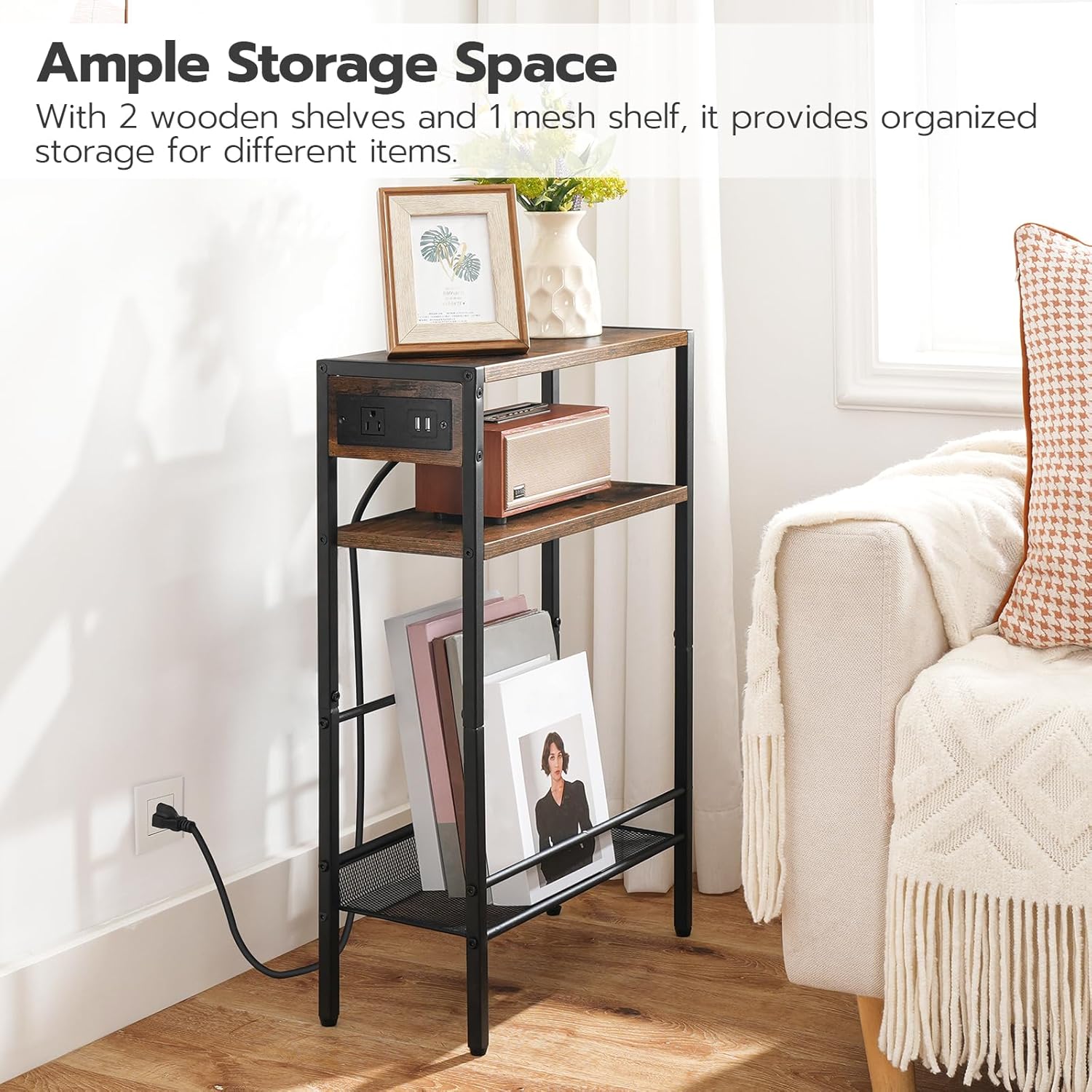
Image: The side table demonstrating its ample storage capacity with various items neatly organized on its shelves.
6. Maintenance
- Cleaning: Wipe the table surfaces with a soft, damp cloth. Avoid using harsh chemicals or abrasive cleaners, which can damage the finish.
- Dusting: Regularly dust the table to prevent buildup.
- Electrical Safety: Periodically inspect the power cord and charging station for any signs of wear or damage. Discontinue use if damage is found and contact customer support.
- Stability Check: Occasionally check all screws and bolts to ensure they remain tight. Retighten if necessary to maintain stability.
7. Troubleshooting
- Charging Station Not Working:
- Ensure the table's power cord is securely plugged into a functional wall outlet.
- Check if the wall outlet itself is receiving power (test with another device).
- Verify that the devices you are trying to charge are properly connected to the AC outlet or USB ports.
- Table is Unstable/Wobbly:
- Ensure all assembly screws and bolts are fully tightened.
- Check if the table is placed on an even surface. Adjust if necessary.
- Missing or Damaged Parts:
- If you discover any missing or damaged parts during unpacking or assembly, do not proceed with assembly. Contact HOOBRO customer support immediately for assistance.
8. Specifications
| Model Number | BF102UBZ01-FG05RS01 |
| Overall Dimensions | 15"L x 11.8"W x 21.7"H (38.1 cm L x 29.97 cm W x 55.12 cm H) |
| Charging Station | 1 AC Outlet, 2 USB Ports |
| Material | Engineered Wood, Metal Frame |

Image: Detailed dimensions of the side table, including length, width, and height measurements.
9. Warranty and Support
For warranty information, product support, or to report missing/damaged parts, please contact HOOBRO customer service through the retailer's platform or the official HOOBRO website. Please have your model number (BF102UBZ01-FG05RS01) and purchase details ready when contacting support.

