
Introduction
The COROS Bike Cadence Sensor is designed to help cyclists track their pedaling RPMs (revolutions per minute) to improve pedaling efficiency. This sensor is compatible with both outdoor and indoor rides, including most spin bikes, and pairs seamlessly with bike computers, smartwatches, or smartphones via Bluetooth connectivity.
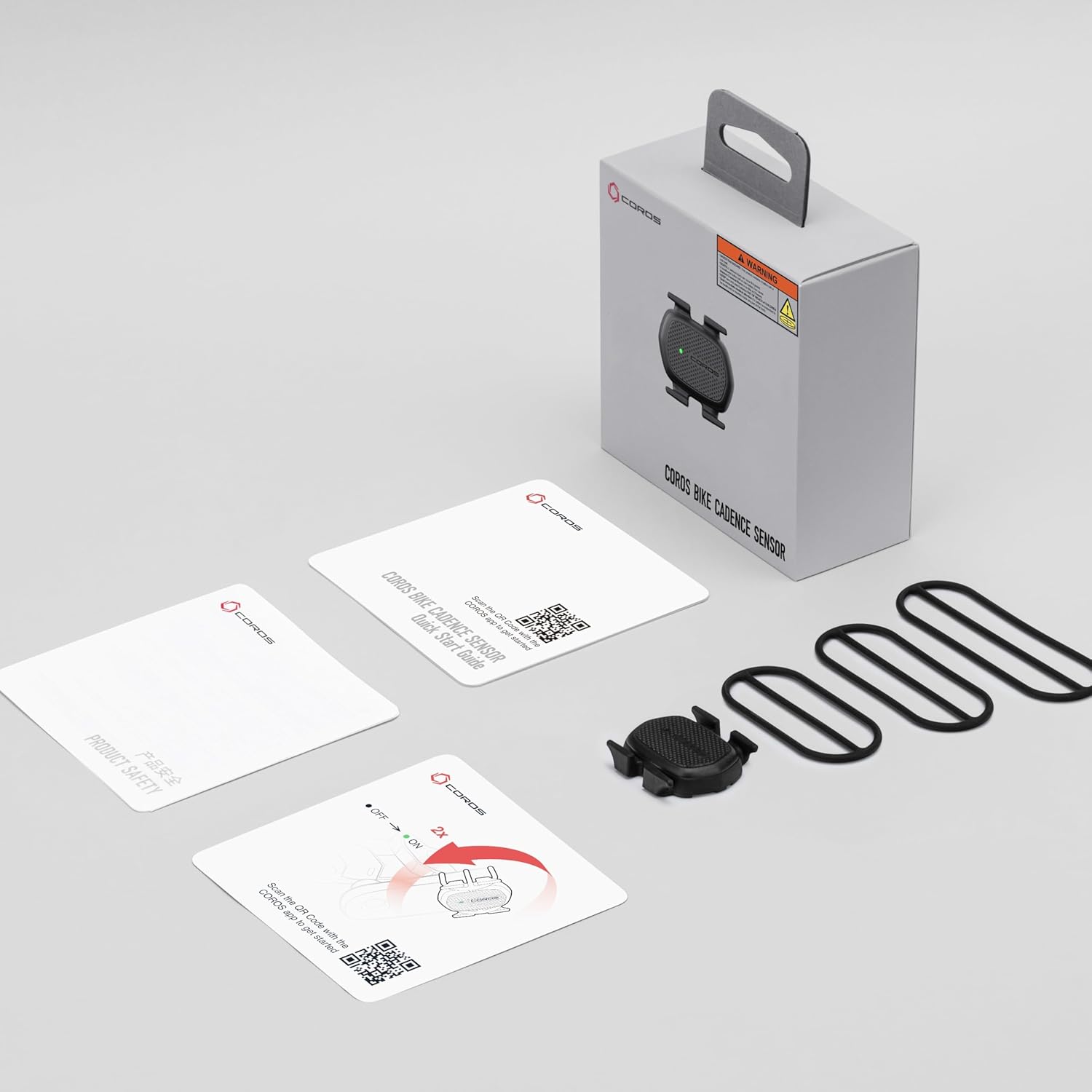
What's in the Box
Upon opening the package, you will find the following components:
- COROS Bike Cadence Sensor
- Sensor Mount
- Rubber Bands for mounting
- Quick Start Guide
- Product Safety Information
Setup and Installation
1. Battery Installation
The COROS Bike Cadence Sensor uses a CR2032 coin cell battery. Ensure the battery is correctly inserted before use. The battery compartment is typically located on the back of the sensor.

2. Mounting the Sensor
The sensor is designed for easy installation on your bike's crank arm. Use the provided rubber bands to securely attach the sensor. Position the sensor on the non-drive side crank arm for optimal cadence tracking.


3. Pairing with Devices
The COROS Bike Cadence Sensor connects via Bluetooth. To pair, activate the sensor by rotating the crank arm a few times. Then, open the settings on your compatible bike computer, smartwatch, or smartphone application and search for new Bluetooth devices. Select the COROS Cadence Sensor from the list to establish a connection. The sensor is not compatible with ANT+ devices.
Operating Instructions
Once paired, the sensor will automatically begin tracking your pedaling RPMs when you start cycling. This data is transmitted in real-time to your connected device, allowing you to monitor and optimize your pedaling efficiency. The sensor works effectively for both outdoor rides and indoor training sessions, including use with most spin bikes.
Maintenance
Battery Life and Replacement
The CR2032 battery in your COROS Bike Cadence Sensor is designed to last up to 12 months under typical usage conditions. When the battery level is low, your connected device may display a notification. To replace the battery, carefully open the battery compartment, remove the old battery, and insert a new CR2032 battery with the positive (+) side facing up. Ensure the compartment is sealed tightly after replacement.
Cleaning and Water Resistance
The sensor has an IP67 water rating, providing protection against dust and temporary immersion in water. This makes it suitable for all-weather protection and durability. To clean the sensor, wipe it with a damp cloth. Avoid using harsh chemicals or abrasive materials that could damage the device.
Troubleshooting
- Sensor Not Connecting: Ensure the sensor has a fresh battery and is properly activated by rotating the crank arm. Check that Bluetooth is enabled on your receiving device and that the sensor is within range.
- Inaccurate Readings: Verify that the sensor is securely mounted on the crank arm and is not obstructed. Ensure there are no strong electromagnetic interferences nearby.
- Battery Draining Quickly: Confirm that the sensor is not left in an active state when not in use. Replace the battery if it is old or if the issue persists.
Specifications
| Brand | COROS |
| Model Name | COROS Bike Cadence Sensor |
| Color | Black |
| Sensor Type | Cadence Sensor |
| Connectivity Technology | Bluetooth (Not compatible with ANT+ devices) |
| Mounting Type | Crank Arm Mount |
| Battery Type | CR2032 Lithium Manganese Dioxide |
| Battery Life | Up to 12 months |
| Water Rating | IP67 |
| Weight | 11g |
| Item Dimensions (LxWxH) | 3.94 x 3.94 x 3.94 inches |
Warranty and Support
The COROS Bike Cadence Sensor comes with a 1-year manufacturer's warranty. For technical support, warranty claims, or additional product information, please visit the official COROS website or contact their customer service directly. Keep your proof of purchase for warranty validation.