
1. Introduction and Overview
The Alonefire SV127 is a compact, high-performance UV flashlight featuring a 395 nm UV LED. Designed for versatility, this mini blacklight is ideal for a wide range of professional and personal applications, including detection of fluorescent substances, inspection, and UV resin curing. Its durable aluminum alloy casing and convenient USB-C rechargeable design ensure reliability and ease of use.
This manual provides essential information on the safe operation, maintenance, and specifications of your Alonefire SV127 UV Flashlight. Please read it thoroughly before use.
2. Safety Information
- Eye Protection: Never look directly into the UV light beam. UV radiation can be harmful to the eyes. It is recommended to wear UV protective eyewear during prolonged use.
- Skin Exposure: Avoid prolonged exposure of skin to UV light.
- Children: Keep out of reach of children. This is not a toy.
- Reflective Surfaces: Be aware that UV light can reflect off surfaces. Exercise caution to prevent accidental eye exposure from reflections.
- Water Resistance: The flashlight has an IPX5 water resistance rating, meaning it can withstand splashes and light rain. Do not immerse the flashlight in water.
- Heat: The flashlight may become warm during extended operation. This is normal.
3. Package Contents
Please check the package for the following items:
- 1 x Alonefire SV127 UV Flashlight
- 1 x Lanyard (approximately 10 cm)
- 1 x USB-A to USB-C Charging Cable (approximately 48 cm)
- 2 x English User Manuals

Image 3.1: The Alonefire SV127 UV Flashlight shown alongside its included USB-C charging cable.
4. Setup
Before first use, it is recommended to fully charge the flashlight.
- Locate the USB-C charging port on the tail cap of the flashlight.
- Connect the provided USB-C cable to the flashlight and the USB-A end to a compatible USB power source (e.g., computer, wall adapter, power bank).
- The charging indicator light will illuminate red while charging.
- Once fully charged, the indicator light will turn green. Disconnect the cable.

Image 4.1: The flashlight connected for charging, illustrating the red (charging) and green (fully charged) indicator lights. Charging time is approximately 1 hour, providing about 1 hour of battery life.
5. Operating Instructions
The Alonefire SV127 UV Flashlight features a simple one-button operation:
- To Turn On: Press the rubberized power button located on the tail cap.
- To Turn Off: Press the power button again.
The flashlight operates in a single UV light mode.

Image 5.1: The Alonefire SV127 UV Flashlight in operation, emitting its characteristic purple UV light.
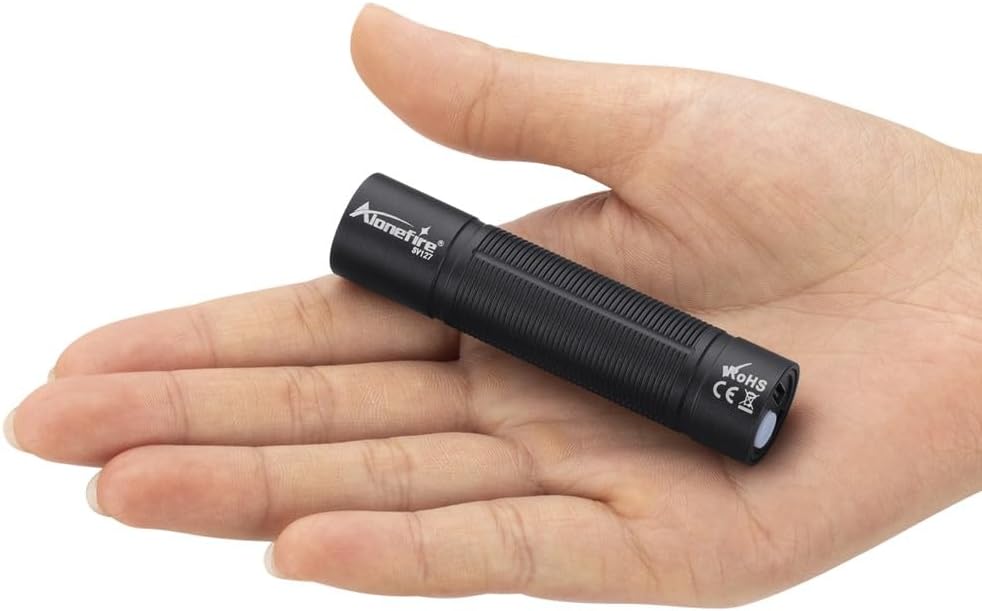
Image 5.2: The compact size of the Alonefire SV127 UV Flashlight, shown resting in the palm of a hand.
6. Applications
The 395 nm UV wavelength of the Alonefire SV127 makes it suitable for various detection and inspection tasks:
- Pet Stain Detection: Effectively reveals hidden pet urine stains, cat fungus, and other organic residues on carpets, furniture, and floors.
- Authenticity Verification: Ideal for checking banknotes, passports, and other official documents for security features that fluoresce under UV light.
- Mineral and Gemstone Identification: Helps in identifying certain minerals, amber, and gemstones that exhibit fluorescence.
- Pest Detection: Useful for locating scorpions, bed bugs, and other pests that glow under UV light.
- Resin Curing: Can be used for curing UV-sensitive resins, glues, and coatings.
- Leak Detection: When used with fluorescent dyes, it can help detect leaks in HVAC systems, automotive fluids, and other industrial applications.
- Hygiene Inspection: Reveals unseen dirt, grime, and fluorescent agents on surfaces, aiding in cleanliness assessments.

Image 6.1: The Alonefire SV127 UV Flashlight being used to detect pet stains on a carpet, highlighting fluorescent areas.
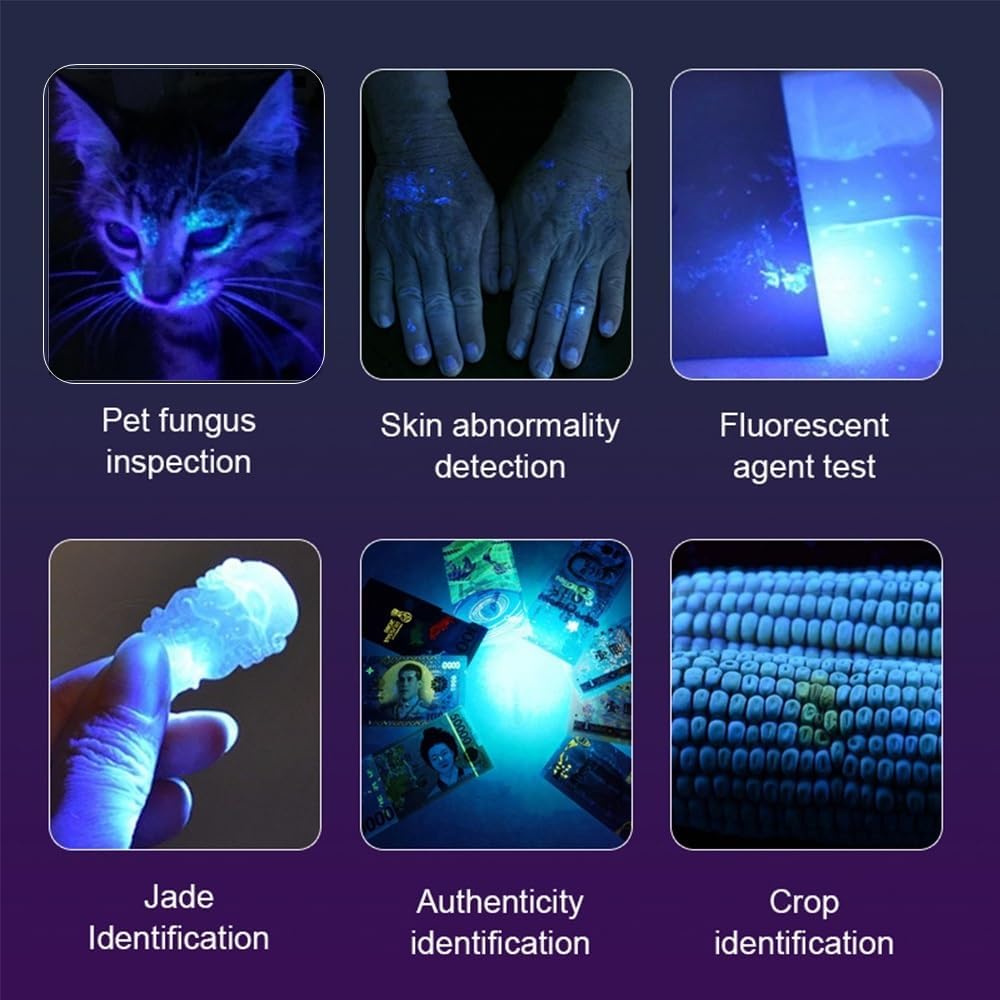
Image 6.2: A visual representation of various applications for the UV flashlight, including pet fungus inspection, skin abnormality detection, fluorescent agent testing, jade identification, authenticity verification, and crop identification.
7. Maintenance
- Cleaning: Wipe the flashlight body with a soft, damp cloth. Do not use abrasive cleaners or solvents.
- Lens Care: Gently clean the lens with a lens cleaning cloth to maintain optimal light output.
- Storage: Store the flashlight in a cool, dry place away from direct sunlight and extreme temperatures.
- Battery: For optimal battery life, recharge the flashlight regularly, even if not in frequent use. Avoid fully discharging the battery for extended periods.
8. Troubleshooting
| Problem | Possible Cause | Solution |
|---|---|---|
| Flashlight does not turn on. | Battery is depleted. | Charge the flashlight using the provided USB-C cable. |
| Light output is dim. | Low battery level. | Recharge the flashlight. |
| Flashlight gets warm during use. | Normal operation. | This is expected, especially during extended periods of use. If it becomes excessively hot, turn it off and allow it to cool. |
| Charging indicator does not light up. | Cable or power source issue; flashlight already fully charged. | Try a different USB-C cable or power source. Ensure the flashlight is not already fully charged (green indicator). |
9. Specifications
| Feature | Specification |
|---|---|
| Brand | ALONEFIRE |
| Model Number | SV127 |
| UV Wavelength | 395 nm |
| Power | 3 Watts |
| Luminous Flux | 300 Lumen |
| Light Source Type | LED |
| LED Lifespan | 100,000 hours (approx.) |
| Battery Type | 1 x Lithium-ion (included) |
| Battery Capacity | 500 mAh, 3.7V |
| Charging Port | USB-C |
| Charging Input | 5 Vdc - 1A |
| Charging Time | Approx. 1 hour |
| Battery Life (per charge) | Approx. 1 hour |
| Material | Aluminum Alloy |
| Color | Black (Violet light emission) |
| Dimensions | 17.8 mm (Diameter) x 77.5 mm (Length) |
| Weight | 40 grams |
| Water Resistance | IPX5 (Water-resistant, not submersible) |
10. Warranty and Support
Warranty Information: Specific warranty details for the Alonefire SV127 UV Flashlight are not available in the provided product information. Please refer to the retailer or manufacturer's website for any applicable warranty terms and conditions.
Customer Support: For technical assistance, troubleshooting beyond this manual, or inquiries regarding your product, please contact the seller or manufacturer directly through their official support channels. Keep your purchase receipt or order number handy for faster service.


