
1. Introduction
Thank you for choosing the GYROCOPTERS Zeno2.0 Electric Scooter. This manual provides essential information for the safe assembly, operation, maintenance, and troubleshooting of your new electric scooter. Please read this manual thoroughly before your first ride and keep it for future reference.
2. Safety Information
Your safety is paramount. Always wear a helmet and appropriate safety gear when riding. Adhere to all local traffic laws and regulations. This scooter is UL2272 certified, ensuring it meets high safety standards for electrical and mechanical components.
- Always wear a certified helmet and protective gear.
- Familiarize yourself with local laws regarding electric scooter usage.
- Perform a pre-ride inspection before each use.
- Avoid riding in wet conditions, on slippery surfaces, or in heavy traffic.
- Do not exceed the maximum weight capacity of 120 kg (265 lbs).
- Ensure the adjustable seat is securely locked in place before riding.
3. Package Contents
Carefully unpack your scooter and check that all items are present and in good condition. If any items are missing or damaged, please contact customer support.
- 1 x Gyrocopters Zeno2.0 Electric Scooter
- 1 x Adjustable Shock-Absorbing Seat
- 1 x Large Basket
- 1 x Charger
- 1 x Installation Tools (Wrench, Hex Keys)
- 1 x User Manual (this document)
- 1 x GPS Tracker
4. Assembly and Setup
Follow these steps to assemble your Gyrocopters Zeno2.0 Electric Scooter.
4.1. Handlebar Installation
- Carefully remove the scooter from its packaging.
- Lift the handlebar stem and secure it using the quick-release clamp.
- Connect the electrical wires from the handlebar to the main body, ensuring the connectors click into place.
- Align the handlebar with the front wheel and secure it by tightening the screws on the stem using the provided hex key.
4.2. Front Fender Attachment
- Attach the front fender to the front fork using the provided screws and hex key.
4.3. Front Wheel Installation
- Insert the front wheel into the fork, aligning the brake disc with the caliper.
- Secure the wheel with the quick-release skewer or axle nuts, ensuring it is tight and the wheel spins freely without rubbing.
4.4. Seat and Basket Installation
- Insert the seat post into the designated slot at the rear of the scooter. Adjust the height to your preference and secure it with the quick-release clamp.
- Attach the large basket to the rear rack using the provided screws and tools.
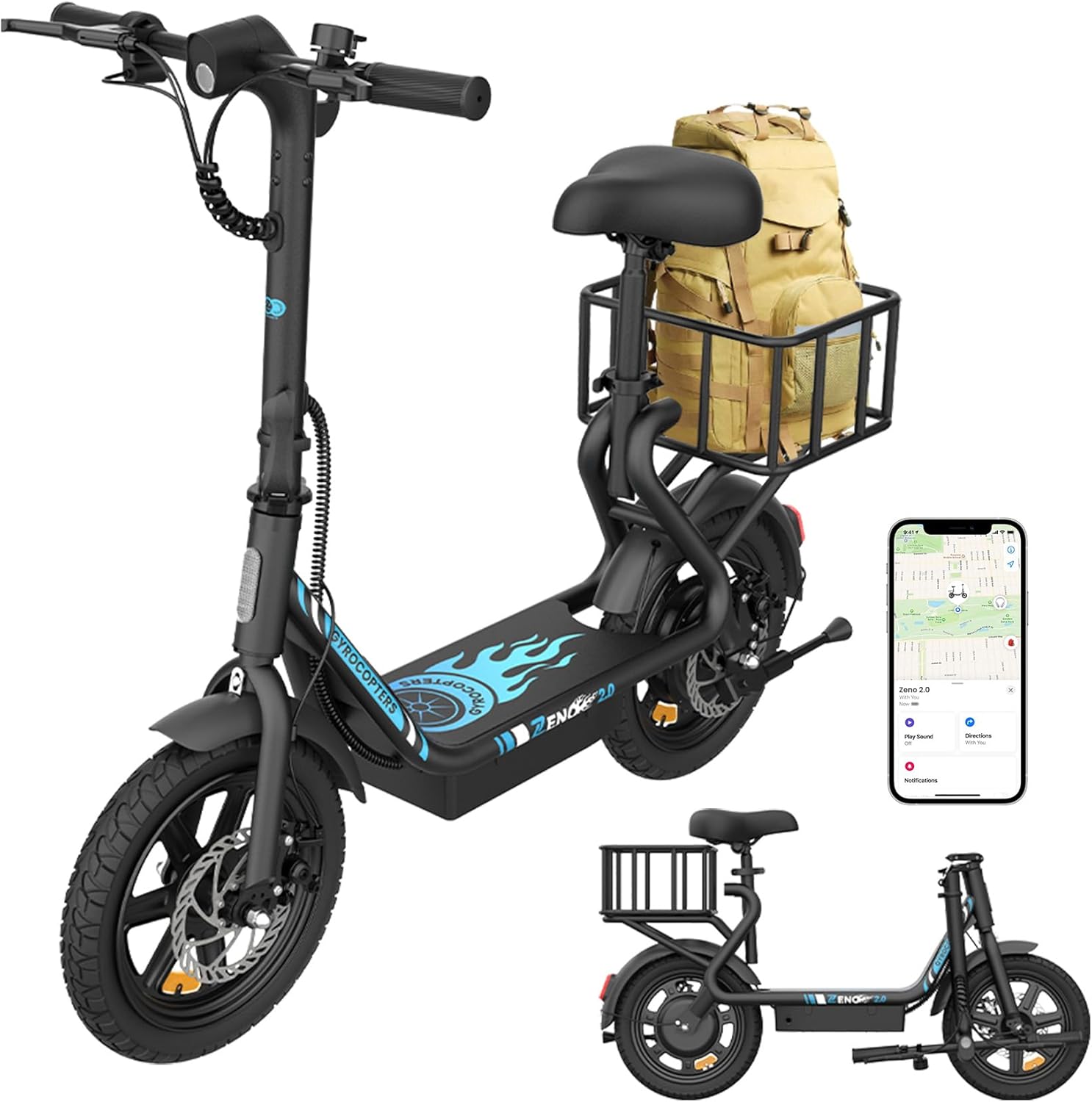
Image: The Gyrocopters Zeno2.0 Electric Scooter fully assembled, showcasing its design, basket, and integrated GPS tracker.
5. Operating Instructions
5.1. Power On/Off and Speed Modes
- To power on, press and hold the power button on the LED display for 3 seconds.
- To power off, press and hold the power button for 3 seconds.
- Press the setting button once to cycle through the 4 speed modes: 15 km/h, 20 km/h, 25 km/h, and 32 km/h.
5.2. Headlight Operation
- To turn the headlight on or off, hold the setting button for 3 seconds.
- The headlight alignment can be adjusted for optimal visibility.
5.3. Braking System
The Zeno2.0 features a dual braking system with reliable disc brakes and regenerative technology for responsive stopping power. Apply both brake levers simultaneously for effective braking.
5.4. Folding Mechanism
The scooter features a foldable frame for easy storage and transport. Locate the folding latch on the stem, release it, and carefully fold the handlebar down until it locks into place.

Image: The Gyrocopters Zeno2.0 Electric Scooter in its folded state, stored in the trunk of a car, demonstrating its compact size for transport.
5.5. GPS Tracker
The integrated anti-theft GPS tracker allows for easy location tracking and includes a 'Left Behind Reminder' feature. It is compatible with Apple Find My for convenient monitoring.
6. Features Overview
The Gyrocopters Zeno2.0 Electric Scooter is designed for convenience, safety, and performance.
- Powerful Motor: Equipped with a 350W brushless motor, providing a peak power of 500W for effortless riding and enhanced hill-climbing ability.
- Long-Range Battery: A 10Ah high-capacity lithium battery offers an extended range of up to 40 km (25 miles) on a single charge.
- All-Terrain Tires: Features 14” × 2.1” durable tires with shock absorption, suitable for various surfaces including city streets, gravel paths, and beaches.
- Enhanced Safety: UL2272 certified, ensuring compliance with safety standards for brakes, battery systems, electrical components, mechanical components, and structural integrity.
- Smart Utility: Includes a removable large basket for carrying essentials, front and rear LED lights for visibility, a sturdy kickstand, and a wide anti-slip platform.
- Adjustable Comfort: The shock-absorbing seat is height-adjustable (28"-34") to accommodate various rider heights.
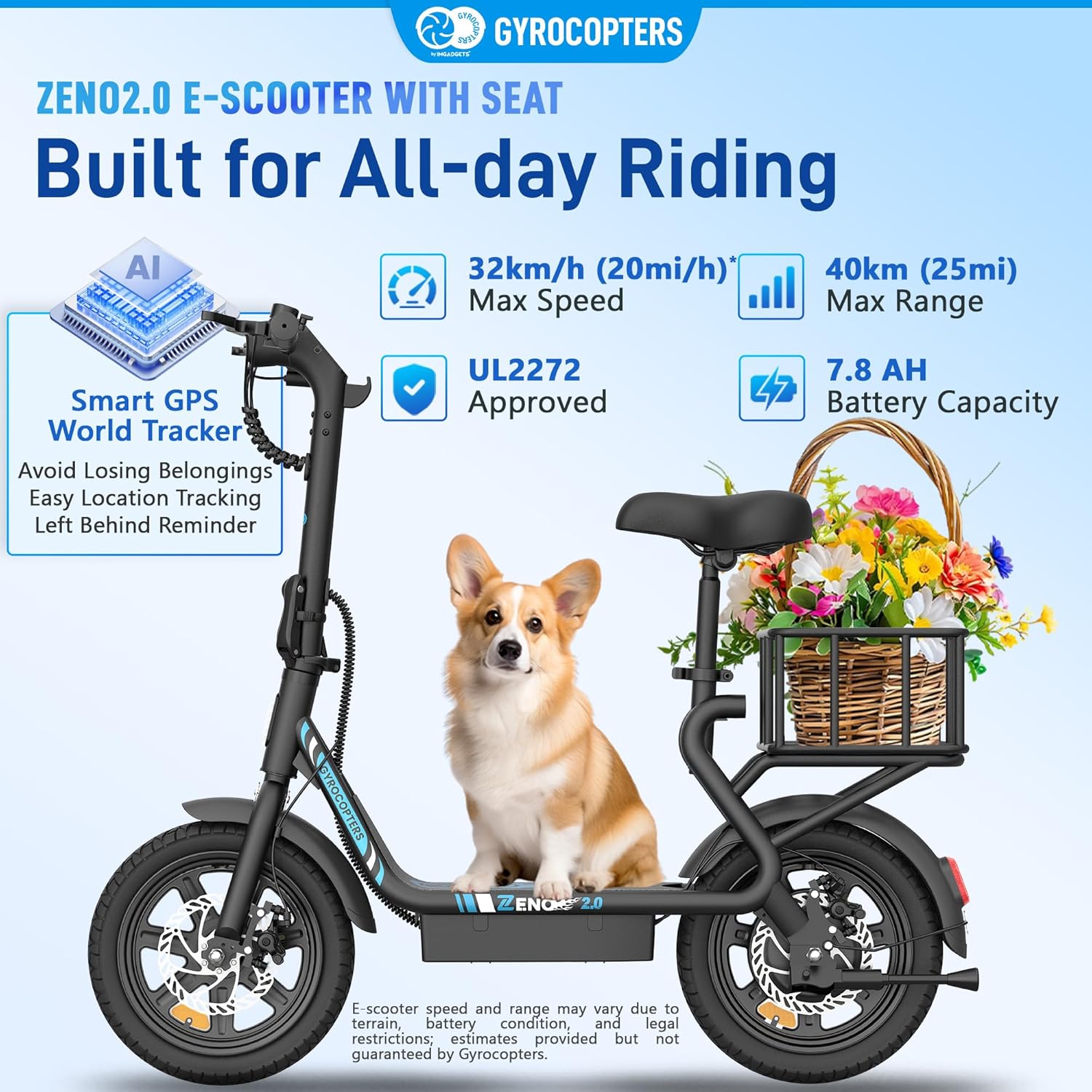
Image: The Zeno2.0 Electric Scooter highlighting its maximum speed, range, battery capacity, UL2272 approval, and Smart GPS World Tracker.

Image: A detailed view of the handlebar controls, including the LED screen, power button, setting button, and brake levers. Also highlights UL2272 approval, Battery Management System (BMS), and Smart GPS World Tracker.
7. Maintenance
Regular maintenance ensures the longevity and safe operation of your scooter.
- Cleaning: Wipe the scooter with a damp cloth. Avoid using high-pressure water jets directly on electrical components.
- Battery Care: Charge the battery regularly, even when not in use, to maintain its health. Avoid fully discharging the battery. Store in a cool, dry place.
- Tires: Check tire pressure regularly and inflate to the recommended PSI (refer to tire sidewall). Inspect for wear and tear.
- Brakes: Periodically check brake pads and cables for wear. Ensure brakes are responsive and adjust if necessary.
- Fasteners: Regularly check all screws and bolts to ensure they are tight.
8. Troubleshooting
This section addresses common issues you might encounter.
- Scooter not turning on: Ensure the battery is charged and properly connected. Check the power button.
- Loss of power during ride: The battery might be low. Charge the scooter.
- Brakes feel loose: Inspect brake cables and pads. Adjust tension or replace worn parts.
- Unusual noises: Stop riding immediately and inspect the scooter for loose parts or damage.
- GPS tracker not working: Ensure the tracker has power and is within network coverage. Check app settings.
For issues not listed here, or if troubleshooting steps do not resolve the problem, please contact customer support.
9. Specifications
| Feature | Specification |
|---|---|
| Model Number | C4 |
| Motor Power | 350W (Peak 500W) |
| Battery Capacity | 10Ah Lithium Ion |
| Max Speed | 32 Km/h (20 mph) |
| Max Range | Up to 40 Km (25 miles) |
| Wheel Size | 14 Inches |
| Brake Type | Disc, EABS (Regenerative) |
| Suspension | Dual Suspension |
| Max Load Capacity | 120 kg (265 Pounds) |
| Item Weight | 21 kg |
| Frame Material | Alloy Steel |
| Adjustable Seat Height | 28"-34" |
| Recommended Age Range | Adult |
| Special Features | Anti-theft GPS Tracker, Removable Large Basket, Adjustable Seat, Cruise Control, Digital Display, Foldable, Rechargeable, Wide Platform |
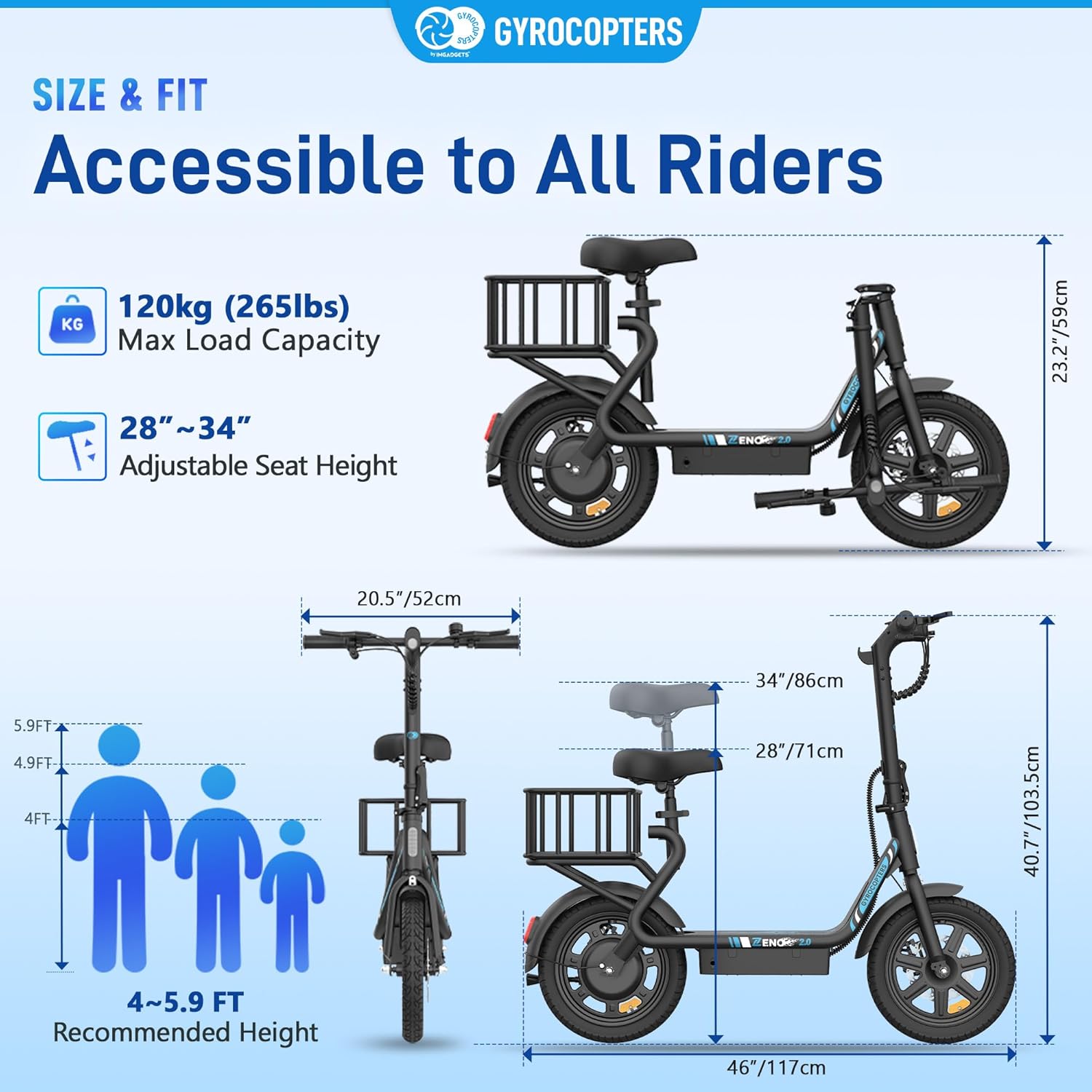
Image: Diagram illustrating the dimensions, maximum load capacity, adjustable seat height, and recommended rider height for the Zeno2.0 Electric Scooter.
10. Warranty and Support
For warranty information, technical support, or any inquiries, please contact IMGadgets, the official distributor for GYROCOPTERS products.
- Phone: +1 647-797-3804
- Email: customercare@imgadgets.com
- Chat: www.imgadgets.com
Please have your model number (C4) and purchase details ready when contacting support.


