1. Introduction
Welcome to the user manual for your new Lenovo LOQ 15IRX10 Gaming Laptop. This document provides essential information to help you set up, operate, maintain, and troubleshoot your device. Please read this manual thoroughly to ensure optimal performance and longevity of your laptop.

Figure 1.1: Lenovo LOQ 15IRX10 Gaming Laptop with included PCO Notebook Folding Radiator. This image displays the laptop in an open position, showcasing its keyboard and screen, alongside the external cooling accessory.
2. Package Contents
Ensure all items are present in your package. If any item is missing or damaged, contact your retailer.
- Lenovo LOQ 15IRX10 Gaming Laptop
- Power Adapter and Cable
- PCO Notebook Folding Radiator (Laptop Cooler)
- Quick Start Guide (if included)
- Warranty Information (if included)
3. Product Overview
The Lenovo LOQ 15IRX10 is a high-performance gaming laptop designed for demanding applications and immersive gaming experiences.
3.1 Key Components
- Processor: Intel Core i5-13450HX (10 Cores, 16 Threads, up to 4.6 GHz)
- Graphics: NVIDIA GeForce RTX 5050
- Display: 15.6-inch Full HD (1920x1080) 144Hz Anti-glare
- Memory: 32GB DDR5 RAM (expandable up to 64GB)
- Storage: 1TB PCIe NVMe M.2 Solid State Drive (expandable up to 4TB)
- Operating System: Windows 11 Home
- Connectivity: Wi-Fi 6, Bluetooth
- Keyboard: Backlit Keyboard with Numeric Keypad

Figure 3.1: Angled view of the Lenovo LOQ Gaming Laptop, highlighting its sleek design and display.
3.2 Ports and Connectors
Familiarize yourself with the available ports for connecting external devices.
- 1x USB-C (USB 10Gbps, with USB PD 65-100W & DP 1.4)
- 1x HDMI
- 1x Headphone / microphone combo jack (3.5mm)
- 1x RJ-45 (Ethernet)
- 3x USB-A (USB 5Gbps)
- 1x Power connector

Figure 3.2: Diagram illustrating the various ports and connectors on the Lenovo LOQ 15IRX10 laptop, including USB-C, HDMI, audio jack, RJ-45, USB-A, and power connector.
4. Setup
4.1 Initial Power-On
- Unpack the laptop and power adapter.
- Connect the power adapter to the laptop's power connector and then to a power outlet.
- Open the laptop lid and press the power button, typically located above the keyboard or on the side.
- Follow the on-screen instructions to complete the Windows 11 Home initial setup, including language, region, network connection, and user account creation.
4.2 Connecting the PCO Notebook Folding Radiator
For enhanced cooling during intensive tasks, use the bundled PCO Notebook Folding Radiator.
- Unfold the radiator to its desired height and angle.
- Place your Lenovo LOQ laptop on top of the radiator.
- Connect the radiator's USB cable to an available USB-A port on your laptop to power the fans.

Figure 4.1: The PCO Notebook Folding Radiator, designed to provide additional cooling and improve airflow for the laptop.
5. Operating Your Laptop
5.1 Power Management
- Power On: Press the power button.
- Sleep Mode: Close the lid or select "Sleep" from the Start Menu.
- Shut Down: Go to Start Menu > Power > Shut down.
- Restart: Go to Start Menu > Power > Restart.
5.2 Keyboard and Touchpad
The laptop features a backlit keyboard and a precision touchpad.
- Backlit Keyboard: Adjust brightness or toggle the backlight using function keys (Fn + Spacebar, typically).
- Numeric Keypad: Use the dedicated numeric keypad for data entry.
- Touchpad Gestures: Utilize multi-touch gestures for navigation (e.g., two-finger scroll, pinch-to-zoom). Refer to Windows settings for customization.

Figure 5.1: The Lenovo LOQ 15IRX10 laptop showcasing its illuminated backlit keyboard, enhancing visibility in low-light conditions.
5.3 Network Connectivity
- Wi-Fi: Connect to wireless networks via the Wi-Fi 6 module. Access Wi-Fi settings through the Windows taskbar network icon.
- Bluetooth: Pair Bluetooth devices (e.g., headphones, mice) through Windows Settings > Bluetooth & devices.
- Ethernet: For a wired connection, plug an Ethernet cable into the RJ-45 port.
5.4 Display Settings
The 15.6-inch FHD 144Hz display offers a smooth visual experience.
- Refresh Rate: Ensure the 144Hz refresh rate is active for optimal gaming. Go to Windows Settings > System > Display > Advanced display settings.
- External Display: Connect an external monitor using the HDMI port. Configure display settings (duplicate, extend) in Windows Display settings.
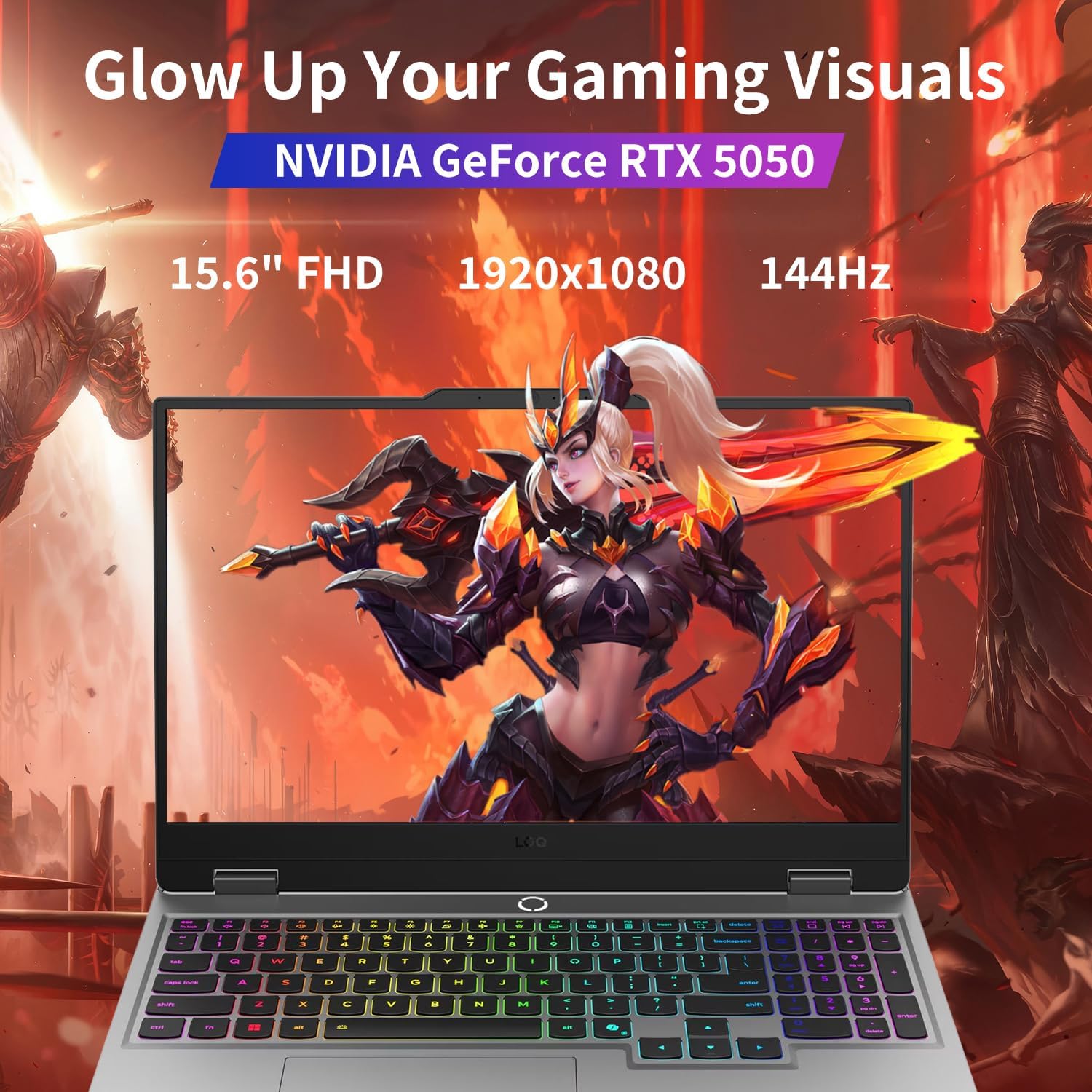
Figure 5.2: The laptop display showcasing vibrant graphics, with text overlays indicating NVIDIA GeForce RTX 5050, 15.6" FHD, 1920x1080 resolution, and 144Hz refresh rate.
6. Maintenance
6.1 Cleaning Your Laptop
- Use a soft, lint-free cloth slightly dampened with water or a screen cleaner for the display.
- For the keyboard and chassis, use a soft cloth. Avoid harsh chemicals.
- Use compressed air to clear dust from vents periodically.
6.2 Battery Care
- Avoid fully discharging the battery frequently.
- Store the laptop in a cool, dry place if not used for extended periods.
- For optimal battery health, keep the battery charge between 20% and 80% when possible.
6.3 Software Updates
- Regularly update Windows 11 through Settings > Windows Update.
- Keep graphics drivers (NVIDIA) and other device drivers updated via Lenovo Vantage software or the official Lenovo support website.
7. Troubleshooting
This section addresses common issues you might encounter.
7.1 Power Issues
- Laptop does not turn on: Ensure the power adapter is securely connected and the power outlet is functional. Try a different outlet.
- Battery not charging: Verify the power adapter connection. Check for any visible damage to the adapter or cable.
7.2 Display Issues
- No display: Connect an external monitor to check if the issue is with the laptop's screen. Restart the laptop.
- Flickering screen: Update graphics drivers. Check display cable connections if using an external monitor.
7.3 Performance Issues
- Slow performance: Close unnecessary applications. Check Task Manager for high CPU/RAM usage. Ensure sufficient free storage space.
- Overheating: Ensure laptop vents are clear. Use the PCO Notebook Folding Radiator. Monitor temperatures with system utilities.
8. Specifications
Detailed technical specifications for the Lenovo LOQ 15IRX10 Gaming Laptop.
| Feature | Specification |
|---|---|
| Model Name | LOQ 15IRX10 |
| Processor | Intel Core i5-13450HX (10 Cores, 16 Threads, up to 4.6 GHz) |
| Graphics | NVIDIA GeForce RTX 5050 (Dedicated) |
| Display | 15.6" FHD (1920x1080) 144Hz, Anti-glare, 300 nits |
| RAM | 32GB DDR5 (4800 MHz) |
| Storage | 1TB PCIe NVMe M.2 SSD |
| Operating System | Windows 11 Home |
| Wireless Connectivity | Wi-Fi 6, Bluetooth |
| Ports | 1x USB-C (10Gbps, PD, DP), 1x HDMI, 1x Headphone/Mic Combo, 1x RJ-45, 3x USB-A (5Gbps), 1x Power Connector |
| Dimensions (LxWxH) | 14.17" x 10.19" x 0.86" |
| Weight | 5.29 lbs (Laptop only) |
| Color | Grey |
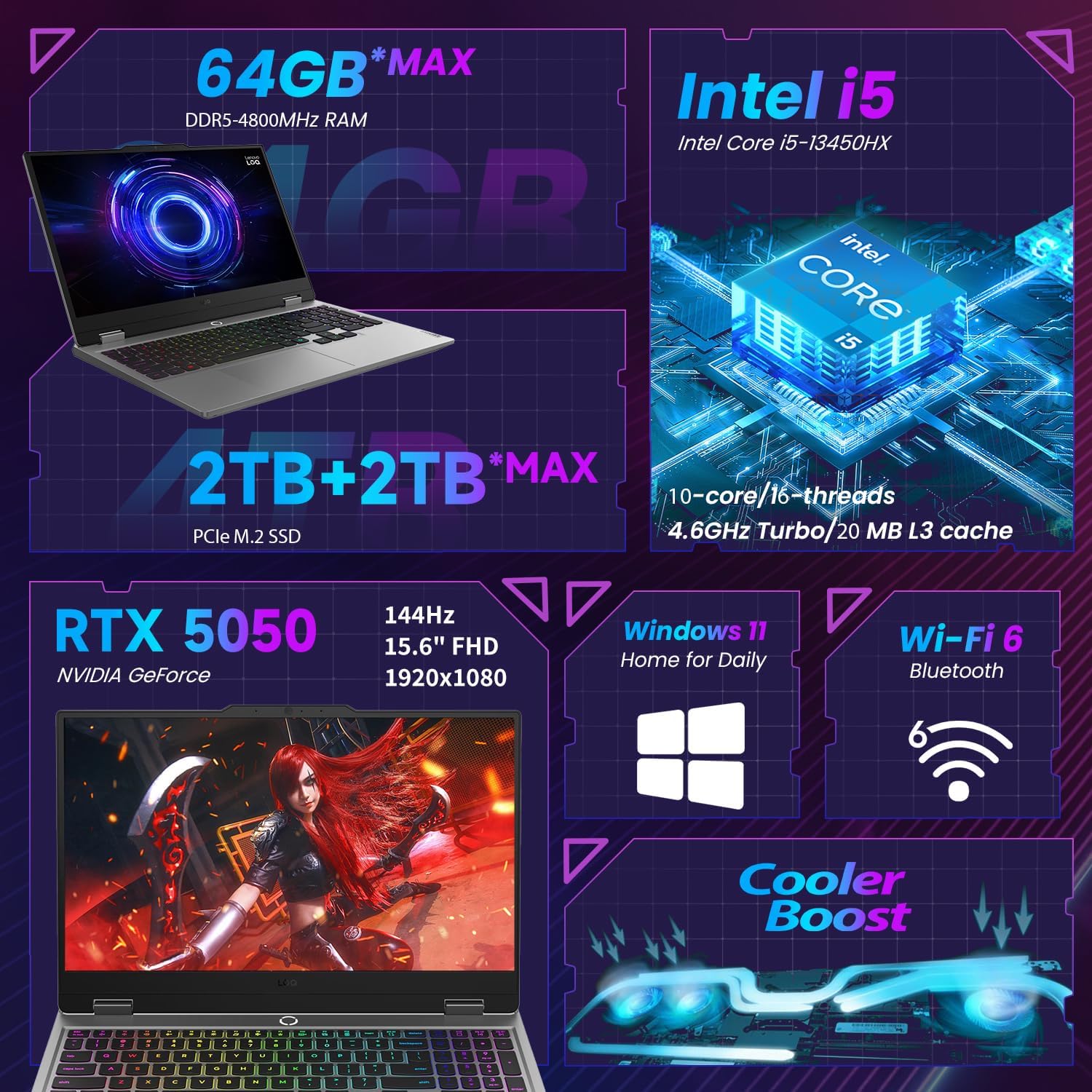
Figure 8.1: An infographic summarizing key specifications of the Lenovo LOQ 15IRX10, including RAM, SSD, CPU, GPU, display, operating system, and Wi-Fi.
9. Warranty and Support
Your Lenovo LOQ 15IRX10 Gaming Laptop comes with a manufacturer's warranty. Specific terms and duration may vary by region and retailer.
- Warranty Information: Refer to the documentation included with your laptop or visit the official Lenovo support website for detailed warranty terms and conditions.
- Technical Support: For technical assistance, driver downloads, or service requests, visit the official Lenovo Support website or contact Lenovo customer service.
- Online Resources: Lenovo Support Website
Note: Modifications by unauthorized third parties may void the manufacturer's warranty. Always ensure any upgrades or repairs are performed by authorized service providers or follow official Lenovo guidelines.


