
1. Introduction
This manual provides detailed instructions for the New Bee M54 Bluetooth Headset. Please read this manual thoroughly before using the product to ensure proper operation and to maximize its features. The M54 headset is designed for hands-free communication, offering clear audio and extended battery life for various uses including calls, driving, and office work.
2. Package Contents
Verify that all items listed below are included in your package:
- 1 x Bluetooth Earpiece
- 1 x 500mAh Charging Case
- 3 x Ear Tips (Sizes: S/M/L)
- 1 x Type-C Charging Cable (AC adapter not included)
- 1 x User Manual
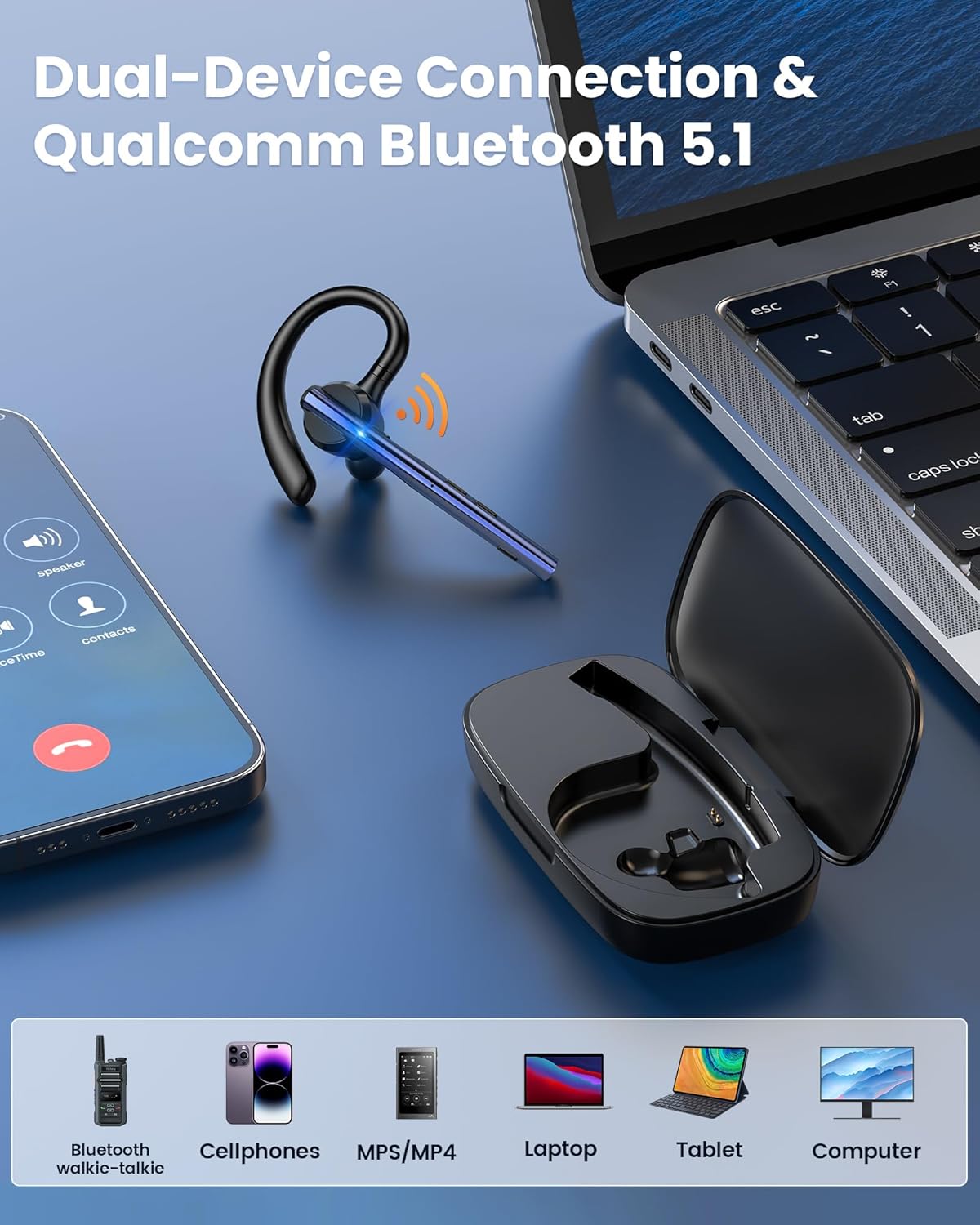
Image: Contents of the New Bee M54 Bluetooth Headset package.
3. Product Features
- Bluetooth 5.1 Connectivity: Ensures stable and fast connection up to 15 meters (49 feet).
- Dual-Mic ENC Noise Reduction: Equipped with CVC8.0 technology to reduce up to 90% of background noise for clear calls.
- Long Battery Life: Up to 72 hours of total talk/music time with the 500mAh charging case.
- Ergonomic Design: Lightweight (15g) with a 270° rotating mic boom and 180° swiveling ear hook for comfortable fit on either ear. Includes three sizes of ear tips.
- Dual Device Pairing: Connects to two devices simultaneously, allowing seamless switching between a laptop and smartphone.
- Mute Function: One-touch mute button for privacy during calls.
3.1. Noise Cancellation for Clear Communication

Image: Illustration of the headset's ENC dual-mic noise cancellation feature, highlighting clear voice transmission.
The headset features advanced Environmental Noise Cancellation (ENC) with dual microphones and CVC8.0 technology. This system effectively isolates your voice from ambient noise, ensuring that your conversations are clear and uninterrupted, even in noisy environments.
3.2. Comfortable and Flexible Design

Image: The headset's lightweight and ergonomic design, demonstrating its adaptability for wearing on either the left or right ear.
Weighing only 15 grams, the M54 headset is designed for extended wear comfort. The 270° rotatable microphone boom and 180° swiveling ear hook allow for flexible adjustment, ensuring a secure and comfortable fit for both left and right ears. Three different sizes of ear tips are included to customize the fit.
3.3. Extended Battery Life and Charging Options
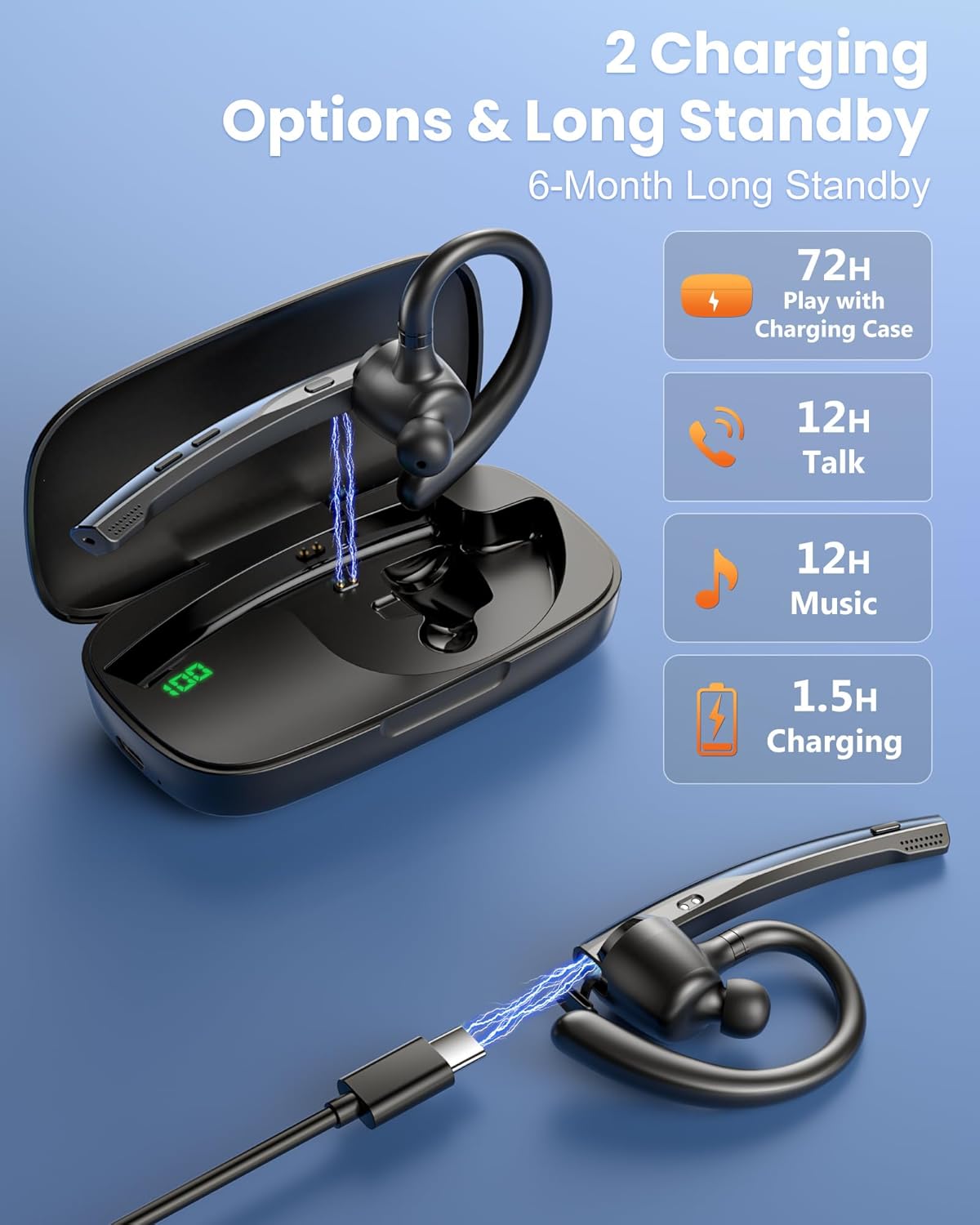
Image: The headset and its charging case, showing the Type-C charging port and the LED battery display on the case.
The headset comes with a 500mAh charging case, providing up to 72 hours of total talk or music time. The headset itself offers approximately 12 hours of talk time and 12 hours of music playback on a single charge. The Type-C port allows for a full charge of the case in about 1.5 hours. The charging case features an LED display to show real-time battery percentages.
3.4. Wide Compatibility and Dual Connection

Image: The headset maintaining a stable Bluetooth connection over a distance, ideal for users like truck drivers.
Image: The headset's dual-device connection capability, showing compatibility with various Bluetooth-enabled devices.
Powered by a Qualcomm QCC3020 Bluetooth 5.1 chip, the M54 headset offers a stable connection range of up to 15 meters. It supports dual pairing, allowing you to connect to two devices simultaneously, such as a laptop and a smartphone, and switch between them without interruption. It is compatible with most Bluetooth devices, including iOS and Android phones, computers, and laptops.
4. Setup Instructions
4.1. Charging the Headset and Case
- Connect the provided Type-C cable to the charging case and a compatible USB power source (AC adapter not included).
- The LED display on the charging case will show the battery percentage during charging.
- Place the headset into the charging case. The headset will begin charging automatically.
- A full charge for the charging case takes approximately 1.5 hours.
Video: Demonstrates the charging process and battery life of the New Bee Bluetooth Headset M54.
4.2. Pairing with a Device
- Ensure the headset is charged and powered on.
- Turn on the headset by pressing and holding the Multifunctional Button for 3 seconds. The indicator light will flash, indicating it's in pairing mode.
- On your smartphone, computer, or other Bluetooth-enabled device, go to the Bluetooth settings.
- Search for "New Bee M54" in the list of available devices and select it to connect.
- Once connected, the indicator light on the headset will stop flashing.
4.3. Wearing the Headset
- Select the appropriate ear tip size (S, M, L) for a comfortable and secure fit.
- Adjust the 180° swiveling ear hook to fit over your ear.
- Rotate the 270° microphone boom to position the microphone close to your mouth for optimal voice pickup.
- Ensure the headset is comfortably seated in your ear for the best sound quality and stability.
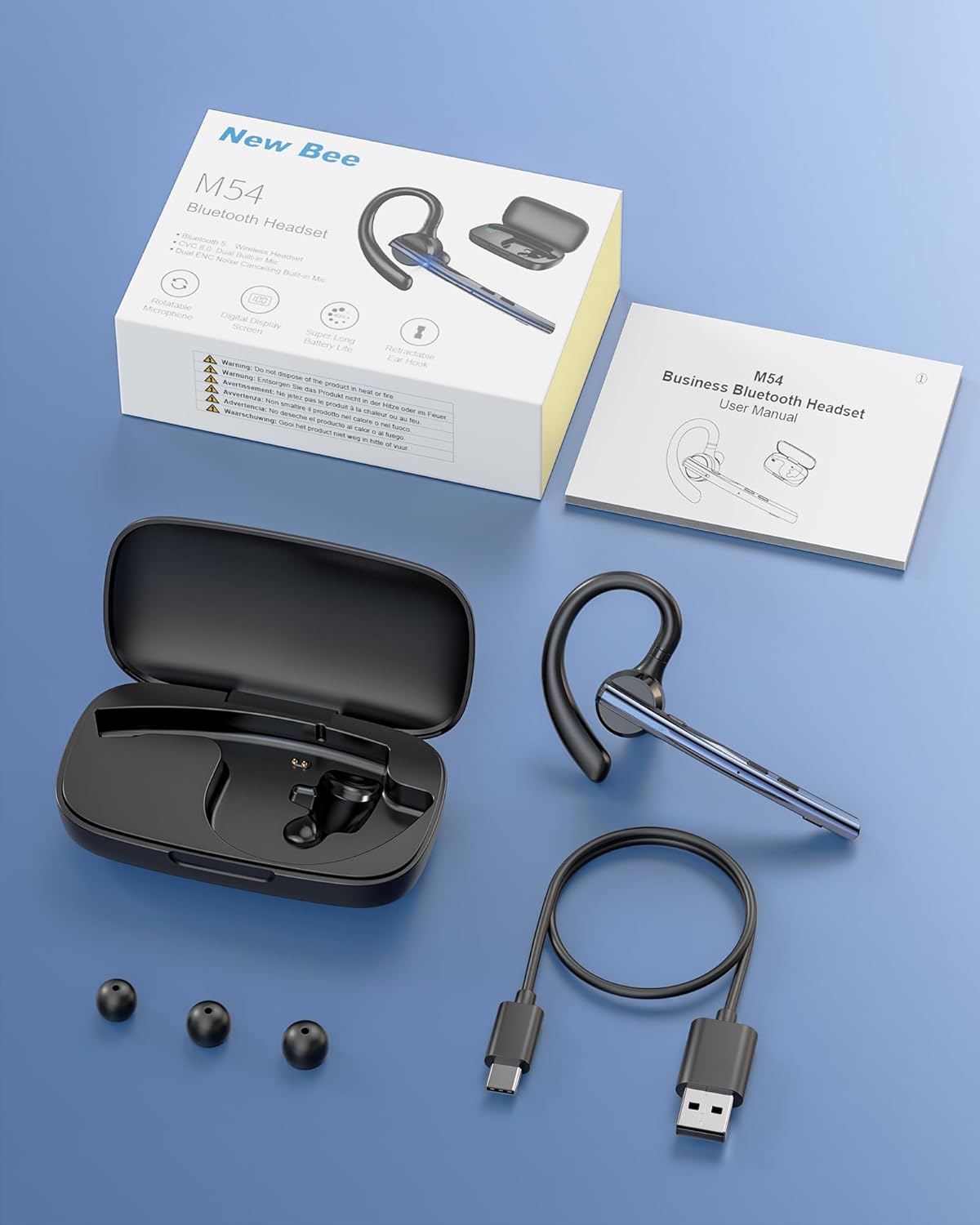
Image: Visual guide for selecting ear tip size and correctly positioning the headset on the ear.
5. Operating Instructions
5.1. Button Functions

Image: Overview of the headset's controls, detailing actions for power, calls, music, and mute.
- Power On: Press and hold the Multifunctional Button for 3 seconds.
- Power Off: Press and hold the Multifunctional Button for 5 seconds.
- Play/Pause: Click the Multifunctional Button once.
- Answer/Hang Up Call: Click the Multifunctional Button once.
- Reject Call: Press the Multifunctional Button for 2 seconds.
- Redial Last Number: Double-click the Multifunctional Button.
- Volume Up: Click the Volume Up button once.
- Volume Down: Click the Volume Down button once.
- Next Song: Press and hold the Volume Up button for 3 seconds.
- Previous Song: Press and hold the Volume Down button for 3 seconds.
- Mute Microphone: Click the Mute button once to mute/unmute.
- Voice Assistant: Double-click the Mute button.
Video: Demonstrates the professional use and clear audio of the M54 Bluetooth Headset in an office setting.
Video: Highlights the hands-free calling feature of the single ear Bluetooth headset, enhancing driving safety.
6. Maintenance
- Cleaning: Use a soft, dry cloth to clean the headset and charging case. Avoid using harsh chemicals or abrasive materials.
- Storage: Store the headset in its charging case when not in use to protect it from dust and damage.
- Avoid Moisture: While the headset is water-resistant, avoid prolonged exposure to water or high humidity.
- Temperature: Do not expose the device to extreme temperatures (hot or cold).
7. Troubleshooting
- Cannot Pair:
- Ensure the headset is charged and powered on.
- Make sure Bluetooth is enabled on your device.
- Move the headset closer to your device.
- Try restarting both the headset and your device.
- No Sound/Poor Sound Quality:
- Check the volume levels on both the headset and your connected device.
- Ensure the headset is properly seated in your ear.
- Verify that the headset is connected to the correct device.
- If using for calls, ensure the microphone boom is correctly positioned.
- Battery Not Charging:
- Ensure the charging cable is securely connected to both the case and the power source.
- Verify that the power source is active.
- Check if the headset is correctly placed in the charging case.
8. Specifications
| Feature | Detail |
|---|---|
| Brand | New Bee |
| Model Name | M54 |
| Connectivity Technology | Wireless (Bluetooth 5.1) |
| Bluetooth Version | 5.1 |
| Bluetooth Range | Up to 15 meters (49 feet) |
| Noise Control | ENC Dual-Mic with CVC8.0 Noise Reduction |
| Battery Life (Headset) | Approx. 12 hours talk/music time |
| Charging Case Capacity | 500mAh (up to 72 hours total talk/music time) |
| Charging Time | Approx. 1.5 hours (case) |
| Item Weight | 0.01 ounces (headset) |
| Material | Plastic, Silicone |
| Ear Placement | In Ear |
| Microphone | Dual Microphone, 270° Rotatable Boom |
| Ear Hook | 180° Swiveling, Retractable |
| Water Resistance Level | Water Resistant |
| Compatible Devices | Cellphones, Computers, Laptops, Tablets |
9. Warranty and Support
The New Bee M54 Bluetooth Headset comes with 3-year customer support services. For any issues with your order or product, please contact customer support for prompt assistance within 24 hours.
For further assistance, please visit the official New Bee Store on Amazon.


