1. Introduction
This manual provides detailed instructions for the safe and effective use of the RDINSCOS RD710 Rechargeable Gas Leak Detector. Please read this manual thoroughly before operating the device and retain it for future reference. The RD710 is designed to detect various combustible gases, offering audible and visual alerts to help identify potential leaks.

Figure 1.1: RDINSCOS RD710 Gas Leak Detector and Included Accessories
The image displays the RDINSCOS RD710 gas leak detector, its retail packaging, and a USB-C charging cable. The device is black with an orange accent, featuring a digital display and control buttons.
2. Safety Information
Always observe the following safety precautions to prevent injury or damage to the device:
- Do not expose the device to extreme temperatures, humidity, or corrosive environments.
- Do not attempt to disassemble or modify the device. Refer all servicing to qualified personnel.
- Ensure the device is fully charged before use to maintain optimal performance.
- This device is a detection tool and should not replace professional gas leak inspection or safety systems.
- Keep the device away from strong electromagnetic fields, fans, or metal objects during detection to minimize false alarms.
- In case of a detected gas leak, immediately ventilate the area, turn off gas sources if safe to do so, and contact emergency services.
3. Product Overview
3.1 Key Features
- Rechargeable Design: Built-in lithium battery for portable, cordless operation.
- High-Sensitivity Sensor: Equipped with a Japanese FIGARO sensor for accurate and rapid detection.
- Wide Gas Detection Range: Detects propane, methane, LPG, natural gas, gasoline, coal gas, ethane, hydrogen, alcohol, CO, gas fuel, and hydrogen sulfide.
- Digital Display & Alarms: Clear LCD screen shows gas concentration (PPM) with audible beeping and visual flashing alarms.
- Multi-Purpose Use: Suitable for home, RV, kitchen, industrial inspections, and professional applications.
3.2 Components

Figure 3.1: FIGARO Sensor and Detectable Gases
This image highlights the advanced FIGARO sensor at the tip of the RD710 detector, surrounded by bubbles labeled with various combustible gases such as Propane, Gasoline, Coal Gas, Natural Gas, Methane, and Ethane, indicating the device's broad detection capabilities.
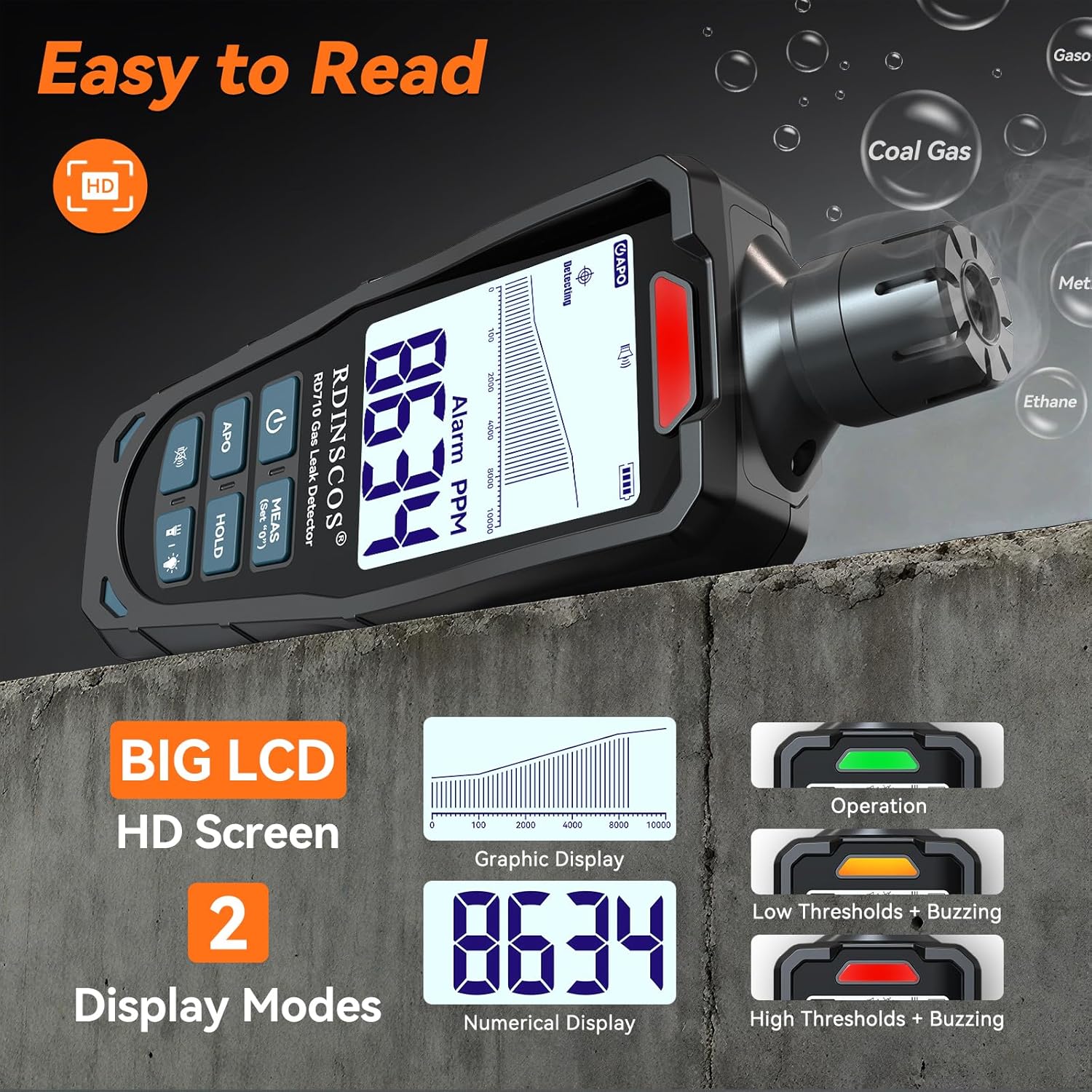
Figure 3.2: Digital Display and Alarm Indicators
The image illustrates the RD710's large LCD screen, showcasing two display modes: a graphic display with a PPM scale and a numerical display showing '8634' PPM. It also depicts the visual alarm indicators for operation, low thresholds with buzzing, and high thresholds with buzzing.
The RD710 features a clear LCD screen, control buttons (Power, APO, HOLD, MEAS), a high-sensitivity sensor probe, and LED indicators for alarms.
4. Setup
4.1 Charging the Device
Before first use, fully charge the RD710. Use the provided USB-C cable and a standard 5V USB power adapter (not included).
- Connect the USB-C cable to the charging port on the device.
- Plug the other end into a USB power source.
- The battery indicator on the display will show charging status.
- A full charge typically takes approximately 2-3 hours.

Figure 4.1: USB-C Charging
The image shows the RDINSCOS RD710 gas leak detector connected to a wall charger via its USB-C port, illustrating the charging process. The device has a 1200mAh battery capacity.
4.2 Initial Power-On and Preheating
Follow these steps for initial setup:
- Step 1: Turn On. Press the Power button (U) to turn on the device.
- Step 2: UI Locked. The display will show a locked UI, indicating no input is accepted during this phase.
- Step 3: Preheating. The device will enter a 30-second preheating phase. The display will show "di" and a countdown. Wait for this process to complete.
- Step 4: Ready for Detection. Once preheating is complete, the device is ready for use.

Figure 4.2: Easy to Use Steps
This image provides a visual guide for the initial operation of the RD710, showing four steps: pressing the power key to turn on, the UI locked state, the 30-second preheating phase, and finally, the device ready for detection.
5. Operating Instructions
5.1 Gas Detection
- After preheating, hold the detector with the sensor probe near the suspected leak area.
- Move the probe slowly along pipes, connections, and appliances.
- Observe the digital display for PPM readings and listen for audible alarms.
- An increasing PPM value and more frequent beeping indicate a gas leak.
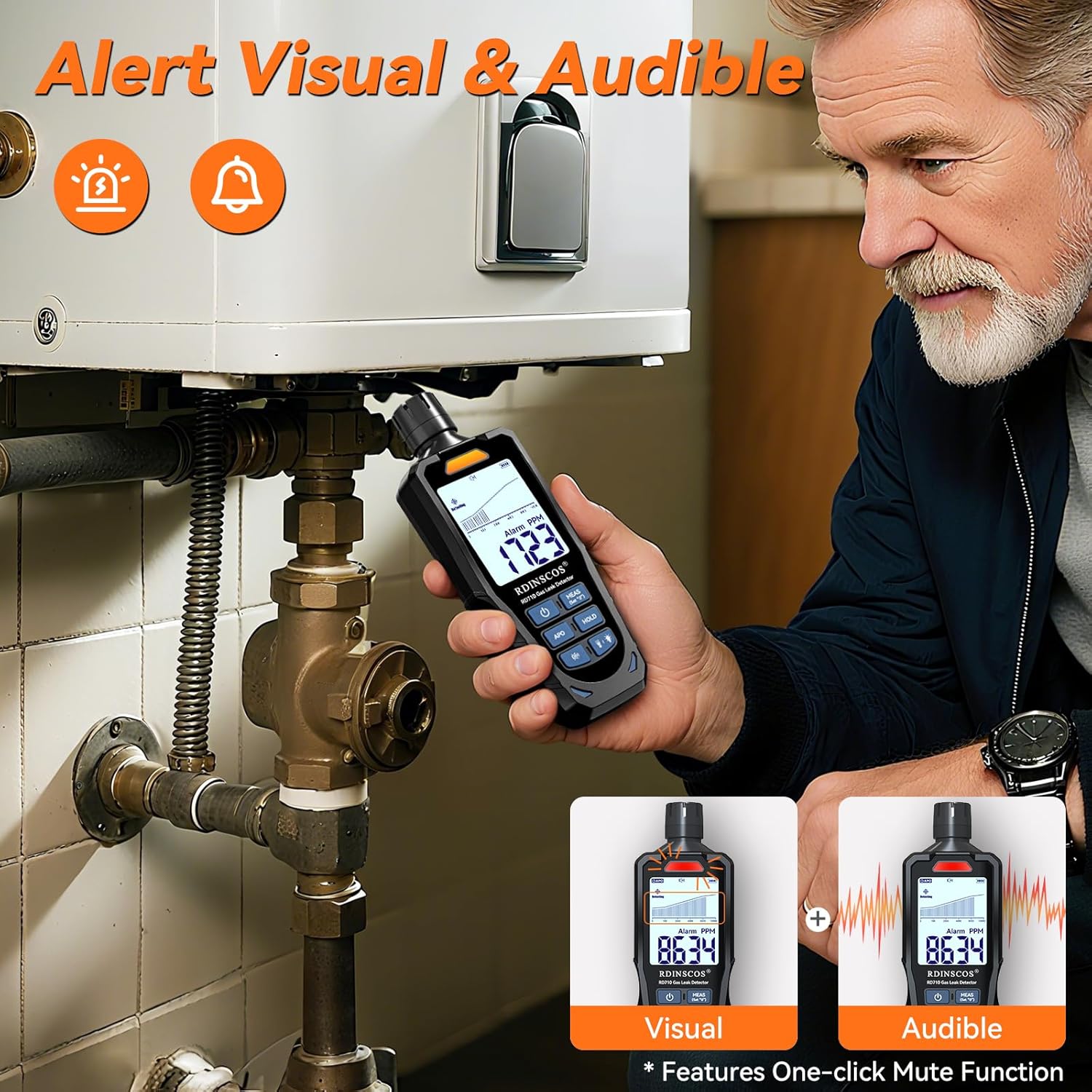
Figure 5.1: Detecting Gas Leaks
The image shows a person holding the RDINSCOS RD710 gas leak detector near the piping of a water heater or boiler, demonstrating its use in identifying potential gas leaks. The device's display shows a numerical reading, and visual and audible alarm indicators are present.
5.2 Audible and Visual Alarms
The RD710 provides both audible and visual alerts:
- Audible Alarm: A beeping sound increases in frequency as gas concentration rises.
- Visual Alarm: LED indicators on the device will flash, and the digital display will show increasing PPM values.
5.3 Mute Function
The device features a one-click mute function. Press the Mute button (speaker icon) to silence the audible alarm if needed, while visual alerts remain active.
5.4 Auto Power Off (APO)
The RD710 includes an Auto Power Off (APO) function to conserve battery life. If no gas is detected and no buttons are pressed for a certain period, the device will automatically power off. This feature can typically be toggled using the APO button.
5.5 Data Hold Function
Press the HOLD button to freeze the current gas concentration reading on the display. Press it again to resume real-time detection.
6. Calibration
The RD710 features a one-touch calibration function to ensure accuracy. This process sets the current ambient air as the zero-point for detection.
- Ensure the device is in a clean, fresh air environment, free from any combustible gases.
- Turn on the device and allow it to complete its preheating cycle.
- Press the MEAS (Set "0") button lightly.
- The device will calibrate itself to the ambient air, setting the baseline reading to zero.
- Once calibration is complete, the device is ready for accurate detection.
7. Maintenance
7.1 Cleaning
- Wipe the device with a soft, dry cloth.
- Do not use abrasive cleaners, solvents, or corrosive chemicals.
- Keep the sensor probe clean and free from dust or debris.
7.2 Storage
- Store the device in a cool, dry place, away from direct sunlight and extreme temperatures.
- If storing for extended periods, ensure the battery is partially charged (around 50%) to prolong its lifespan.
8. Troubleshooting
| Problem | Possible Cause | Solution |
|---|---|---|
| Device does not turn on. | Low battery or no charge. | Charge the device using the provided USB-C cable. |
| Inaccurate readings or false alarms. | Interference from fans, metal objects, or other gases. Device not calibrated in fresh air. | Ensure the device is away from interference sources. Perform calibration in a clean, fresh air environment. |
| Display shows "-OL-". | Over-range alarm, gas concentration exceeds detection limit. | Immediately ventilate the area and address the gas source. Move the device to an area with lower gas concentration. |
| No audible alarm. | Mute function is active. | Press the Mute button (speaker icon) to reactivate the audible alarm. |
9. Specifications
| Specification | Detail |
|---|---|
| Model Number | RD710 |
| Brand | RDINSCOS |
| Power Source | Battery Powered (Rechargeable Lithium Polymer) |
| Battery Capacity | 1200mAh |
| Product Dimensions | 1.6"D x 1.1"W x 5.4"H (4.06cm D x 2.79cm W x 13.72cm H) |
| Item Weight | 6.4 ounces (181.44 grams) |
| Alarm Type | Audible and Visual |
| Sensor Type | FIGARO Sensor |
| Detectable Gases | Methane, Propane, LPG, Natural Gas, Gasoline, Coal Gas, Ethane, Hydrogen, Alcohol, CO, Gas Fuel, Hydrogen Sulfide |
| Detection Range | 1-10000 PPM |
| Response Time | 0.5 seconds |
| Included Components | Gas leak detector, USB-C charging cable, user manual, carrying bag |
10. Warranty and Support
For warranty information and technical support, please refer to the contact details provided with your purchase or visit the official RDINSCOS website. Keep your purchase receipt as proof of purchase.


