
Introduction
The Gefolly Permanent Outdoor Lights Pro 150ft system provides advanced outdoor lighting solutions with RGBW double-LEDs, offering 111 scene modes and 16 million color options. Designed for year-round use, these lights are suitable for daily illumination, holiday decorations, and accent lighting. This manual provides detailed instructions for installation, operation, and maintenance to ensure optimal performance and longevity of your lighting system.
Video: An introductory overview of the Gefolly 150ft Permanent Outdoor Lights Pro, showcasing its features and potential applications.
What's in the Box
Before beginning installation, please verify that all components are present in your package:
- Light Strips (24.6ft each, quantity varies by total length)
- Power Adapter
- Control Unit
- Extension Cable (9.84ft)
- Remote Control
- Screws & Anchors
- Installation Guidance Card
- Positioning Card
- Instruction Manual
- Waterproof Connectors

Image: A detailed layout of all items included in the Gefolly Permanent Outdoor Lights Pro package, showing light strips, power adapter, control unit, remote control, screws, and various guides.
Setup and Installation
Proper installation is crucial for the performance and durability of your Gefolly outdoor lights. Follow these steps carefully:
- Surface Preparation: Clean the installation surface thoroughly with a cloth or tissue. Ensure the surface is completely dry before proceeding to ensure optimal adhesion.
- Positioning: For an optimal wall-washing effect, install the light strip 2-4 inches (5-10 cm) away from the wall surface. Use the provided positioning card to maintain consistent spacing.
- Adhesive Application: Remove the VHB adhesive backing from each light module. Press each light firmly against the cleaned surface for at least 5 seconds to ensure a strong bond.
- Secure Mounting: While adhesive provides initial hold, it is highly recommended to use the provided screws and anchors for permanent and long-term secure mounting, especially in areas exposed to harsh weather. Each light module has a designated screw hole.
- Connecting Light Strips: Connect individual light strips using the waterproof connectors. Ensure all connections are securely fastened to prevent water ingress. Do not overstretch the wires between lights; allow for slight flexibility.
- Power Connection: Connect the control box to the power adapter, then connect the entire light strip assembly to the control box. Plug the power adapter into a suitable outdoor power outlet.
- Testing: Before final placement, plug in the power supply and confirm that each light strip is working properly.
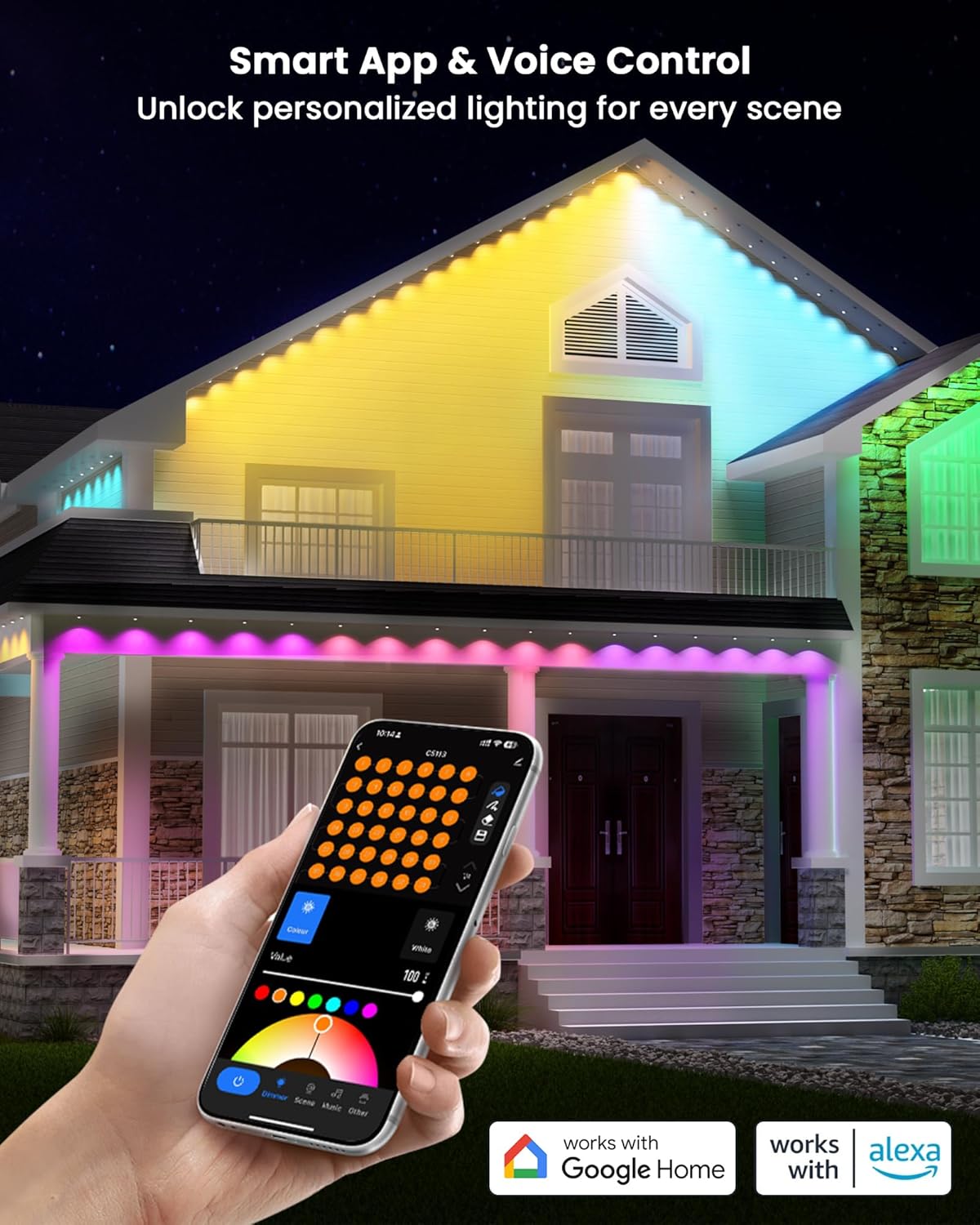
Image: Demonstrates the dual installation method, highlighting the use of VHB adhesive tape for quick securing and screw holes for permanent reinforcement on various surfaces like concrete, metal, plastic, and wood.

Image: Illustration of modular light string connections and the maximum length supported by a single power adapter.
Operating Instructions
Your Gefolly Permanent Outdoor Lights Pro offer versatile control options for a customized lighting experience:
Smart App Control
Download the "Smart Life" or "Tuya Smart" app from your device's app store. The app allows you to:
- Individually control the color of each light.
- Select from 111 pre-programmed scene modes for various occasions (daily, Halloween, Christmas, etc.).
- Create your own custom patterns, colors, and brightness levels from 16 million accurate color options.
- Set timers and schedules for automatic operation.
- Activate music mode, allowing lights to synchronize with audio.

Image: The Smart Life app interface demonstrating personalized lighting control, including color selection and scene modes, compatible with Alexa and Google Assistant.

Image: The music mode feature in action, where the lights change in rhythm with music, creating a dynamic atmosphere for outdoor gatherings.
Video: Demonstrates various lighting effects and color changes achievable with the Gefolly Permanent Outdoor Lights Pro, showcasing dynamic scenes and customization options.
Video: Shows real-world usage effects of the Gefolly Permanent Outdoor Lights Pro, highlighting how they enhance home exteriors with diverse lighting patterns.
Voice Control
The lights are compatible with Amazon Alexa and Google Assistant. Once paired with your smart home system, you can use simple voice commands to control your lights, such as turning them on/off, changing colors, or activating scenes.
Remote Control
Use the included remote control for basic functions like power on/off, dimming, auto mode, and selecting primary colors.
Maintenance
The Gefolly Permanent Outdoor Lights Pro are designed for year-round durability with minimal maintenance:
- Cleaning: Periodically wipe the light modules and cables with a soft, damp cloth to remove dirt and debris. Ensure the power is disconnected before cleaning.
- Waterproofing: The lights are IP67 waterproof, and the power adapter is IP65-rated. Ensure all waterproof caps and connections are securely fastened to maintain water resistance.
- Environmental Resistance: Made of UV-resistant materials, these lights are designed to withstand sunlight and aging. They operate effectively in temperatures ranging from -4°F to 140°F (-20°C to 60°C).
- Cable Integrity: The wiring is designed to resist up to 5 kg of tensile force. Avoid excessive pulling or tension on the cables during and after installation.
- Lifespan: The LED lights have a lifespan of over 55,000 hours, providing long-lasting illumination.
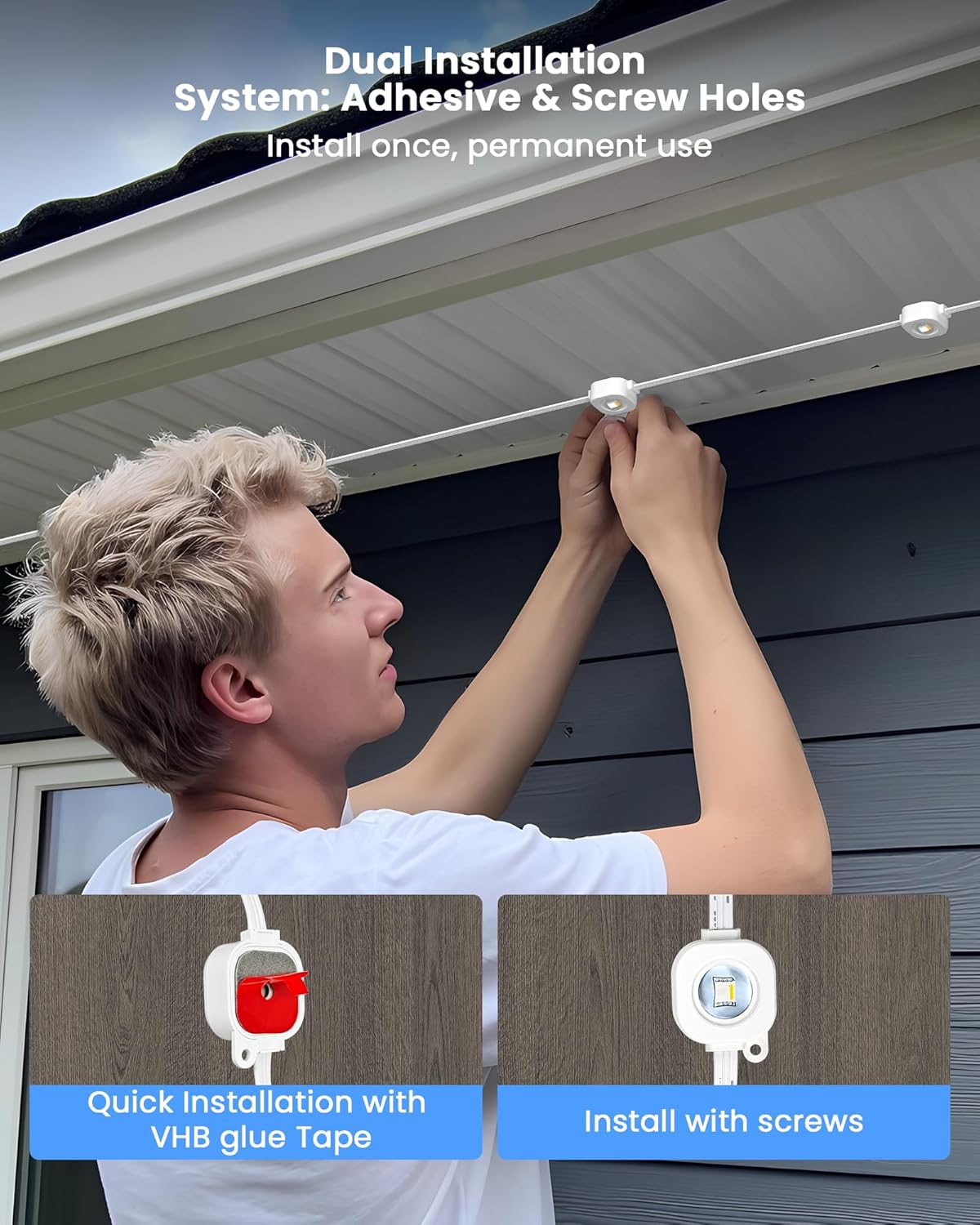
Image: Illustrates the all-weather endurance of the lights, showing their performance in sun, rain, and snow, along with indicators for UV-resistant material, IP67 rating, and operating temperature range.

Image: Detailed view of a single light module, showing its dimensions and the spacing between lights, emphasizing the dual-LED design for enhanced brightness.
Troubleshooting
If you encounter issues with your Gefolly Permanent Outdoor Lights Pro, refer to the following common troubleshooting steps:
- Lights Not Turning On:
- Ensure the power adapter is securely plugged into a working outlet.
- Check all connections between the light strips, control box, and power adapter for proper seating.
- Verify that the control unit is not in an off state. Press the power button on the control unit or use the app/remote.
- Lights Not Responding to App/Remote:
- Ensure your smartphone's Bluetooth is enabled and the app is connected to the device.
- For Wi-Fi control, confirm the lights are connected to your home Wi-Fi network (2.4GHz only).
- Try resetting the control unit by pressing and holding the power button for 5 seconds.
- Replace the battery in the remote control if it's unresponsive.
- Inconsistent Lighting/Colors:
- Check for any loose connections between light strips.
- Ensure the light strips are not damaged or kinked.
- Perform a reset of the control unit and re-pair with the app.
- Voice Control Issues:
- Verify that the lights are correctly linked to your Alexa or Google Assistant account through the Smart Life/Tuya Smart app.
- Ensure your smart speaker/device is online and functioning correctly.
- Use the exact commands specified in the app or smart assistant's documentation.
If problems persist, please contact Gefolly customer support for further assistance.
Specifications
| Feature | Detail |
|---|---|
| Brand | Gefolly |
| Model Number | 150 ft |
| Light Source Type | LED (Double-LED RGBW) |
| Light Color | RGBW (16 Million Colors, 2700K Warm White) |
| Brightness | Up to 46 lumens per light |
| Scene Modes | 111 |
| Indoor/Outdoor Usage | Outdoor |
| Waterproof Rating (Lights) | IP67 |
| Waterproof Rating (Power Adapter) | IP65 |
| Operating Temperature | -4°F to 140°F (-20°C to 60°C) |
| Material | Plastic (UV-resistant) |
| Lifespan | Over 55,000 hours |
| Smart Home Compatibility | Alexa, Google Assistant, Smart Life/Tuya Smart App |
| Power Source | Corded Electric |
| Item Weight | 3.64 Kilograms |
Warranty and Support
The Gefolly Permanent Outdoor Lights Pro comes with a 2-year manufacturer's warranty. For any product inquiries, technical support, or warranty claims, please contact Gefolly customer service. Refer to the contact information provided in your product packaging or visit the official Gefolly website.