
Introduction
This manual provides detailed instructions for the setup, operation, and maintenance of your NAVFS Bird Feeder with Camera and Bird Bath. This innovative device combines a bird feeder with a dual-lens 2K HD camera, AI bird identification, and a solar-powered, weatherproof design to enhance your birdwatching experience.
Key Features
- Dual-Lens Camera: Features two high-definition lenses. One lens focuses on the feeding area for close-up views, while the other monitors the birdbath, allowing simultaneous viewing within the application.
- 2K HD AI Bird Identification: Captures detailed video and images. Advanced AI technology identifies over 11,000 bird species, providing names and related information for an educational experience.
- Solar Powered & IP66 Weatherproof: Equipped with a 3W solar panel and an 8000mAh battery for continuous operation. The IP66 rating ensures protection against rain, snow, and dust, suitable for year-round outdoor use.
- Instant Alerts & Easy Sharing: Sends real-time notifications to your smartphone upon bird arrival. Captured moments can be shared directly through the app or social media platforms.
- Dual Pantries & DIY Trays: Includes two independent food chambers for different seed types and additional trays for jelly, fruit, or mealworms, attracting a wider variety of bird species.
- Flexible Mounting & Convenient Design: Offers versatile installation options for trees, patios, or poles. The bird bath features a silicone cover for easy water refilling, and the feeder tray includes drainage holes to prevent seed spoilage.
Setup Guide
1. Unboxing and Component Overview
Carefully unpack all components from the box. Ensure all parts are present before proceeding with assembly.

Image: All components of the NAVFS Bird Feeder with Camera and Bird Bath.
2. Assembly
Assemble the main body of the bird feeder. The transparent seed container attaches to the base, and the roof secures on top. The perches and DIY trays slide into designated slots on the sides.
Video: Demonstration of assembling the bird feeder components, including attaching the roof and trays.
3. Solar Panel Connection
Connect the solar panel to the main unit. Position the solar panel in an area that receives direct sunlight for optimal charging.

Image: The bird feeder with its solar panel mounted, illustrating proper placement for sun exposure.
4. Mounting Options
The feeder can be mounted in various ways: on a tree, wall, or pole using the provided mounting kit. Ensure the mounting location is stable and allows for clear camera views.

Image: Illustration of flexible mounting options for the bird feeder.
5. App Installation and Connection
Download the companion application to your smartphone. Follow the in-app instructions to connect the bird feeder camera to your home Wi-Fi network. This will enable live viewing, alerts, and AI identification features.
Operation
1. Live Viewing and Recording
Once connected, open the app to access live video streams from both the feeding area and the birdbath. You can record videos or capture photos directly from the live view.
Video: Demonstration of the camera's clear image and various features, including live viewing.
2. AI Bird Identification
The camera automatically identifies bird species visiting your feeder. Information about identified birds will be displayed within the app, enhancing your knowledge of local wildlife.

Image: Screenshot of the app displaying AI bird identification details.
3. Instant Alerts
Configure the app to receive instant notifications on your phone when motion is detected at the feeder, ensuring you don't miss any bird activity.

Image: Example of an instant bird alert notification on a smartphone.
Maintenance
1. Refilling Food and Water
Regularly check and refill the dual food chambers with seeds or treats. The bird bath's silicone cover can be easily removed for water replenishment.
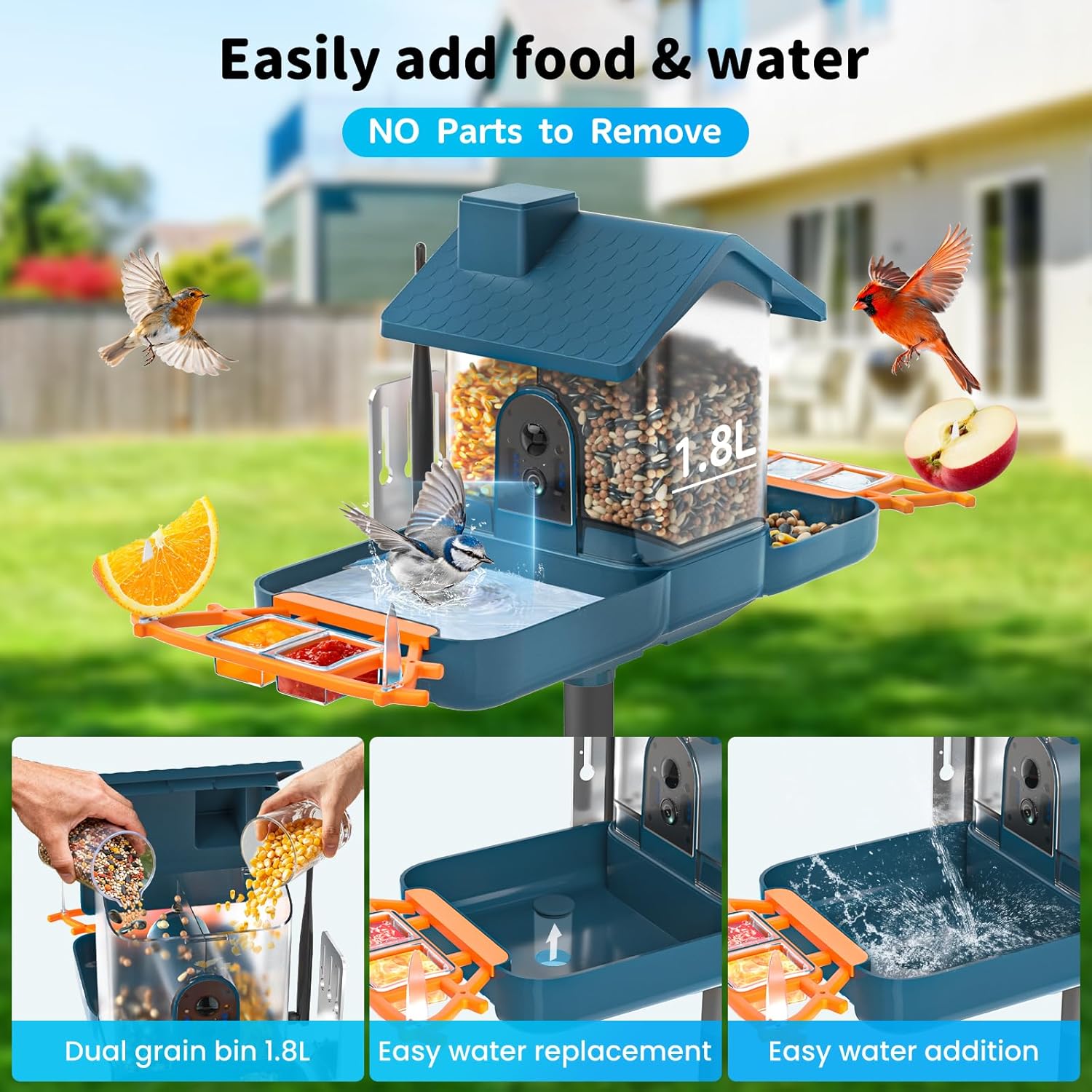
Image: Steps for easily adding food and water to the feeder and bath.
2. Cleaning
Periodically clean the feeder and bird bath to ensure hygiene for visiting birds. The feeder tray includes drainage holes to prevent water accumulation and spoilage of food.

Image: The IP66 weatherproof design with drainage features.
3. Solar Panel Care
Keep the solar panel clean from dirt and debris to maintain optimal charging efficiency. Ensure it remains exposed to direct sunlight.
Troubleshooting
- No Power: Ensure the solar panel is clean and receiving adequate sunlight. Check the battery level in the app.
- Connectivity Issues: Verify your Wi-Fi signal strength at the feeder's location. Restart the device and your router if necessary.
- Inaccurate AI Identification: Ensure the camera lenses are clean. AI identification improves over time with more data.
- No Alerts: Check app notification settings and ensure motion detection is enabled.
Product Specifications
| Specification | Detail |
|---|---|
| Brand | NAVFS |
| Model Number | BD03 |
| Target Species | Bird |
| Material | Acrylonitrile Butadiene Styrene (ABS) |
| Special Feature | Rain Proof |
| Mounting Type | Tree, Wall, Pole |
| Product Dimensions | 12.01"L x 7.28"W x 10.87"H |
| Power Source | Solar Powered |
| Included Components | Mounting Kit |
| Capacity | 1.8 Liters |
| Color | BLUE |
| Item Weight | 3 Pounds |
Warranty and Support
The NAVFS Bird Feeder Camera and Bath comes with a one-year warranty. For any questions or assistance with installation and daily use, please contact our dedicated customer service team.