
1. Introduction
Thank you for choosing the Sharmeal 6000A 12V Car Battery Jump Starter M10. This device is designed to provide a reliable solution for starting dead vehicle batteries, offering powerful performance and multiple functionalities in a compact design. Please read this manual thoroughly before use to ensure safe and optimal operation.
2. Package Contents
Verify that all items listed below are included in your package:
- 1 x Sharmeal Jump Starter M10 Unit
- 1 x Smart Jumper Cables
- 1 x Type-C Charging Cable
- 1 x User Manual
- 1 x Portable Carrying Case
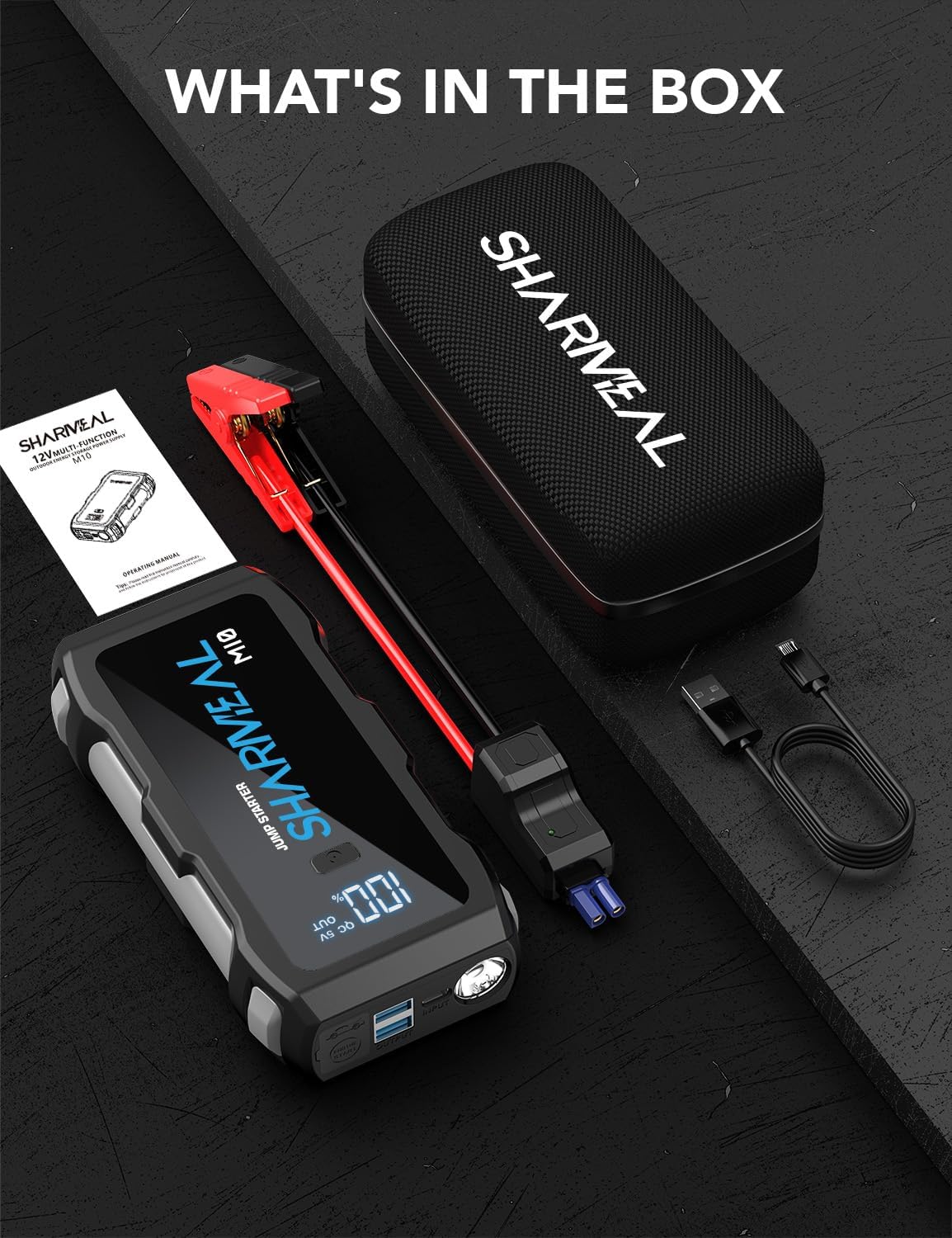
Image: Sharmeal Jump Starter M10, smart jumper cables, Type-C charging cable, user manual, and portable carrying case.
3. Specifications
| Feature | Specification |
|---|---|
| Peak Amperage | 6000 Amps |
| Battery Type | S-class intelligent ternary lithium battery (4 Lithium Ion batteries included) |
| Engine Compatibility | Up to All gasoline engines or 10.0L diesel engines |
| Product Dimensions | 1.4 x 3.2 x 7 inches |
| Item Weight | 1.5 pounds |
| Flashlight Modes | Flashlight, Strobe Light, SOS Light |
| USB Output | QC 5V OUT (2 ports) |
| Type-C Input | 5V/2A |
| Standby Time | Up to 24 months (under moderate conditions) |
4. Safety Information
The Sharmeal Jump Starter M10 incorporates 14 integrated safety protections to ensure safe operation. These include:
- Reverse Polarity Protection
- Reverse Connection Protection
- Overcurrent Protection
- Overvoltage Protection
- Overload Protection
- Overcharge Protection
- Over Discharge Protection
- Short Circuit Protection
- Spark Resistance
- Impedance Match
- Shock Absorption
- Low Temperature Protection
- Over Temperature Protection
- Over-Power Protection
Always follow these general safety guidelines:
- Do not immerse the unit in water.
- Do not operate the unit if it is damaged.
- Keep out of reach of children.
- Ensure proper ventilation during use.
- Do not connect the positive and negative clamps together.

Image: Visual representation of the 14 integrated safety protections.
5. Setup
5.1 Charging the Jump Starter
- Connect the Type-C charging cable to the input port on the jump starter.
- Connect the other end of the charging cable to a suitable USB power adapter (not included) or a USB port.
- The digital display will show the charging percentage. Ensure the unit is fully charged (100%) before its first use and before jump starting a vehicle.
Tip: To extend its life, charge the product every six months.
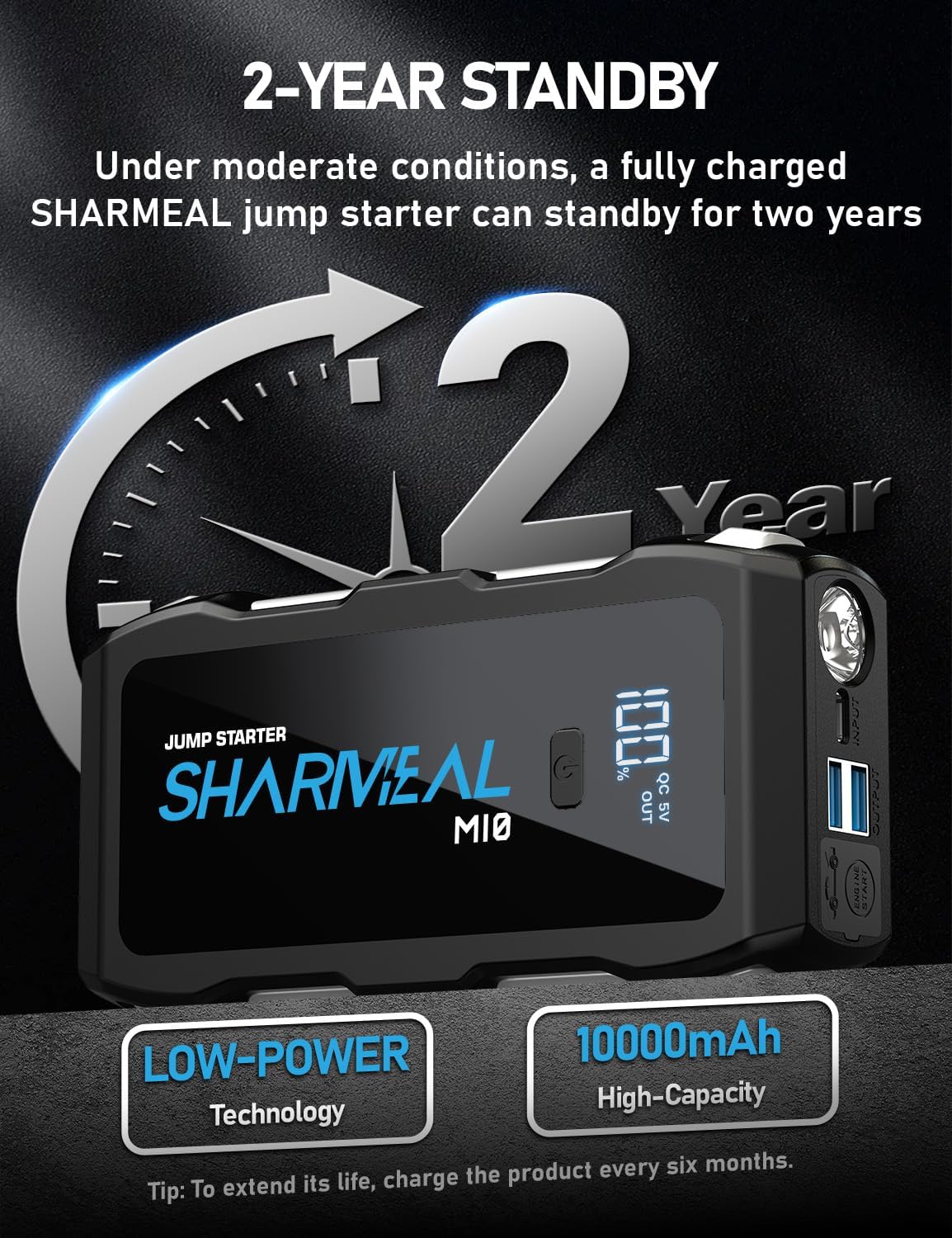
Image: Sharmeal Jump Starter M10 showing full charge and highlighting its long standby time.
6. Operating Instructions
6.1 Jump Starting a Vehicle
- Step 1: Insert - Ensure the jump starter is fully charged. Open the protective cap on the jump starter and firmly insert the smart jumper cable connector into the jump starter's port. The indicator light on the smart cable should flash red and green.
- Step 2: Connect - Connect the red (+) clamp to the positive (+) terminal of the vehicle's battery. Connect the black (-) clamp to the negative (-) terminal of the vehicle's battery. The smart cable indicator light should turn solid green, indicating a safe connection. If it flashes red and green, check connections or if the battery is too low, use the force start function.
- Step 3: Start - Once the smart cable indicator is solid green, start your vehicle's engine within 30 seconds.
- Step 4: Remove - After the engine starts, immediately remove the smart jumper cables from the vehicle battery terminals, then disconnect the smart cable from the jump starter.
Note: If the vehicle battery is extremely low and the smart cable does not show a solid green light, press the 'Force Start' button on the jump starter to manually activate it.

Image: Step-by-step guide for jump starting a vehicle using the Sharmeal M10.

Image: Close-up of the 'Force Start' button on the Sharmeal Jump Starter M10.
7. Multi-Function Features
7.1 LED Flashlight
The Sharmeal Jump Starter M10 features a built-in LED work light with three modes:
- Flashlight: Provides continuous illumination.
- Strobe Light: Emits a flashing light for signaling.
- SOS Light: Flashes the international SOS distress signal.
To activate the flashlight, press and hold the power button. Press the power button again to cycle through the modes.
7.2 Portable Power Bank
The unit also functions as a portable power bank to charge your electronic devices.
- Connect your device's USB charging cable to one of the USB output ports on the jump starter.
- The jump starter will automatically begin charging your device.

Image: Sharmeal Jump Starter M10 showcasing its multiple functions.
8. Maintenance
- Store the jump starter in its portable carrying case in a cool, dry place.
- Recharge the unit every six months to maintain optimal battery health and extend its lifespan.
- Clean the exterior of the unit with a soft, dry cloth. Do not use harsh chemicals or abrasives.
9. Troubleshooting
9.1 Unit Not Charging
- Ensure the Type-C charging cable is securely connected to both the jump starter and the power source.
- Verify that the power adapter or USB port is functional.
- Allow sufficient time for charging. The unit may take several hours to fully charge, especially if completely depleted.
9.2 Smart Jumper Cable Indicator Not Solid Green
- Check that the clamps are securely connected to the correct battery terminals (red to positive, black to negative).
- If the vehicle battery is extremely low, the smart cable may not detect it immediately. Use the 'Force Start' button on the jump starter to override this.
- Ensure the jump starter itself is adequately charged.
9.3 Vehicle Does Not Start
- Confirm all connections are secure and the smart cable indicator is solid green.
- Attempt to start the vehicle again after waiting a few minutes.
- If the vehicle still does not start, there may be an issue beyond the battery, such as a starter motor problem. Consult a professional mechanic.
10. Warranty and Support
Sharmeal specializes in vehicle emergency starters and offers a 24-month warranty on this product. For warranty claims, technical support, or any inquiries, please refer to the contact information provided on the product packaging or the official Sharmeal website.