
Important Safety Information
Please read all safety instructions carefully before using this appliance. Failure to follow these instructions may result in fire, electric shock, injury to persons, or property damage.
- V0 Flame Retardant Materials: The heater is constructed with high-quality V0 flame retardant materials to minimize fire risks.
- Overheat Protection: Equipped with an automatic overheat protection system that shuts off the heater if it reaches an unsafe temperature, preventing potential hazards.
- Anti-Tip Protection: Features an anti-tip switch that automatically turns off the heater if it is accidentally knocked over, reducing risks in high-traffic areas or homes with children and pets.
- Enhanced Safety Plug: Designed with a safety plug to ensure secure electrical connection and prevent overheating of the plug itself.
- Always place the heater on a firm, level surface.
- Do not cover the heater or block air inlets/outlets.
- Keep flammable materials at least 3 feet (0.9 meters) away from the heater.
- Do not use in wet or moist locations.

Product Overview
The AIRMATE 25" Space Heater is an electric oscillating tower heater designed for indoor use in large rooms. It features advanced ceramic heating technology, multiple heat settings, and smart modes for efficient and comfortable warmth.
Key Features
- Energy-Saving AI Mode: Automatically adjusts heat output based on room temperature to optimize comfort and minimize energy consumption.
- Ceramic with Metal PTC Technology: Utilizes 1500W ceramic heating and advanced metal PTC material for fast, even, and efficient warmth with long-lasting performance.
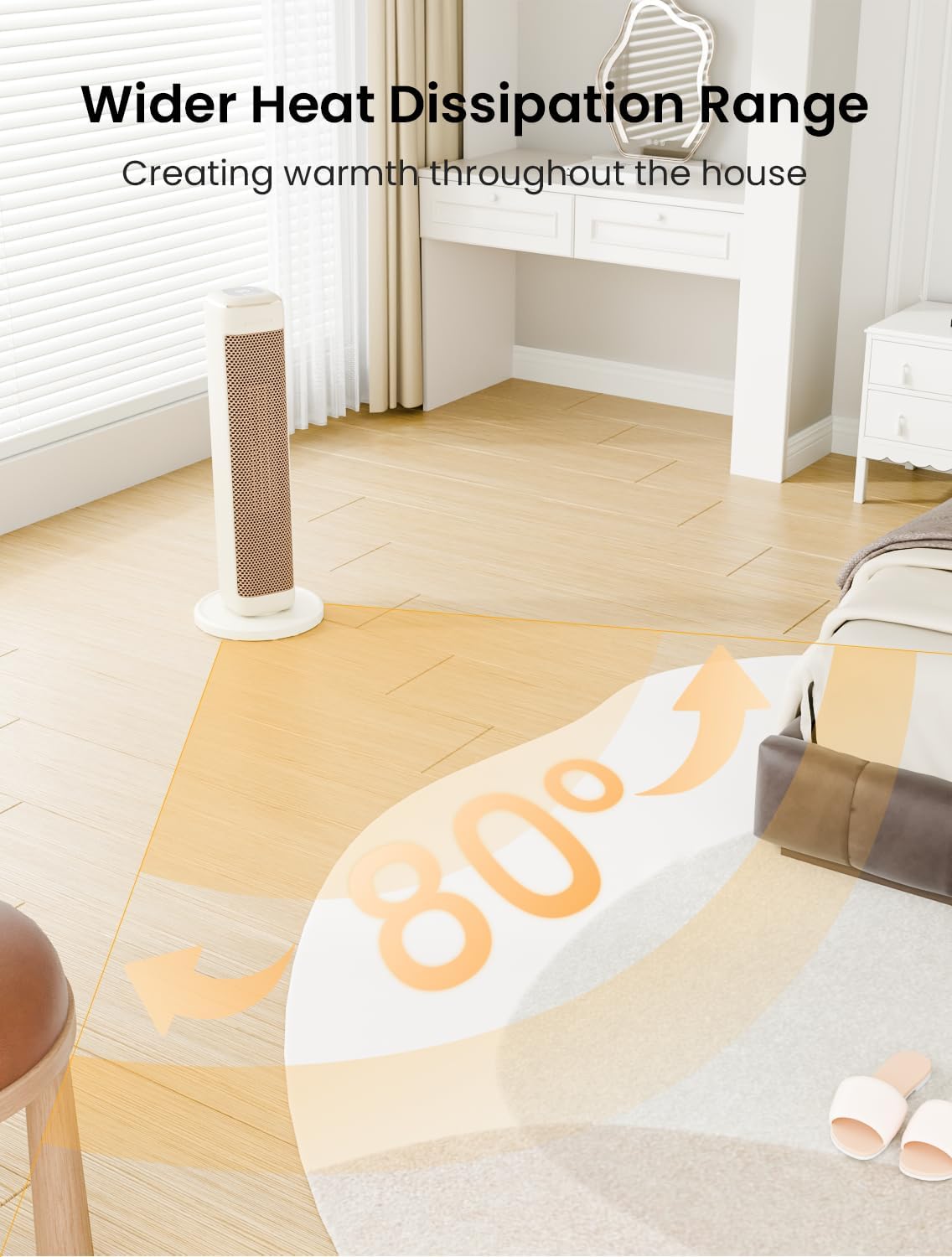
- Wide Heating Coverage: 80° oscillation disperses heat broadly, while powerful airflow extends warmth to distant areas for consistent comfort.
- Remote Control Operation: Full control over power, oscillation, timer, temperature, and heating modes from a convenient remote.
- 2 Heat Settings: Offers low heat for gentle warmth and high heat for faster heating, both designed for quiet operation.
- Portable Design: Features a convenient carrying handle for easy relocation.



Product Video Overview
Setup Instructions
Base Assembly
- Carefully remove all components from the packaging.
- Place the main heater body upside down on a soft, flat surface to prevent scratches.
- Align the base plate with the bottom of the heater body, ensuring the power cord passes through the designated slot in the base.
- Secure the base plate to the heater body using the provided screws and a screwdriver. Ensure it is firmly attached for stability.
- Place the assembled heater upright on a stable, level surface.
Initial Power-Up
- Uncoil the power cord completely.
- Plug the heater directly into a 120V AC, 60Hz grounded wall outlet. Do not use extension cords or power strips.
- The heater is now ready for operation.
Operating Instructions
Control Panel and Remote Control
The heater can be operated using the touch control panel on the top of the unit or the included remote control. The functions are identical for both.

- Power On/Off: Press the power button once to turn the unit on or off. When turning off, the heater will initiate a 30-second cool-down cycle.
- Mode Selection: Press the 'M' (Mode) button to cycle through available heating modes:
- AI Mode (Energy-Saving): Default temperature 75°F. Automatically adjusts output: shuts off above 77°F, runs on low between 70-77°F, and switches to high below 70°F. Ideal for short, efficient heating. For continuous warmth, switch to Manual Mode.
- Low Heat: Provides gentle warmth at 1000W.
- High Heat: Provides faster heating at 1500W.
- Sleep Mode: Operates quietly for undisturbed rest.
- Temperature Adjustment: Use the '+' and '-' buttons to set your desired temperature between 65°F and 95°F.
- Oscillation: Press the oscillation button to activate or deactivate the 80° wide-angle oscillation feature, distributing heat evenly.
- Timer: Press the timer button to set an auto-off timer from 1 to 8 hours.
- Child Lock: Activate the child lock feature to prevent accidental changes to settings. (Refer to specific remote/panel icon for activation).
- Screen Display: The LED display shows the current temperature and selected settings.
Maintenance
General Cleaning
- Always unplug the heater and allow it to cool completely before cleaning.
- Use a soft, damp cloth to wipe the exterior surfaces. Do not use abrasive cleaners or solvents.
- Do not immerse the heater in water or allow water to drip into the interior.
Cleaning the Air Filter
Regular cleaning of the air filter helps maintain optimal performance and air quality.
- Locate the air filter cover on the back of the heater.
- Gently open or slide off the filter cover.
- Remove the filter.
- Wash the filter with mild soap and water. Rinse thoroughly.
- Allow the filter to air dry completely before reinserting.
- Replace the filter and close the cover securely.
Troubleshooting
Heater Not Operating / No Heat
- Ensure the power cord is securely plugged into a working electrical outlet.
- Check if the room temperature setting is higher than the current room temperature.
- Verify that the anti-tip switch on the bottom of the heater is fully depressed (heater is upright on a flat surface).
- Check for any obstructions blocking the air intake or outlet.
Reset Instructions (If unit shuts down)
- Unplug the unit from the wall outlet.
- Wait 5-10 minutes for the unit to cool down.
- Plug the unit back into the wall outlet and turn it ON.
If the issue persists after following these steps, please contact customer support.
Specifications
| Feature | Detail |
|---|---|
| Brand | AIRMATE |
| Model Number | HP15242R-1 |
| Color | Beige |
| Form Factor | Tower |
| Indoor/Outdoor Usage | Indoor |
| Power Source | Electric |
| Product Dimensions | 9"D x 9"W x 25"H |
| Room Type | Bedroom, Home Office, Living Room |
| Fuel Type | Electric |
| Number of Speeds | 2 |
| Voltage | 120 Volts |
| Amperage | 12 Amps |
| Min Temperature Setting | 65 Degrees Fahrenheit |
| Max Temperature Setting | 95 Degrees Fahrenheit |
| Item Weight | 6.24 pounds |
Warranty and Support
For warranty information, technical support, or any questions regarding your AIRMATE 25" Space Heater, please refer to the contact details provided in your product packaging or visit the official AIRMATE website.
- Keep your purchase receipt as proof of purchase for warranty claims.
- Do not attempt to repair the appliance yourself. Contact qualified service personnel.

