
1. Introduction
Thank you for choosing the ISHARE 4K 48MP Video Camera Camcorder, Model TDC-8162plus. This camcorder is designed for capturing high-quality video and photos, featuring 4K video resolution, 48MP image resolution, and an 18X digital zoom. Its 270° rotatable 3.0" LCD screen and external microphone make it suitable for various recording needs, including vlogging, family events, and general photography for beginners.
2. Package Contents
Please check the package for the following items:
- ISHARE 4K 48MP Video Camera Camcorder (Model TDC-8162plus)
- External Microphone
- 2 x 1050mAh Rechargeable Batteries
- USB Cable
- Storage Bag
- User Manual (this document)
Note: A memory card is not included and must be purchased separately. An SD card is required for recording.
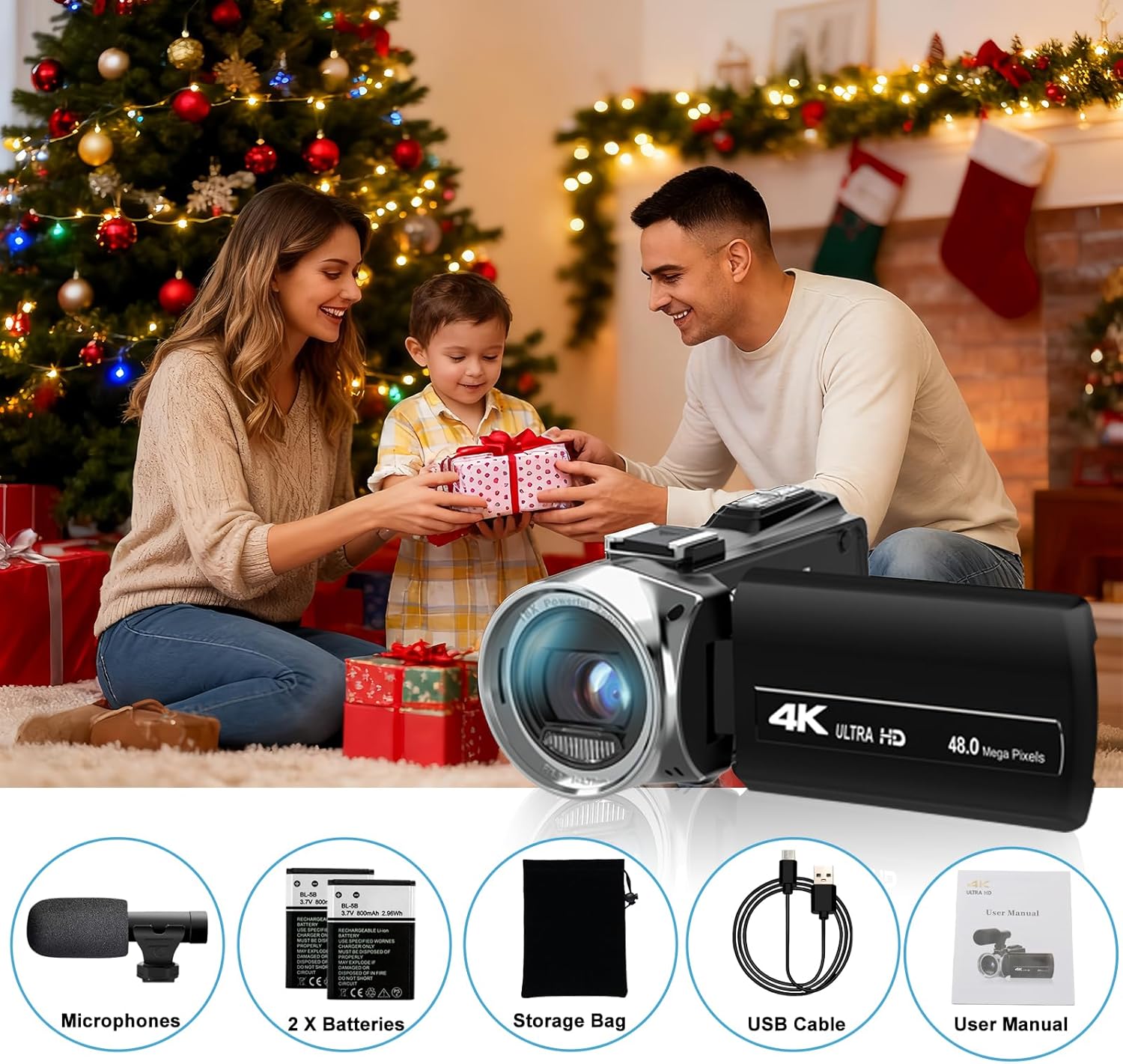
Image: Contents of the ISHARE 4K Camcorder package, including the camcorder, microphone, batteries, USB cable, storage bag, and user manual.
3. Product Overview
Familiarize yourself with the main components of your camcorder.

Image: Front view of the ISHARE 4K Camcorder, showing the lens, built-in fill light, and microphone hot shoe.
Key Components:
- Lens: Captures video and photo.
- 3.0" LCD Screen: Displays live view, playback, and menu. Rotates 270° for flexible viewing angles.
- Power Button: Turns the camcorder on/off.
- Record/Capture Button: Starts/stops video recording or takes a photo.
- Zoom Lever: Controls 18X digital zoom (Tele/Wide).
- Mode Button: Switches between video, photo, and playback modes.
- Menu Button: Accesses camera settings.
- Built-in Fill Light: Provides additional illumination in low-light conditions.
- Microphone Hot Shoe: For attaching the external microphone.
- USB Port: For data transfer and webcam function.
- Battery Compartment: Holds the rechargeable battery.
- SD Card Slot: For inserting the memory card.
4. Setup
4.1. Charging and Installing Batteries
- Insert one of the provided 1050mAh rechargeable batteries into the camcorder's battery compartment. Ensure correct polarity.
- Connect the camcorder to a power source using the USB cable to charge the battery. The charging indicator will show the status.
- It is recommended to fully charge the battery before first use.
4.2. Inserting a Memory Card
The camcorder supports SD cards. A memory card is essential for saving videos and photos.
- Open the SD card slot cover.
- Insert the SD card with the metal contacts facing the correct direction (refer to the diagram inside the slot). Push until it clicks into place.
- To remove, gently push the card again until it springs out.
4.3. Attaching the External Microphone
For enhanced audio quality, attach the external microphone.
- Slide the external microphone onto the hot shoe mount located on top of the camcorder.
- Connect the microphone's audio cable to the camcorder's microphone input jack.

Image: The ISHARE 4K Camcorder with the external microphone attached, highlighting the hot shoe and microphone connection.
5. Operating Instructions
5.1. Power On/Off
Press and hold the Power Button to turn the camcorder on or off.
5.2. Mode Selection
Press the Mode Button to switch between Video Recording, Photo Capture, and Playback modes.
5.3. Video Recording
- Switch to Video Recording mode.
- Press the Record Button to start recording. A red indicator will typically appear on the screen.
- Press the Record Button again to stop recording.
5.4. Photo Capture
- Switch to Photo Capture mode.
- Frame your shot using the LCD screen.
- Press the Capture Button to take a photo.
5.5. Zoom Function
Use the Zoom Lever (T/W) to adjust the 18X digital zoom. Push towards 'T' for telephoto (zoom in) and 'W' for wide-angle (zoom out).

Image: The ISHARE 4K Camcorder demonstrating 18X digital zoom capability, showing progressive zoom levels on a distant lighthouse.
5.6. 270° Flip Screen and Webcam Function
The 3.0" LCD screen can be rotated 270° for self-recording or viewing from various angles.
To use as a webcam:
- Connect the camcorder to your computer using the USB cable.
- Select 'PC Camera' or 'Webcam Mode' on the camcorder's screen when prompted.
- Your computer should recognize the camcorder as a webcam for video calls or live streaming applications.

Image: The ISHARE 4K Camcorder demonstrating its 270° flip screen and connection to a laptop for webcam functionality.
5.7. Built-in Fill Light
Activate the built-in fill light for improved visibility in dark environments. Locate the light button or setting in the menu to turn it on or off.

Image: The ISHARE 4K Camcorder with its built-in fill light activated, illustrating its use in low-light conditions.
5.8. Multifunctional Features
The camcorder includes several advanced features:
- Time-lapse Recording: Captures images at set intervals to create a sped-up video.
- Slow Motion: Records video at a higher frame rate for slow-motion playback.
- Video Pause: Allows pausing and resuming video recording within a single file.
- Continuous Shooting: Takes multiple photos in quick succession.
- Self-timer: Delays photo capture for group shots or self-portraits.
- Anti-shake: Digital image stabilization to reduce blur from camera movement.
- Face Detect: Automatically detects and focuses on faces.
- Smile Capture: Automatically takes a photo when a smile is detected.
Access these features through the camcorder's menu settings.

Image: Collage demonstrating various multifunctional features of the ISHARE 4K Camcorder, including self-timer, smile capture, continuous shooting, face detect, and anti-shake.
6. Maintenance
6.1. Cleaning
- Use a soft, dry cloth to clean the camcorder body.
- For the lens and LCD screen, use a specialized lens cleaning cloth and solution to avoid scratches.
- Do not use strong detergents or solvents.
6.2. Battery Care
- Store batteries in a cool, dry place when not in use.
- Avoid fully discharging batteries frequently to prolong their lifespan.
- Remove batteries if the camcorder will not be used for an extended period.
6.3. Storage
Store the camcorder in the provided storage bag to protect it from dust and scratches. Avoid extreme temperatures and high humidity.
7. Troubleshooting
Common Issues and Solutions:
- Camcorder does not power on: Ensure the battery is correctly inserted and charged. Try using the second battery.
- Cannot record video/take photos: Check if a memory card is inserted and has sufficient free space. Ensure the camcorder is in the correct mode (Video or Photo).
- Poor audio quality: Ensure the external microphone is securely attached and connected. Check microphone settings in the menu.
- Image/Video blur: Ensure the anti-shake function is enabled. Hold the camcorder steady during recording. Clean the lens if smudged.
- Webcam function not working: Ensure the camcorder is connected via USB and 'PC Camera' mode is selected. Check computer's device manager for recognition.
If issues persist, refer to the support section or contact customer service.
8. Specifications
| Feature | Specification |
|---|---|
| Brand | ISHARE |
| Model Number | TDC-8162plus |
| Video Resolution | Up to 4K |
| Image Resolution | Up to 48MP |
| Digital Zoom | 18X |
| LCD Screen | 3.0" (270° Rotation) |
| Photo Sensor Technology | CMOS (8.0 MP advanced sensor) |
| Flash Memory Type | SD Card (not included) |
| Video Capture Format | AVI |
| Supported Audio Format | AAC, MP3, PCM |
| Connectivity Technology | USB |
| Batteries | 2 x 1050mAh Rechargeable Batteries (included) |
| Special Features | Time-lapse, Slow Motion, Video Pause, Continuous Shooting, Self-timer, Anti-shake, Webcam Function, Built-in Fill Light |
9. Warranty and Support
9.1. Warranty Information
This ISHARE camcorder comes with a 12-month warranty from the date of purchase. Additionally, we offer a 30-day free replacement or refund service for eligible issues.
9.2. Customer Support
If you have any questions, concerns, or require technical assistance, please contact ISHARE customer support. Refer to the product packaging or the official ISHARE website for specific contact details (email, phone number, or support portal).
