
1. Introduction
This manual provides comprehensive instructions for the FEELNEEDY Replacement Controller, designed for use with FEELNEEDY Wireless & Battery Operated 3.5L/118oz Cat Water Fountain models FN-W08L and FN-W19. Please read this manual thoroughly before use to ensure proper operation and longevity of your product.
The controller features a 4000mAh battery, providing extended operation for your pet's hydration system.
2. Safety Information
- Ensure the controller is placed in a cool, dry area, away from direct heat sources, open flames, and excessive moisture.
- Do not immerse the controller in water or any other liquid.
- Keep out of reach of children and pets to prevent accidental damage or ingestion of small parts.
- Use only the specified charging cable and adapter (if applicable) to charge the controller.
- Do not attempt to disassemble, repair, or modify the controller. Contact customer support for assistance.
- Dispose of the battery and controller according to local regulations. Do not dispose of in household waste.
3. Package Contents
Verify that all items are present in the package:
- 1 x FEELNEEDY Replacement Controller
- (Charging cable may be included, refer to product packaging)
4. Setup
Follow these steps to set up your replacement controller with the cat water fountain:
- Prepare the Fountain: Ensure your FEELNEEDY cat water fountain (models FN-W08L or FN-W19) is clean and ready for use.
- Insert the Controller: Carefully align the replacement controller with the designated slot on the side of the water fountain. Gently push the controller into place until it is securely seated.
- Initial Charge (Recommended): Although the controller comes with a pre-charged battery, it is recommended to fully charge it before first use to optimize battery life. Connect the charging cable to the controller and a suitable power source. The indicator light will show charging status.
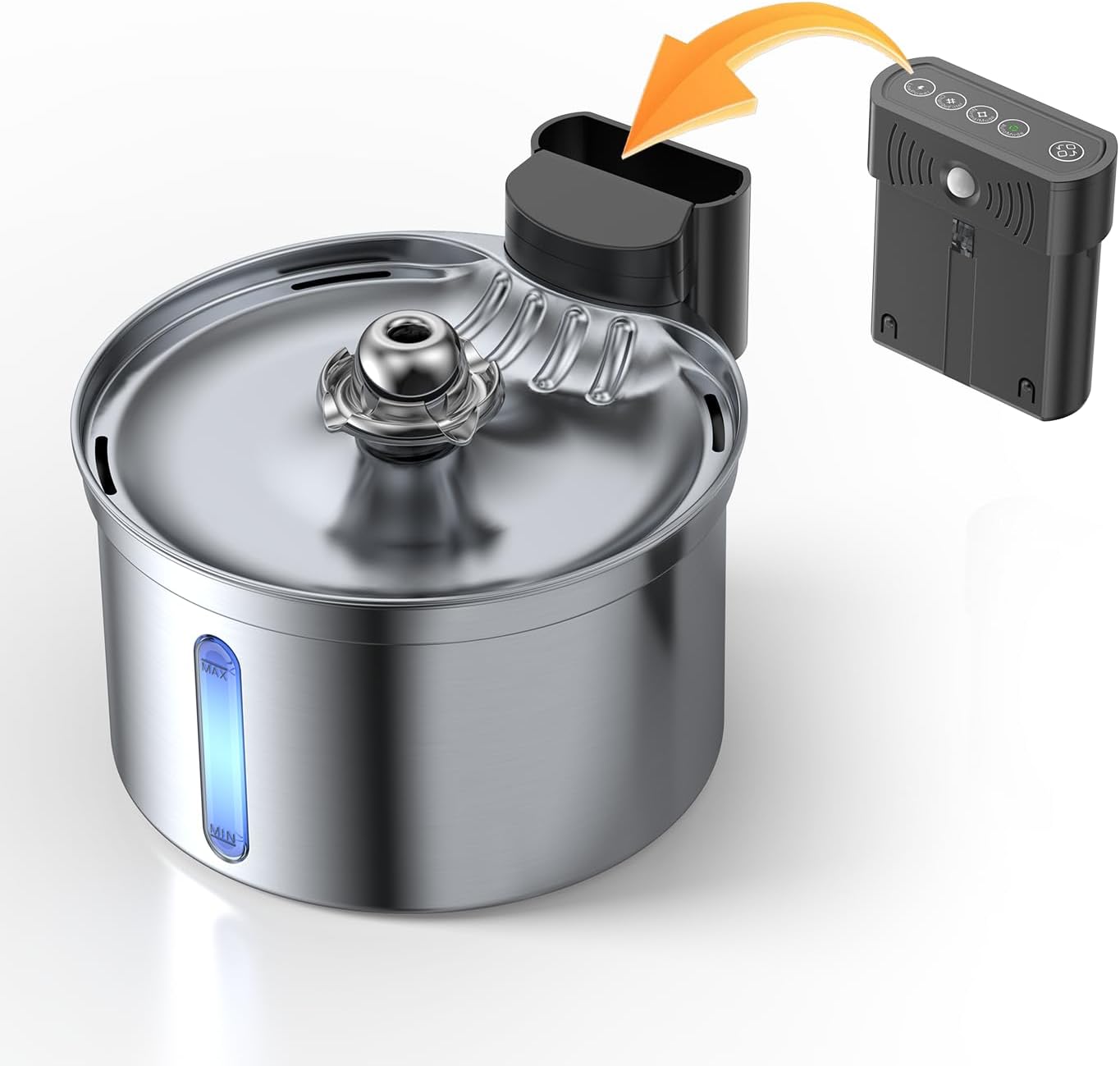
Figure 4.1: Inserting the controller into the fountain. The orange arrow indicates the direction of insertion into the designated slot on the fountain.
5. Operating Instructions
Once the controller is installed and charged, operating your cat water fountain is straightforward.
- Power On: Press the power button on the controller. The fountain will begin operating in its default mode.
- Auto Mode: The controller is designed to operate efficiently in auto mode, which can provide up to 45 days of continuous operation on a full charge. This mode intelligently manages water dispensing to conserve battery life.
- Indicator Lights: Observe the indicator lights on the controller for status updates, such as battery level and operating mode. Refer to the original fountain manual for detailed light interpretations.
- Power Off: To turn off the fountain, press and hold the power button until the unit powers down.
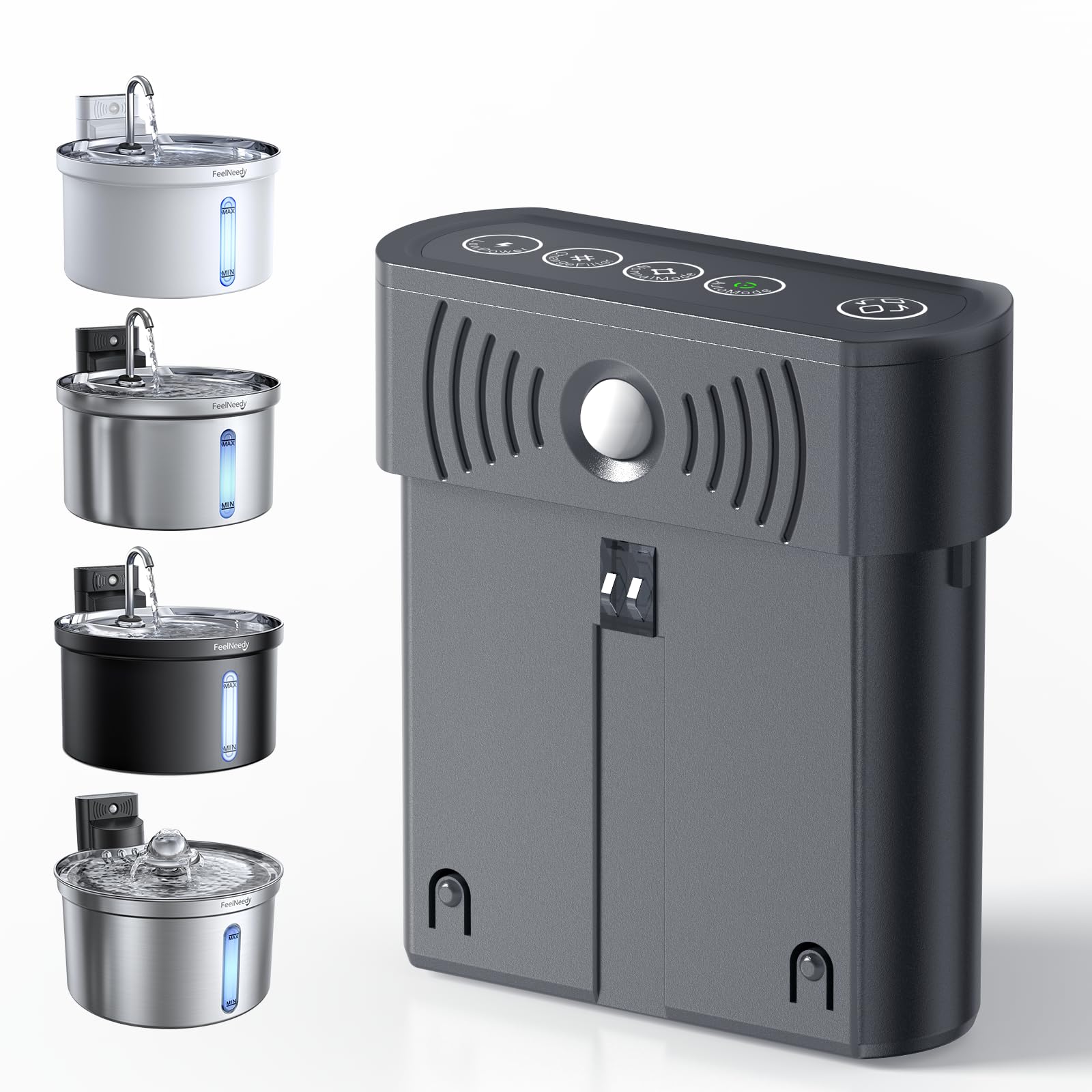
Figure 5.1: The FEELNEEDY wireless controller integrated with the cat water fountain, showcasing its 4000mAh battery capacity.
6. Maintenance
Proper maintenance ensures the longevity and optimal performance of your controller.
- Cleaning: Wipe the exterior of the controller with a soft, damp cloth. Do not use abrasive cleaners or immerse the controller in water. Ensure the charging port is dry before charging.
- Charging: Recharge the controller when the battery indicator shows low power. A full charge can take several hours. Avoid overcharging for extended periods.
- Storage: If storing the fountain and controller for an extended period, ensure the controller is fully charged and stored in a cool, dry place.
7. Troubleshooting
If you encounter issues with your FEELNEEDY Replacement Controller, refer to the following common problems and solutions:
| Problem | Possible Cause | Solution |
|---|---|---|
| Controller not powering on. | Low battery or improper installation. | Ensure the controller is fully charged. Re-insert the controller firmly into the fountain slot. |
| Fountain not dispensing water. | Controller issue, low water level, or pump blockage. | Check controller power. Ensure water level is above MIN. Refer to the fountain's manual for pump cleaning instructions. |
| Short battery life. | Frequent use, aging battery, or not fully charged. | Ensure the controller is fully charged. Operate in auto mode for optimal battery conservation. |
If the problem persists, please contact FEELNEEDY customer support.
8. Specifications
| Brand: | FEELNEEDY |
| Model Compatibility: | FEELNEEDY Wireless & Battery Operated 3.5L/118oz Cat Water Fountain (FN-W08L, FN-W19) |
| Battery Capacity: | 4000mAh (Lithium-Ion) |
| Estimated Battery Life (Auto Mode): | Up to 45 days |
| Material: | Acrylonitrile Butadiene Styrene (ABS) |
| Color: | Black |
| Included Components: | Controller |
9. Warranty and Support
FEELNEEDY products are manufactured with quality and performance in mind. For warranty information, technical support, or any questions regarding your replacement controller, please contact FEELNEEDY customer service through the retailer where the product was purchased or visit the official FEELNEEDY website.
Please have your product model (FN-W08L or FN-W19 fountain model) and purchase details ready when contacting support.