
EKIY EC17
EKIY EC17 Wireless CarPlay & Android Auto Adapter User Manual
Model: EC17
1. Introduction
The EKIY EC17 is a 2-in-1 wireless adapter designed to convert your car's wired Apple CarPlay or Android Auto system into a wireless one. This device features 6GHz WiFi and Bluetooth 5.4 for stable connectivity, a Cortex A9 processor for smooth performance, and an aluminum alloy casing with 4-way heat dissipation for optimal operation. Its compact design and tempered glass finish integrate seamlessly into your vehicle's interior, providing convenient access to navigation, music, and communication apps without the need for cables.
2. Package Contents
Please verify that all items are present in your package:
- 1 x EKIY EC17 Wireless CarPlay & Android Auto Adapter
3. Setup Guide
3.1 Pre-requisites
- Your vehicle must have a factory-installed wired Apple CarPlay or Android Auto system. Third-party installations are not supported.
- For Wireless CarPlay: iPhone running iOS 10 or above.
- For Wireless Android Auto: Android phone running Android 11.0 or above.
3.2 Connection Methods
The EC17 adapter supports two primary connection types:
- USB-A Connection: If your car has a standard USB-A port, plug the adapter directly into the port.
- USB-C Connection: If your car has a USB-C port, use a USB-A to USB-C adapter (not included) to connect the EC17 adapter.

Figure 3.2: Connection methods for the EKIY EC17 adapter.
3.3 Pairing Process
Follow these steps to establish a wireless connection:
- Ensure your vehicle's engine is running and the infotainment system is active.
- Plug the EKIY EC17 adapter into the car's USB port that supports wired CarPlay or Android Auto.
- On your car's infotainment screen, the adapter interface should appear.
- On your smartphone, enable Bluetooth and Wi-Fi.
- Search for the adapter's Bluetooth name (usually displayed on the car screen or adapter itself) and pair your phone.
- Once paired via Bluetooth, your phone will automatically connect to the adapter's Wi-Fi for data transfer, enabling Wireless CarPlay or Android Auto.
- Confirm the connection on your car's screen.
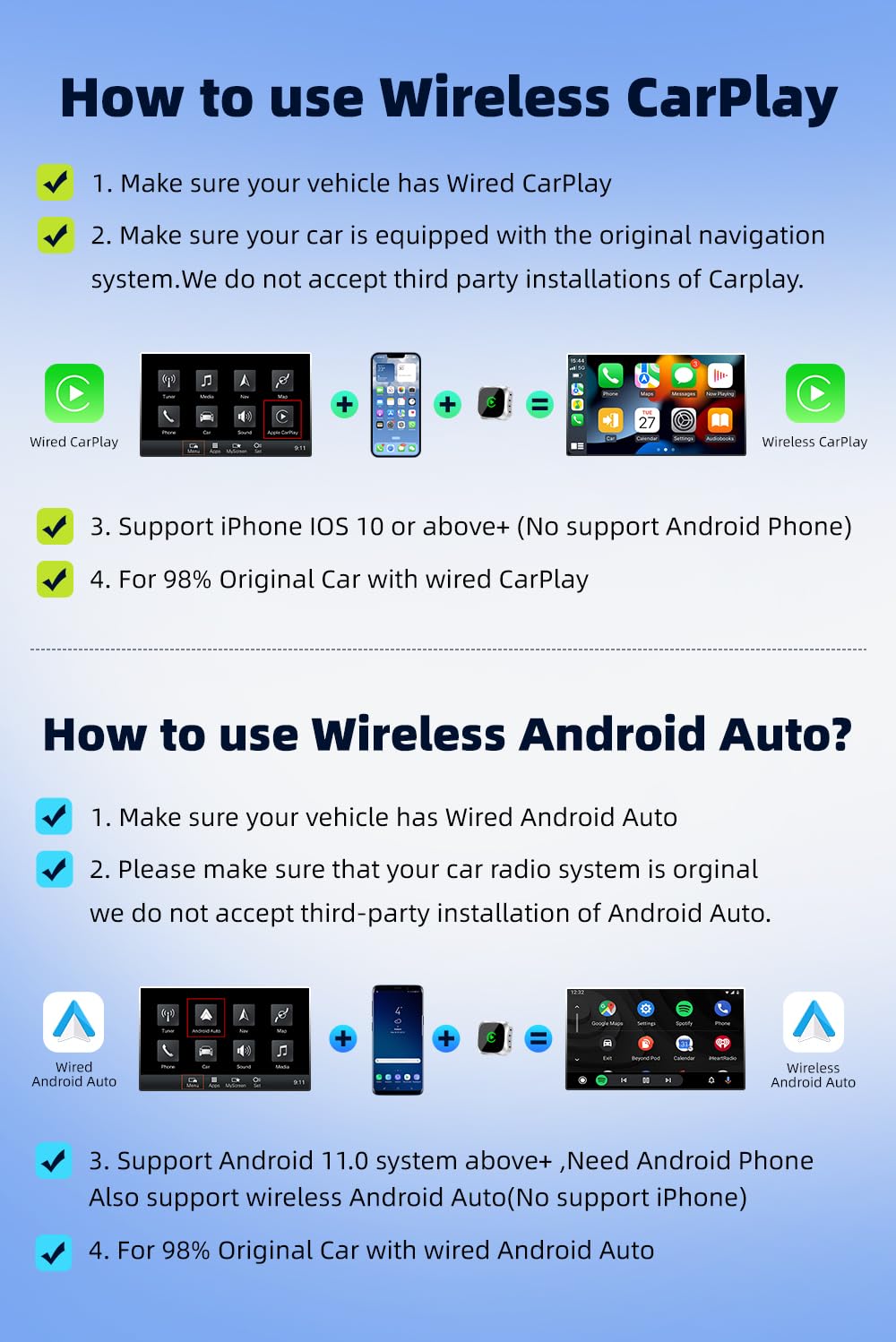
Figure 3.3: Step-by-step guide for Wireless CarPlay and Android Auto setup.
3.4 Compatibility
The EKIY EC17 adapter is designed to be compatible with approximately 98% of car models that come with original wired CarPlay or Android Auto functionality. This includes a wide range of manufacturers such as Audi, Toyota, Hyundai, Porsche, Ford, Honda, Mazda, Mitsubishi, Nissan, Suzuki, KIA, Volkswagen, Skoda, Lexus, Benz, Chevrolet, Jeep, Citroen, and Peugeot.

Figure 3.4: Car model compatibility overview.
4. Operating Instructions
4.1 Using Wireless CarPlay / Android Auto
Once successfully connected, your car's infotainment screen will display the Wireless CarPlay or Android Auto interface, mirroring your smartphone's compatible applications. You can access various apps including navigation (Google Maps, Apple Maps), music streaming (Spotify, Apple Music), messaging, and more.
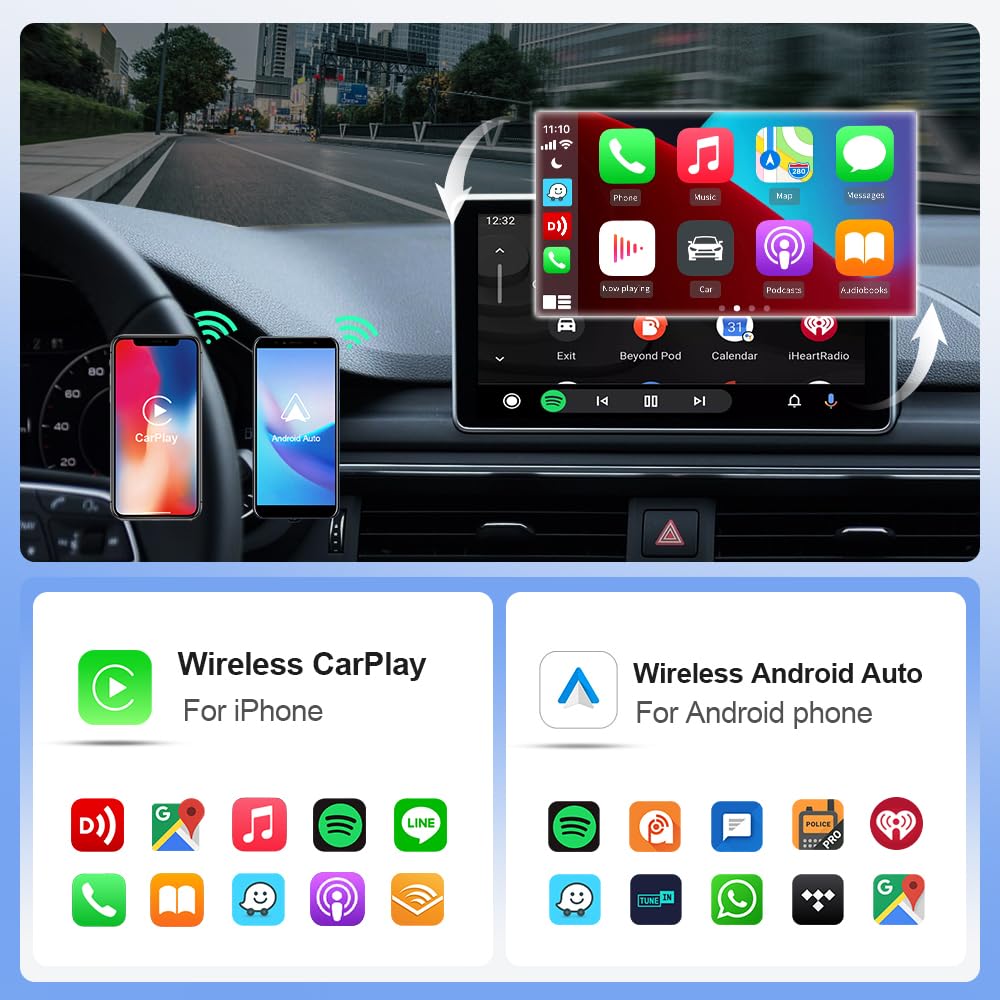
Figure 4.1: Wireless CarPlay and Android Auto interfaces with app examples.
4.2 Control Methods
The EKIY EC17 adapter maintains compatibility with your car's original control mechanisms, allowing for a familiar user experience:
- Steering Wheel Control: Use your car's steering wheel buttons to navigate menus, adjust volume, and manage calls.
- Knob Control: Utilize the car's central control knob for precise menu selection and navigation.
- Voice Control: Activate voice assistants (Siri for CarPlay, Google Assistant for Android Auto) using your car's voice command button for hands-free operation.
- Touch Screen Control: Interact directly with the infotainment screen for app selection and input, if your car supports touch functionality.

Figure 4.2: Supported control methods for the adapter.
5. Maintenance
To ensure the longevity and optimal performance of your EKIY EC17 adapter, follow these simple maintenance guidelines:
- Cleaning: Gently wipe the adapter's surface with a soft, dry cloth. Avoid using liquid cleaners or abrasive materials.
- Storage: When not in use for extended periods, store the adapter in a cool, dry place away from direct sunlight and extreme temperatures.
- Heat Dissipation: The adapter features an aluminum alloy casing with ventilation openings for heat dissipation. Ensure these openings are not obstructed to prevent overheating.

Figure 5.1: EKIY EC17 adapter with heat dissipation features.
6. Troubleshooting
If you encounter issues with your EKIY EC17 adapter, please refer to the following common solutions:
- No Connection / Frequent Disconnections:
- Ensure your car's wired CarPlay/Android Auto system is functioning correctly.
- Verify that Bluetooth and Wi-Fi are enabled on your smartphone.
- Try unplugging the adapter and plugging it back in.
- Restart your car's infotainment system and your smartphone.
- Check for any firmware updates for the adapter (refer to support section for details).
- Lag or Delayed Response:
- Ensure your smartphone has a strong Wi-Fi signal from the adapter.
- Close unnecessary applications on your smartphone to free up resources.
- Check for potential interference from other wireless devices.
- Adapter Overheating:
- Ensure the ventilation openings on the adapter are not blocked.
- Avoid placing the adapter in direct sunlight or enclosed spaces.
- If overheating persists, disconnect the adapter and allow it to cool down before re-connecting.
- Audio Issues (e.g., unclear calls):
- Check your phone's audio settings and ensure the correct output is selected.
- Verify your car's microphone is functioning properly.
- Ensure there are no other Bluetooth devices interfering with the connection.
If these steps do not resolve the issue, please contact customer support.
7. Specifications
| Feature | Detail |
|---|---|
| Brand | EKIY |
| Model | EC17 |
| Product Dimensions | 2.3 x 0.5 x 2.3 cm |
| Item Weight | 50 g |
| Connectivity | 6GHz Wi-Fi, Bluetooth 5.4 |
| Processor | Cortex A9 |
| Material | Aluminium, Tempered Glass |
| Compatible Devices | Smartphones (iPhone iOS 10+, Android 11.0+) |
| Specific Uses | Car Infotainment System (Wireless CarPlay & Android Auto) |
| Connector Type | USB Type A, USB Type C (with adapter) |
| Country of Origin | China |
8. Warranty Information
Please refer to the product packaging or the retailer's website for specific warranty terms and conditions. Generally, electronic products come with a limited manufacturer's warranty covering defects in materials and workmanship under normal use. Keep your proof of purchase for warranty claims.
9. Customer Support
For technical assistance, troubleshooting, or any product-related inquiries, please contact our customer support team:
- Phone: 06282844320
- Manufacturer: EKIY

Figure 9.1: EKIY Support Center contact information.
Related documentsEC17


Ask a question about this manual
Ask about setup, troubleshooting, compatibility, parts, safety, or missing instructions. Manuals+ will review the question and use this page’s manual context to help answer it.