1. Introduction
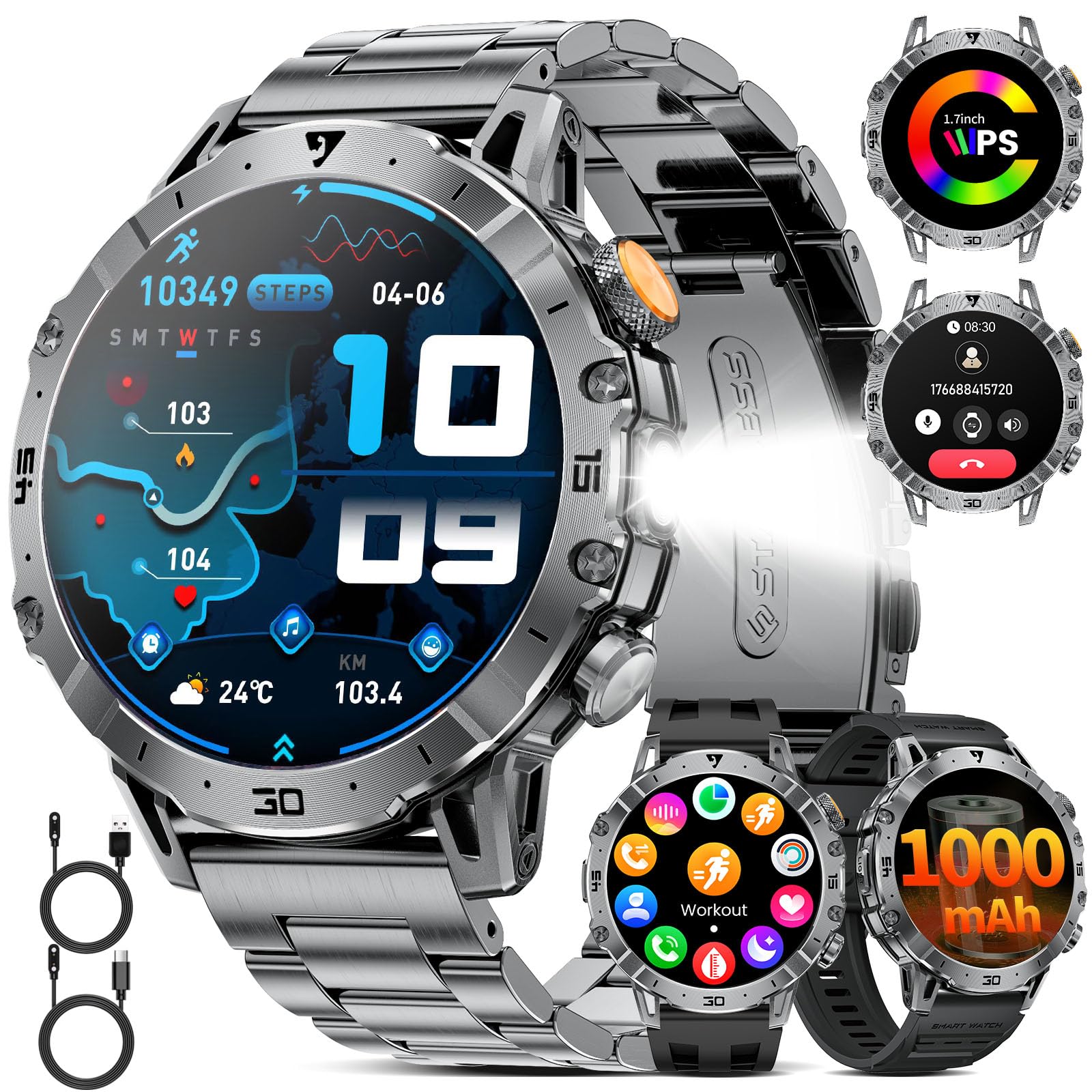
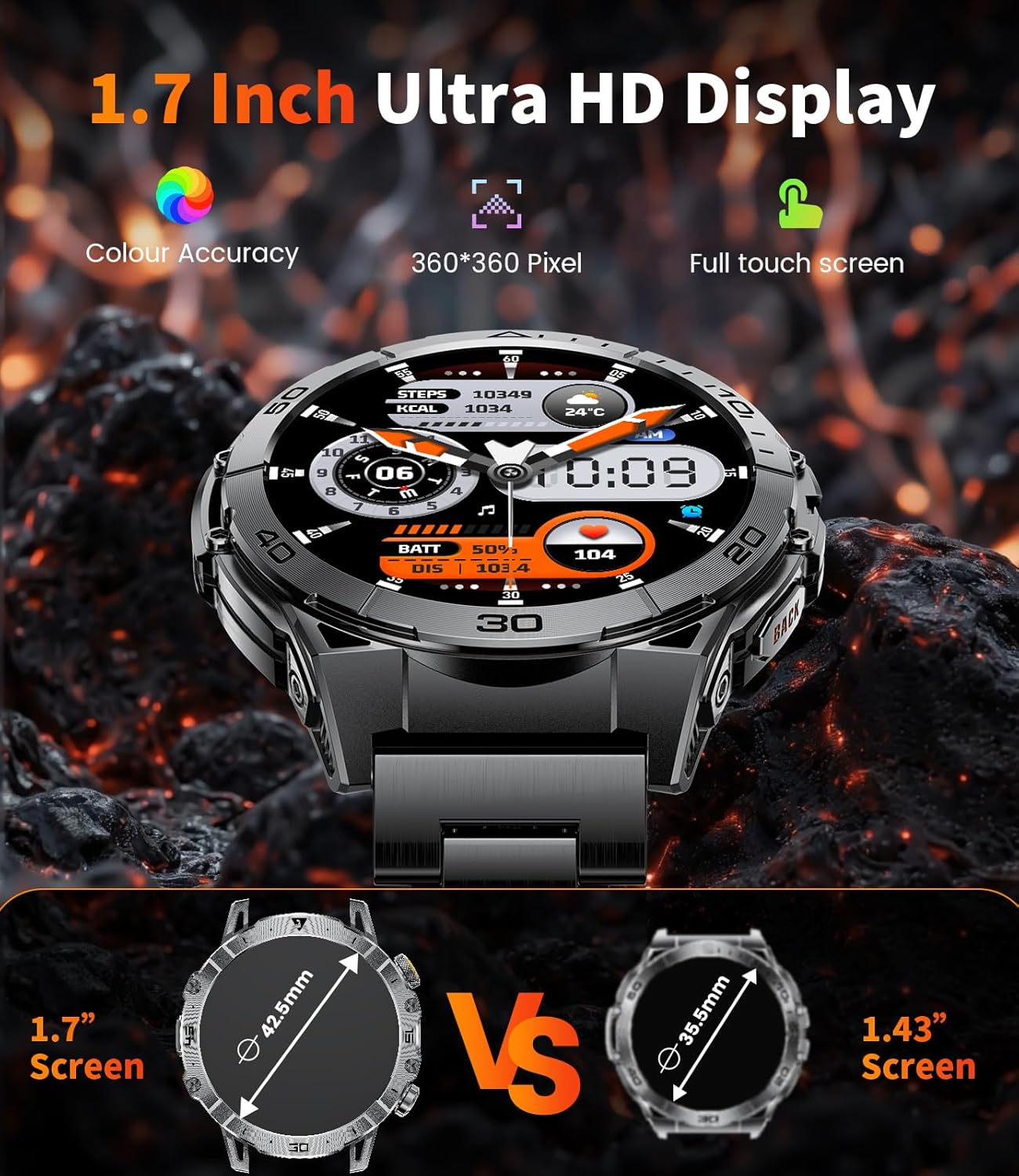
This manual provides essential information for the setup, operation, and maintenance of your SUNKTA Smart Watch EF18-A. Please read it thoroughly to ensure proper usage and to maximize your device's capabilities. This smartwatch is designed for men, featuring a 1.7-inch HD display, 1000mAh battery, LED flashlight, and comprehensive fitness tracking functions. It is compatible with both Android and iOS smartphones.
2. What's in the Box
- Smartwatch × 1
- Stainless steel strap × 1
- Silicone strap × 1
- Magnetic charger × 1
- 2-year warranty card × 1
3. Product Overview
The SUNKTA Smart Watch EF18-A features a robust design with a 1.7-inch HD full-color touchscreen display. It includes physical buttons on the side for navigation and quick access to functions. The back of the watch houses advanced sensors for health monitoring and magnetic charging contacts.

4. Setup
4.1 Charging the Smartwatch
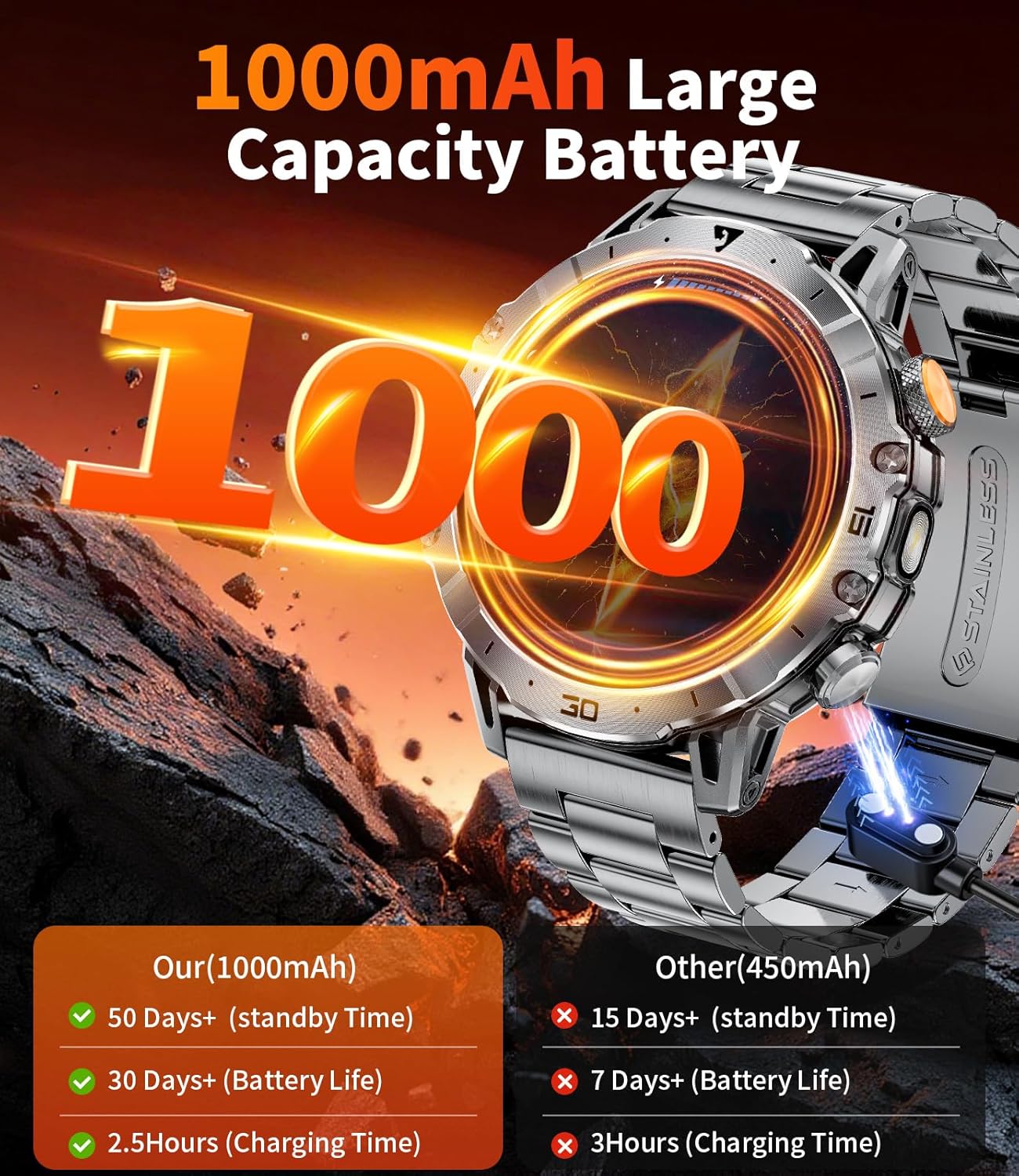
Before initial use, fully charge your smartwatch. The device is equipped with a 1000mAh high-capacity battery. A full charge takes approximately 2 hours and provides up to 30 days of daily use or 100 days of standby time.
- Connect the magnetic charger to the charging contacts on the back of the smartwatch.
- Plug the USB end of the charger into a compatible USB power adapter (not included).
- The watch display will show the charging progress.
4.2 App Installation and Pairing
To unlock the full potential of your SUNKTA Smart Watch, download and install the 'FitCloudPro' app on your smartphone.
- Scan the QR code provided in the user manual or search for 'FitCloudPro' in the App Store (iOS) or Google Play (Android).
- Install the app on your smartphone.
- Enable Bluetooth on your smartphone.
- Open the 'FitCloudPro' app and follow the on-screen instructions to find and pair with your smartwatch (model EF18-A).
- Allow the smartwatch to display notifications and enable Bluetooth call functionality within the app settings.

5. Operating the Smartwatch
The smartwatch features a full touch screen for intuitive navigation:
- Swipe Up/Down: Scroll through menus and notifications.
- Swipe Left/Right: Access quick functions or different data screens.
- Tap: Select an item or confirm an action.
- Press Side Buttons: Navigate back, access the main menu, or activate specific functions like the LED flashlight.
6. Key Features
6.1 Bluetooth Calls & Voice Assistant
Stay connected directly from your wrist. The smartwatch supports Bluetooth calls and integrates a voice assistant.
- Make and receive phone calls directly from the watch.
- View call logs and manage contacts.
- Receive message alerts from your smartphone.
- Utilize the advanced voice assistant for various tasks.

6.2 Smart Health Monitoring
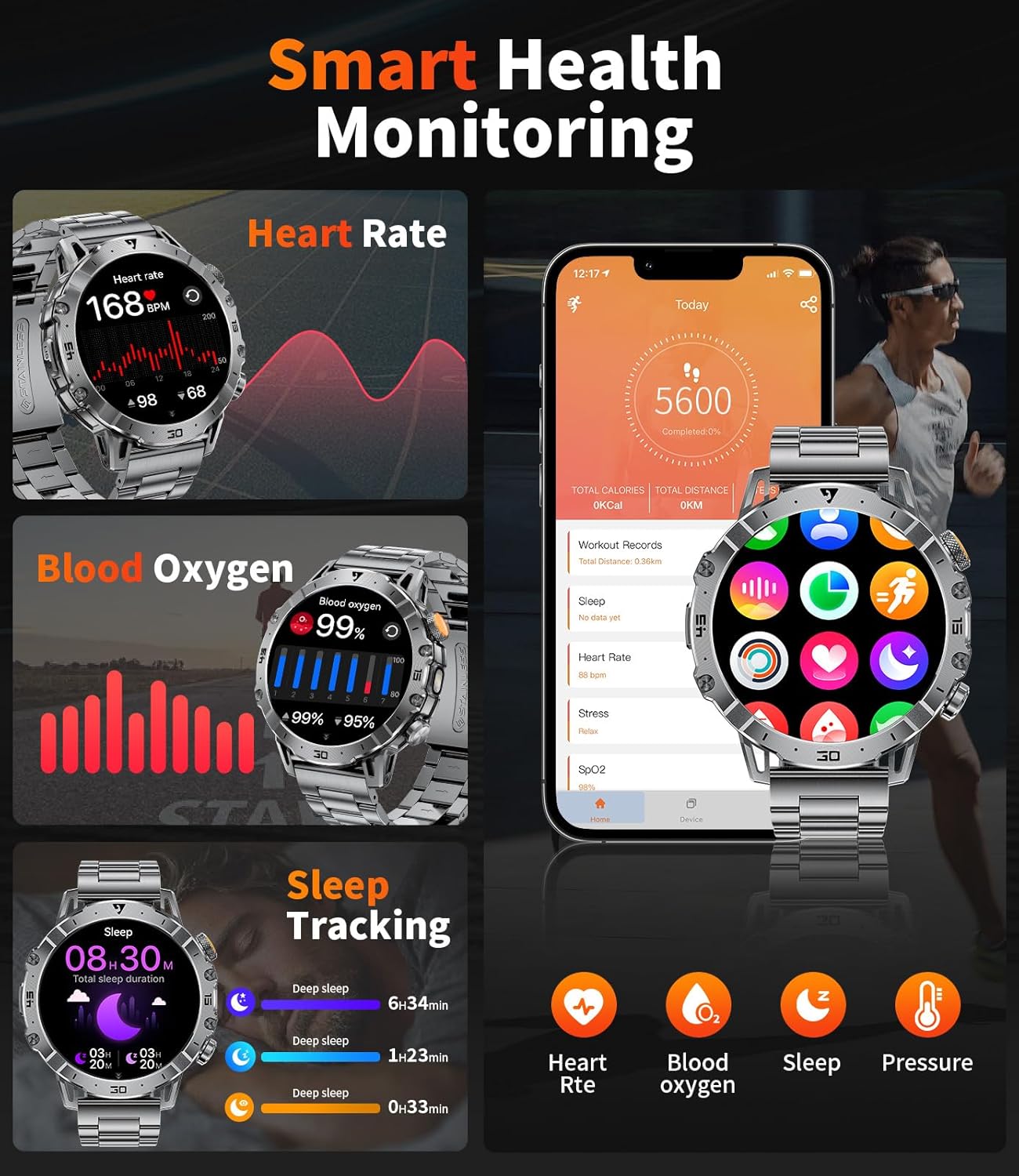
Your 24/7 health guardian, equipped with advanced sensors for real-time health tracking.
- Monitors heart rate and stress levels continuously.
- Provides comprehensive sleep quality analysis (deep sleep, light sleep, REM phases).
- View detailed health reports via the app to build healthier habits.
6.3 100+ Sports Modes & IP68 Waterproof
Track your activities with precision across a wide range of sports, even in wet conditions.
- Offers over 100 sports modes (running, cycling, gym workouts, rock climbing, etc.).
- Records real-time metrics: heart rate, step distance, speed, and calories burned.
- IP68 waterproof rating allows for worry-free use during rainy days, handwashing, or sweating.

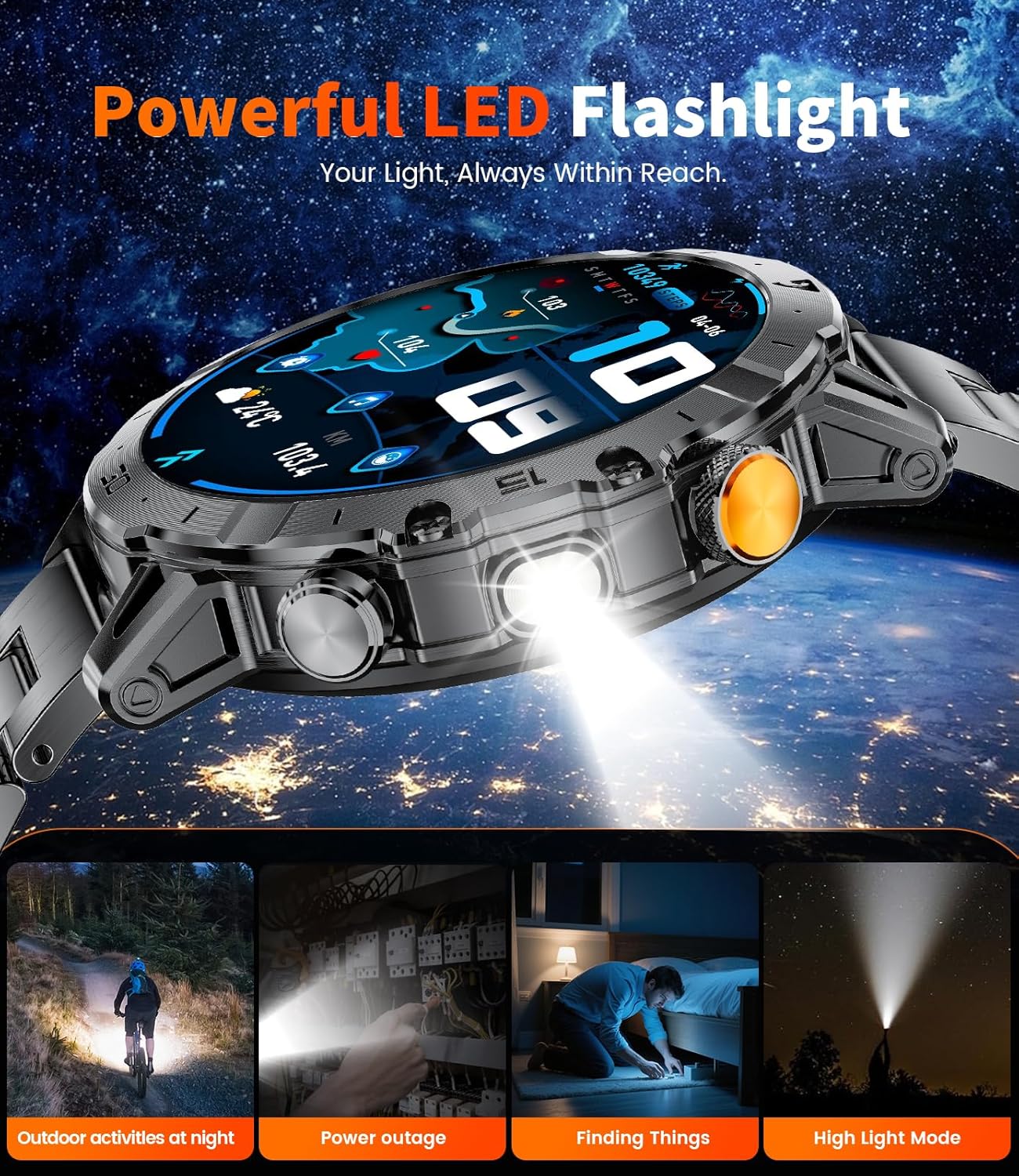
6.4 LED Flashlight
A powerful built-in LED flashlight for emergencies or low-light situations.
- Three lighting modes: bright light, flash, and SOS.
- Offers a 6-12m illumination range.
6.5 Customizable Watch Faces
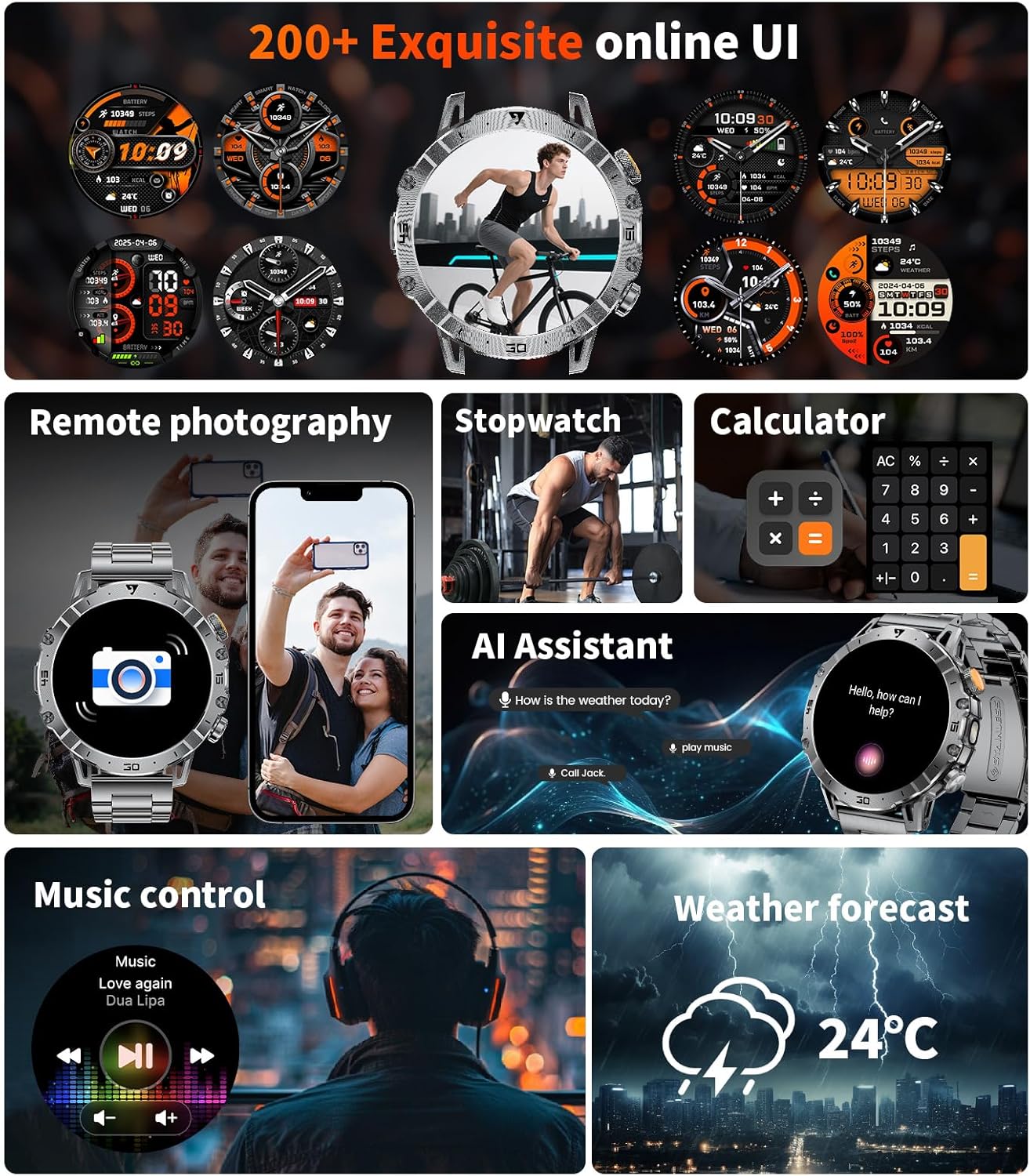
Personalize your smartwatch with a variety of watch faces.
- Choose from over 100 unique online watch faces.
- Customize watch faces using your own photos.
6.6 Other Functions
The smartwatch offers a range of additional convenient features:
- Weather forecasts
- Music and camera controls
- Alarms, stopwatch, timer, calculator
- Sedentary reminders
- Phone-finding function
7. Maintenance & Care
To ensure the longevity and optimal performance of your smartwatch, follow these care instructions:
- The device has an IP68 waterproof rating, making it resistant to dust and submersion in water up to 1.5 meters for 30 minutes. It is suitable for daily activities like handwashing and use in rain.
- Avoid prolonged exposure to hot water, steam, or high-pressure water jets.
- Clean the watch regularly with a soft, dry cloth.
- Avoid using harsh chemicals or abrasive materials for cleaning.
8. Troubleshooting
If you encounter issues with your smartwatch, try the following steps:
- Connectivity Issues: Ensure Bluetooth is enabled on your smartphone and the watch is within range. Try unpairing and re-pairing the device through the 'FitCloudPro' app.
- Display Not Turning On: Ensure the watch is sufficiently charged. Connect it to the magnetic charger for at least 15 minutes.
- Inaccurate Health Data: Ensure the watch is worn snugly on your wrist. Avoid excessive movement during measurements.
- Notifications Not Received: Check app permissions on your smartphone to ensure 'FitCloudPro' has access to notifications. Verify that notifications are enabled within the app settings.
9. Specifications
| Feature | Detail |
|---|---|
| Model Number | EF18-A |
| Brand | SUNKTA |
| Screen Size | 1.7 Inches |
| Battery Capacity | 1000 mAh |
| Operating System | Android/iOS |
| Connectivity | Bluetooth |
| Waterproof Rating | IP68 |
| Item Weight | 10.5 ounces |
| Memory Storage Capacity | 128 MB |
| RAM Memory Installed Size | 128 MB |
10. Warranty and Support
SUNKTA offers a 2-year customer service warranty for your smartwatch. If you have any questions about usage, troubleshooting, or warranty claims, please feel free to contact us. We are committed to providing top-notch service and support.
11. Official Product Videos
Watch these official videos from the seller for more information on your SUNKTA Smart Watch EF18-A:
Men's Smart watch Bluetooth Connection EF18
This video demonstrates the Bluetooth connection process and call functionality of the EF18 smartwatch.
SUNKTA Smart watch Unboxing Video EF18
An unboxing video showing the contents of the SUNKTA Smart Watch EF18 package.
SUNKTA Smart watch for men EF18
A general overview video highlighting key features of the SUNKTA Smart Watch EF18 for men.
1.7-inch Military Smart watch for men EF18
This video focuses on the 1.7-inch display and military-grade features of the EF18 smartwatch.
Military smart watch for men EF18
A concise video showcasing the military features and design of the EF18 smartwatch.
Smart Watches for Men-1.6 inch amoled
This video provides a general overview of the smartwatch's features, emphasizing its display.
Men's Smart watch Unboxing SML6
An unboxing video for a men's smartwatch, showing the initial package contents.