
1. Product Overview
The PHEZEN Car Stereo Radio is an advanced in-dash navigation unit designed for Toyota Prius models from 2016 to 2022. It features a 9.7-inch IPS touchscreen display, an Android 13 operating system, 2GB RAM, and 32GB ROM. Key functionalities include wireless Apple CarPlay and Android Auto, GPS navigation, Bluetooth 5.2 for hands-free calling and audio streaming, FM/RDS radio, steering wheel control compatibility, and support for a backup camera.
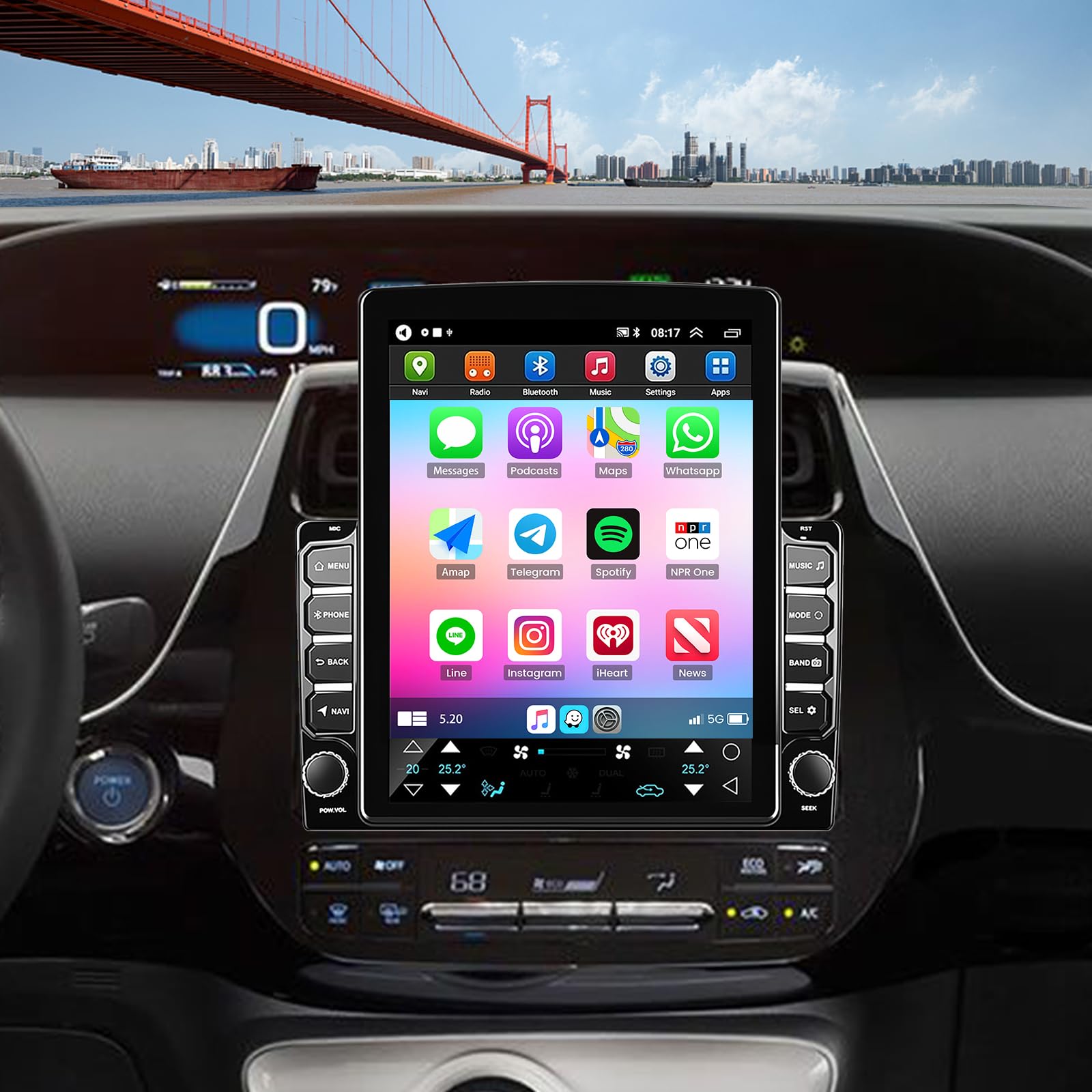
Image: The PHEZEN 9.7-inch Car Stereo Radio unit.
2. Setup and Installation
2.1 Package Contents
Verify that all components are present in the package:
- Car Stereo Radio Unit
- Power Cable
- RCA Input/Output Cables
- 2 USB Cables
- Camera Input Cable
- GPS Antenna
- Instruction Manual
- Fixed Brackets
- Backup Camera (if included in your specific package)

Image: All components included in the product package.
2.2 Installation Method
The car stereo is designed for a precise fit in Toyota Prius 2016-2022 models. Ensure proper frame installation for either a 9-inch or 10-inch car machine, depending on the outer frame provided.

Image: Diagram illustrating the installation of the outer frame for 9-inch and 10-inch units.
2.3 Wiring Diagram
Refer to the following diagram for connecting the power, audio, USB, and camera cables. Proper connection is crucial for optimal performance and safety.

Image: Rear view of the car stereo showing various wiring harnesses.

Image: Detailed wiring diagram for connecting the backup camera, including connections to the reversing detection line and reversing light poles.
3. Operating Instructions
3.1 Wireless CarPlay & Android Auto
Connect your iOS or Android smartphone wirelessly via Bluetooth and Wi-Fi to access CarPlay or Android Auto. This allows you to use phone features like calls, messages, navigation, and music directly on the stereo's screen. Use voice commands (Siri or Google Assistant) for hands-free operation.

Image: Display showing CarPlay and Android Auto interfaces with various app icons.
3.2 GPS Navigation & WiFi Connectivity
The unit supports both offline and online GPS navigation. Download offline maps for use in areas without signal. Connect to a Wi-Fi network (e.g., mobile hotspot) to access online maps, real-time traffic updates, and other internet-dependent applications.
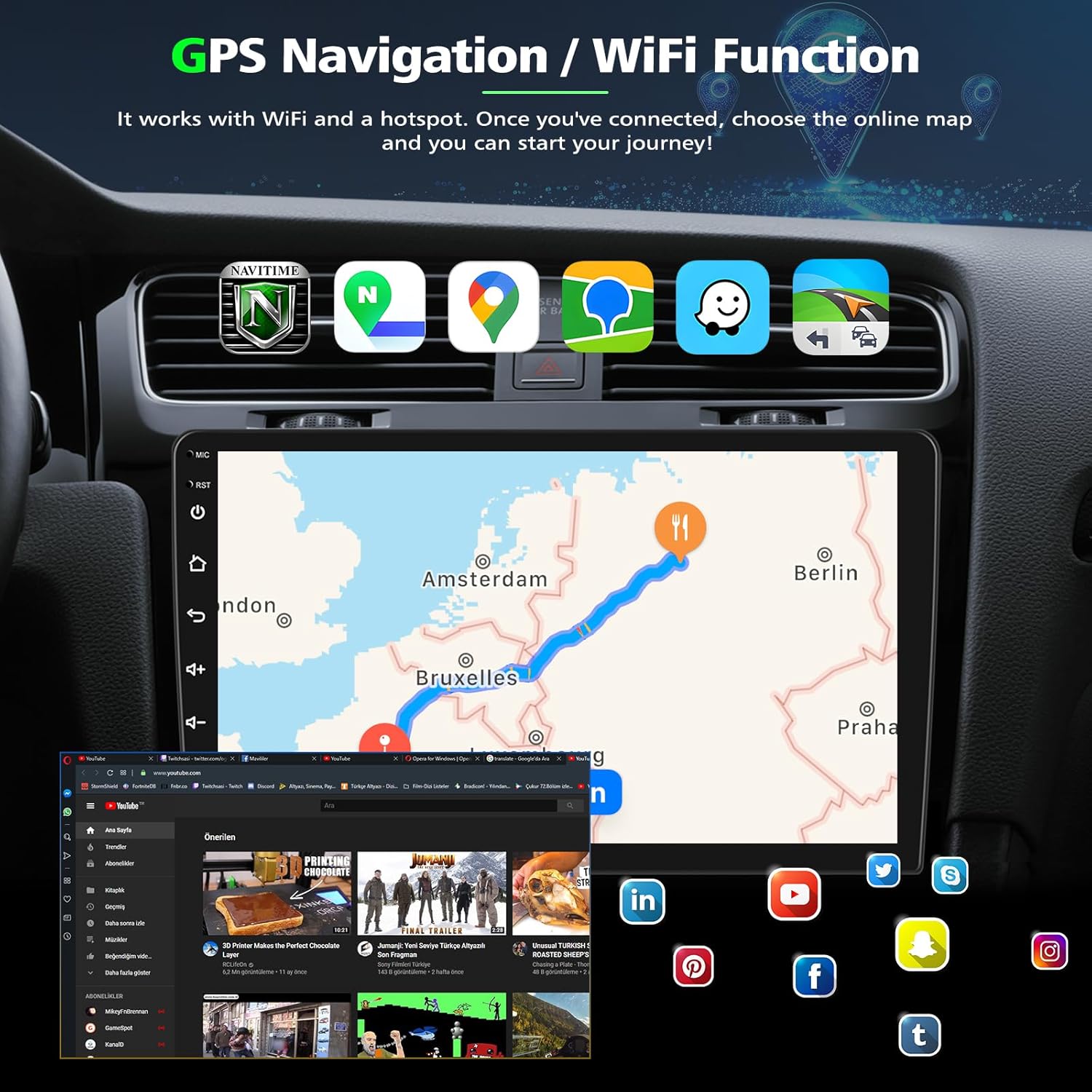
Image: Screen displaying GPS navigation with map routes and various online applications.
3.3 Bluetooth Functionality
Utilize Bluetooth 5.2 for hands-free calling and wireless audio streaming. Pair your phone with the stereo to make and receive calls safely while driving. The built-in microphone ensures clear communication.

Image: Display showing Bluetooth calling, split-screen mode, FM radio, and voice control options.
3.4 FM/RDS Radio
Tune into your favorite FM radio stations. The RDS (Radio Data System) feature provides additional information such as station name and song title where available.
3.5 Steering Wheel Control (SWC)
The unit supports existing steering wheel controls of your Toyota Prius. Configure the buttons to control functions like volume, track changes, and call management directly from your steering wheel for convenience and safety.

Image: Screen showing steering wheel control learning interface and a reverse camera view.
3.6 Backup Camera Display
When the vehicle is in reverse, the stereo automatically displays the view from the connected backup camera. The camera features a 170° wide-angle lens, IP68 waterproofing, and night vision for enhanced visibility.
3.7 Split Screen Functionality
The split-screen feature allows you to run two applications simultaneously, such as navigation and music playback, enhancing multitasking capabilities.
4. Maintenance
To ensure the longevity and optimal performance of your car stereo, follow these maintenance guidelines:
- Screen Cleaning: Use a soft, lint-free cloth to gently wipe the touchscreen. For stubborn smudges, slightly dampen the cloth with water or a screen-safe cleaner. Avoid harsh chemicals or abrasive materials.
- Software Updates: Periodically check for available software updates to ensure you have the latest features and bug fixes. Follow the on-screen prompts or instructions provided by the manufacturer for updates.
- Environmental Conditions: Avoid exposing the unit to extreme temperatures, direct sunlight for prolonged periods, or excessive moisture.
- Cable Connections: Ensure all cables are securely connected. Loose connections can lead to intermittent issues.
5. Troubleshooting
If you encounter issues with your PHEZEN Car Stereo, refer to the following common troubleshooting steps:
| Problem | Possible Cause | Solution |
|---|---|---|
| Unit does not power on | Loose power connection, blown fuse | Check power cables and vehicle's fuse box. Ensure proper wiring. |
| No sound | Volume too low, incorrect audio source, loose speaker wires | Increase volume. Select correct audio source. Check speaker connections. |
| CarPlay/Android Auto not connecting | Bluetooth/Wi-Fi off, phone compatibility, app issues | Ensure Bluetooth and Wi-Fi are enabled on phone and stereo. Restart phone and stereo. Verify phone compatibility. |
| GPS signal lost or inaccurate | GPS antenna obstruction, poor satellite reception | Ensure GPS antenna has a clear view of the sky. Check antenna connection. |
| Backup camera not displaying | Incorrect wiring, camera malfunction | Verify camera input cable and reversing detection line connections. Check camera power. |
If these steps do not resolve the issue, please contact customer support for further assistance.
6. Specifications
Detailed technical specifications for the PHEZEN Car Stereo Radio:
- Brand: PHEZEN
- Model Name: SWC
- Vehicle Service Type: Car (Toyota Prius 2016-2022)
- Screen Size: 9.7 Inches
- Display Type: IPS Capacitive Touch Screen
- Operating System: Android 13, iOS (via CarPlay)
- Memory Storage Capacity: 32 GB (ROM), 2 GB (RAM)
- Connectivity Technology: Bluetooth 5.2, USB, Wi-Fi
- Special Features: Wireless CarPlay, Android Auto, GPS Navigation, FM/RDS Radio, Steering Wheel Control, Backup Camera Support, Split Screen, Voice Control
- Map Type: North America (supports offline and online maps)
- Human-Interface Input: Touchscreen, Voice
- Mounting Type: Dashboard Mount

Image: Visual comparison of display resolutions, highlighting the clarity of the IPS touchscreen.
7. Warranty and Support
7.1 Warranty Information
This product typically comes with a manufacturer's warranty. Please refer to the warranty card or documentation included in your package for specific terms, conditions, and duration. For any warranty claims, retain your proof of purchase.
7.2 Customer Support
For technical assistance, troubleshooting, or inquiries regarding product compatibility, please contact the seller directly. The seller, UZZO-PHEZEN, is committed to providing customer support and can be reached through the platform where the product was purchased. When contacting support, please provide your car model and a photo of your car's center console for compatibility questions.
You can typically find a 'Contact Seller' or 'Ask a question' option on the product page or in your order history.