
Important Safety Instructions
When using an electrical appliance, basic precautions should always be observed, including the following:
- Read all instructions before using this hand vacuum.
- To reduce the risk of electric shock, do not use outdoors or on wet surfaces.
- Do not allow to be used as a toy. Close attention is necessary when used by or near children.
- Use only as described in this manual. Use only manufacturer's recommended attachments.
- Do not use with damaged cord or plug. If appliance is not working as it should, has been dropped, damaged, left outdoors, or dropped into water, return it to a service center.
- Do not pull or carry by cord, use cord as a handle, close a door on cord, or pull cord around sharp edges or corners. Do not run appliance over cord. Keep cord away from heated surfaces.
- Do not unplug by pulling on cord. To unplug, grasp the plug, not the cord.
- Do not handle plug or appliance with wet hands.
- Do not put any object into openings. Do not use with any opening blocked; keep free of dust, lint, hair, and anything that may reduce air flow.
- Keep hair, loose clothing, fingers, and all parts of body away from openings and moving parts.
- Do not pick up anything that is burning or smoking, such as cigarettes, matches, or hot ashes.
- Do not use to pick up flammable or combustible liquids, such as gasoline, or use in areas where they may be present.
- Do not use without dust cup and/or filters in place.
- Turn off all controls before unplugging.
- Use extra care when cleaning on stairs.
- Do not use to pick up toxic material (e.g., chlorine bleach, ammonia, drain cleaner).
- Do not charge the unit outdoors.
- Do not modify or attempt to repair the appliance or the battery pack.
- Do not expose the battery pack or appliance to fire or excessive temperature. Exposure to fire or temperature above 130°C (265°F) may cause explosion.
- Follow all charging instructions and do not charge the battery pack or the appliance outside of the temperature range specified in the instructions. Charging improperly or at temperatures outside of the specified range may damage the battery and increase the risk of fire.
Product Overview
The SHARK UltraCyclone Pet Pro Cordless Hand Vacuum (Model CH950WM) is designed for powerful and convenient cleaning in your home and car. It features advanced cyclonic technology for strong suction and specialized tools for pet hair removal.

Figure 1: Included Components - SHARK UltraCyclone Pet Pro Cordless Hand Vacuum, Crevice Tool, and Motorized Self-Cleaning Pet Power Brush.
Key Features:
- Powerful Suction: Utilizes two ultra-powerful cyclonic air streams for effective cleaning and extended filter/motor life.
- Motorized Pet Power Brush: Detachable brush with PowerFins designed for efficient pet hair pickup without tangles.
- XL Dust Cup: Large capacity dust cup to handle significant cleaning tasks without frequent emptying.
- Lightweight Design: Weighs only 2.8 lbs, making it portable and easy to maneuver.
- Washable Filter: For easy maintenance and consistent suction performance.
- CleanTouch Dirt Ejector: Enables hygienic, hands-free disposal of debris.
- Lithium-ion Battery: Provides reliable and lasting performance.
Setup
Charging the Battery:
- Ensure the vacuum is turned off.
- Connect the charging adapter to the charging port on the vacuum.
- Plug the adapter into a standard electrical outlet.
- The battery indicator lights will illuminate to show charging status. A full charge takes approximately 240 minutes.
- Once fully charged, unplug the adapter.

Figure 2: Charging the vacuum. The lithium-ion battery ensures reliable power.
Attaching Accessories:
- To attach the Crevice Tool or Motorized Pet Power Brush, align the accessory with the nozzle opening and push until it clicks securely into place.
- To remove an accessory, press the release button (if applicable) and pull the accessory off.
Operating Instructions
Powering On/Off:
Press the power button located on the handle to turn the vacuum on or off. The vacuum has 2 power levels.
Using the Motorized Pet Power Brush:
Attach the Motorized Pet Power Brush for effective removal of pet hair from upholstery, carpets, and other surfaces. The PowerFins technology helps prevent hair wrap.

Figure 3: Effective pet hair pickup with the motorized self-cleaning attachment.
Using the Crevice Tool:
The Crevice Tool extends the reach of the vacuum for precision cleaning in tight spaces, corners, and between cushions.

Figure 4: The Crevice Tool extends reach for precision cleaning.
General Use:
This lightweight and portable vacuum is suitable for various surfaces including car interiors, home upholstery, and small spills. Its cyclonic technology ensures powerful suction for tough messes.

Figure 5: Cordless convenience and ultra-lightweight design allow use anywhere, such as in a car.

Figure 6: Two cyclonic air streams combine for ultra-powerful suction on tough messes.
Maintenance
Emptying the Dust Cup:
The XL dust cup is designed for easy, hands-free disposal. Position the vacuum over a trash receptacle, then press the CleanTouch dirt ejector button to release the contents.

Figure 7: Easily empty the dust cup with one touch using the CleanTouch Dirt Ejector.

Figure 8: The XL dust cup capacity allows tackling big cleaning jobs without interruption.
Cleaning the Filter:
The washable filter ensures long-lasting suction. Remove the filter from the dust cup and rinse it under cold water. Allow it to air dry completely for at least 24 hours before reinserting.
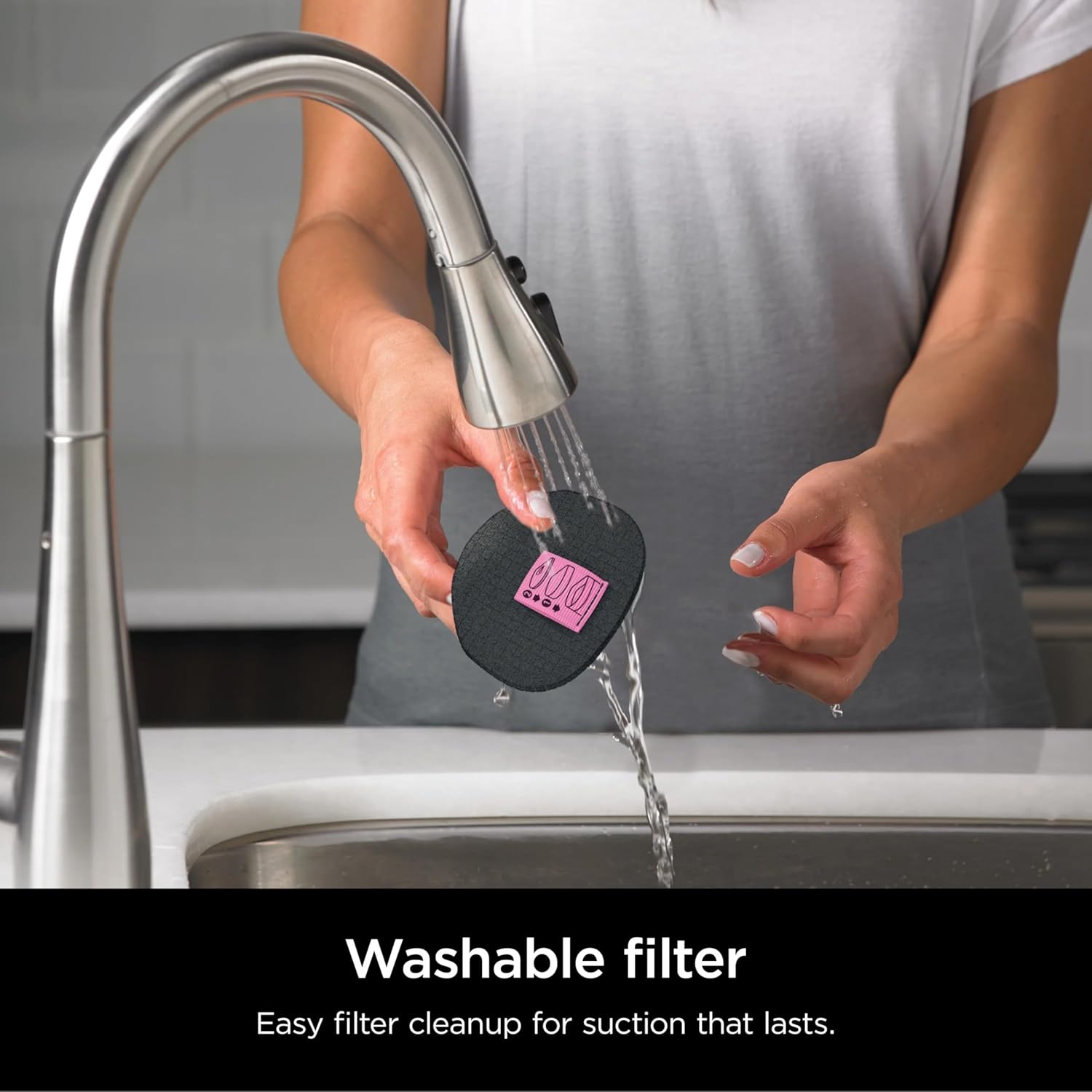
Figure 9: Easy filter cleanup for suction that lasts.
Motor Maintenance:
The high-speed motor is designed for efficient battery life and powerful cleaning. Regular cleaning of the dust cup and filter helps maintain optimal motor performance.

Figure 10: A high-speed motor ensures efficient battery life and powerful cleaning.
Troubleshooting
| Problem | Possible Cause | Solution |
|---|---|---|
| Vacuum not turning on. | Battery is not charged. | Charge the vacuum for approximately 240 minutes. |
| Reduced suction power. | Dust cup is full or filter is dirty. | Empty the dust cup and clean the washable filter. Ensure filter is completely dry before reinserting. |
| Motorized Pet Power Brush not spinning. | Obstruction in the brush roll or attachment not properly secured. | Check for and remove any obstructions from the brush roll. Ensure the attachment is securely clicked into place. |
| Battery life is shorter than expected. | Battery not fully charged or battery degradation over time. | Ensure the vacuum is fully charged. If the issue persists, consider contacting customer support for battery replacement options. |
Specifications
| Feature | Detail |
|---|---|
| Model Name | SHARK UltraCyclone Pet Pro Cordless Handheld Vacuum |
| Model Number | CH950WM |
| Brand | SHARK |
| Power Source | Battery Powered (Lithium-Ion) |
| Wattage | 80 watts |
| Amperage | 9.72 Amps |
| Charging Time | 240 minutes |
| Battery Life | 10 minutes |
| Capacity | 0.11 Gallons |
| Filter Type | Cartridge (Washable) |
| Item Weight | 2.8 pounds |
| Product Dimensions | 18.14 x 3.5 x 4.45 inches |
| Included Components | Handheld vacuum, Crevice Tool, Motorized Self-Cleaning Pet Power Brush |
| Recommended Uses | Car, Home (Indoor) |
| Surface Recommendation | All floors |
| Vacuum Collection Technology | Cyclonic Technology |
Warranty Information
This SHARK UltraCyclone Pet Pro Cordless Hand Vacuum (Model CH950WM) comes with a 90-day limited warranty. This warranty covers defects in material and workmanship under normal household use from the date of purchase.
For warranty service or claims, please retain your proof of purchase and contact customer support. The warranty does not cover normal wear and tear, damage caused by misuse, accident, or unauthorized repairs.
Support
For further assistance, troubleshooting, or to purchase replacement parts and accessories, please visit the official SharkNinja website or contact their customer service department.
Manufacturer: SharkNinja
Please refer to the product packaging or the official SharkNinja website for the most up-to-date contact information and support resources.


