
Temtop C1, T1SE
Temtop C1 Indoor Air Quality Monitor and T1SE Thermometer Bundle User Manual
Models: C1, T1SE
1. Introduction
This manual provides detailed instructions for the proper use and maintenance of your Temtop C1 Indoor Air Quality Monitor and Temtop T1SE Thermometer. Please read this manual thoroughly before operating the devices to ensure accurate readings and safe operation.
2. Safety Information
- Do not expose the devices to extreme temperatures, humidity, or direct sunlight.
- Avoid dropping or subjecting the devices to strong impacts.
- Do not attempt to disassemble or repair the devices yourself. Contact customer support for assistance.
- Keep the devices away from water and other liquids.
- Use only the specified charging cable and power adapter for the C1 monitor.
3. Package Contents
Verify that all items are present in your package:
- Temtop C1 Indoor Air Quality Monitor
- Temtop T1SE Thermometer
- USB Charging Cable (for C1)
- User Manual
4. Product Overview - Temtop C1 Indoor Air Quality Monitor
4.1 Device Components
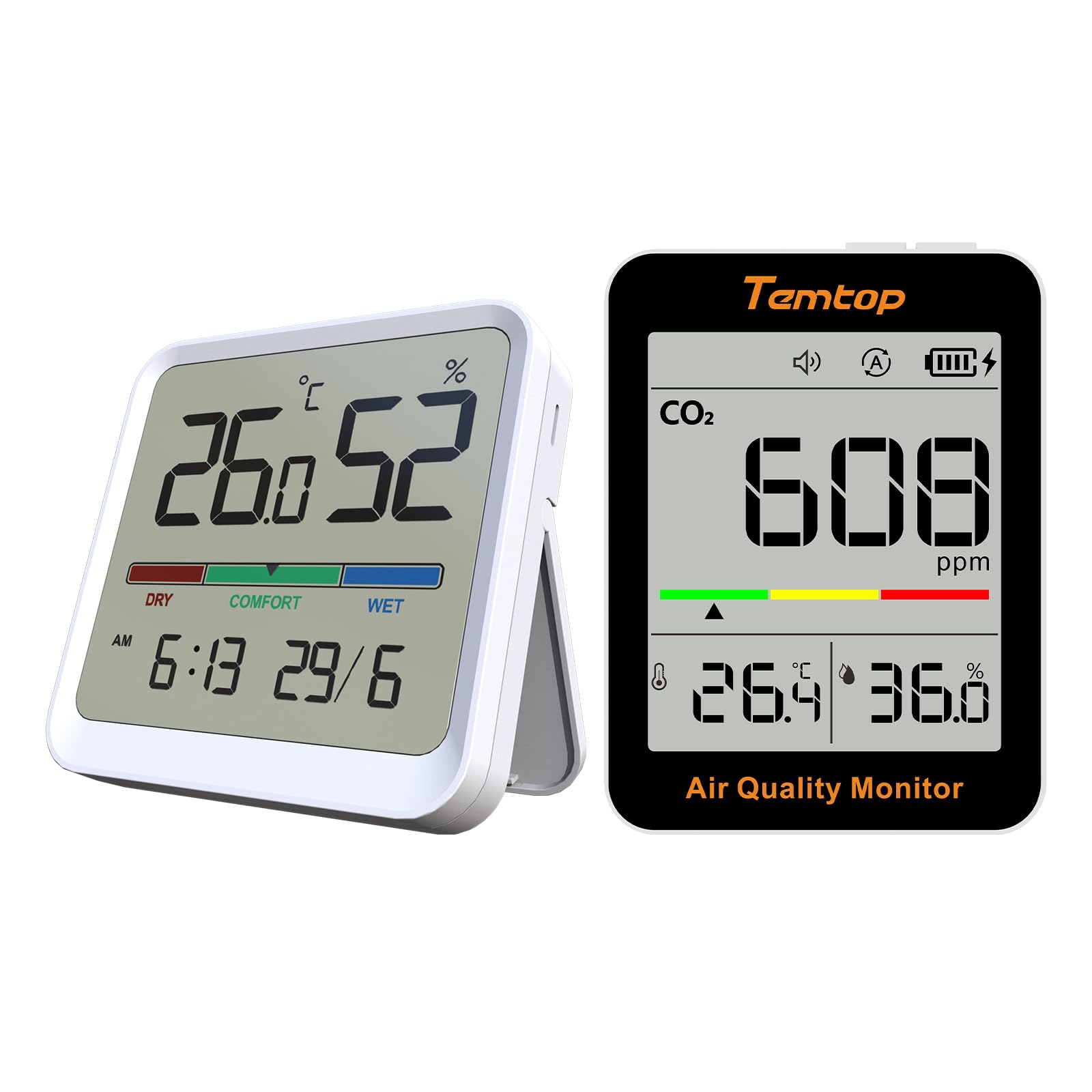
Figure 4.1: Front view of the Temtop C1 Indoor Air Quality Monitor, displaying CO2, temperature, and humidity readings.

Figure 4.2: Top view of the C1 monitor, showing the Power button and Mode button.
- Display Screen: Shows CO2 concentration, temperature, humidity, battery level, and alarm status.
- Power Button: Turns the device on/off.
- Mode Button: Switches between operating modes (ECO/Automatic) and adjusts settings.
- Indicator Bar: Color-coded bar indicating CO2 levels (Green, Yellow, Red).
- Speaker: For audible alerts.
5. Product Overview - Temtop T1SE Thermometer
5.1 Device Components
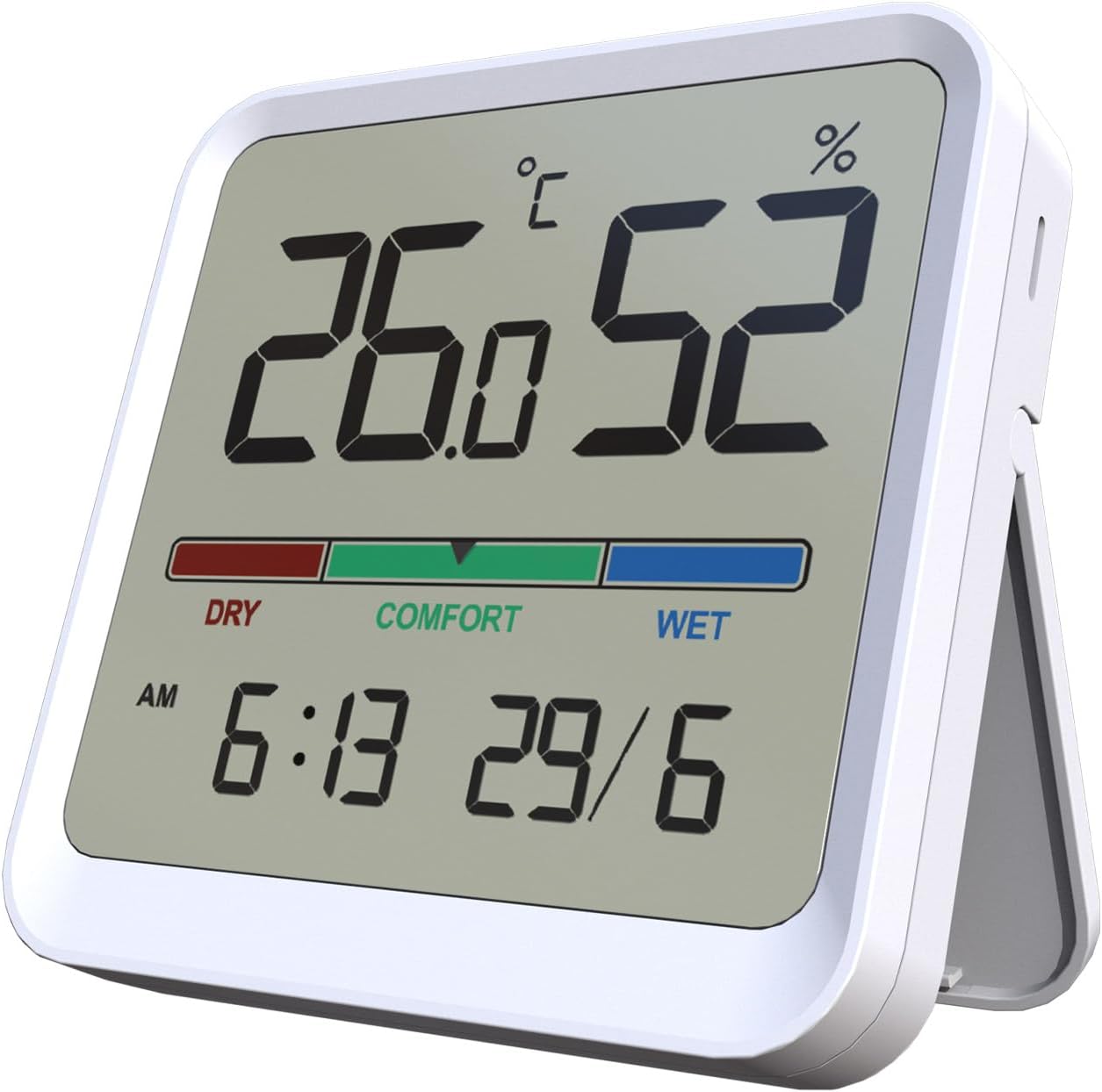
Figure 5.1: Front view of the Temtop T1SE Thermometer, showing temperature, humidity, time, and date.
- Display Screen: Shows temperature, humidity, comfort indicator, time, and date.
- Comfort Indicator Bar: Color-coded bar indicating humidity levels (DRY, COMFORT, WET).
- Magnetic Back: For mounting on metallic surfaces.
- Detachable Stand: For tabletop placement.
6. Setup
6.1 Temtop C1 Initial Setup
- Charging: Before first use, fully charge the C1 monitor using the provided USB cable and a standard 5V USB power adapter (not included). The battery icon on the display will indicate charging status.
- Power On: Press and hold the Power button for 3 seconds to turn on the device.
- Initial Calibration: The C1 monitor will perform an automatic self-calibration upon startup. For best accuracy, allow the device to operate in a well-ventilated area for at least 24 hours after initial power-on.
6.2 Temtop T1SE Initial Setup
- Battery Installation: Open the battery compartment on the back of the T1SE and insert the required batteries (typically AAA, check device for specific type).
- Placement: Place the T1SE on a flat surface using its detachable stand or mount it on a metallic surface using its magnetic back. Ensure it is not in direct sunlight or near heat sources for accurate readings.
- Time/Date Setting: Refer to the T1SE's specific instructions (usually small buttons on the back or side) to set the correct time and date.
- Temperature Unit: Switch between Celsius (°C) and Fahrenheit (°F) as desired using the dedicated switch or button.
7. Operating Instructions
7.1 Temtop C1 Operation
- Reading Display: The main screen displays the current CO2 concentration in parts per million (ppm), temperature in °C/°F, and relative humidity (RH%).
- CO2 Level Indicator:
- Green: Good air quality.
- Yellow: Moderate air quality, ventilation recommended.
- Red: Poor air quality, immediate ventilation required.
- Operating Modes: Press the Mode button to switch between modes.
- ECO Mode: Optimized for extended battery life (up to 70 days). Readings may update less frequently.
- Automatic Mode: Standard operation with more frequent readings (up to 30 days battery life).

Figure 7.1: Comparison of C1 operating modes and their respective battery durations.
- Alarm Function: The C1 monitor features an audible alarm for high CO2 levels. This can typically be toggled on/off by a short press of the Power button or a dedicated alarm button (refer to specific device markings).
7.2 Temtop T1SE Operation
- Reading Display: The screen continuously displays temperature and humidity. Updates occur approximately every 10 seconds.
- Comfort Indicator:
- DRY: Humidity below 40% RH.
- COMFORT: Humidity between 40% and 69% RH.
- WET: Humidity 70% RH or above.

Figure 7.2: T1SE display showing the color-coded comfort indicator for humidity levels.
- Temperature Unit Switch: Use the °C/°F switch or button on the device to toggle between Celsius and Fahrenheit.
8. Maintenance
- Cleaning: Wipe the device surfaces with a soft, damp cloth. Do not use abrasive cleaners or solvents.
- Storage: When not in use for extended periods, store the devices in a cool, dry place away from direct sunlight.
- C1 Calibration: The C1 monitor features an automatic calibration function. If manual calibration is required due to prolonged use in a stable environment, place the device outdoors in fresh air for 10-15 minutes and then restart it.
- T1SE Battery Replacement: Replace batteries when the low battery indicator appears on the display.
9. Troubleshooting
| Problem | Possible Cause | Solution |
|---|---|---|
| C1 does not turn on. | Low battery. | Charge the device using the USB cable. |
| C1 CO2 readings seem inaccurate. | Device needs calibration or is in a poorly ventilated area. | Perform an outdoor calibration (see Maintenance section). Ensure proper ventilation. |
| T1SE display is blank. | Dead batteries. | Replace the batteries. |
| T1SE temperature/humidity readings are inconsistent. | Device placed near heat/cold source or in direct sunlight. | Relocate the device to a stable environment away from direct influences. |
10. Specifications
10.1 Temtop C1 Indoor Air Quality Monitor
- CO2 Detection Range: 400-5000 PPM
- Temperature Detection Range: -10-60°C (14-140°F)
- Humidity Detection Range: 0-99% RH
- CO2 Sensor: Photoacoustic CO2-Sensor (SENSIRION)
- Battery Life: Up to 70 days (ECO mode), up to 30 days (Automatic mode)
- Charging Port: USB
10.2 Temtop T1SE Thermometer
- Temperature Accuracy: ±1.8°F (±1.0°C)
- Humidity Accuracy: ±5% RH
- Temperature Range: 14°F-122°F (-10°C-50°C)
- Humidity Range: 10%-95% RH
- Update Rate: Every 10 seconds
- Features: 12/24h Clock, Date Display, °C/°F Switchable, Magnetic Back, Stand
11. Warranty and Support
Temtop products are designed for reliability and performance. For warranty information, technical support, or service inquiries, please visit the official Temtop website or contact their customer service directly.
Official Temtop Website: Temtop Store on Amazon
Please retain your purchase receipt for warranty purposes.
Related documentsC1, T1SE


Ask a question about this manual
Ask about setup, troubleshooting, compatibility, parts, safety, or missing instructions. Manuals+ will review the question and use this page’s manual context to help answer it.