
Introduction
This manual provides detailed instructions for the SUNITEC BC966C Bluetooth Car Speakerphone. This device is designed to offer a hands-free communication solution in your vehicle, supporting Bluetooth 5.3 connectivity, voice assistant integration, and dual device pairing for enhanced driving safety and convenience.
Setup
Package Contents
- 1 x SUNITEC BC966C Bluetooth Car Speakerphone
- 1 x USB Type-C Charging Cable
- 1 x User Manual
Mounting the Device
The BC966C speakerphone features a sturdy clip for easy and secure installation on your car's sun visor. Ensure the device is positioned where it does not obstruct your view or interfere with vehicle operation.

Image: The SUNITEC BC966C speakerphone securely clipped to a car's sun visor, demonstrating its intended mounting position for optimal hands-free use.
Charging the Battery
Before initial use, fully charge the speakerphone. Connect the provided USB Type-C cable to the charging port on the device and to a compatible USB power source. The LED indicator will show charging status. A full charge provides up to 12 hours of talk time and 1000 hours of standby time.

Image: A close-up view of the SUNITEC BC966C speakerphone, highlighting the control buttons and the Micro USB charging port on the side.
Bluetooth Pairing
- Ensure the speakerphone is charged and powered on.
- Activate Bluetooth on your mobile phone.
- Search for available Bluetooth devices and select 'BC966C'.
- Once connected, the speakerphone will indicate successful pairing.
The device supports Bluetooth 5.3 for stable and efficient connections. It also features auto-reconnection, automatically pairing with the last connected device when powered on.
Dual Device Connection
The BC966C can connect to two mobile phones simultaneously. After pairing the first device, follow the pairing steps for the second device. The speakerphone will manage connections, allowing seamless switching between devices for calls or media playback.

Image: An illustration showing the SUNITEC BC966C connected to two separate smartphones via Bluetooth, highlighting its dual device connection capability.
Operating Instructions
Power On/Off
- Power On: Press and hold the Power On/Off button until the LED indicator lights up.
- Power Off: Press and hold the Power On/Off button until the LED indicator turns off.
Call Management
- Answer Call: Press the Multi-Function (MF) button (phone icon) once.
- End Call: Press the MF button once during a call.
- Reject Call: Press and hold the MF button for 2 seconds when a call comes in.
- Redial Last Number: Double-press the MF button when not on a call.
- Mute/Unmute: Press the Mute button during a call.
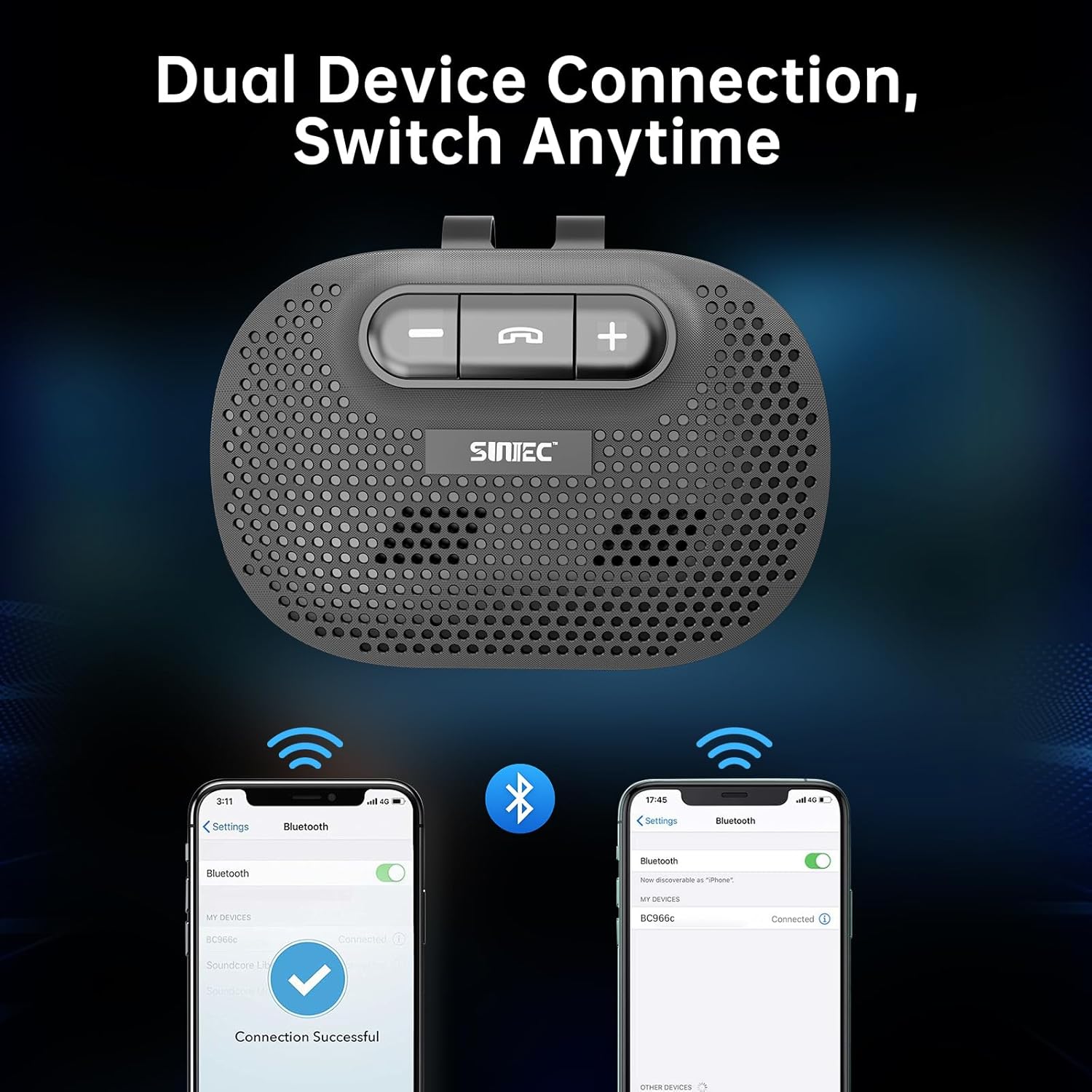
Image: The SUNITEC BC966C speakerphone positioned on a car's sun visor, with a smartphone displaying an incoming call, illustrating the hands-free call management feature.
Volume Control
- Increase Volume: Press the '+' button.
- Decrease Volume: Press the '-' button.
Voice Assistant Activation
Press the MF button once to activate your phone's voice assistant (Siri or Google Assistant). You can then use voice commands for dialing, sending messages, navigation, and more, keeping your hands on the wheel.

Image: The SUNITEC BC966C speakerphone in a car interior, with visual cues indicating voice control activation for Siri and Google Assistant on connected smartphones.
Music Playback
- Play/Pause: Press the MF button once.
- Next Track: Press and hold the '+' button.
- Previous Track: Press and hold the '-' button.
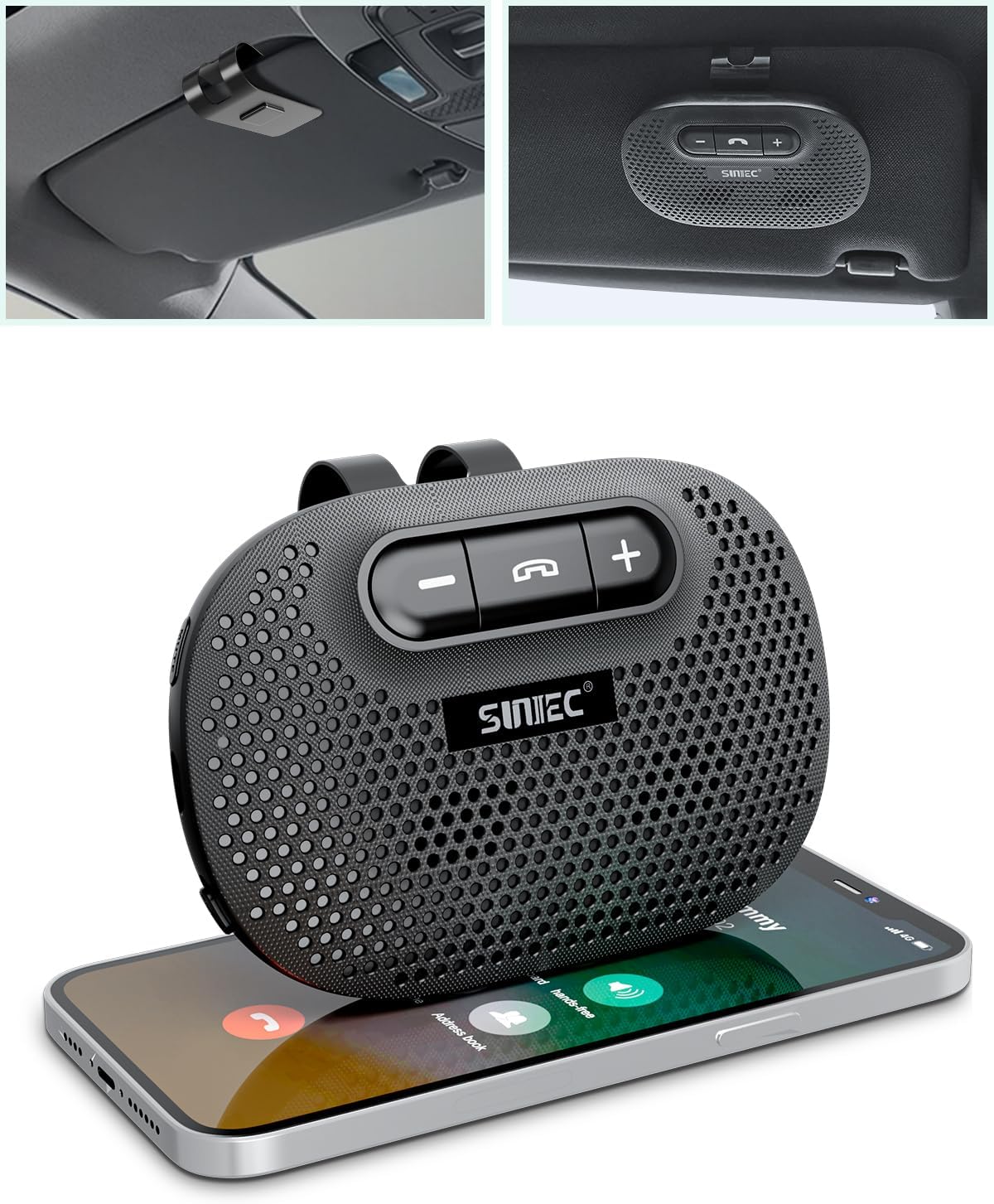
Image: The SUNITEC BC966C speakerphone placed on a smartphone displaying music playback, demonstrating its use as a portable music player.
Official Product Video: How to Use
Video: An official product video from SunitecDirect demonstrating the key features and usage of the SUNITEC BC966C Bluetooth Car Speakerphone, including auto-reconnection, call handling, and voice assistant integration.
Maintenance
- Cleaning: Use a soft, dry cloth to clean the device. Avoid using harsh chemicals or abrasive materials.
- Storage: Store the speakerphone in a cool, dry place away from direct sunlight and extreme temperatures when not in use.
- Battery Care: To prolong battery life, avoid fully discharging the battery frequently. Charge the device regularly, even if not in constant use.
Troubleshooting
| Problem | Possible Solution |
|---|---|
| Device does not power on. | Ensure the device is fully charged. Connect to a power source and check the LED indicator. |
| Cannot pair with phone. | Make sure Bluetooth is enabled on your phone and the speakerphone is in pairing mode. Delete previous pairings on your phone and try again. Ensure the speakerphone is within range (up to 10 meters). |
| Poor sound quality during calls. | Check the volume settings on both the speakerphone and your phone. Ensure there are no obstructions between the phone and the speakerphone. Move away from sources of strong electromagnetic interference. |
| Voice assistant not responding. | Ensure your phone's voice assistant (Siri/Google Assistant) is enabled and configured correctly. Press the MF button once to activate. |
| Battery drains quickly. | Reduce volume levels. Ensure the device is powered off when not in use. Avoid extreme temperatures. |
Specifications
| Feature | Detail |
|---|---|
| Brand | SUNITEC |
| Model Name | BC966C |
| Connectivity Technology | Bluetooth 5.3 |
| Special Features | Built-In Microphone, Hands-Free Calls, Voice Assistant Support |
| Power Source | Battery Powered (Rechargeable) |
| Battery Type | Lithium-ion (1 Nonstandard Battery included) |
| Battery Capacity | 630 mAh |
| Talk Time | Up to 12 hours |
| Standby Time | Up to 1000 hours |
| Charging Port | USB Type C |
| Material | Acrylonitrile Butadiene Styrene (ABS) |
| Mounting Type | Clip on sun visor board |
| Compatible Devices | All Bluetooth enabled cell phones, Smartphones |
| Audio Output Mode | Stereo |
Warranty Information
The SUNITEC BC966C Bluetooth Car Speakerphone comes with a 12-month warranty from the date of purchase. This warranty covers manufacturing defects and ensures the product meets its specified performance standards. Please retain your proof of purchase for warranty claims.
Customer Support
For any questions, technical assistance, or warranty inquiries regarding your SUNITEC BC966C Bluetooth Car Speakerphone, please refer to the contact information provided with your product packaging or visit the official SUNITEC website for support resources.