
1. Introduction
The Coiliiot Air Quality Monitor Indoor, Model SenseAir8, is designed to provide real-time monitoring of various indoor air quality parameters. This device helps you understand and maintain a healthier environment by tracking levels of Carbon Dioxide (CO2), Total Volatile Organic Compounds (TVOC), Formaldehyde (HCHO), Particulate Matter (PM2.5 & PM10), as well as temperature and humidity. This manual provides detailed instructions for the setup, operation, maintenance, and troubleshooting of your air quality monitor.

Image: The Coiliiot Air Quality Monitor displayed in a home setting, indicating its suitability for family environments.
2. Product Overview
2.1 Key Features
- Multi-Parameter Monitoring: Continuously tracks CO2, TVOC, HCHO, PM2.5, PM10, temperature, humidity, and AQI.
- Accurate Particle & AQI Measurement: Utilizes a laser sensor for precise PM2.5/PM10 readings and true AQI calculation.
- NDIR CO2 Sensor: Equipped with a Non-Dispersive Infrared (NDIR) CO2 sensor for stable and reliable carbon dioxide measurements.
- Dedicated VOC Sensor: Detects TVOC and formaldehyde, helping identify chemical pollutants.
- Portable & Rechargeable: Operates up to 8 hours on a single charge and supports USB charging.
- User-Friendly Interface: Features a bright LCD screen with clear visuals, auto-calibration, and easy one-button operation.
- Versatile Application: Suitable for various indoor spaces including homes, offices, classrooms, and more.

Image: The Coiliiot Air Quality Monitor showing its display with icons representing CO2, PM2.5, PM10, Temperature, Humidity, TVOC, HCHO, and AQI measurements.
2.2 Internal Components and Sensors
The SenseAir8 monitor integrates multiple advanced sensors to ensure accurate and comprehensive air quality detection:
- NDIR CO2 Sensor: For precise carbon dioxide level detection.
- Semiconductor VOC Sensor: Identifies total volatile organic compounds and formaldehyde.
- Laser Particle Sensor: Measures PM2.5 and PM10 particulate matter.
- Temperature & Humidity Sensor: Provides environmental temperature and relative humidity readings.

Image: An exploded view diagram illustrating the various internal sensors, including the NDIR CO2 sensor, semiconductor VOC sensor, laser PM2.5 sensor, and temperature & humidity module.
3. Setup
3.1 Charging the Device
Before initial use, fully charge the Coiliiot Air Quality Monitor using the provided USB Type-C charging cable. Connect the cable to the device's charging port and a standard USB power adapter (not included). The device can operate for up to 8 hours on a full charge.
3.2 Initial Placement
Place the monitor in a central location within the area you wish to monitor. Avoid placing it directly next to windows, air vents, or heat sources, as this can affect sensor accuracy. Ensure adequate airflow around the device. Its compact design allows for seamless integration into various spaces.

Image: The Coiliiot Air Quality Monitor demonstrated in diverse settings such as a living room, office, car, and grow tent, highlighting its versatility.
4. Operating Instructions
4.1 Power On/Off
To power on the device, press and hold the power button located on the side or back of the unit until the display illuminates. To power off, press and hold the same button until the display turns off.
4.2 Understanding the Display
The bright LCD screen provides real-time readings for all monitored parameters. The display is designed for clarity, allowing you to easily interpret air quality levels at a glance. Refer to Section 5 for a detailed breakdown of the display elements.
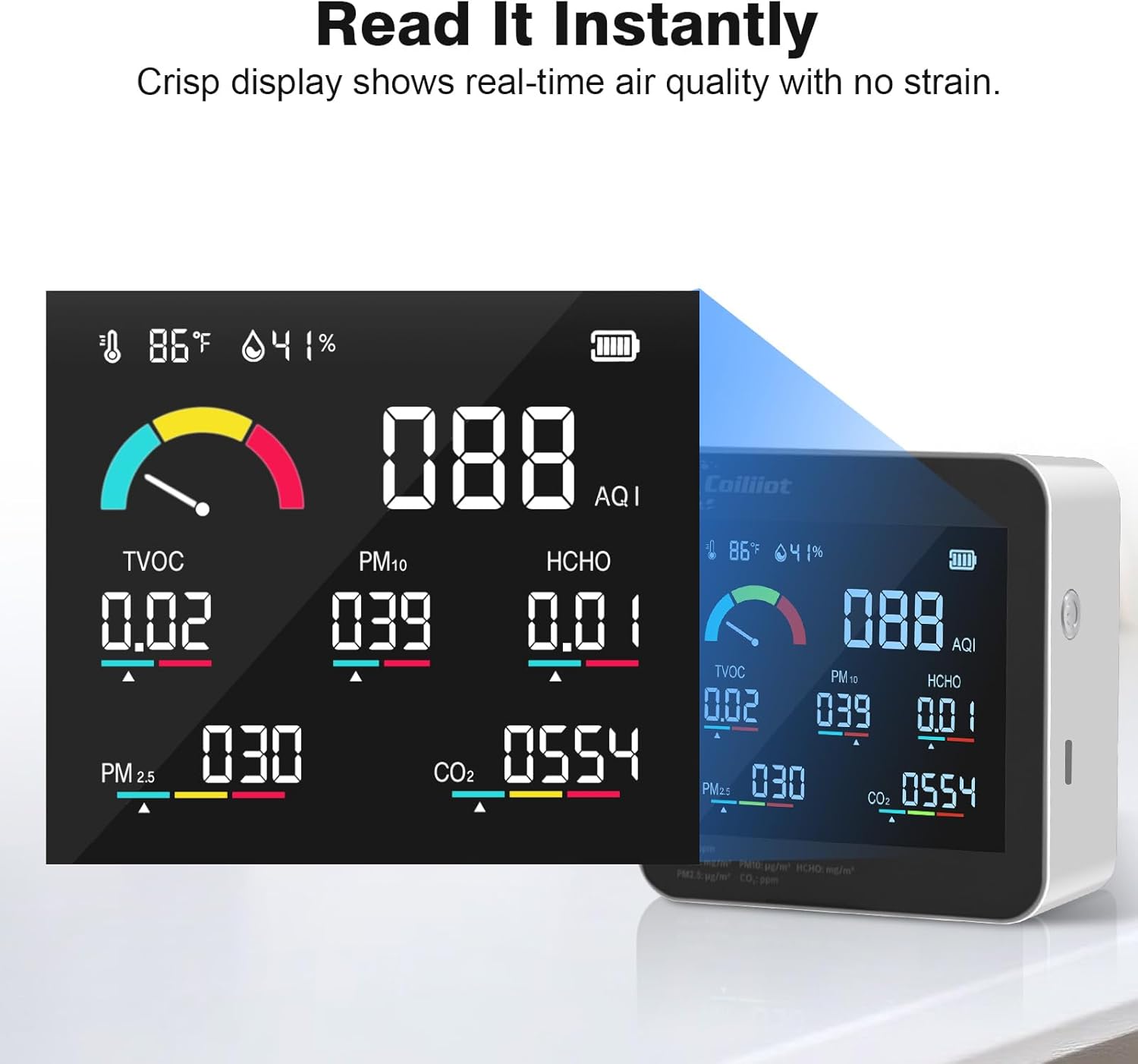
Image: A close-up view of the monitor's display, emphasizing its crispness and readability for real-time air quality information.
4.3 Unit Switching (°C/°F)
The device supports switching between Celsius (°C) and Fahrenheit (°F) for temperature readings. Consult the device's physical buttons or on-screen menu (if applicable) for instructions on how to toggle this setting. Typically, a short press of a specific button or a menu option will allow you to change the unit.
4.4 Auto Calibration
The Coiliiot Air Quality Monitor features auto-calibration for its sensors, particularly the CO2 sensor. This function helps maintain measurement accuracy over time. For optimal performance, ensure the device is occasionally exposed to fresh outdoor air for a short period to allow the CO2 sensor to recalibrate to baseline levels.
5. Display Information
The monitor's display provides a comprehensive overview of current air quality. Below is a guide to understanding the various indicators and their corresponding air quality levels.

Image: The monitor's display with labels pointing to Temperature, Humidity, 3-Color Air Quality Scale & Alarms, TVOC, PM2.5, Power, AQI, PM10, HCHO, and CO2 readings.
5.1 Air Quality Indicators
The display includes a multi-color indicator (typically green, yellow, red) to quickly assess overall air quality. Specific numerical values for each parameter are also shown.
5.2 Parameter Thresholds and Levels
The following table outlines the general thresholds for different air quality parameters, categorized into Good, OK, and Poor levels. These thresholds are based on common indoor air quality guidelines.
| Parameter | GOOD | OK | POOR |
|---|---|---|---|
| CO2 | <450 ppm | 450-1500 ppm | >1500 ppm |
| PM1.0/PM2.5/PM10 | <50 µg/m³ | 50-150 µg/m³ | >150 µg/m³ |
| TVOC | <0.3 mg/m³ | 0.3-1.0 mg/m³ | >1.0 mg/m³ |
| HCHO | <0.08 mg/m³ | 0.08-0.3 mg/m³ | >0.3 mg/m³ |
| Temperature | 64°F - 75°F | <60°F or >80°F | |
| Humidity | 30% - 60% RH | <30% RH, >60% RH | |
| AQI | 0 - 100 | 101 - 200 | 201 - 500 |
6. Maintenance
6.1 Cleaning the Device
To maintain optimal performance and appearance, regularly clean the exterior of the monitor with a soft, dry cloth. Do not use abrasive cleaners, solvents, or immerse the device in water. Ensure the sensor vents are free from dust and obstructions.
6.2 Storage
When not in use for extended periods, store the device in a cool, dry place away from direct sunlight and extreme temperatures. Ensure the battery is partially charged before storage to prolong its lifespan.
7. Troubleshooting
If you encounter issues with your Coiliiot Air Quality Monitor, refer to the following common troubleshooting steps:
- Device not turning on: Ensure the device is fully charged. Connect it to a power source using the USB-C cable and try again.
- Inaccurate readings: Ensure the device is placed in an area with good airflow, away from direct drafts, heat sources, or strong chemical odors. Allow the device to operate for at least 5-10 minutes after powering on for sensors to stabilize. For CO2, expose the device to fresh outdoor air for auto-calibration.
- Display not working: Check battery level. If the issue persists after charging, contact customer support.
- Short battery life: Ensure the device is fully charged before use. Battery performance can degrade over time with repeated charge cycles.
If these steps do not resolve the issue, please contact Coiliiot customer support for further assistance.
8. Specifications
| Feature | Detail |
|---|---|
| Brand | Coiliiot |
| Model Number | SenseAir8 |
| Style | Digital Display |
| Power Source | Battery Powered |
| Color | White |
| Product Dimensions (D x W x H) | 1.53"D x 3.74"W x 3.74"H |
| Item Weight | 0.51 Pounds |
| Alarm | Visual |
| Operating Humidity | 10% - 85% |
| Upper Temperature Rating | 131 Degrees Fahrenheit |
| Enclosure Material | Plastic |
| Unit Count | 1.0 Count |
| Built-In Media | Device Body, USB TypeC charging cable |
9. Warranty and Support
9.1 Warranty Information
The Coiliiot Air Quality Monitor is covered by a manufacturer's warranty. Please refer to the product packaging or the official Coiliiot website for specific warranty terms and conditions. Keep your purchase receipt as proof of purchase for warranty claims.
9.2 Customer Support
For technical assistance, troubleshooting, or any questions regarding your Coiliiot Air Quality Monitor, please contact Coiliiot customer support. Contact information can typically be found on the product packaging, the official Coiliiot website, or through your retailer.