
Introduction
Thank you for choosing the Haulvean KT85 Military Smart Watch. This device is designed to be a robust companion for your daily activities and outdoor adventures, offering advanced fitness tracking, communication features, and a durable design. This manual provides essential information to help you set up, operate, and maintain your new smart watch.
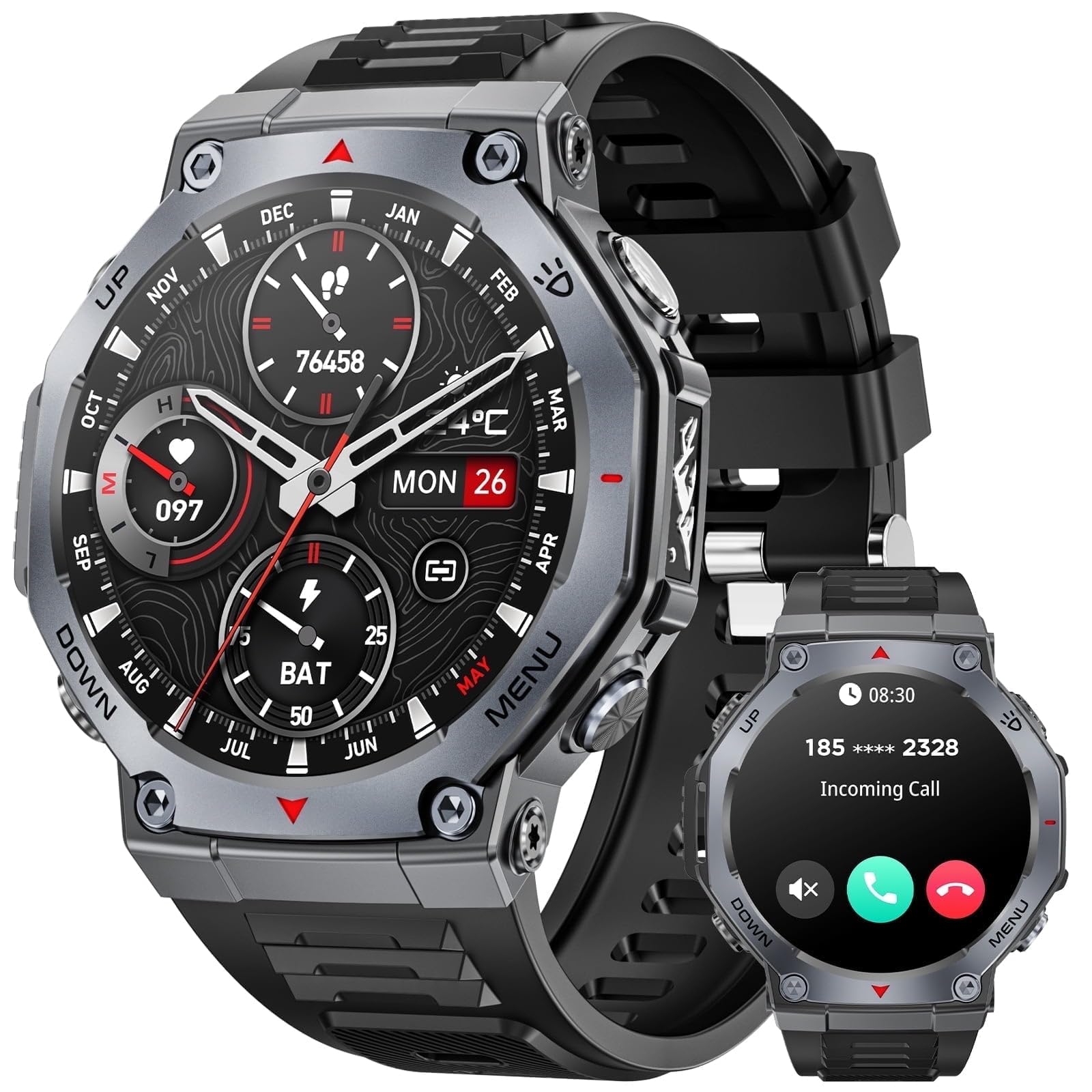
Image: The Haulvean KT85 Military Smart Watch, featuring a rugged black design and a vibrant round AMOLED display.
Package Contents
Please check the package contents upon unboxing to ensure all items are present:
- Haulvean KT85 Smart Watch (with strap)
- Charging Cable
- User Manual (this document)
Setup
1. Charging the Smart Watch
- Connect the magnetic charging cable to the charging contacts on the back of the watch.
- Plug the USB end of the charging cable into a standard USB power adapter (5V/1A recommended) or a computer's USB port.
- The watch display will show a charging indicator. Allow approximately 2 hours for a full charge.
2. App Installation and Pairing
To unlock the full functionality of your Haulvean KT85, you need to install the companion app on your smartphone.
- For Android Devices: Search for the "Haulvean Smart" app (or similar name indicated in the watch's initial setup screen) on the Google Play Store.
- For iPhone Devices: Search for the "Haulvean Smart" app (or similar name indicated in the watch's initial setup screen) on the Apple App Store.
Once the app is installed:
- Ensure Bluetooth is enabled on your smartphone.
- Open the Haulvean Smart app and follow the on-screen instructions to create an account or log in.
- In the app, navigate to the "Device" or "Add Device" section.
- Select "Haulvean KT85" from the list of available devices.
- Confirm the pairing request on both your watch and smartphone.
- Once paired, the watch will synchronize data with your phone, and you can customize settings through the app.
Operating Instructions
Basic Navigation
- Touchscreen: Swipe left/right, up/down to navigate through menus and notifications. Tap to select.
- Side Buttons: Typically, one button serves as a power/back button, while others may be customizable shortcuts for sports modes or specific functions. Refer to the on-screen prompts for specific button functions.
Making and Answering Calls
The Haulvean KT85 supports Bluetooth calling when connected to your smartphone.
- Answering Calls: When a call comes in, the watch will display the caller ID. Tap the green icon on the watch screen to answer.
- Making Calls: Access the dial pad or contact list through the watch's menu. Tap to dial a number or select a contact. The call will be routed through your paired smartphone.
Sports Modes and Fitness Tracking
Your watch features over 100 sports modes and comprehensive fitness tracking capabilities.
- Accessing Sports Modes: Swipe on the watch face or use a dedicated button to find the "Workout" or "Sports" menu. Select your desired activity (e.g., running, cycling, swimming).
- Tracking Metrics: The watch tracks steps, distance, calories burned, heart rate, and sleep patterns. View detailed statistics in the companion app.
- Health Monitoring: Monitor your heart rate, blood oxygen (if available), and sleep quality directly from the watch or through the app.
Notifications
Receive notifications from your smartphone directly on your watch.
- Ensure notification permissions are enabled for the Haulvean Smart app in your phone's settings.
- Customize which app notifications appear on your watch through the companion app.
Maintenance
Cleaning Your Watch
- Wipe the watch screen and body with a soft, lint-free cloth.
- For stubborn dirt, slightly dampen the cloth with water. Avoid using harsh chemicals or abrasive materials.
- Clean the charging contacts regularly to ensure proper charging.
Water Resistance
The Haulvean KT85 is designed for outdoor use and is resistant to splashes and sweat. However, it is not recommended for prolonged submersion or high-pressure water activities like diving or hot showers, unless explicitly stated otherwise in the watch's specifications or packaging. Always dry the watch thoroughly after exposure to water.
Battery Care
- Avoid fully discharging the battery frequently.
- Store the watch in a cool, dry place if not used for extended periods.
- Use only the provided charging cable.
Troubleshooting
| Problem | Possible Solution |
|---|---|
| Watch not turning on | Ensure the watch is fully charged. Press and hold the power button for 10-15 seconds. |
| Unable to pair with smartphone |
|
| Inaccurate fitness data |
|
| Notifications not appearing |
|
Specifications
| Feature | Detail |
|---|---|
| Model Number | KT85 |
| Brand | Haulvean |
| Display | 1.43-inch AMOLED |
| Operating System | Wear OS 1.1 |
| Special Feature | Activity Tracker |
| GPS | No GPS |
| Compatible Devices | Smartphone (Android and iPhone) |
| Color | Black |
| Included Components | Smart Watch, Charging Cable, User Manual |
| UPC | 607603387417 |
| ASIN | B0FNCR6R59 |
Warranty and Support
For warranty information and customer support, please refer to the official Haulvean website or contact their customer service directly. Details are typically provided on the product packaging or through the companion application.
Note: Protection plans mentioned during purchase are separate from the manufacturer's warranty and are typically offered by third-party providers.