
1. Introduction
This manual provides detailed instructions for the safe and efficient use of your Aiworth MA567 MP3 Player. Please read this manual thoroughly before operating the device and retain it for future reference. The Aiworth MA567 is a portable multimedia player featuring Android 13.0 OS, GMS certification, Bluetooth, Wi-Fi, and a 4-inch touch screen.
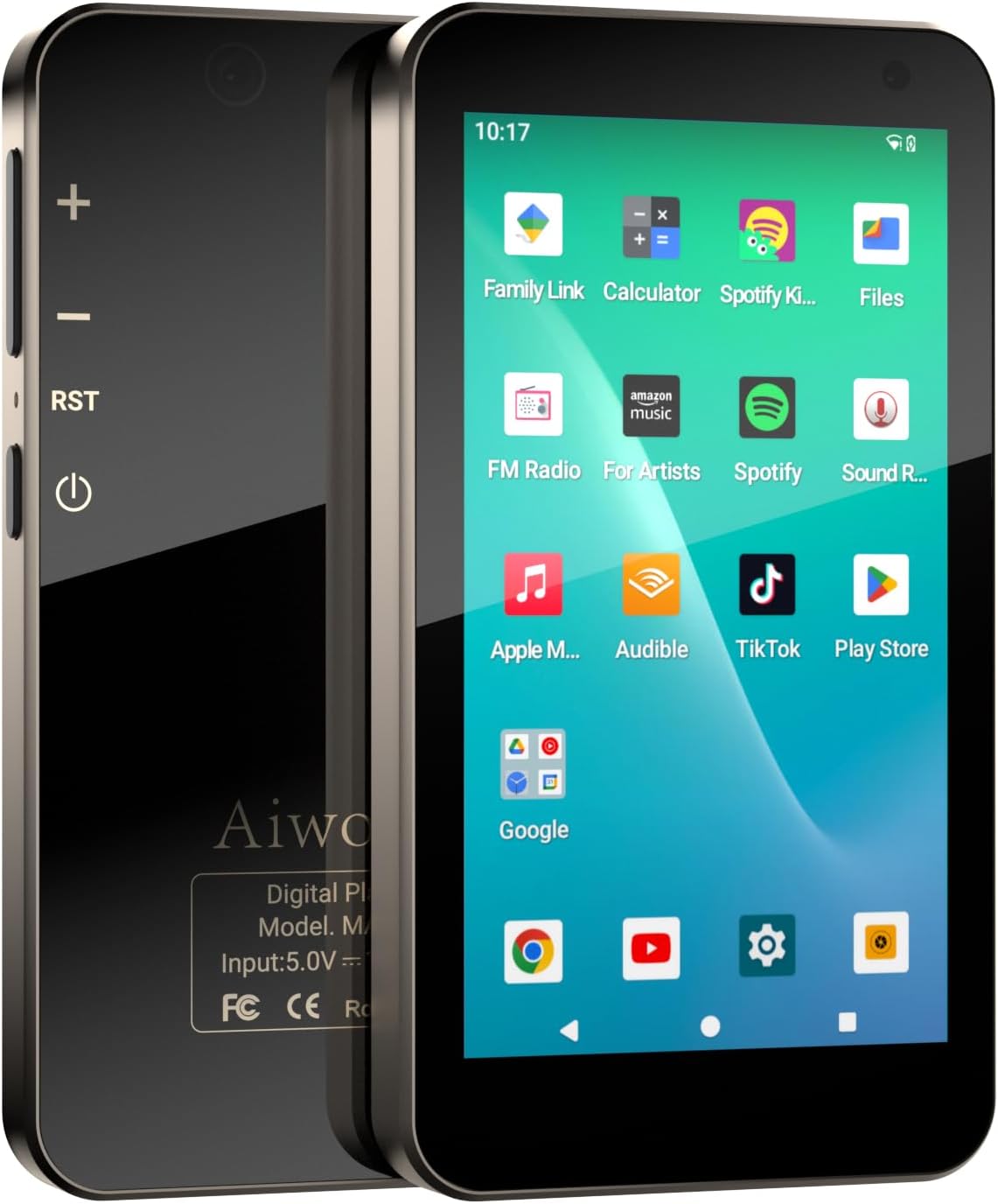
Image 1.1: Front and back view of the Aiworth MA567 MP3 Player, showing the screen with app icons and the device's physical buttons.
2. Product Overview
Key Features:
- Google Mobile Services (GMS) Certified Android 13.0 OS
- 3GB RAM, 32GB internal storage, expandable with 128GB TF card (included)
- MTK 8-core 2.0 GHz processor
- 4.02-inch 1280*720 HD IPS touch screen
- Bluetooth 5.0 and Wi-Fi (802.11) connectivity
- 5MP front camera and 13MP rear camera
- 2000mAh aluminum battery with USB-C fast charging
- Parental control features
- Supports various audio and video formats (MP4, MP3, RM, AVI, RMVB, FLV, DAT, MKV, MPG, MOV, OGG, FLAC, AAC, WAV, WMA, APETS, etc.)
- Built-in G-sensor for flash games
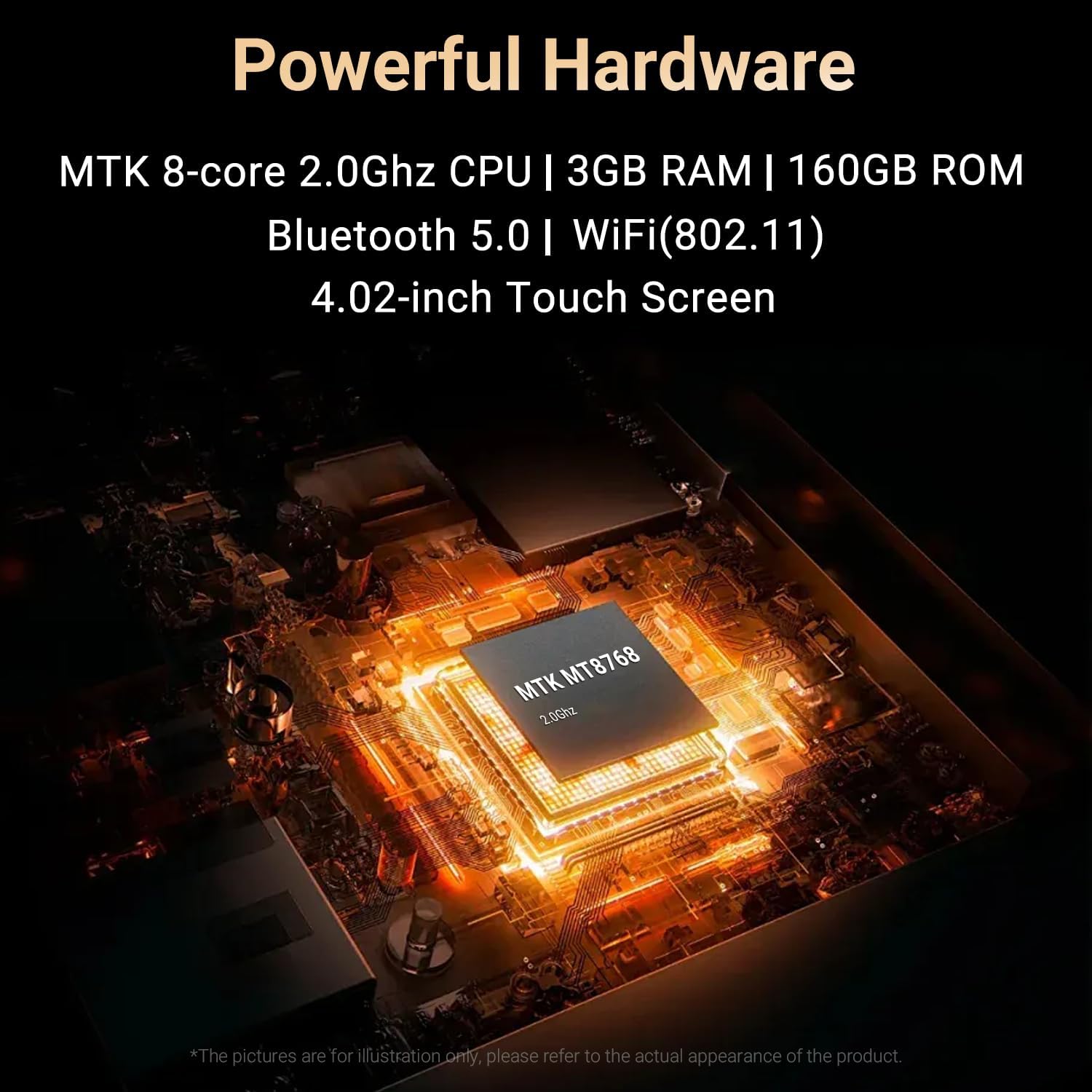
Image 2.1: Close-up of the MTK 8-core 2.0GHz processor chip inside the Aiworth MA567 MP3 Player.
3. Setup
3.1 Charging the Device
Before first use, fully charge the MP3 player. Connect the provided USB-C cable to the device's charging port and the other end to a compatible USB power adapter (not included) or a computer's USB port. The device features a 2000mAh battery and takes approximately 3.5 hours to charge from 0% to 100%.

Image 3.1: Illustration of the 2000mAh battery capacity and estimated usage times: 8 hours music playback, 5 hours video playback, and 2 hours for a full charge.
3.2 Power On/Off
- To Power On: Press and hold the Power button on the side of the device until the screen illuminates.
- To Power Off: Press and hold the Power button, then select 'Power Off' from the on-screen options.
3.3 Initial Configuration
Upon first power-on, follow the on-screen prompts to complete the initial setup, including language selection, Wi-Fi connection, and Google account login. As a GMS-certified device, logging into a Google account is necessary to access Google services and the Google Play Store.

Image 3.2: The device screen displaying the Google sign-in prompt, indicating GMS certification.
3.4 Storage
The device comes with 32GB of built-in memory and includes a 128GB TF card, providing a total of 160GB storage. You can transfer files via USB connection to a computer or download directly via Wi-Fi.
4. Operating the Device
4.1 Touch Screen Navigation
The 4.02-inch IPS touch screen allows for intuitive navigation. Use gestures such as tap, swipe, pinch-to-zoom, and drag to interact with the interface and applications.
4.2 Music Playback
The player supports various audio formats including MP3, OGG, FLAC, AAC, WAV, WMA, and APETS. Music can be played through the built-in speaker, wired headphones, or Bluetooth earbuds/speakers.

Image 4.1: A user enjoying music with the Aiworth MA567 MP3 Player, showing the music player interface on the screen.
4.3 Video Playback
The device supports video formats such as MP4, RM, AVI, RMVB, FLV, DAT, MKV, MPG, and MOV. The 1280*720 HD IPS widescreen provides a clear viewing experience.
4.4 App Installation and Usage
The Aiworth MA567 comes with pre-installed applications. Additional applications can be downloaded from the Google Play Store. Ensure a stable Wi-Fi connection for downloads.

Image 4.2: The device screen displaying various pre-installed applications like Spotify, Apple Music, YouTube, and the Google Play Store icon.
4.5 Bluetooth Connectivity
To connect to Bluetooth devices (e.g., headphones, speakers):
- Go to Settings > Connected devices > Bluetooth.
- Turn Bluetooth on.
- Select 'Pair new device' and choose your device from the list.
4.6 Wi-Fi Connectivity
To connect to a Wi-Fi network:
- Go to Settings > Network & internet > Wi-Fi.
- Turn Wi-Fi on.
- Select your desired network and enter the password if prompted.
4.7 Camera Functionality
The device features a 5MP front camera and a 13MP rear camera. Open the Camera app to capture photos and videos.

Image 4.3: Two device screens illustrating the 13MP rear camera capturing a squirrel and the 5MP front camera for video calls or selfies.
4.8 Parental Control
The device includes parental control features. To set up, log in with a Google parent account in the device settings and follow the instructions. This allows for managing app access and screen time.

Image 4.4: The device screen showing the 'Set up parental controls' interface, emphasizing safe usage for children.
4.9 Other Features
- FM Radio: Access the FM Radio app to listen to local radio stations.
- Voice Recorder: Use the built-in voice recorder for audio notes.
- G-sensor: The G-sensor technology enables playing certain flash games that respond to device movement.
5. Maintenance
5.1 Cleaning
Wipe the device with a soft, dry, lint-free cloth. Avoid using abrasive cleaners, solvents, or aerosol sprays, which may damage the screen or finish.
5.2 Software Updates
Periodically check for system updates in Settings > System > System update to ensure optimal performance and security. Ensure the device is sufficiently charged and connected to Wi-Fi before performing updates.
5.3 Storage Management
Regularly manage your device's storage by deleting unnecessary files, uninstalling unused apps, and transferring large media files to a computer or cloud storage to maintain performance.
6. Troubleshooting
- Device not turning on: Ensure the battery is charged. Connect the device to a charger for at least 15 minutes, then try powering it on again.
- Apps crashing or freezing: Close and restart the app. If the issue persists, clear the app's cache (Settings > Apps > [App Name] > Storage & cache > Clear cache). Consider uninstalling and reinstalling the app.
- Cannot connect to Wi-Fi/Bluetooth: Ensure Wi-Fi/Bluetooth is enabled in settings. Restart the device and the router/Bluetooth accessory. Forget the network/device and try reconnecting.
- Poor battery life: Reduce screen brightness, close background apps, disable Wi-Fi/Bluetooth when not in use. Check for apps consuming excessive power in battery settings.
- Slow performance: Free up storage space, close unused apps, and restart the device.
7. Specifications
| Feature | Specification |
|---|---|
| Model Name | MA567 |
| Operating System | Android 13.0 (GMS Certified) |
| Processor | MTK 8-core 2.0 GHz CPU |
| RAM | 3GB |
| Internal Storage | 32GB |
| Expandable Storage | 128GB TF card (included) |
| Total Storage | 160GB |
| Screen Size | 4.02 Inches |
| Screen Resolution | 1280*720 HD IPS |
| Connectivity | Bluetooth 5.0, Wi-Fi (802.11), USB-C |
| Rear Camera | 13MP |
| Front Camera | 5MP |
| Battery Capacity | 2000mAh |
| Charging Time | Approx. 3.5 hours (0%-100%) |
| Item Weight | 9.6 ounces |
| Package Dimensions | 5.94 x 3.86 x 1.46 inches |
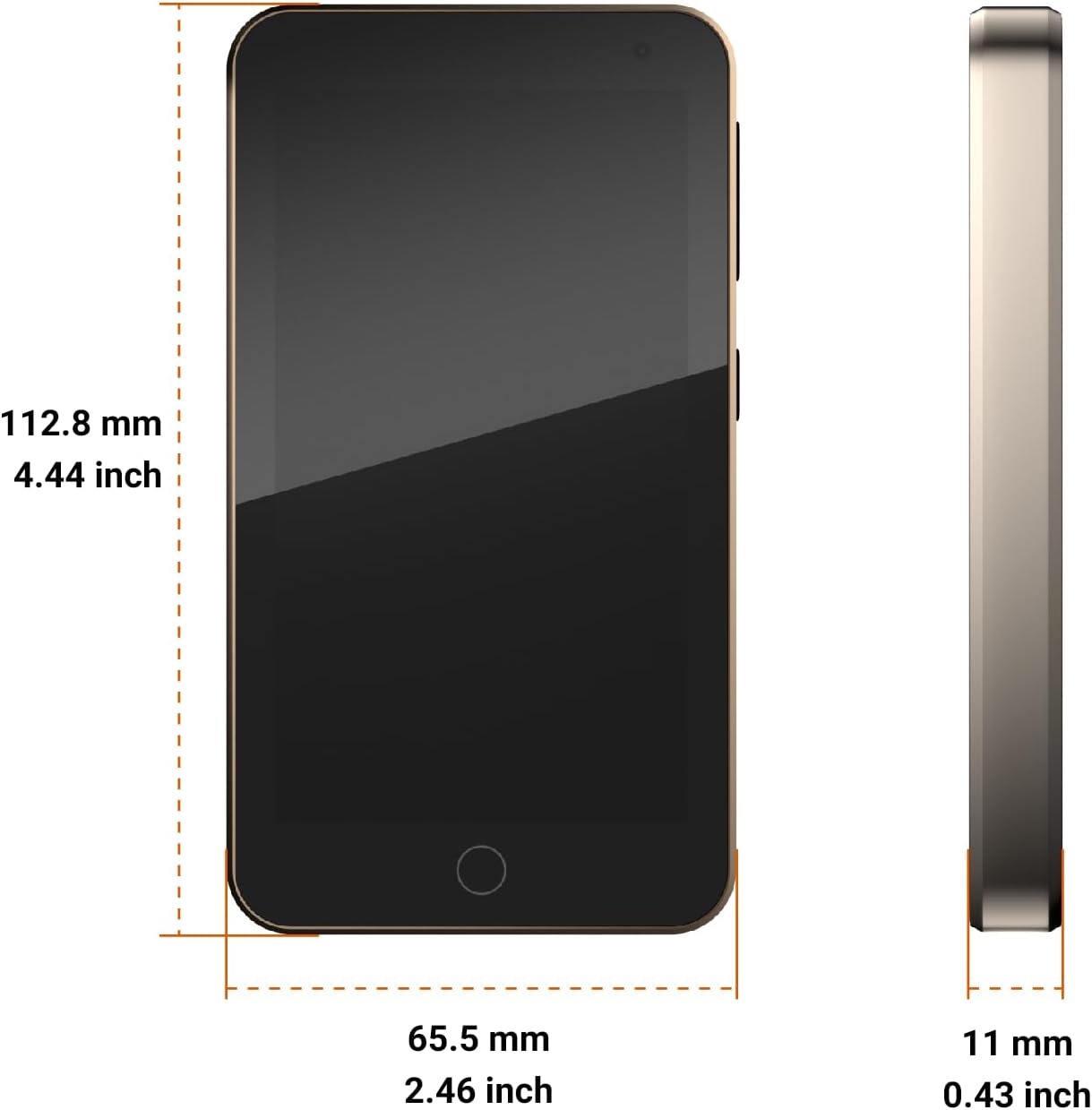
Image 7.1: Diagram showing the dimensions of the Aiworth MA567 MP3 Player: 112.8 mm (4.44 inch) height, 65.5 mm (2.46 inch) width, and 11 mm (0.43 inch) thickness.
8. Warranty and Support
The Aiworth MA567 MP3 Player comes with a 365-day warranty from the date of purchase. This warranty covers manufacturing defects. For technical support, warranty claims, or any questions regarding your device, please contact Aiworth customer service through the retailer's support channels or the official Aiworth website.
What's in the Box:
- Aiworth MA567 MP3 Player
- Protective Case
- USB-C Cable
- 128GB TF Card (pre-installed or separate)

Image 8.1: The package contents, including the Aiworth MA567 MP3 Player, its box, a protective case, and a USB cable.